
1. Wprowadzenie i koniecview
The Roccat Horde AIMO RGB Gaming Keyboard is designed for optimal gaming performance and user customization. It features a precision key layout, quick-fire macro keys, a configurable tuning wheel, and advanced AIMO intelligent lighting. This manual provides essential information for setting up, operating, maintaining, and troubleshooting your keyboard.
Główne cechy:
- Precision Key Layout: Finger-cap design for enhanced key distinction and dirt resistance.
- AIMO Lighting System: Intelligent lighting that synchronizes across multiple compatible devices.
- Oświetlenie RGB: Configurable, multi-zone, multi-color illumination.
- Klawisze membranowe: Engineered for a precise actuation point.
- Configurable Tuning Wheel & Buttons: On-the-fly control for multimedia, lighting, and more.
- Quick-Fire Macros: Niskoprofile macro keys designed to prevent accidental activation.
- Enhanced Anti-Ghosting: Ensures every key press is registered accurately.
- Odłączana podpórka pod nadgarstki: Ergonomic design for increased comfort during extended gaming sessions.
- Roccat Swarm: Comprehensive driver and software system for customization.
2. Konfiguracja
2.1 Podłączanie klawiatury
Connect the keyboard to your computer using the integrated USB 2.0 cable. Ensure the USB connector is fully inserted into an available USB port on your PC.
2.2 Software Installation (Roccat Swarm)
For full functionality and customization, install the Roccat Swarm software. An internet connection is required for driver installation and software updates.
- Visit the official Roccat website to download the latest version of the Roccat Swarm software.
- Uruchom instalator i postępuj zgodnie z instrukcjami wyświetlanymi na ekranie.
- Jeśli zostaniesz o to poproszony, uruchom ponownie komputer.
Wymagania systemowe: The keyboard is compatible with Windows 8 and Windows 10 operating systems.
2.3 Attaching the Palm Rest
The detachable palm rest provides ergonomic support. Align the palm rest with the bottom edge of the keyboard and gently push until it clicks into place. To remove, pull the palm rest away from the keyboard.
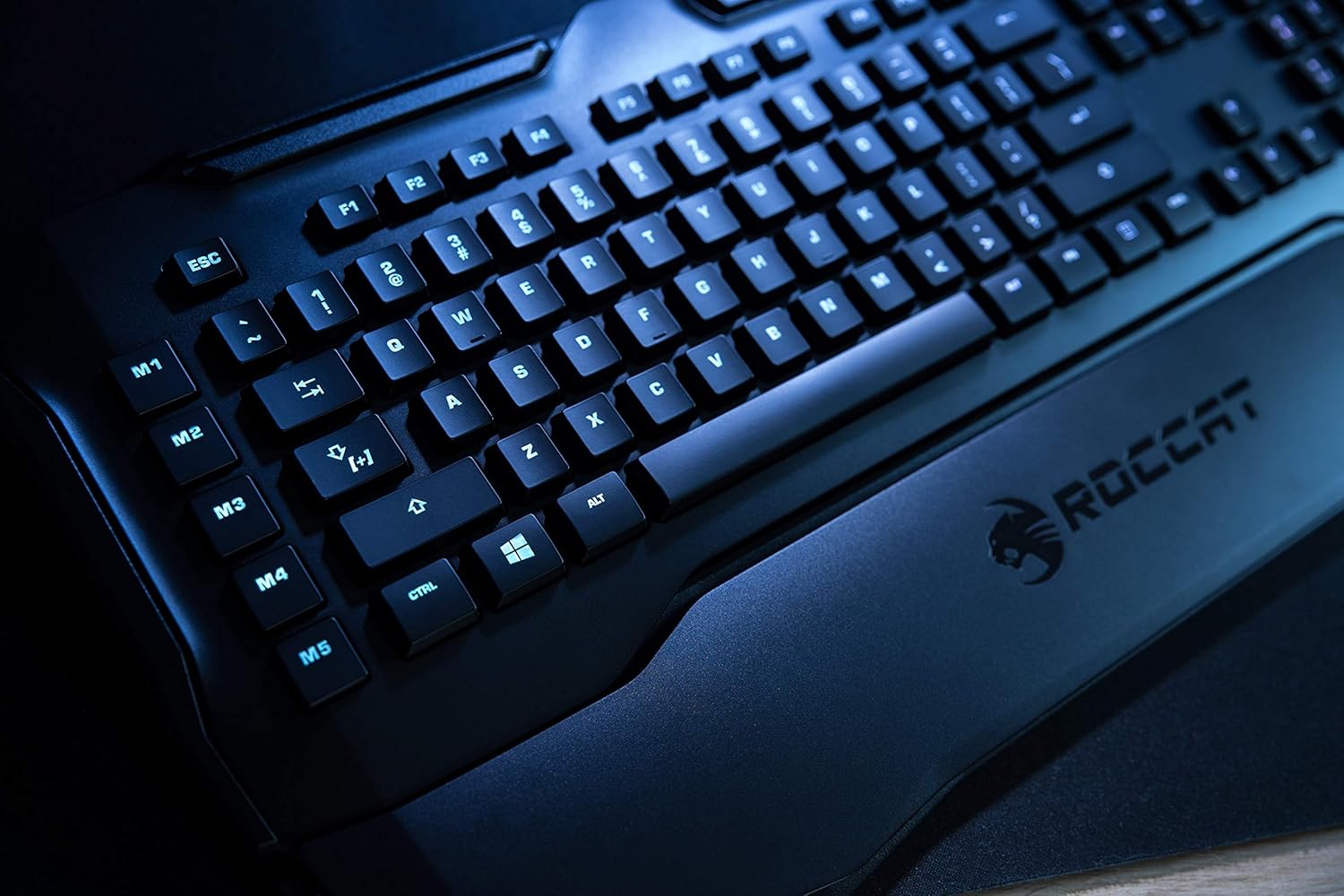
Figure 1: Roccat Horde AIMO keyboard with detachable palm rest.
3. Obsługa klawiatury
3.1 AIMO and RGB Lighting
The AIMO intelligent lighting system provides dynamic, multi-zone RGB illumination. You can customize lighting effects, colors, and synchronization with other AIMO-compatible devices through the Roccat Swarm software.

Figure 2: Roccat Horde AIMO keyboard showcasing Oświetlenie RGB.
3.2 Configurable Tuning Wheel and Buttons
The tuning wheel and dedicated buttons located on the top right of the keyboard allow for quick adjustments without interrupting your workflow or game. These can be configured via Roccat Swarm to control multimedia playback, adjust lighting brightness, switch profilei wiele innych.

Figure 3: Detail of the tuning wheel and numpad.
3.3 Quick-Fire Macro Keys (M1-M5)
The five dedicated macro keys (M1-M5) on the left side of the keyboard can be programmed for complex commands or frequently used actions. Their low-profile design helps prevent accidental presses during intense gaming. Use the Roccat Swarm software to assign macros.

Figure 4: Macro keys M1-M5 and WASD section.
3.4 Ochrona przed ghostingiem
The enhanced anti-ghosting feature ensures that all simultaneous key presses are registered accurately, which is crucial for fast-paced gaming scenarios.
4. Konserwacja
4.1 Czyszczenie klawiatury
Aby zachować wydajność i wygląd klawiatury:
- Przed czyszczeniem odłącz klawiaturę od komputera.
- Użyj miękkiego, lekko damp cloth to wipe down the surface of the keyboard and keys.
- Unikaj stosowania silnych środków chemicznych, ściernych środków czyszczących i nadmiernej wilgoci.
- Do usuwania kurzu i zanieczyszczeń spomiędzy klawiszy należy użyć sprężonego powietrza.
4.2 Palm Rest Care
The detachable palm rest can be cleaned with a damp cloth. Ensure it is completely dry before reattaching it to the keyboard.
5. Rozwiązywanie Problemów
If you encounter issues with your Roccat Horde AIMO keyboard, please refer to the following common solutions:
- Klawiatura nie odpowiada:
- Sprawdź, czy kabel USB jest prawidłowo podłączony do klawiatury i komputera.
- Spróbuj podłączyć klawiaturę do innego portu USB.
- Uruchom ponownie komputer.
- Problemy z oświetleniem:
- Verify that the Roccat Swarm software is installed and up to date.
- Check lighting settings within the Roccat Swarm software.
- Upewnij się, że nie jest uruchomione żadne oprogramowanie powodujące konflikt, które mogłoby zakłócać sterowanie RGB.
- Makra nie działają:
- Open Roccat Swarm and confirm that your macros are correctly assigned and saved to the active profile.
- Ensure the software is running in the background.
- Oprogramowanie nie wykrywa klawiatury:
- Reinstall the Roccat Swarm software.
- Zaktualizuj swój system operacyjny do najnowszej wersji.
For further assistance, please visit the official Roccat support webstrona.
6. Specyfikacje
| Marka | ROCCAT |
| Nazwa modelu | Horde AIMO |
| Numer modelu Element | ROC-12-350-BK |
| Wymiary produktu | 5.5 x 47 x 20 cm; waga 1.1 kg |
| Kolor | Czarny |
| Technologia łączności | USB |
| Liczba portów USB 2.0 | 1 |
| Tomtage | 5 wolty |
| Źródło zasilania | USB |
| System operacyjny | Windows 10 |
| Obsługiwane oprogramowanie | Windows 8 |
| Opis klawiatury | Ergonomic |
| Zalecane zastosowania | Gaming, PC / Server |
| Cechy specjalne | Podpórka pod nadgarstek |
| Pierwsza dostępna data | 15 stycznia 2020 r. |
7. Gwarancja i wsparcie
7.1 Gwarancja na produkt
Your Roccat Horde AIMO RGB Gaming Keyboard is covered by a manufacturer's warranty. Please refer to the warranty card included with your product or visit the official Roccat webAby zapoznać się ze szczegółowymi warunkami gwarancji obowiązującymi w Twoim regionie, odwiedź naszą witrynę.
7.2 Wsparcie techniczne
For technical assistance, software updates, and frequently asked questions, please visit the Roccat support page on their official website. The Roccat Swarm software also provides access to support resources and ensures your device firmware is up to date.
Roccat Official Webstrona: www.roccat.com