
Produkt ponadview
The Amazon Basics Full Size Ergonomic Wireless Mouse is designed for comfort and seamless functionality, ideal for right-hand use. This black wireless mouse provides reliable performance for both laptops and PCs, enhancing your computing experience with its advanced features.
Key features include fast-scrolling capabilities, a clickable scroll wheel, and convenient forward/back thumb buttons for streamlined navigation. It connects via a compact USB receiver, allowing for a tidy workspace without occupying additional ports. The optical sensor offers a 1600 DPI resolution for smooth and accurate tracking on most surfaces. An integrated on/off switch helps extend battery life, making it a dependable choice for continuous use. The mouse operates on a stable 2.4 GHz non-Bluetooth wireless connection and comes with 2 AA batteries and a battery LED light for user convenience.
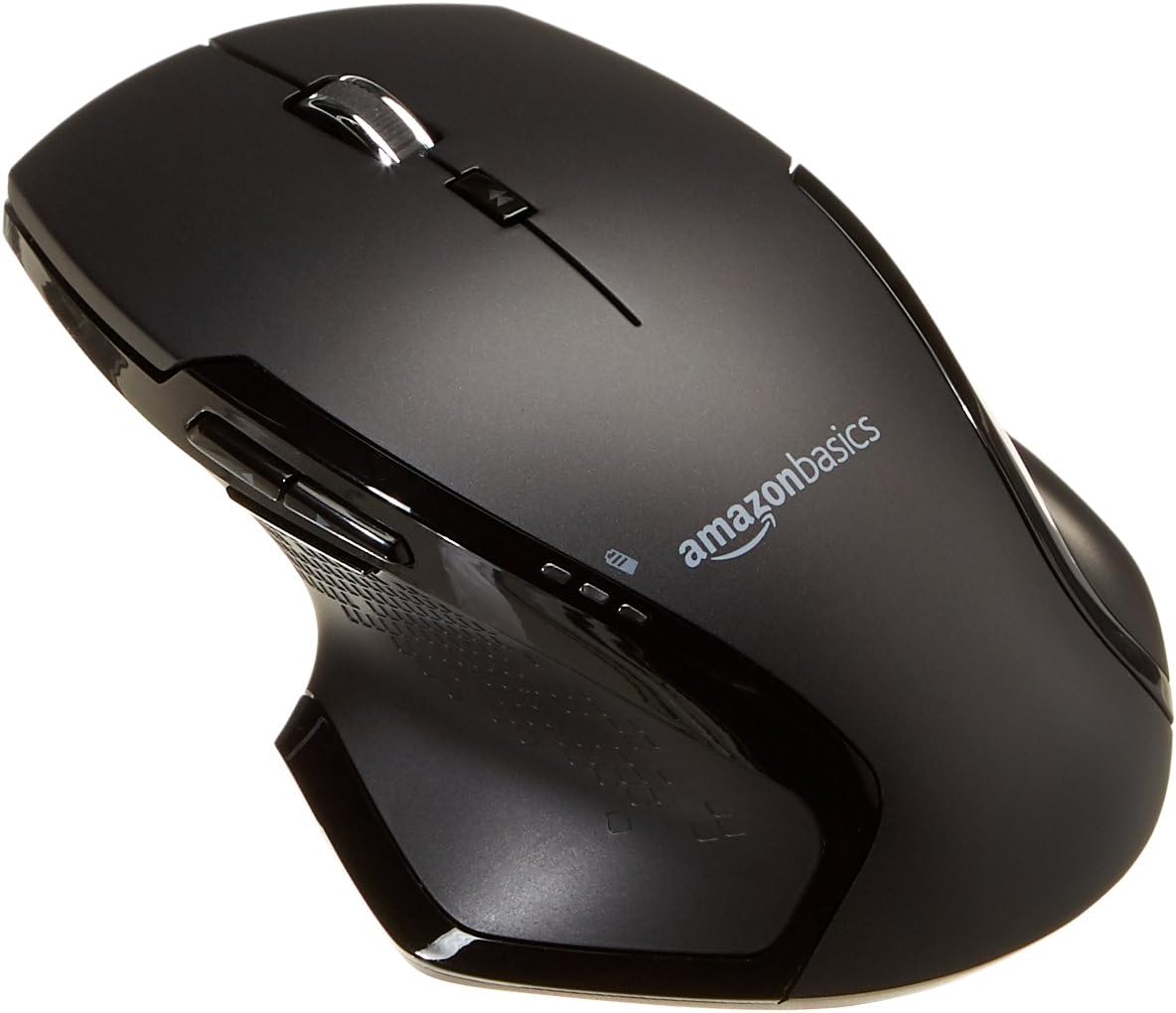
Obraz: Góra view of the Amazon Basics Full Size Ergonomic Wireless Mouse, showcasing its black finish and ergonomic design.
Zawartość opakowania
Przed przystąpieniem do konfiguracji upewnij się, że wszystkie elementy są obecne:
- Mysz bezprzewodowa
- 2 baterie AA
- Odbiornik USB
Organizować coś
1. Instalowanie baterii
- Turn the mouse upside down.
- Znajdź pokrywę komory baterii na spodzie myszy.
- Otwórz pokrywę.
- Włóż dwie (2) baterie AA, zwracając uwagę na prawidłową biegunowość (+/-), zgodnie ze wskazaniami wewnątrz komory.
- Dokładnie zamknij pokrywę komory baterii.

Image: Underside of the mouse with the battery compartment open, showing the slots for two AA batteries and the stored USB receiver.
2. Podłączanie odbiornika USB
- Remove the USB receiver from its storage slot within the battery compartment of the mouse.
- Podłącz odbiornik USB do wolnego portu USB w komputerze (PC lub Mac).
- Obróć mysz ON using the on/off switch located on the underside of the mouse.
- Twój komputer powinien automatycznie wykryć i zainstalować niezbędne sterowniki. Może to potrwać chwilę.

Image: The Amazon Basics wireless mouse positioned next to a laptop, illustrating a typical setup.
The mouse is plug-and-play and does not require additional software installation. For pointer speed adjustments, refer to your operating system's system settings.
Instrukcja obsługi
Podstawowe funkcje
- Lewy przycisk myszy: Główny przycisk do wybierania elementów, otwierania filei interakcji z oprogramowaniem.
- Kliknij prawym przyciskiem myszy: Dodatkowy przycisk umożliwiający dostęp do menu kontekstowego i dodatkowych opcji.
- Kółko przewijania: Przewijaj dokumenty w górę lub w dół i web pages. The wheel is also clickable for middle-click functions.

Obraz: Bok view of the Amazon Basics wireless mouse, highlighting its ergonomic contours and side buttons.
Advanced Functions (Thumb Buttons)
- Przycisk do przodu: Nawiguje do przodu w web przeglądarki lub file odkrywcy.
- Przycisk Wstecz: Porusza się wstecz web przeglądarki lub file odkrywcy.

Image: A hand demonstrating the ergonomic grip on the Amazon Basics wireless mouse, showing natural placement of fingers and thumb on the buttons.
Konserwacja
- Czyszczenie: Do czyszczenia myszy używaj miękkiej, suchej ściereczki. W przypadku uporczywych zabrudzeń, delikatnie przetrzyjamp Można użyć ściereczki, ale należy uważać, aby wilgoć nie dostała się do wnętrza podzespołów.
- Wymiana baterii: When the battery LED light indicates low power, replace both AA batteries promptly to ensure optimal performance.
- Składowanie: When not in use for extended periods, turn off the mouse using the on/off switch to conserve battery life. The USB receiver can be stored inside the battery compartment for safekeeping.
Rozwiązywanie problemów
| Problem | Możliwa przyczyna | Rozwiązanie |
|---|---|---|
| Mysz nie reaguje. |
|
|
| Ruch kursora jest chaotyczny lub przerywany. |
|
|
| Forward/Back buttons not working on Mac. |
|
|
Specyfikacje
| Funkcja | Szczegół |
|---|---|
| Marka | Podstawy Amazon |
| Numer modelu | GP8-BK |
| Technologia łączności | Bezprzewodowa sieć 2.4 GHz (odbiornik USB) |
| Technologia wykrywania ruchu | Optyczny |
| Rozdzielczość DPI | 1600 DPI |
| Źródło zasilania | 2 x baterie AA (w zestawie) |
| Kolor | Czarny |
| Waga przedmiotu | 8 uncji (około 227 gramów) |
| Wymiary produktu (dł. x szer. x wys.) | 4.96 x 1.77 x 3.24 cala (ok. 12.6 x 4.5 x 8.2 cm) |
| Kompatybilne systemy operacyjne | PC (Windows 7 and above), Mac, Laptop, Chromebook |
Gwarancja i wsparcie
For warranty information and customer support, please refer to the official Amazon Basics website or the documentation included with your product. You can also find additional resources and contact information via the following links:
For further assistance, please contact Amazon Basics customer service.


