
1. Koniec systemuview
This manual provides instructions for the SANNCE 16-channel 8MP NVR Wireless WiFi Security Camera System. This system is designed for comprehensive surveillance, offering high-resolution video recording and remote monitoring capabilities.
Główne cechy:
- 16-Channel 8MP NVR: Supports up to 16 cameras with 8-megapixel resolution for clear video.
- Wireless WiFi Connectivity: Utilizes 2.4/5.8GHz dual-band WiFi for stable and long-distance connections up to 985ft in open environments.
- H.264+ Video Coding: Advanced compression technology to optimize storage space while maintaining video quality.
- IP66 Outdoor Cameras: Weatherproof cameras suitable for various environmental conditions (-20℃ to 60℃).
- Widzenie nocne: Features up to 98ft IR night vision and 33ft full-color night vision for 24/7 monitoring.
- Human Motion Detection & Two-Way Talk: Enhanced security with intelligent detection and audio communication.
- Możliwość rozbudowy pamięci masowej: Supports up to 8TB local HDD storage and cloud storage options.
- Inteligentna integracja: Compatible with Alexa for voice control.
2. Konfiguracja systemu
The SANNCE security system is designed for quick and easy plug-and-play installation. Follow these steps for initial setup.
2.1 Rozpakowanie i pierwsze podłączenie
- Carefully unpack all components: NVR, cameras, power adapters, and accessories.
- Podłącz rejestrator NVR do monitora za pomocą kabla HDMI lub VGA.
- Podłącz rejestrator NVR do źródła zasilania za pomocą dołączonego zasilacza.
- Connect the cameras to their respective power sources. The cameras will automatically pair with the NVR.
- Connect the NVR to your router via an Ethernet cable for network access and remote viewing.

Rysunek 2.1: Koniecview of system installation, WiFi connection, and remote access via mobile application.
2.2 Konfiguracja sieci
Once the NVR is connected to your router, access the NVR's interface on the connected monitor to configure network settings. Ensure DHCP is enabled on your router or assign a static IP address to the NVR if required by your network setup.
2.3 Konfiguracja aplikacji mobilnej
- Pobierz aplikację mobilną SANNCE ze sklepu z aplikacjami na swoim urządzeniu.
- Zarejestruj konto i zaloguj się.
- Add your NVR to the app by scanning the QR code displayed on the NVR's interface or by manually entering its ID.
- Po dodaniu możesz view transmisje na żywo, odtwarzanie nagrań i zdalne otrzymywanie alertów.

Rysunek 2.2: Zdalny viewing of camera feeds on various devices.
3. Działanie systemu
This section details the various operational modes and features of your SANNCE security system.
3.1 Tryby nagrywania
System oferuje elastyczne opcje nagrywania:
- Ciągłe nagrywanie: Nagrywa 24/7 bez przerwy.
- Nagrywanie z wykrywaniem ruchu: Nagrywa tylko po wykryciu ruchu.
- Wykrywanie ruchu człowieka: Advanced detection specifically for human shapes, reducing false alarms.
- Zaplanowane nagrywanie: Ustaw konkretne godziny nagrywania.
- Nagrywanie wyzwalane alarmem: Records when an alarm event (e.g., motion, human detection) is triggered.

Figure 3.1: Intelligent human detection feature and various recording options.
3.2 Widzenie nocne
The cameras are equipped with advanced night vision technology to ensure clear surveillance in low-light conditions.
- IR Night Vision: Provides black and white video up to 98 feet in complete darkness.
- Pełnokolorowa wizja nocna: Offers color video up to 33 feet in low-light conditions, enhancing detail and identification.

Figure 3.2: Demonstration of full-color night vision capability.
3.3 Dźwięk dwukierunkowy
Utilize the built-in microphone and speaker on the cameras for two-way communication. This feature allows you to speak to individuals near the camera and hear their responses through the mobile app or NVR interface.

Figure 3.3: System features including two-way audio.

Rysunek 3.4: Example of two-way audio communication.
3.4 Remote Monitoring and Alerts
Stay informed with real-time notifications and remote access:
- Powiadomienia aplikacji mobilnej: Receive instant alerts on your smartphone when motion or human detection is triggered.
- Powiadomienia email: Configure the system to send email notifications with snapshots of events.
- Integracja z Alexą: Use voice commands with Alexa-enabled devices to view kanały kamer.

Figure 3.5: Notifications for intelligent people detection.

Figure 3.6: Seamless integration with Alexa for voice control.
4. Konserwacja
Regularna konserwacja gwarantuje optymalną wydajność i długowieczność Twojego systemu bezpieczeństwa.
4.1 Czyszczenie aparatu
- Okresowo czyść obiektywy aparatu miękką,amp szmatką, aby usunąć kurz, brud lub plamy wodne, które mogą blokować view.
- Avoid using harsh chemicals or abrasive materials that could damage the lens coating.
4.2 NVR and Storage Management
- Aby zapobiec przegrzaniu, należy upewnić się, że rejestrator NVR znajduje się w dobrze wentylowanym pomieszczeniu.
- Regularly check the hard drive status through the NVR interface to ensure it is functioning correctly.
- Manage storage space by configuring recording settings or backing up important footage to external storage or cloud services.
4.3 aktualizacji oprogramowania sprzętowego
Sprawdź oficjalne informacje SANNCE website or the mobile application periodically for firmware updates. Keeping your system's firmware updated ensures access to the latest features, security patches, and performance improvements.
5. Rozwiązywanie Problemów
W tej sekcji omówiono często spotykane problemy i przedstawiono ich rozwiązania.
5.1 Brak wyświetlania obrazu
- Sprawdź moc: Ensure the NVR and all cameras are properly connected to power outlets and are turned on.
- Połączenie monitora: Verify the HDMI/VGA cable connection between the NVR and your monitor.
- Parowanie aparatu: Confirm that cameras are successfully paired with the NVR. Refer to the setup section for pairing instructions if needed.
5.2 Poor Wireless Connection
- Siła sygnału: Check the wireless signal strength of the cameras in the NVR interface.
- Przeszkody: Reduce obstacles (thick walls, metal structures) between cameras and the NVR.
- Dystans: Ensure cameras are within the effective wireless range (up to 985ft in open environments).
- Ingerencja: Minimize interference from other wireless devices. The system supports dual-band WiFi (2.4/5.8GHz) which can help.
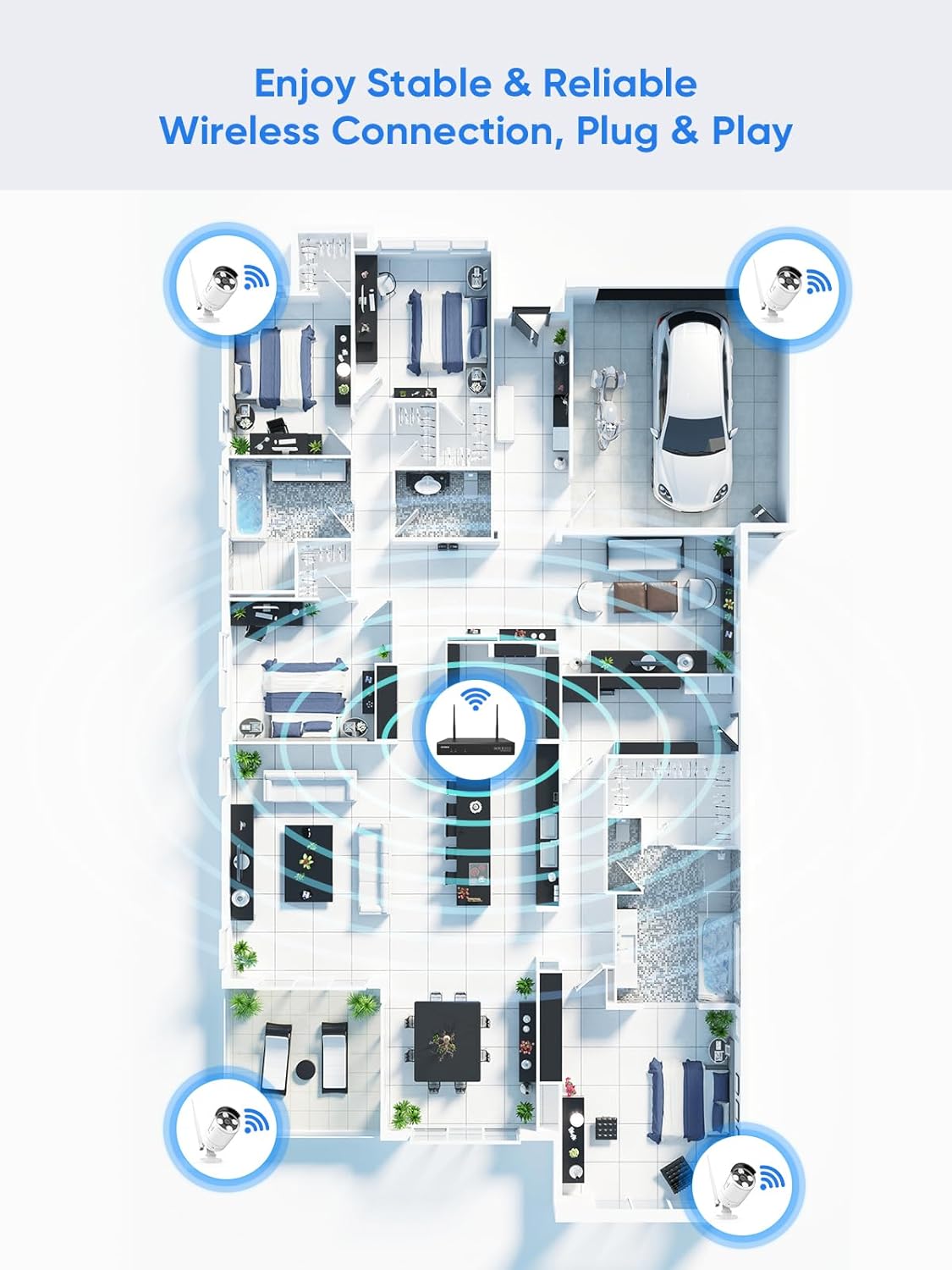
Figure 5.1: Wireless coverage and connection stability.
5.3 Problemy z nagrywaniem
- Dysk twardy: Verify the hard drive is installed correctly and is not full. Format the HDD if necessary (this will erase all data).
- Harmonogram nagrywania: Check your recording schedule and motion detection settings to ensure they are configured as desired.
- Czułość ruchu: Adjust motion detection sensitivity if recordings are too frequent or not frequent enough.
5.4 Problemy z dostępem zdalnym
- Połączenie internetowe: Ensure both your NVR and mobile device have a stable internet connection.
- NVR Network Settings: Confirm the NVR's network settings are correct and it has access to the internet.
- Logowanie do aplikacji: Verify you are logged into the SANNCE app with the correct account.
6. Specyfikacje
| Funkcja | Szczegół |
|---|---|
| Numer modelu | 4335041969 |
| Marka | SANNCE |
| Technologia łączności | HDMI, USB, VGA, Wireless WiFi (2.4/5.8GHz) |
| Kompatybilne urządzenia | Kamery |
| Pojemność pamięci masowej | Up to 8 TB (HDD) |
| Rozmiar dysku twardego | 8 TB (Maximum Supported) |
| Stopień ochrony IP | IP66 (Outdoor Cameras) |
| Temperatura pracy | -20℃ do 60℃ |
| Wymiary opakowania | 13.78 x 11.42 x 3.19 cala |
| Waga przedmiotu | 3.14 funta |
| Data pierwszej dostępności | 11 grudnia 2017 r. |
7. Gwarancja i wsparcie
7.1 Polityka zwrotów
This product is subject to a 30-day return policy from the date of purchase. Please refer to your retailer's specific return guidelines for detailed information.
7.2 Gwarancja producenta
SANNCE provides a limited warranty for this product against defects in materials and workmanship. For specific warranty terms, duration, and conditions, please refer to the warranty card included with your product or visit the official SANNCE webstrona.
7.3 Obsługa klienta
If you encounter any issues or have questions regarding the installation, operation, or maintenance of your SANNCE security system, please contact SANNCE customer support for assistance. You can typically find contact information on the SANNCE official webmiejscu lub w opakowaniu produktu.
Więcej informacji znajdziesz na stronie Sklep SANNCE.