
Andoer HDV-534K
Andoer HDV-534K 4K 48 MP WiFi Digital Video Camera User Manual
Model: HDV-534K
Wstęp
This manual provides comprehensive instructions for the operation and maintenance of your Andoer HDV-534K 4K 48 MP WiFi Digital Video Camera. Please read this manual thoroughly before using the camera to ensure proper functionality and to maximize your user experience.
The Andoer HDV-534K is a high-definition digital video camera capable of recording 4K (2880 x 2160) video at 24 frames per second (interpolated) and capturing still photos at 48MP (9212 x 5184) (interpolated). It features a 3-inch capacitive touchscreen for intuitive control and vivid display.
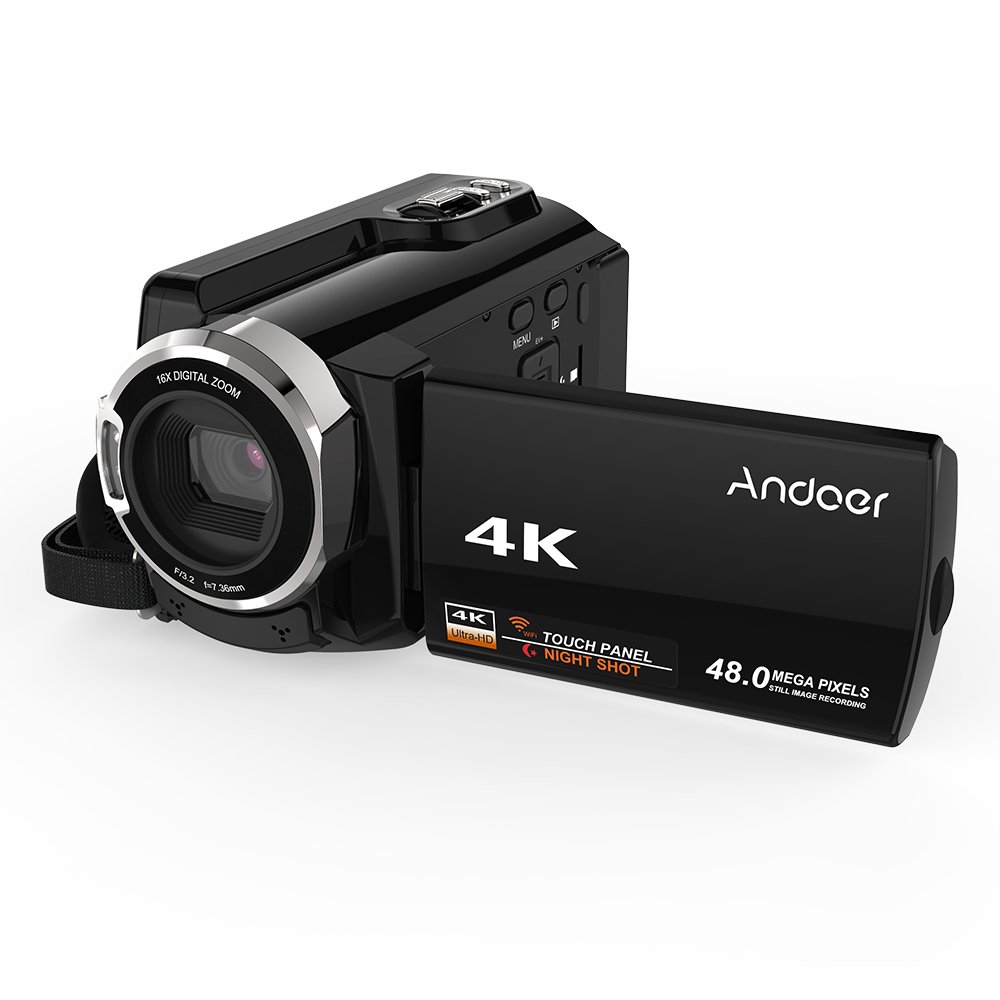
Figure 1: Andoer HDV-534K Digital Video Camera. This image shows the camera from the front-right, with the screen open, displaying the "4K" and "Andoer" branding.
Składniki produktu i elementy sterujące
Familiarize yourself with the various parts and controls of your Andoer HDV-534K camera.

Figure 2: Detailed diagram of the Andoer HDV-534K camera, highlighting key components and controls such as the 3-inch touchscreen, MENU button, Playback button, T/W (Telephoto/Wide) zoom, Photo button, Mode button, Up/EV+, Right/IR, T-Flash Card Slot, AV/USB/HD Port, Left/Timed, Power button, Display/WiFi, Down/EV-, Infrared Light (IR), Lens, Mic, Secure Digital Memory Card Slot, Power Light, Charging Light, Start/Stop button, Strap, and Battery compartment.
Kluczowe komponenty:
- Obiektyw: Rejestruje obrazy i nagrania wideo.
- Światło podczerwone (IR): Służy do nagrywania w nocy.
- 3-calowy pojemnościowy ekran dotykowy: Dla viewing and navigating menus.
- Komora baterii: Mieści akumulator.
- Secure Digital Memory Card Slot: For inserting SD/SDHC memory cards (not included).
- AV/USB/HD Port: Multi-functional port for connecting to external devices.
- Gwint statywu 1/4": Umieszczony na dole, umożliwia montaż na statywie.
Przewodnik po konfiguracji
1. Ładowanie akumulatora
Before first use, fully charge the camera's battery. The Andoer HDV-534K uses a 3.8V 2500mAh lithium polymer battery, designed for longer service time.
- Insert the battery into the battery compartment, ensuring correct orientation.
- Podłącz kamerę do źródła zasilania za pomocą dołączonego kabla USB i zasilacza.
- The Charging Light will indicate the charging status. Refer to the camera's display for battery level.

Figure 3: Image showing the camera with the battery inserted, emphasizing the "Bigger Capacity Longer Service Time" feature of the 3.8V 2500mAh lithium polymer battery.
2. Wkładanie karty pamięci
The camera requires an SD/SDHC memory card (not included) to store photos and videos.
- Locate the Secure Digital Memory Card Slot on the camera.
- Włóż kartę pamięci, kierując metalowe styki we właściwym kierunku, aż do zatrzaśnięcia.
- Aby wyjąć kartę, delikatnie naciśnij ją, aż wyskoczy.
3. Pierwsze włączenie zasilania
- Otwórz ekran LCD.
- Naciśnij i przytrzymaj Moc button until the camera turns on.
- Follow any on-screen prompts for initial setup, such as setting date and time.
Instrukcja obsługi
Nagrywanie filmów
- Ensure the camera is in video recording mode. If not, press the Tryb przycisk, aby przełączyć.
- Frame your shot using the 3-inch touchscreen.
- Naciśnij Uruchom/Zatrzymaj button to begin recording. The recording indicator will appear on the screen.
- Naciśnij Uruchom/Zatrzymaj ponownie, aby zatrzymać nagrywanie.

Figure 4: The Andoer HDV-534K camera held in hand, displaying a 4K Ultra HD picture on its screen, demonstrating its video recording capability.
Robienie zdjęć
- Aby przejść do trybu fotograficznego, naciśnij przycisk Tryb przycisk.
- Skomponuj ujęcie.
- Naciśnij Zdjęcie button to capture an image.
Funkcja Zoom
Aparat wyposażony jest w 16-krotny zoom cyfrowy.
- Użyj T/W (Telephoto/Wide) button to zoom in (T) or zoom out (W).
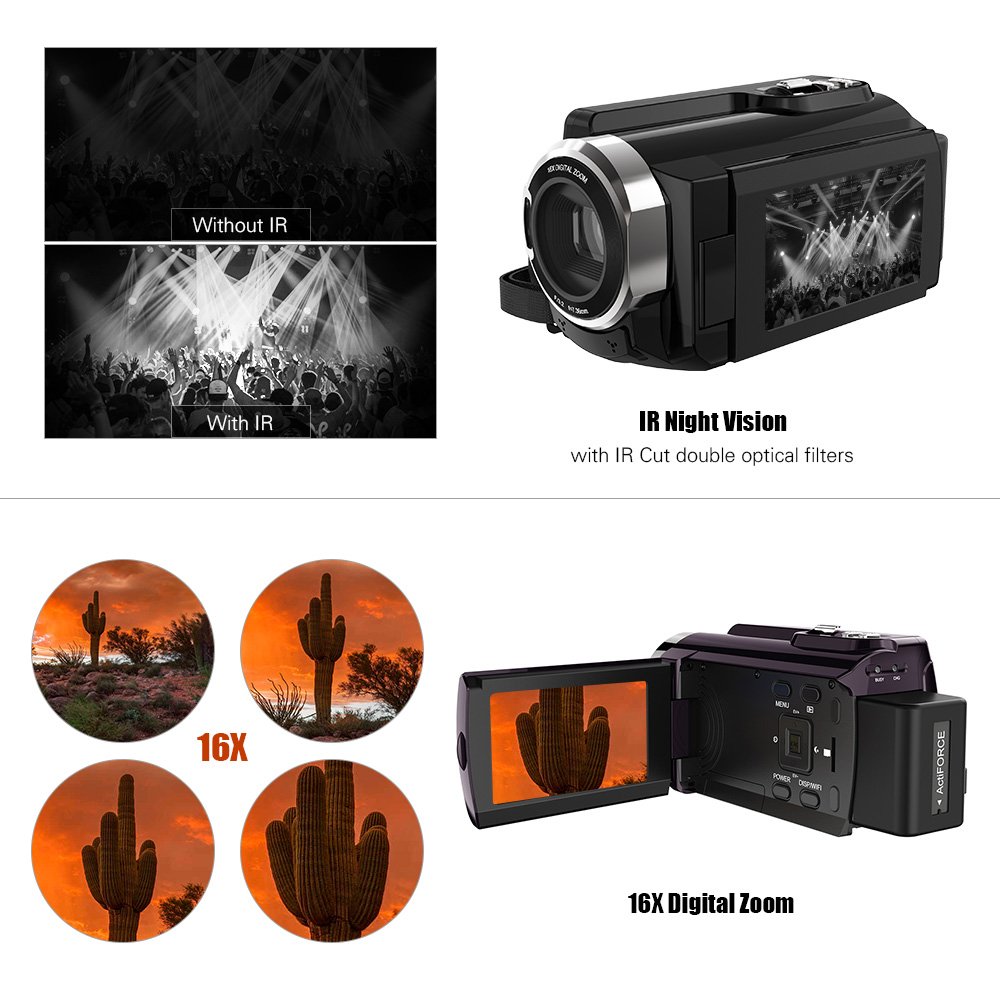
Figure 5: Illustration of the 16x digital zoom capability, showing four magnified views of a cactus, and a comparison of video quality with and without IR night vision.
Infrared (IR) Night Vision
Activate IR night vision for recording in low-light or dark conditions.
- Naciśnij Right/IR button to toggle IR night vision on or off.
Connecting to Other Devices (WiFi & USB/HDMI)
The camera supports WiFi connectivity for wireless transfer and control, and can also connect via AV/USB/HD cable.
- Wi-Fi: Naciśnij Display/WiFi button to activate WiFi. Use the dedicated app on your smartphone or tablet to connect and transfer files.
- AV/USB/HD Cable: Connect the camera to a computer or TV using the appropriate cable for file transfer or direct viewing.

Figure 6: Diagram illustrating the connectivity options of the Andoer HDV-534K, showing connection via AV/USB/HD Cable to a laptop and via WiFi to smartphones.
Konserwacja
Czyszczenie aparatu
- Do czyszczenia korpusu aparatu należy używać miękkiej, suchej ściereczki.
- For the lens and touchscreen, use a specialized lens cleaning cloth and solution to avoid scratches.
- Nie należy używać silnych detergentów ani rozpuszczalników.
Pielęgnacja baterii
- Gdy nie używasz baterii, przechowuj ją w chłodnym i suchym miejscu.
- Aby przedłużyć żywotność akumulatora, należy unikać jego całkowitego rozładowywania.
- Jeśli akumulator będzie przechowywany przez dłuższy okres, należy go naładować do około 50% pojemności.
Składowanie
- Store the camera in a dust-free environment, preferably in a camera bag.
- Unikaj ekstremalnych temperatur i wysokiej wilgotności.
Rozwiązywanie problemów
| Problem | Możliwa przyczyna | Rozwiązanie |
|---|---|---|
| Kamera się nie włącza. | Bateria jest rozładowana lub nieprawidłowo włożona. | Naładuj akumulator do pełna. Upewnij się, że akumulator jest włożony z zachowaniem prawidłowej polaryzacji. |
| Nie można nagrywać filmów/robić zdjęć. | Karta pamięci jest pełna, nie została włożona lub jest uszkodzona. | Check memory card. Delete unnecessary files or insert a new card. Format the card if necessary (this will erase all data). |
| Słaba jakość obrazu/wideo. | Obiektyw jest brudny. Niewystarczające oświetlenie. Nieprawidłowe ustawienia. | Clean the lens. Ensure adequate lighting or activate IR night vision. Check resolution settings. |
| Problemy z połączeniem WiFi. | Incorrect WiFi settings. App issues. | Ensure WiFi is enabled on camera and device. Restart both devices. Reinstall the camera's companion app. |
Specyfikacje
The following are the technical specifications for the Andoer HDV-534K Digital Video Camera:
| Funkcja | Szczegół |
|---|---|
| Model | HDV-534K |
| Rozdzielczość przechwytywania wideo | 4K (2880 x 2160) 24fps (interpolation) |
| Rozdzielczość zdjęcia | 48MP (9212 x 5184) (interpolation) |
| Rozmiar ekranu | 3 Inches Capacitive Touchscreen |
| Zoom cyfrowy | 16x |
| Technologia łączności | Wi-Fi |
| Technologia czujnika fotograficznego | CMOS |
| Maksymalna apertura | 1.8 stopnia |
| Typ pamięci flash | SmartMedia, SDHC |
| Format przechwytywania wideo | MP4 |
| Obsługiwany format audio | MP4 (AAC/MP3) |
| Waga przedmiotu | 640 gramów |
| Producent | Chiny |
| Pierwsza dostępna data | 11 października 2017 |
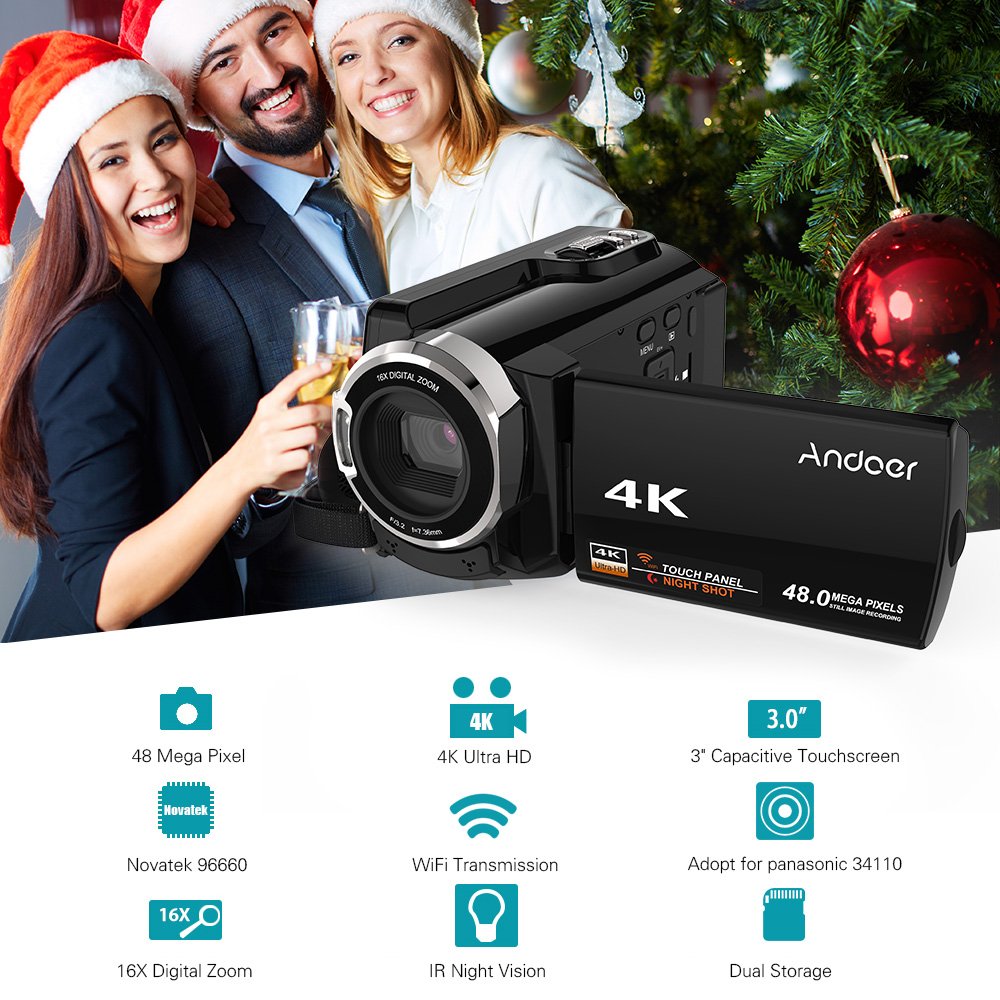
Figure 7: Infographic summarizing key features of the Andoer HDV-534K, including 48 Megapixel, 4K Ultra HD, 3.0" Capacitive Touchscreen, Novatek 96660 processor, 16X Digital Zoom, WiFi Transmission, IR Night Vision, and Dual Storage.
Gwarancja i wsparcie
For warranty information and customer support, please refer to the documentation included with your purchase or contact Andoer customer service directly. Specific warranty terms and conditions may vary by region and retailer.
Proszę zachować dowód zakupu na wypadek ewentualnych roszczeń gwarancyjnych.
Ask a question about this manual
Ask about setup, troubleshooting, compatibility, parts, safety, or missing instructions. Manuals+ will review the question and use this page’s manual context to help answer it.