
1. Koniec produktuview
The MERCUSYS MW300UM N300 Wireless Mini USB Adapter is designed to connect your desktop or laptop computer to a wireless network. It provides Wi-Fi connections up to 300Mbps, suitable for online gaming, HD streaming, and web browsing. Its compact, mini USB design ensures portability and convenience.
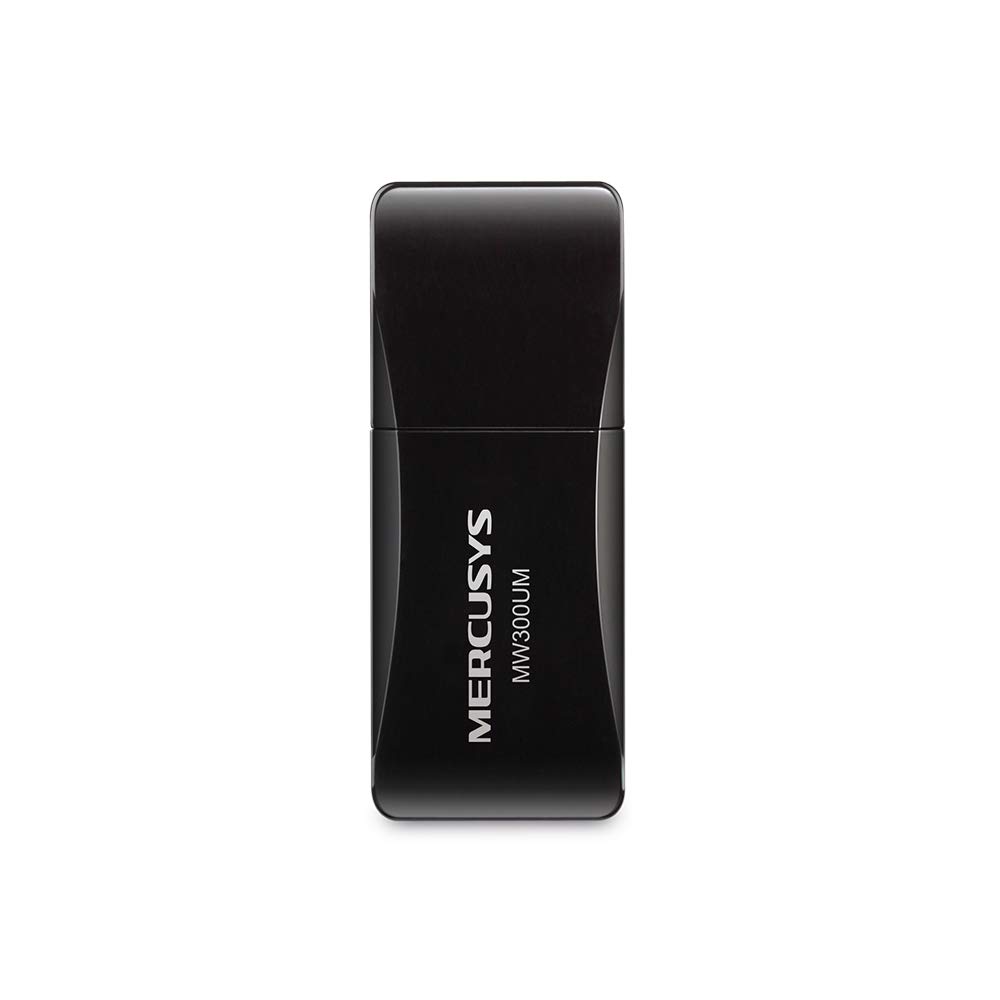
Figure 1: MERCUSYS MW300UM N300 Wireless Mini USB WiFi Adapter

Figure 2: Portable design for convenient use with laptops.
2. Zawartość opakowania
Sprawdź, czy w przesyłce znajdują się następujące elementy:
- MERCUSYS MW300UM Wireless Mini USB Adapter
- Szybki przewodnik instalacji
- Płyta CD z zasobami (dla sterowników i narzędzi)

Figure 3: MW300UM product packaging and contents.
3. Przewodnik konfiguracji
Follow these steps to install and set up your MW300UM Wireless Mini USB Adapter:
- Włóż adapter: Plug the MW300UM adapter into an available USB port on your desktop or laptop computer.
- Zainstaluj sterowniki:
- Insert the provided Resource CD into your computer's CD-ROM drive and follow the on-screen instructions to install the drivers and utility.
- Alternatively, if your computer does not have a CD-ROM drive or if you prefer the latest drivers, download them from the official MERCUSYS webStrona. ten website link is typically provided in the Quick Installation Guide.
- Połącz się z Wi-Fi: Once the drivers are installed, your computer will detect the adapter. Scan for available wireless networks, select your desired network, and enter the password to connect.

Figure 4: Easy setup process for the MW300UM adapter.
4. Instrukcja obsługi
The MW300UM adapter provides reliable wireless connectivity and can also function as a Wi-Fi hotspot.
4.1 Łączność bezprzewodowa
After successful driver installation, the adapter will enable your computer to connect to 2.4GHz wireless networks at speeds up to 300Mbps. This is suitable for various online activities including video streaming, voice calls, and online gaming.

Figure 5: MW300UM performance for various applications.
4.2 Soft AP Function
The MW300UM supports Soft AP (Access Point) functionality. If your computer has an existing wired internet connection, you can use the adapter to turn your PC or laptop into a Wi-Fi hotspot, allowing other wireless devices to connect to the internet through it. Refer to the utility software for instructions on enabling and configuring Soft AP mode.
4.3 Obsługiwane systemy operacyjne
The MW300UM adapter is compatible with a wide range of Windows operating systems:
- Windows 11 (32/64-bitowy)
- Windows 10 (32/64-bitowy)
- Windows 8.1 (32/64-bitowy)
- Windows 8 (32/64-bitowy)
- Windows 7 (32/64-bitowy)
- Windows XP (32/64bit)

Figure 6: Supported Operating Systems.
5. Konserwacja
To ensure optimal performance and longevity of your MW300UM adapter, follow these maintenance guidelines:
- Czyszczenie: Use a soft, dry cloth to gently wipe the adapter. Avoid using liquid cleaners or solvents, as they may damage the device.
- Składowanie: Jeśli zasilacz nie jest używany, przechowuj go w chłodnym, suchym miejscu, z dala od bezpośredniego światła słonecznego i ekstremalnych temperatur.
- Obsługiwanie: Unikaj upuszczania adaptera i narażania go na silne uderzenia. Nie próbuj demontować ani modyfikować urządzenia.
- Port USB: Ensure the USB port on your computer is clean and free of debris before inserting the adapter.
6. Rozwiązywanie Problemów
If you encounter issues with your MW300UM adapter, refer to the following common problems and solutions:
- Adapter nie został wykryty:
- Upewnij się, że adapter jest prawidłowo podłączony do działającego portu USB. Spróbuj użyć innego portu USB.
- Uruchom ponownie komputer.
- Sprawdź, czy sterowniki są poprawnie zainstalowane. W razie potrzeby zainstaluj je ponownie.
- Nie można połączyć się z siecią Wi-Fi:
- Sprawdź, czy inne urządzenia mogą połączyć się z tą samą siecią Wi-Fi.
- Upewnij się, że wpisujesz prawidłowe hasło Wi-Fi.
- Uruchom ponownie router/modem bezprzewodowy.
- Update the adapter's drivers to the latest version from the MERCUSYS webstrona.
- Niska prędkość Wi-Fi:
- Ensure your computer is within a reasonable range of your wireless router.
- Sprawdź, czy inne urządzenia elektroniczne (np. kuchenki mikrofalowe, telefony bezprzewodowe) nie powodują zakłóceń.
- Verify that your internet service plan supports the expected speeds.
- Zaktualizuj sterowniki adaptera.
7. Specyfikacje
| Funkcja | Specyfikacja |
|---|---|
| Marka | MERKUSY |
| Numer modelu | MW300UM |
| Interfejs sprzętowy | USB 2.0 |
| Protokół łącza danych | IEEE 802.11n, IEEE 802.11g, IEEE 802.11b |
| Szybkość przesyłu danych | 300 megabitów na sekundę |
| Kompatybilne systemy operacyjne | Windows 11/10/8.1/8/7/XP (32/64bit) |
| Wymiary produktu (dł. x szer. x wys.) | 17L x 9W x 43H Millimeters |
| Kolor | Czarny |
| Zawartość pudełka | Wireless Mini USB Adapter, Quick Installation Guide, Resource CD |
8. Informacje o gwarancji
The MERCUSYS MW300UM Wireless Mini USB Adapter typically comes with a 3-letnia gwarancja from the date of purchase. This warranty covers manufacturing defects and ensures the product functions as intended under normal use. Please retain your purchase receipt for warranty claims.
For detailed warranty terms and conditions, refer to the official MERCUSYS webwitryny lub karty gwarancyjnej dołączonej do opakowania produktu.
9. Wsparcie
For further assistance, technical support, or to download the latest drivers and firmware, please visit the official MERCUSYS support webstrona:
You may also find contact information for customer service in your region on the website or in the Quick Installation Guide.