
Razer RZ19-02290100-R3U1
Razer Seiren X USB Streaming Microphone User Manual
Model: RZ19-02290100-R3U1
Wstęp
The Razer Seiren X is a professional-grade USB streaming microphone designed to enhance audio quality for streaming and content creation. It features a supercardioid pickup pattern to minimize background noise and a built-in shock mount to reduce vibrations, ensuring clear and uninterrupted audio. Its compact and sleek design integrates seamlessly into any setup.

Figure 1: Razer Seiren X USB Streaming Microphone, Classic Black.
Organizować coś
The Razer Seiren X is designed for simple plug-and-play operation. No additional drivers or software are typically required for basic functionality on most operating systems.
- Podłącz mikrofon: Connect the provided USB cable from the Razer Seiren X to an available USB port on your computer (PC or Mac).
- Rozpoznawanie systemu: Your operating system should automatically detect and install the necessary drivers for the microphone. This process may take a few moments.
- Wybierz jako urządzenie domyślne:
- Dla systemu Windows: Go to Sound Settings > Recording tab, and select "Razer Seiren X" as your default recording device.
- Dla systemu macOS: Go to System Preferences > Sound > Input tab, and select "Razer Seiren X" as your input device.
- Pozycjonowanie: Position the microphone appropriately for optimal audio capture. The included heavy-duty tilting stand allows for stable and optimal mic positioning.

Figure 2: The Razer Seiren X offers plug-and-play USB connectivity for instant setup.
Obsługa mikrofonu
The Razer Seiren X features intuitive controls for ease of use during streaming or recording sessions.
- Przycisk wyciszenia: The microphone includes a dedicated mute button for quick and convenient muting/unmuting of your audio input. An indicator light typically shows the microphone's status (e.g., green for active, red for muted).
- Regulacja głośności: A volume knob is present on the microphone for adjusting the monitoring volume of your headphones connected to the microphone's 3.5mm jack. This allows for zero-latency monitoring of your own voice.
- Charakterystyka kierunkowa superkardioidalna: The microphone utilizes a supercardioid pickup pattern, which is highly directional. For best results, speak directly into the front of the microphone. This pattern effectively isolates your voice and reduces unwanted background noise from the sides and rear.
- Monitorowanie z zerowym opóźnieniem: Connect your headphones to the 3.5mm audio jack on the microphone to monitor your audio input in real-time without any delay, ensuring clear and accurate sound.
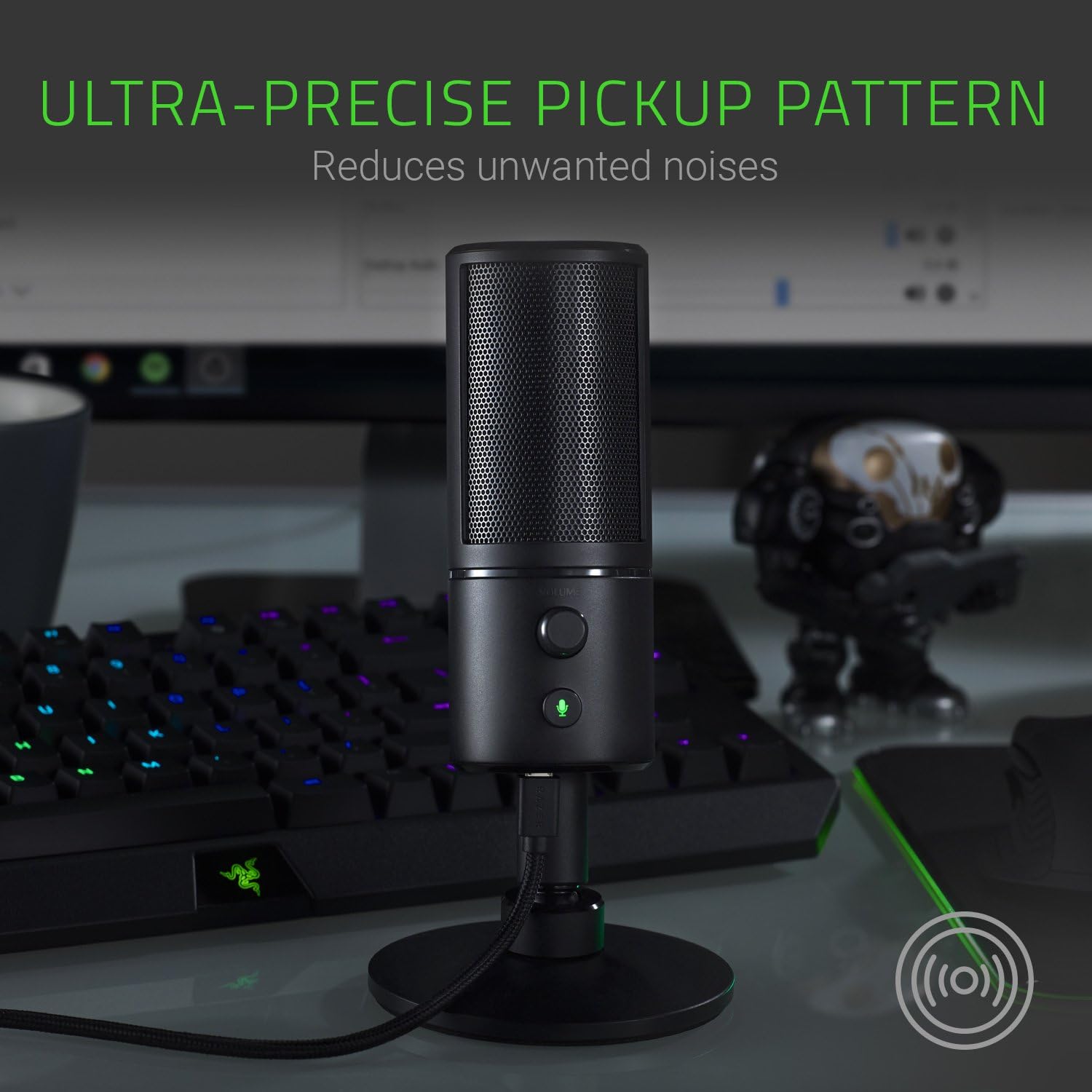
Figure 3: The ultra-precise supercardioid pickup pattern reduces unwanted noises for clear audio.
Główne cechy
- Built-In Background Noise Reduction: The supercardioid pickup microphone is designed to eliminate distracting noises further away from the microphone, providing professional-grade stream audio.
- Built-In Shock Mount: An integrated shock mount dampens vibrations, helping to protect against bumps and accidental knocks for smooth and uninterrupted audio recording.
- Monitorowanie z zerowym opóźnieniem: Allows for real-time in-stream monitoring without confusing echoes, ensuring you hear exactly what your audience hears.
- Kompaktowa obudowa: The microphone's sleek and non-obstructive design ensures it fits perfectly into your gaming or streaming setup without taking up excessive space.
- Heavy-Duty Tilting Stand: Provides a stable base and allows for flexible positioning of the microphone to achieve optimal sound capture.

Figure 4: The inbuilt shock mount dampens vibrations, making the microphone shock resistant.

Figure 5: The compact form factor keeps the attention focused on you, not the microphone.

Figure 6: The heavy-duty tilting stand allows for stable and optimal microphone positioning.

Figure 7: A closer look at the built-in shockmount designed to dampen wibracje.
Specyfikacje
| Funkcja | Szczegół |
|---|---|
| Marka | Razer |
| Nazwa modelu | RAZER USA LTD (RZ19-02290100-R3U1) |
| Technologia łączności | Przewodowy (USB) |
| Współczynnik kształtu mikrofonu | Tablica trójkapsułowa |
| Wzór biegunowy | Super kardioidalna |
| Zakres częstotliwości | 20 Hz - 20 kHz |
| Stosunek sygnału do szumu | 78dB |
| Waga przedmiotu | 383 gramów (13.5 uncji) |
| Wymiary produktu (dł. x szer. x wys.) | 3.54 x 3.54 x 7.28 cala |
| Tworzywo | Aluminium |
| Źródło zasilania | USB, AC |
| Kompatybilne urządzenia | radio, Amplifier, Speaker, Gaming Console |
| Funkcja specjalna | Funkcja wyciszenia |
| Zawarte komponenty | Mikrofon |
Konserwacja
Proper care and maintenance will ensure the longevity and optimal performance of your Razer Seiren X microphone.
- Czyszczenie: Use a soft, dry cloth to wipe down the exterior of the microphone. Avoid using harsh chemicals, solvents, or abrasive cleaners, as these can damage the finish or internal components.
- Składowanie: Gdy mikrofon nie jest używany, należy go przechowywać w czystym i suchym miejscu, z dala od ekstremalnych temperatur, wilgoci i bezpośredniego światła słonecznego.
- Obsługiwanie: While the microphone features a built-in shock mount, avoid dropping or subjecting it to strong impacts, which could damage internal components.
- Pielęgnacja kabli: Nie zginaj ani nie ściskaj nadmiernie kabla USB. Podczas odłączania zawsze chwytaj za wtyczkę, a nie za kabel.
Rozwiązywanie problemów
If you encounter issues with your Razer Seiren X microphone, try the following steps:
- Brak dźwięku/Nie wykryto mikrofonu:
- Sprawdź, czy kabel USB jest prawidłowo podłączony do mikrofonu i komputera.
- Spróbuj podłączyć mikrofon do innego portu USB w komputerze.
- Uruchom ponownie komputer.
- Verify that "Razer Seiren X" is selected as the default input device in your operating system's sound settings.
- Check the mute button on the microphone to ensure it is not activated.
- Słaba jakość dźwięku/szum tła:
- Ensure the microphone is positioned correctly, with the front facing the sound source.
- Reduce ambient noise in your environment.
- Adjust microphone input levels in your operating system's sound settings to prevent clipping or low volume.
- Consider using a pop filter (not included) to reduce plosive sounds.
- Problemy z monitorowaniem słuchawek:
- Sprawdź, czy słuchawki są prawidłowo podłączone do gniazda 3.5 mm mikrofonu.
- Adjust the volume knob on the microphone.
- Verify that the microphone is selected as the playback device for monitoring in your software (e.g., OBS, Discord).
Gwarancja i wsparcie
Aby uzyskać szczegółowe informacje dotyczące gwarancji i pomocy technicznej, zapoznaj się z oficjalną stroną Razer website or the comprehensive User Guide.
You can download the official User Guide (PDF) for the Razer Seiren X from the following link: Razer Seiren X User Guide (PDF)
Aby uzyskać dalszą pomoc, odwiedź stronę Sklep Razer na Amazon or contact Razer customer support directly.
Ask a question about this manual
Ask about setup, troubleshooting, compatibility, parts, safety, or missing instructions. Manuals+ will review the question and use this page’s manual context to help answer it.