
Wstęp
This manual provides detailed instructions for the installation, operation, and maintenance of your Minolta MNCD53-S Car Dashboard Camera. Please read this manual thoroughly before using the device to ensure proper functionality and safety.
The Minolta MNCD53-S is designed to record your road trips in full 1080P HD resolution, featuring a 140-degree wide-angle lens, Wide Dynamic Range (WDR), G-Sensor for emergency recording, and loop recording capabilities. Review footage on the integrated 3.0-inch LCD screen.
Co jest w pudełku
- Minolta MNCD53-S Car Dashboard Camera
- Karta SD (w zestawie 8 GB)
- Kieszonka
- Kabel USB
- Instrukcja obsługi (ten dokument)
- Karta gwarancyjna
Informacje dotyczące bezpieczeństwa
- Do not operate the camera or adjust settings while driving. Always pull over to a safe location before making any adjustments.
- Upewnij się, że kamera jest bezpiecznie zamontowana i nie przeszkadza. view drogi lub przeszkadzać w uruchomieniu poduszek powietrznych.
- Unikaj wystawiania aparatu na działanie ekstremalnych temperatur, długotrwałego bezpośredniego światła słonecznego i nadmiernej wilgoci.
- Use only the provided power cable and accessories to prevent damage to the device or vehicle.
- Aby zapewnić wyraźne nagrania, utrzymuj obiektyw w czystości.
- The internal battery is primarily for saving emergency files and maintaining settings. The camera requires continuous power from the vehicle's lighter socket for daily operation.
Produkt ponadview
The Minolta MNCD53-S dash camera is designed for reliable in-car video recording. Below are its key features and a visual representation.
- Full HD 1080P Video Recording: Nagrywa wyraźne wideo footage.
- Obiektyw szerokokątny 140°: Zapewnia szeroki view drogi.
- 3.0-calowy ekran LCD: Na żywo view, odtwarzanie i nawigację po menu.
- Czujnik G: Automatically detects sudden impacts or movements and locks the current video file aby zapobiec nadpisywaniu.
- Nagrywanie w pętli: Ciągłe nagrywanie, nadpisując najstarsze odblokowane files gdy karta pamięci jest pełna.
- Detekcja ruchu: Starts recording automatically when motion is detected in front of the camera (useful when parked).
- Szeroki zakres dynamiki (WDR): Improves video quality in varying light conditions, such as bright sunlight and shadows.
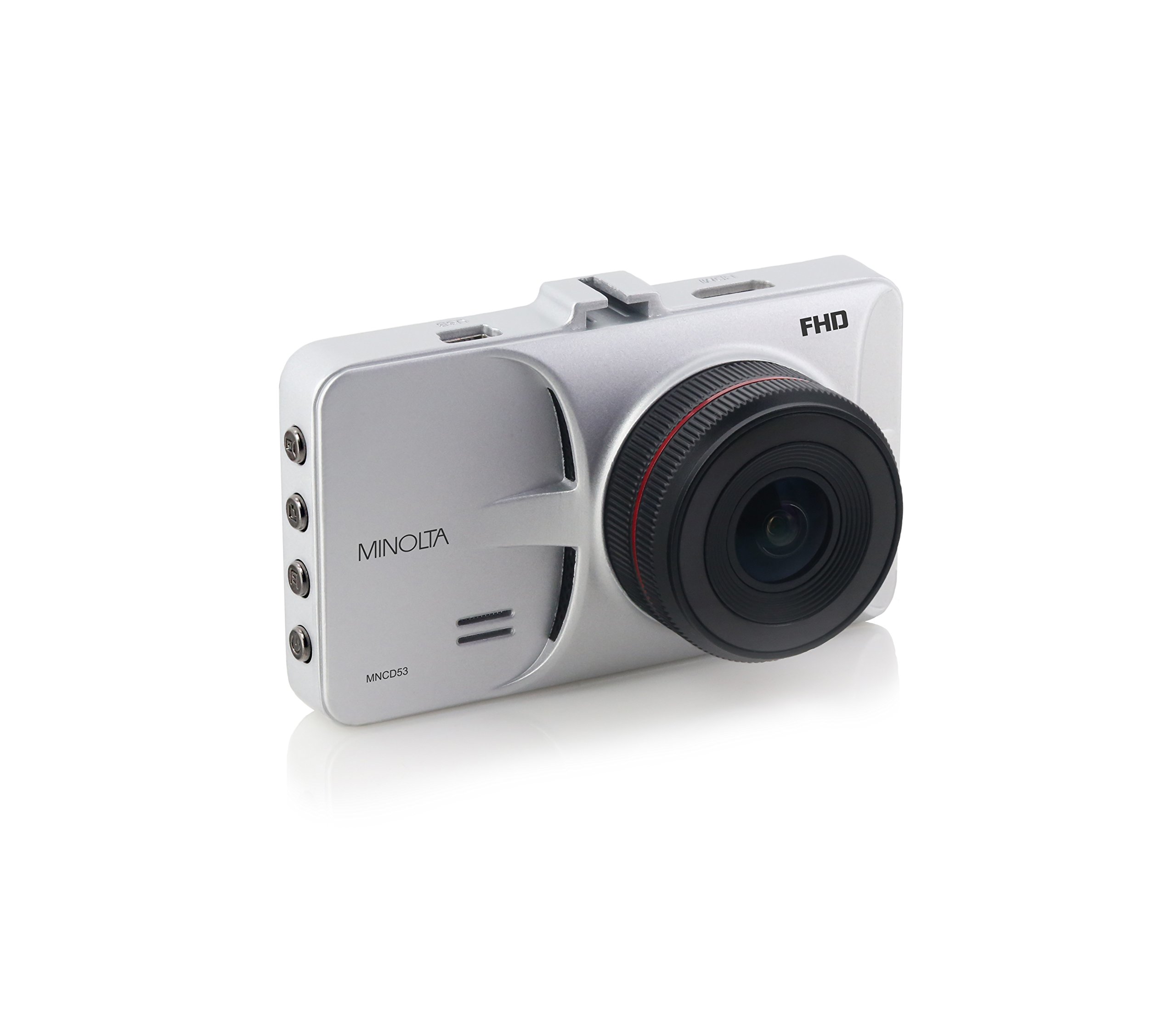
Rycina 1: Przód view of the Minolta MNCD53-S Car Dashboard Camera, showing the 3.0-inch LCD screen displaying a city night scene.
Organizować coś
- Włóż kartę SD: Locate the SD card slot on the camera. Gently insert the provided 8GB SD card (or another compatible Class 10 or higher microSD card, up to 32GB) until it clicks into place. Ensure the camera is off before inserting or removing the SD card.
- Montaż kamery:
- Przymocuj uchwyt z przyssawką do kamery.
- Clean the desired area on your windshield. Ensure it does not obstruct your view or interfere with safety features.
- Dociśnij mocno przyssawkę do szyby i zablokuj ją za pomocą mechanizmu blokującego.
- Adjust the camera angle to capture the road ahead.

Figure 2: The Minolta MNCD53-S Car Dashboard Camera mounted on a car windshield, showing the driver's perspective of the road.
- Podłączenie zasilania:
- Connect the provided USB power cable to the camera's power input port.
- Plug the other end of the power cable into your vehicle's 12V lighter socket.
- The camera will typically power on automatically when the vehicle starts and power off when the vehicle is turned off.
- Pierwsze włączenie: The camera should power on automatically when connected to power. If not, press and hold the power button.
- Ustaw datę i godzinę: Access the camera's menu settings to set the correct date and time. This is crucial for accurate timestamps on your recordings. Refer to the "Operating Instructions" section for general menu navigation.
Instrukcja obsługi
Familiarize yourself with the camera's buttons and menu system for optimal use.
Podstawowe nagrywanie
- When the camera is powered on, it typically begins recording automatically. A red indicator or icon on the screen usually signifies active recording.
- Recordings are saved in segments (e.g., 3 or 5 minutes) due to loop recording.
- To manually start/stop recording, press the designated record button (refer to your camera's physical buttons).
Nawigacja po menu
The camera features a menu system accessible via physical buttons. Common buttons include:
- Przycisk menu: Otwiera menu ustawień.
- Przyciski w górę/w dół: Poruszaj się po opcjach menu.
- Przycisk OK/Potwierdź: Wybiera opcję lub potwierdza ustawienie.
- Przycisk trybu: Przełącza między nagrywaniem wideo, trybem robienia zdjęć i trybem odtwarzania.
Kluczowe ustawienia do dostosowania:
- Data/Godzina: Ustaw aktualną datę i godzinę, aby uzyskać dokładny czasamps.
- Nagrywanie w pętli: Adjust the duration of video segments (e.g., 1, 3, 5 minutes).
- Czułość czujnika G: Adjust sensitivity for emergency recording. Higher sensitivity means it will trigger more easily.
- Detekcja ruchu: Enable or disable this feature. Use with caution when parked as it can drain the battery or fill the SD card quickly.
- WDR: Enable or disable Wide Dynamic Range for improved image quality in varied lighting.
Odtwarzanie nagranego dźwięku
- Switch to playback mode using the Mode button.
- Use the navigation buttons to browse through recorded video files.
- Press the OK/Confirm button to play a selected video.
- Do view files on a computer, remove the SD card and insert it into a card reader, or connect the camera directly to a computer via USB.
Tryb fotograficzny
- Switch to photo mode using the Mode button.
- Press the record/shutter button to capture still images.
Konserwacja
- Czyszczenie obiektywu: Use a soft, lint-free cloth to gently wipe the camera lens. Avoid abrasive materials or harsh chemicals.
- Czyszczenie ekranu: Use a microfiber cloth to clean the LCD screen.
- Zarządzanie kartami SD:
- Regularly format the SD card (e.g., once a month) within the camera's settings to ensure optimal performance and prevent data corruption.
- Utwórz kopię zapasową ważnego footage to a computer before formatting.
- Replace the SD card if you notice frequent errors or degraded performance.
- Składowanie: If storing the camera for an extended period, remove it from the windshield and store it in its pouch in a cool, dry place.
Rozwiązywanie problemów
| Problem | Możliwa przyczyna | Rozwiązanie |
|---|---|---|
| Kamera się nie włącza. | No power from vehicle; faulty power cable; internal battery depleted. | Check vehicle's lighter socket and fuse. Ensure power cable is securely connected. Try a different power source or cable if available. The internal battery is for emergency files, not sustained operation. |
| Camera stops recording or does not record continuously. | SD card full; SD card error; G-Sensor triggered too often; motion detection enabled. | Format the SD card. Use a Class 10 or higher SD card. Adjust G-Sensor sensitivity. Disable motion detection if not needed while driving. |
| Wideotage jest niewyraźne lub niejasne. | Protective film on lens; dirty lens; incorrect focus (unlikely for fixed focus); poor lighting. | Remove any protective film. Clean the lens with a soft cloth. Ensure WDR is enabled in challenging light conditions. |
| Date and time settings reset. | Wewnętrzna bateria jest rozładowana. | Ensure the camera is consistently powered by the vehicle to allow the internal battery to maintain charge for settings. Re-enter date and time. |
| Suction mount does not hold. | Dirty windshield; cold temperatures; worn suction cup. | Clean the windshield and suction cup thoroughly. Warm the windshield slightly in cold weather. Replace the mount if it is damaged. |
Specyfikacje
| Funkcja | Szczegół |
|---|---|
| Nazwa modelu | MNCD53-S |
| Rozdzielczość przechwytywania wideo | 1080p Full HD |
| Kąt rzeczywisty View | 140 stopni |
| Rozmiar ekranu | 3-calowy wyświetlacz LCD |
| Cechy specjalne | Loop Recording, Motion Sensing, G-Sensor, Wide Dynamic Range (WDR) |
| Technologia łączności | Kabel USB |
| Kompatybilne systemy operacyjne | Windows 7 / 8 / 10, Mac OS 10.8 / 10.9 / 10.10 |
| Typ montażu | Przyssawka |
| Typ pamięci flash | SD (supports up to 32GB, Class 10 recommended) |
| Typ baterii | Lithium Ion (internal, for emergency files and settings) |
| Waga przedmiotu | 0.3 funtów |
| Producent | Minolta |
| UPC | 084438960143 |
Gwarancja i wsparcie
Informacje o gwarancji
The Minolta MNCD53-S Car Dashboard Camera comes with a 1-roczna ograniczona gwarancja od daty zakupu. Niniejsza gwarancja obejmuje wady produkcyjne i wykonawcze wynikające z normalnego użytkowania. Nie obejmuje ona uszkodzeń spowodowanych niewłaściwym użytkowaniem, wypadkami, nieautoryzowanymi modyfikacjami ani klęskami żywiołowymi.
Proszę zachować dowód zakupu na potrzeby roszczeń gwarancyjnych.
Obsługa klienta
For technical assistance, troubleshooting not covered in this manual, or warranty inquiries, please contact Minolta customer support. Refer to the warranty card or the official Minolta webna tej stronie znajdziesz najbardziej aktualne dane kontaktowe.
When contacting support, please have your product model number (MNCD53-S) and proof of purchase readily available.