
1. Wprowadzenie
Dziękujemy za zakupasing the SYMA X5UW FPV RC Drone. This quadcopter is designed for beginners and features a 720P HD Wi-Fi camera for live video streaming. Please read this manual thoroughly before operating the drone to ensure safe and correct usage. Keep this manual for future reference.
2. Wytyczne bezpieczeństwa
- Zalecany wiek: This product is suitable for users aged 14 years and above. Adult supervision is recommended for younger users.
- Środowisko lotu: Operate the drone in open, clear areas, away from people, animals, buildings, and power lines. Avoid flying in strong winds or adverse weather conditions.
- Bezpieczeństwo baterii: Use only the specified battery and charger. Do not overcharge or short-circuit batteries. Discontinue use if batteries show signs of damage or swelling.
- Bezpieczeństwo śmigła: Keep hands, face, and loose clothing away from rotating propellers. Always ensure propellers are securely attached before flight.
- Narażenie na działanie wody: Dron nie jest wodoodporny. Unikaj kontaktu z wodą i wilgocią.
- Linia widzenia wizualnego: Podczas lotu zawsze utrzymuj drona w zasięgu wzroku.
3. Zawartość opakowania
Proszę sprawdzić zawartość opakowania po rozpakowaniu:
- SYMA X5UW FPV RC Drone
- Pilot zdalnego sterowania
- 720P HD Wi-Fi Camera
- Drone Battery (500 mAh)
- Kabel ładujący USB
- Spare Propellers (4 pcs)
- Osłony śmigieł (4 szt.)
- Śrubokręt
- Instrukcja obsługi
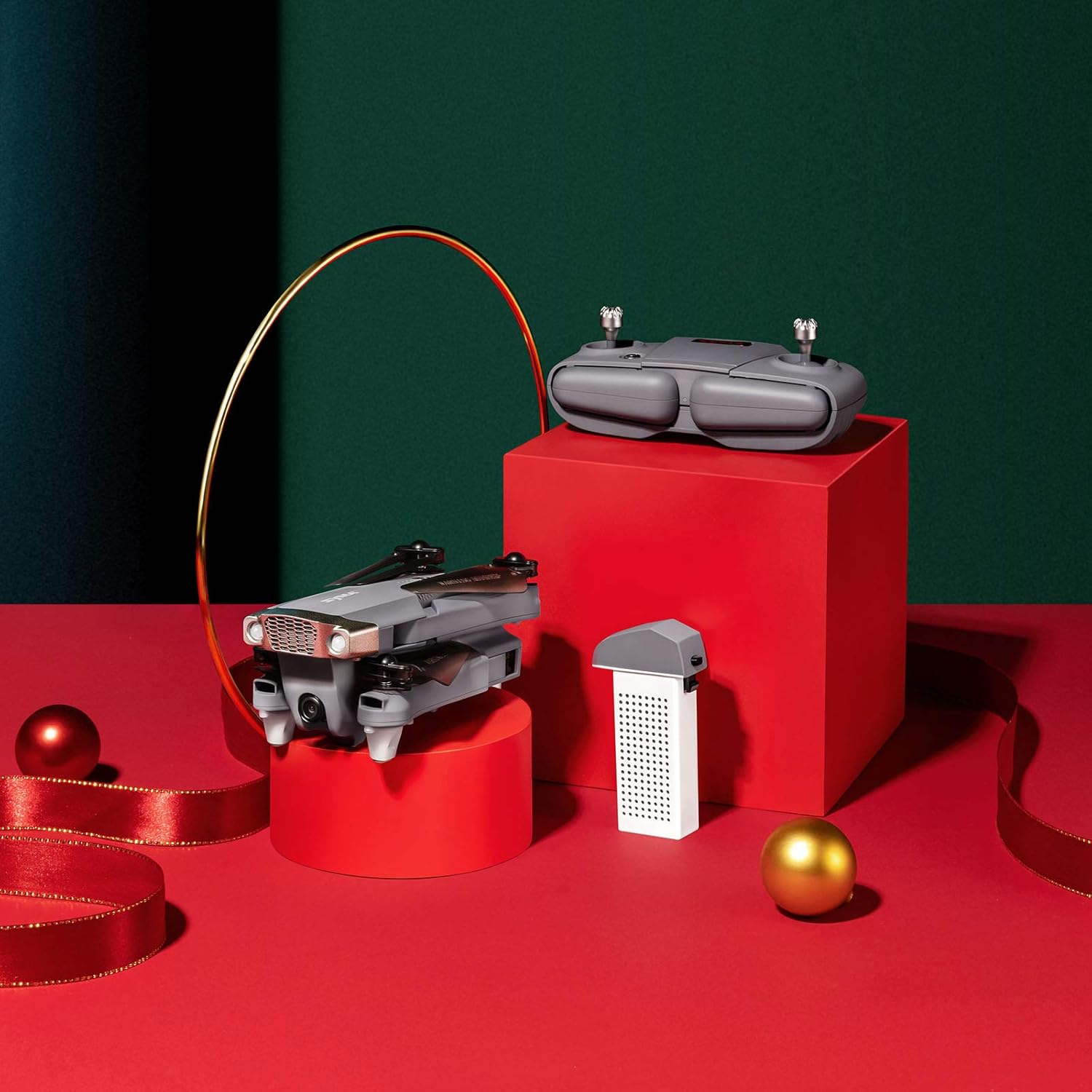
Image: SYMA X5UW Drone, remote control, and battery components.
4. Konfiguracja
4.1. Montaż i ładowanie akumulatora
- Drone Battery: Insert the provided 500 mAh battery into the drone's battery compartment. Ensure it clicks into place.
- Ładowanie: Connect the drone battery to the USB charging cable, then plug the USB cable into a USB power adapter (not included). The indicator light on the USB cable will turn off when charging is complete. Charging time is approximately 60-90 minutes.
- Baterie pilota: Open the battery compartment on the back of the remote controller and insert 4 x AA batteries (not included), observing correct polarity. Close the compartment.
4.2. Montaż śmigła i osłony
- Attach the propeller guards to the drone's motor arms using the provided screws and screwdriver.
- Ensure propellers are correctly matched to their respective motor shafts (A and B propellers). Press them firmly onto the shafts.
4.3. Camera Attachment
- Locate the camera mounting slot on the underside of the drone.
- Slide the 720P HD Wi-Fi camera into the slot until it is securely fastened.
- Connect the camera's power cable to the drone's camera port.
4.4. Pobieranie aplikacji i połączenie Wi-Fi
- Download the official SYMA FPV app from your smartphone's app store (iOS or Android).
- Turn on the drone and wait for its Wi-Fi signal to appear on your smartphone's Wi-Fi settings.
- Connect to the drone's Wi-Fi network (usually named "SYMA-X5UW-XXXX").
- Open the SYMA FPV app to view the live camera feed and access flight controls.
5. Instrukcja obsługi
5.1. Parowanie drona i pilota
- Umieść drona na płaskiej, poziomej powierzchni.
- Włącz drona. Kontrolki zaczną migać.
- Włącz pilota.
- Przesuń lewy joystick (przepustnicę) do końca w górę, a następnie w dół. Diody kontrolne drona zaczną świecić światłem ciągłym, co oznacza pomyślne sparowanie.
5.2. Kalibracja
After pairing, perform a gyroscope calibration:
- With the drone on a flat surface, push both joysticks to the bottom-right corner simultaneously for 2-3 seconds.
- Światła drona zaczną szybko migać, a następnie zaczną świecić światłem ciągłym, co będzie oznaczać pomyślną kalibrację.
5.3. Start i lądowanie
- Ręczny start: After pairing and calibration, push the left joystick (throttle) slowly upwards to make the drone ascend.
- Start/lądowanie jednym klawiszem: Press the one-key take-off/landing button on the remote (refer to remote diagram in manual) to automatically take off or land.
5.4. Podstawowe sterowanie lotem
- Lewy joystick (przepustnica): W górę/w dół dla wysokości, w lewo/w prawo dla obrotu (odchylenia).
- Prawy joystick (kierunek): Up/Down for forward/backward flight, Left/Right for left/right sideward flight.

Image: The SYMA X5UW drone in stable flight, with a pilot in the background operating the remote control.
5.5. Zaawansowane funkcje
- Utrzymywanie wysokości: The drone maintains a stable altitude automatically after releasing the throttle stick.
- Tryb bezgłowy: Press the headless mode button. In this mode, the drone's orientation is relative to the pilot, regardless of the drone's front direction. Press again to exit.
- Obrót o 360°: Fly the drone to a height of at least 3 meters. Press the 360° flip button, then push the right joystick in the desired flip direction.
5.6. Camera Operation (FPV)
- Wideo na żywo: Once connected to the drone's Wi-Fi via the SYMA FPV app, the live video feed will appear on your smartphone screen.
- Nagrywanie zdjęć/wideo: Use the dedicated buttons within the SYMA FPV app to take photos or start/stop video recording. Files are saved to your smartphone.
6. Konserwacja
- Czyszczenie: Use a soft, dry cloth to clean the drone. Avoid using solvents or harsh chemicals.
- Wymiana śmigła: If propellers are damaged, replace them with new ones, ensuring correct A/B matching.
- Pielęgnacja baterii: Store batteries in a cool, dry place. Do not leave batteries fully charged or fully discharged for extended periods. Charge them to about 50% for storage.
- Składowanie: When not in use, store the drone and remote in a dry environment, away from direct sunlight and extreme temperatures.
7. Rozwiązywanie Problemów
| Problem | Możliwa przyczyna | Rozwiązanie |
|---|---|---|
| Dron nie reaguje na pilota. | Brak sparowania lub słaba bateria. | Re-pair the drone and remote. Charge drone and replace remote batteries. |
| Dron dryfuje w czasie lotu. | Not calibrated or trim settings incorrect. | Perform gyroscope calibration. Adjust trim buttons on the remote. |
| Obraz z kamery nie jest widoczny na telefonie. | Brak połączenia z siecią Wi-Fi lub problem z aplikacją. | Upewnij się, że telefon jest połączony z siecią Wi-Fi drona. Uruchom ponownie aplikację i drona. |
| Drone lights flash rapidly and cannot take off. | Low drone battery. | Charge the drone battery fully. |
| Śmigła się nie kręcą. | Motors blocked or drone not armed. | Check for obstructions. Ensure drone is paired and calibrated. |
8. Specyfikacje
| Funkcja | Szczegół |
|---|---|
| Marka | SYMA |
| Model | X5UW |
| Poziom umiejętności | Początkujący |
| Rozdzielczość przechwytywania wideo | 720p |
| Rozdzielczość wyjściowa wideo | 1920x1080 pikseli |
| Technologia komunikacji bezprzewodowej | Wi-Fi |
| Pojemność baterii | 500 mlnamp Godziny |
| Maksymalny zasięg | 300 metrów |
| Typ sterowania | Zdalne sterowanie |
| Waga przedmiotu | 4.54 gramów |
| Zakres wiekowy (opis) | 168 miesięcy (od 14 lat) |
| UPC | 717880003426 |
| Numer części | DoDoelephRCDroneEX5UW-B-US |
9. Informacje o gwarancji
SYMA products are covered by a limited warranty against manufacturing defects. Please retain your proof of purchase for warranty claims. The warranty period and terms may vary by region. For detailed warranty information, please contact SYMA customer support.
10. Obsługa klienta
If you encounter any issues or have questions regarding your SYMA X5UW drone, please contact our customer support team:
- Telefon (USA): +1 (718) 312-0558
- E-mail (USA): usa@symatoy.com
Our support team is available to assist you with technical questions, troubleshooting, and parts replacement.

Image: SYMA Customer Support representatives ready to assist.