
Wstęp
Thank you for choosing the PERLESMITH Full Motion TV Wall Mount. This manual provides essential information for the safe and correct installation, operation, and maintenance of your new TV wall mount. Please read these instructions thoroughly before installation and retain them for future reference.
Informacje dotyczące bezpieczeństwa
OSTRZEŻENIE: Failure to read and follow all instructions may result in personal injury, property damage, or voiding of warranty. Improper installation can lead to serious injury or damage.
- Upewnij się, że powierzchnia montażowa może bezpiecznie utrzymać łączny ciężar uchwytu i wyświetlacza.
- Nie przekraczać maksymalnego udźwigu 20 kg (44 funtów).
- Uchwyt przeznaczony jest do telewizorów o przekątnej od 13 do 42 cali.
- Verify VESA compatibility (75x75mm, 100x100mm, 200x100mm, 200x200mm) before installation.
- Install only on solid wood studs, concrete walls, or brick walls. NIE mount onto drywall alone, hollow walls, or soft walls.
- Podczas montażu należy stosować odpowiedni sprzęt ochronny, w tym ochronę oczu.
- Always use two people for lifting and positioning the TV.
- Regularnie sprawdzaj wszystkie połączenia i elementy mocujące, aby mieć pewność, że są bezpieczne.
Zawartość opakowania
Before installation, please verify that all components are present and undamaged. If any parts are missing or defective, contact PERLESMITH customer service.
- Montaż ścienny telewizora
- Mounting Hardware Kit (various screws, anchors, washers, spacers)
- Szablon instalacji
- Instrukcja obsługi
Konfiguracja i instalacja
The PERLESMITH TV wall mount is designed for quick and straightforward installation. Follow these steps carefully.
1. Check TV Compatibility and Wall Type
Ensure your TV's size (13-42 inches), weight (max 20kg), and VESA pattern (75x75, 100x100, 200x100, 200x200mm) are compatible with this mount. Identify your wall type (wood stud, concrete, or brick) to use the correct hardware.

This image illustrates the VESA compatibility (75x75, 100x100, 200x100, 200x200mm) and the maximum weight capacity of 20kg for the PERLESMITH TV wall mount. It also shows a TV mounted in a corner, indicating flexible placement options.
2. Zamontuj uchwyty telewizora na telewizorze
Carefully place your TV face down on a soft, clean surface. Attach the TV brackets to the back of your TV using the appropriate screws and spacers from the hardware kit. Ensure the brackets are securely fastened and centered.
3. Zamontuj płytę ścienną na ścianie
Using the provided template, mark the drilling locations on your wall. Drill pilot holes according to the instructions for your specific wall type. Securely fasten the wall plate to the wall using the appropriate anchors and screws. Ensure the wall plate is level and firmly attached.
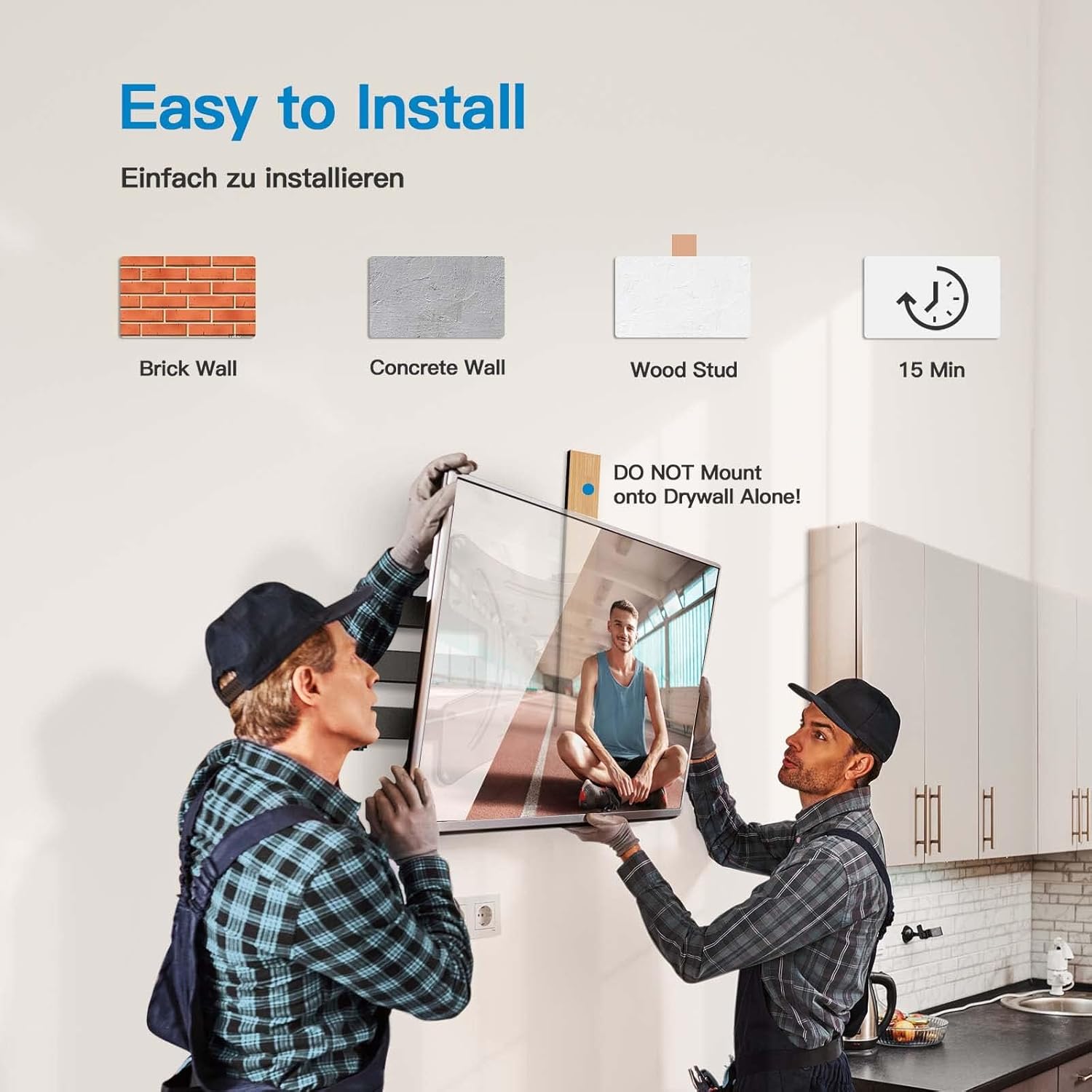
This image demonstrates the ease of installation, showing two individuals mounting a TV. It highlights compatibility with brick, concrete, and wood stud walls, and indicates a typical installation time of 15 minutes. A warning against mounting on drywall alone is also present.
4. Zawieś telewizor na uchwycie ściennym
With assistance, carefully lift the TV with the attached brackets and hook it onto the wall plate. Ensure the TV is securely seated on the mount. Tighten any safety screws or locking mechanisms to prevent accidental dislodgement.
Instrukcja obsługi
Your PERLESMITH Full Motion TV Wall Mount offers flexible viewing options once installed.
Adjusting Swivel Angle
The mount allows for a swivel of up to 90 degrees left or right. Gently push or pull the TV to achieve your desired viewing angle. This flexibility helps eliminate glare and provides optimal viewz różnych pozycji w pomieszczeniu.

This image demonstrates the 'Viewing Flexibility' of the mount, showing how the TV can swivel up to ±90 degrees to adjust the viewkąt.
Regulacja kąta nachylenia
The mount can be tilted 5 degrees upwards and 15 degrees downwards. This feature helps reduce neck and eye strain by allowing you to find the most comfortable viewing position and minimize reflections.

This image highlights 'Comfortable Viewing' by illustrating the tilt function of the mount, allowing for +5 degrees upward tilt and -15 degrees downward tilt to optimize the viewkąt.
Wysuwanie i wsuwanie
The mount can extend up to 362mm (14.25 inches) from the wall and retract to a minimum distance of 69mm (2.7 inches). This allows for space-saving when retracted and provides greater flexibility for viewing or accessing cables when extended.

This image demonstrates the 'Extend and Retract' feature, showing the mount extending up to 362mm from the wall and retracting to a compact position, with a minimum distance of 40mm (note: product description states 69mm, image shows 40mm, using description value in text).
Konserwacja
Regularna konserwacja zapewnia długowieczność i bezpieczne działanie uchwytu ściennego do telewizora.
- Okresowo sprawdzaj wszystkie śruby i nakrętki, aby mieć pewność, że są dobrze dokręcone i bezpieczne.
- Inspect the mount for any signs of wear, damage, or corrosion.
- Czyść uchwyt miękką, suchą ściereczką. Unikaj środków czyszczących o właściwościach ściernych i rozpuszczalników.
- Do not hang additional items on the mount or TV.
Rozwiązywanie problemów
Jeśli masz problemy z uchwytem ściennym telewizora, zapoznaj się z poniższymi, często spotykanymi problemami i ich rozwiązaniami.
- Telewizor nie jest wypoziomowany: Check the wall plate installation for levelness. Some mounts allow for minor post-installation leveling adjustments.
- Mocowanie wydaje się luźne: Re-tighten all mounting screws on both the wall plate and the TV brackets. Ensure the wall anchors are properly installed for your wall type.
- Trudności w dostosowywaniu ruchu: Check for any overtightened bolts on the articulating arms. Some joints may have adjustable tension screws.
- Brakujące części: Contact PERLESMITH customer support for replacement parts. Do not attempt to use non-approved parts.
Specyfikacje
| Numer modelu | PSSFK1-E |
| Marka | PERLESMIT |
| Kompatybilne rozmiary telewizorów | 13 - 42 inches (33cm - 106cm) |
| Maksymalna nośność | 20 kg (44 funta) |
| Zgodność ze standardem VESA | 75x75mm, 100x100mm, 200x100mm, 200x200mm |
| Kąt nachylenia | +5° / -15° |
| Kąt obrotu | ±90° |
| Przedłużenie od ściany | 69mm (retracted) to 362mm (extended) |
| Tworzywo | Stal stopowa |
| Typ montażu | Montaż ścienny |
| Kompatybilne urządzenia | Monitor, Telewizor |
Gwarancja i wsparcie
PERLESMITH stands behind the quality of its products. For warranty information, technical support, or assistance with installation, please contact PERLESMITH customer service through the retailer where you purchased the product or visit the official PERLESMITH webstrona.
Proszę zachować dowód zakupu na potrzeby roszczeń gwarancyjnych.