
1. Wprowadzenie
Dziękujemy za zakupasing the FOSTEX PM0.3H(B) Active Speaker System. This manual provides essential information for the safe and efficient operation of your new speakers. Please read it thoroughly before use and retain it for future reference.
Główne cechy:
- 2-way bass reflex design for balanced audio reproduction.
- Powerful 15W + 15W (RMS) output.
- Wide frequency response from 110Hz to 40kHz.
- Compact design suitable for various desktop audio setups.
2. Informacje dotyczące bezpieczeństwa
Please observe the following safety precautions to prevent electric shock, fire, or other hazards:
- Narażenie na działanie wody: Do not use the device where water can directly come into contact with the main unit. This includes avoiding placement near sinks, bathtubs, or in excessively humid environments.
- Stany nieprawidłowe: Do not use the device if it is in an abnormal condition, such as emitting smoke, unusual odors, or strange noises. Immediately disconnect the power and contact customer support.
- Wentylacja: Zapewnij odpowiednią wentylację wokół głośników. Nie blokuj otworów wentylacyjnych.
- Źródło zasilania: Use only the provided AC adapter and power cord. Ensure the power outlet matches the voltagi wymagania.
- Obsługiwanie: Zachowaj ostrożność podczas obchodzenia się z głośnikami. Unikaj ich upuszczania i narażania na silne uderzenia.
3. Zawartość opakowania
Sprawdź, czy w pakiecie znajdują się wszystkie poniższe elementy:
- FOSTEX PM0.3H(B) Active Speaker System (1 pair)
- Zasilacz sieciowy
- Kabel głośnikowy (1.5m)
- Stereo Mini to RCA x 2 Cable (1.5m)
- Instrukcja obsługi (ten dokument)
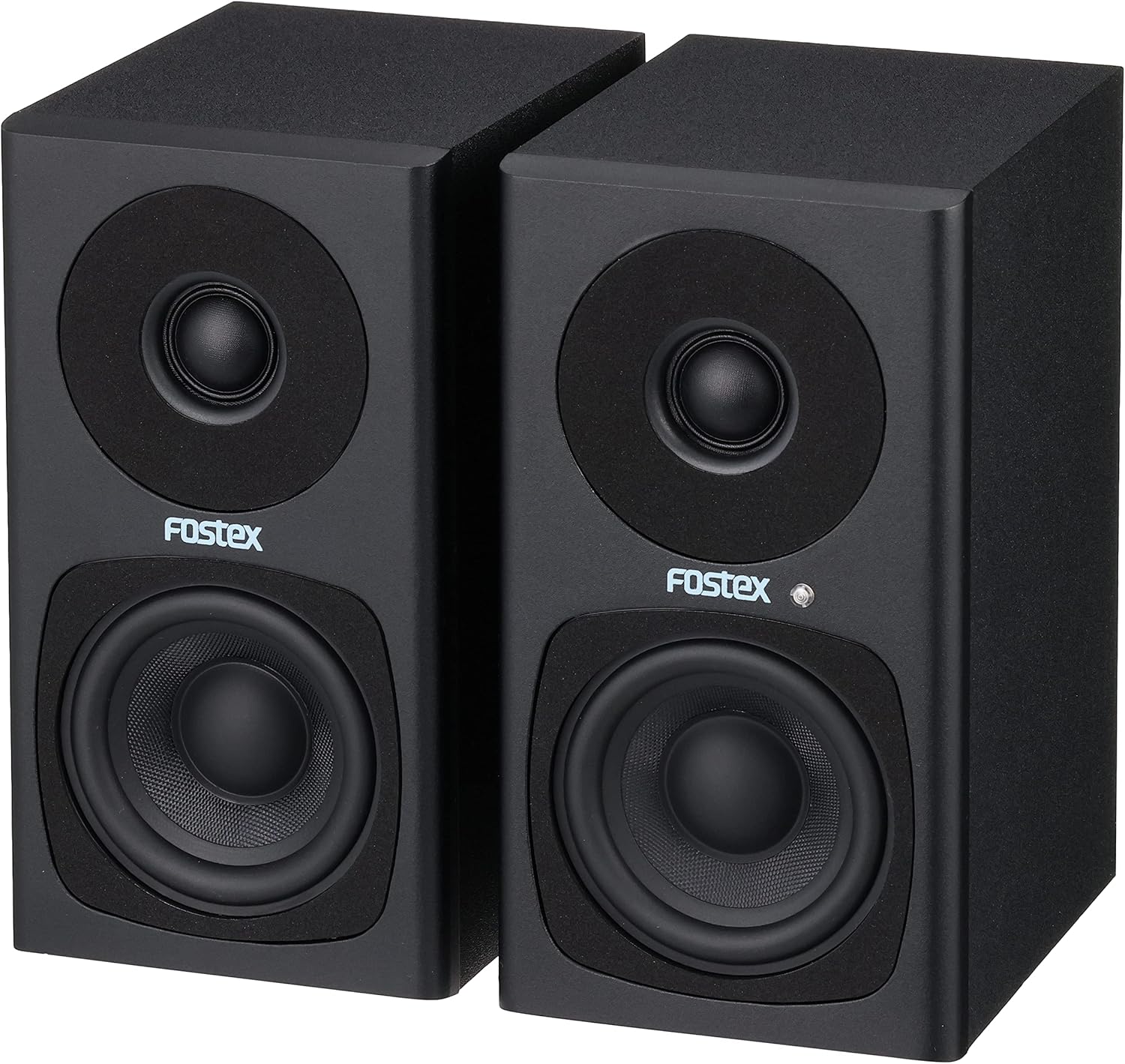
Image: FOSTEX PM0.3H(B) Active Speaker System with its accessories, including the AC adapter, speaker cable, and stereo mini to RCA cable.
Notatka: An unboxing video demonstrating the package contents and initial setup would typically be embedded here if available from the seller. This video would visually guide you through identifying each component.
4. Koniec produktuview
Familiarize yourself with the various parts and controls of your FOSTEX PM0.3H(B) Active Speaker System.
4.1 Przód View

Obraz: Przód view of the active speaker, featuring the tweeter at the top, the woofer at the bottom, and the Fostex logo with a blue power indicator LED.
- Głośnik wysokotonowy: Reproduces high-frequency sounds.
- Głośnik niskotonowy: Reproduces mid-range and low-frequency sounds.
- Wskaźnik zasilania LED: Illuminates blue when the speaker is powered on.
4.2 Rear Panel (Active Speaker)

Image: Rear panel of the active speaker, detailing the volume control knob, RCA input (Input A), stereo mini input (Input B), L-OUT for connecting to the passive speaker, and the DC power input.
- Gałka GŁOŚNOŚCI: Adjusts the overall output volume. Turn clockwise to increase, counter-clockwise to decrease.
- INPUT A (RCA): Gniazda wejściowe stereo RCA do podłączania źródeł dźwięku.
- INPUT B (Stereo Mini): 3.5mm stereo mini-jack input for connecting portable audio devices or computers.
- PROSTAK: Output terminal for connecting the active speaker to the passive speaker using the supplied speaker cable.
- DC IN: Power input jack for the AC adapter.
- Numer seryjny.: Unique serial number for the unit.
4.3 Rear Panel (Passive Speaker)

Image: Rear panel of the passive speaker, showing the L-IN input for connection to the active speaker.
- L-IN: Input terminal for connecting the passive speaker to the active speaker using the supplied speaker cable.
5. Konfiguracja
5.1 Rozmieszczenie głośników
Place the speakers on a stable, flat surface. For optimal stereo imaging, position the speakers equidistant from your listening position, forming an equilateral triangle. Ensure there is sufficient space behind the speakers for ventilation and cable connections.
5.2 Podłączanie głośników
- Connect the supplied speaker cable (1.5m) from the PROSTAK terminal on the active speaker to the L-IN terminal on the passive speaker. Ensure a secure connection.
5.3 Podłączanie źródeł dźwięku
You can connect audio sources using either the RCA inputs or the stereo mini input:
- RCA Input (INPUT A): Use the supplied stereo mini to RCA x 2 cable to connect devices with RCA outputs (e.g., CD players, audio interfaces) to the WEJŚCIE A gniazda.
- Stereo Mini Input (INPUT B): Use a 3.5mm stereo mini cable (not supplied, unless the stereo mini to RCA cable is used with an adapter) to connect devices with a stereo mini output (e.g., smartphones, computers) to the WEJŚCIE B podnośnik.
5.4 Podłączanie zasilania
- Podłącz dołączony zasilacz sieciowy do DC WEJŚCIE jack on the active speaker.
- Plug the AC adapter into a suitable wall outlet. The power indicator LED on the front of the active speaker will illuminate blue.
6. Instrukcja obsługi
6.1 Włączanie/wyłączanie zasilania
The speakers power on automatically when the AC adapter is connected to a power source. To turn off the speakers, disconnect the AC adapter from the wall outlet.
6.2 Regulacja głośności
Obróć TOM knob on the rear panel of the active speaker to adjust the sound level. Turn clockwise to increase volume and counter-clockwise to decrease it. Start with a low volume and gradually increase it to a comfortable listening level.
6.3 Wybór wejścia
The PM0.3H(B) supports two audio inputs (RCA and Stereo Mini). If both inputs are connected, the speaker system will mix the audio signals. To listen to a single source, ensure only that source is connected or powered on.
7. Konserwacja
7.1 Czyszczenie
- Before cleaning, disconnect the power adapter from the wall outlet.
- Wipe the speaker cabinets with a soft, dry cloth.
- Nie należy używać środków czyszczących o działaniu ściernym, wosków ani rozpuszczalników, gdyż mogą one uszkodzić powłokę.
7.2 Przechowywanie
When not in use for extended periods, store the speakers in a cool, dry place away from direct sunlight and extreme temperatures. It is recommended to keep the original packaging for safe storage and transport.
8. Rozwiązywanie Problemów
If you encounter any issues with your FOSTEX PM0.3H(B) speakers, refer to the following common problems and solutions:
8.1 Brak dźwięku
- Sprawdź moc: Ensure the AC adapter is securely connected to both the speaker and a working wall outlet. Verify the power indicator LED is blue.
- Sprawdź głośność: Confirm the VOLUME knob on the active speaker is not set to minimum (OFF) and the volume on your audio source is turned up.
- Sprawdź połączenia: Ensure all audio cables (RCA, stereo mini, and the speaker cable between active and passive units) are securely connected.
- Test Audio Source: Try connecting a different audio source to rule out issues with your primary device.
8.2 Zniekształcony dźwięk
- Dostosuj poziom głośności: Reduce the volume on both the speakers and your audio source. Overdriving either can cause distortion.
- Sprawdź jakość kabla: Ensure audio cables are not damaged or poorly shielded, which can introduce noise.
- Jakość źródła: Niska jakość dźwięku files or streaming can result in distorted sound.
8.3 Only One Speaker Producing Sound
- Kabel głośnikowy: Verify the speaker cable connecting the active and passive units is properly and securely connected at both ends.
- Audio Source Balance: Check the balance settings on your audio source.
- Połączenie wejściowe: Ensure the stereo mini or RCA cables are fully inserted and not loose.
9. Specyfikacje
| Funkcja | Opis |
|---|---|
| Nazwa modelu | PM0.3H |
| Typ głośnika | Monitor, Active |
| Tworzywo | Drewno |
| Kolor | Czarny |
| Wymiary produktu (każdy) | 13 cm (głębokość) x 10 cm (szerokość) x 18.5 cm (wysokość) |
| Waga produktu | 2.94 kg (para) |
| Odpowiedź częstotliwościowa | 110Hz - 40kHz |
| Moc wyjściowa | 15 W + 15 W (RMS) |
| Maksymalna moc wyjściowa | 60 watów |
| Pobór mocy | Około. 12 W. |
| Typ obudowy | 2-drożny bass-reflex |
| Technologia łączności | AUX (RCA, Stereo Mini) |
| Tryb wyjścia audio | Stereofoniczny |
| Typ montażu | Uchwyt na blat |
| Kraj pochodzenia | Chiny |

Image: Dimensions of a single FOSTEX PM0.3H(B) speaker.
10. Gwarancja i wsparcie
For warranty information, technical support, or service inquiries, please refer to the warranty card included in your package or visit the official FOSTEX webZachowaj dowód zakupu na wypadek roszczeń gwarancyjnych.
FOSTEX Official Webstrona: www.fostex.jp


