
Produkt ponadview
The AMD Ryzen 3 1200 Desktop Processor offers true, unlocked quad-core performance for gaming and computing. Featuring 4 processor cores with a new quad-core architecture, it provides responsiveness and performance suitable for various applications. This processor includes the AMD Wraith Stealth cooler for efficient thermal management.
Supported operating systems include Windows 10 64-Bit Edition, RHEL x86 64-Bit, and Ubuntu x86 64-Bit. OS support may vary by motherboard manufacturer.
Główne cechy:
- 3.4 GHz Precision Boost (up to 3.45 GHz with XFR)
- True quad-core, unlocked CPU architecture
- A future-proof, VR-Ready platform. Includes AMD Wraith Stealth cooler
- Supported technologies: Zen core architecture, AMD SenseMI technology, AVX2, FMA3
- Maximum system memory speed: 2667MHz
- Large 10MB total cache

Image: AMD Ryzen 3 1200 Desktop Processor. This image displays the top view of the processor, highlighting the AMD Ryzen branding.
Konfiguracja i instalacja
Installing your AMD Ryzen processor is a critical step in building or upgrading your PC. Follow these instructions carefully to ensure proper and safe installation.
Video Guide: How to Install AMD Ryzen Processors
Video: This official AMD video provides a step-by-step guide on how to safely install an AMD Ryzen processor and its accompanying Wraith Stealth cooler onto an AM4 motherboard, including electrostatic discharge precautions and thermal paste application.
1. Środki ostrożności dotyczące wyładowań elektrostatycznych (ESD)
Electrostatic discharge can damage sensitive electronic components like your CPU. To prevent ESD:
- Work on a hard, non-carpeted surface (e.g., hardwood, tile).
- Use an anti-static wrist strap. Attach the wrist strap to your wrist and clip the other end to a grounded metal object, such as the metal casing of your power supply (ensure the power supply is turned off but still plugged into a grounded outlet).
2. Instalacja procesora
- Carefully remove the AMD Ryzen CPU from its packaging. Note the small golden triangle on one corner of the CPU.
- Locate the CPU socket on your motherboard. Lift the metal retention arm on the side of the socket.
- Align the golden triangle on the CPU with the corresponding triangle on the CPU socket.
- Gently lower the CPU into the socket. It should drop in effortlessly without any force. If it does not, recheck the alignment and ensure the retention arm is fully raised.
- Once the CPU is seated, lower the metal retention arm to secure the CPU in place.

Image: AMD Ryzen Processor in its protective plastic packaging. This image shows the processor before installation, highlighting its pins and the golden triangle for alignment.
3. Cooler Installation (Wraith Stealth)
The AMD Ryzen 3 1200 comes with a Wraith Stealth cooler, which has thermal compound pre-applied to its base.
- Ensure the CPU is correctly installed in the socket.
- Carefully place the Wraith Stealth cooler onto the CPU, aligning the mounting holes on the cooler with the screw posts around the CPU socket on the motherboard.
- Secure the cooler by tightening the screws in a diagonal pattern (e.g., top-left, bottom-right, top-right, bottom-left) until snug. Do not overtighten.
- Podłącz kabel wentylatora chłodnicy do złącza CPU_FAN na płycie głównej.
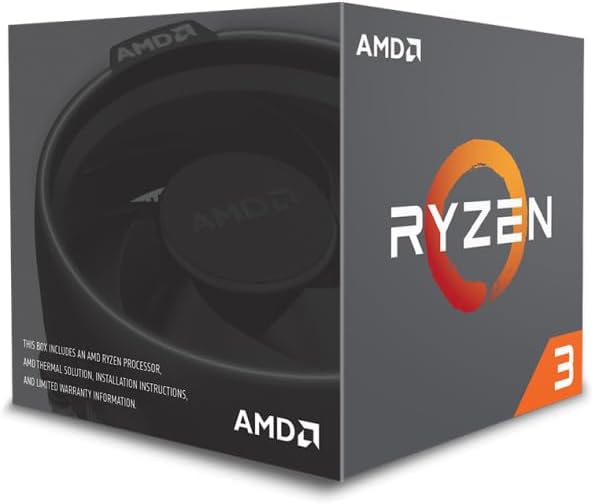
Image: AMD Wraith Stealth Cooler. This image shows the included CPU cooler, featuring its fan and heatsink fins.
Instrukcja obsługi
Once the processor and cooler are installed, connect all necessary power cables and peripherals to your motherboard and power supply. Ensure your motherboard's BIOS/UEFI is updated to support the Ryzen 3 1200 processor. Install your preferred operating system (Windows 10 64-Bit, RHEL x86 64-Bit, or Ubuntu x86 64-Bit) and install the latest AMD chipset drivers from the official AMD webwitryna zapewniająca optymalną wydajność i stabilność.
Konserwacja
Regular maintenance helps ensure the longevity and optimal performance of your processor.
Ponowne nałożenie pasty termoprzewodzącej
The pre-applied thermal compound on the Wraith Stealth cooler is designed for initial installation. If you remove and re-install the cooler multiple times, or if you notice higher-than-normal operating temperatures, the thermal compound may need to be replaced.
- Carefully remove the cooler.
- Clean off any old thermal compound from both the CPU's integrated heat spreader (IHS) and the cooler's base using isopropyl alcohol and a lint-free cloth.
- Apply a new layer of aftermarket thermal compound. A common method is to apply a pea-sized dot in the center of the CPU's IHS, or draw a thin 'X' shape. The pressure from the cooler will spread it evenly. Avoid applying too much or too little compound, as both can negatively impact thermal performance.
- Re-install the cooler following the steps in the 'Cooler Installation' section.
Czyszczenie chłodnicy
Periodically inspect the Wraith Stealth cooler's fins and fan for dust buildup. Use compressed air to gently clear dust from the heatsink fins and fan blades to maintain efficient airflow and cooling performance.
Rozwiązywanie problemów
- CPU Not Seating Correctly: If the CPU does not drop into the socket effortlessly, do not force it. Ensure the metal retention arm is fully raised and that the golden triangle on the CPU is correctly aligned with the triangle on the socket. Forcing the CPU can bend pins and cause irreparable damage.
- Wysokie temperatury: Verify that the CPU cooler is securely mounted and that thermal paste has been correctly applied. Ensure the cooler fan is connected to the CPU_FAN header and is spinning. Check for adequate airflow within your PC case.
- System się nie uruchamia: Double-check all power connections to the motherboard and CPU. Ensure RAM modules are properly seated. Verify that your motherboard's BIOS/UEFI is compatible with the Ryzen 3 1200 processor.
Dane techniczne
| Funkcja | Specyfikacja |
|---|---|
| Marka | AMD |
| Producent procesora | AMD |
| Model procesora | Ryzen 3 1200 |
| Prędkość procesora | 3.4 GHz |
| Gniazdo procesora | Gniazdo AM4 |
| Liczba rdzeni procesora | 4 |
| Processor Number of Concurrent Threads | 4 |
| Pamięć podręczna pomocnicza | 10 MB |
| Cotage | 65 W |
| Waga przedmiotu | 0.52 kilograma |
| Wbudowane media | Processor, CPU Cooler |
Gwarancja i wsparcie
The AMD Ryzen 3 1200 Desktop Processor comes with a 3 rok ograniczonej gwarancji.
For additional support, resources, and product information, please visit the official AMD Store or contact AMD customer service.