
1. Wprowadzenie
Thank you for choosing the DIGOO DG-TH1130 Digital Temperature and Humidity Monitor. This compact device is designed to provide accurate readings of indoor temperature and humidity, helping you maintain a comfortable and healthy environment in your home or office. Please read this manual carefully before using the device to ensure proper operation and longevity.
2. Koniec produktuview
The DIGOO DG-TH1130 is a super mini-sized thermo-hygrometer monitor featuring a high-transparency LCD screen for clear display of temperature and humidity. Its versatile design allows for placement on a surface using its built-in stand or hanging via its suspension hole.
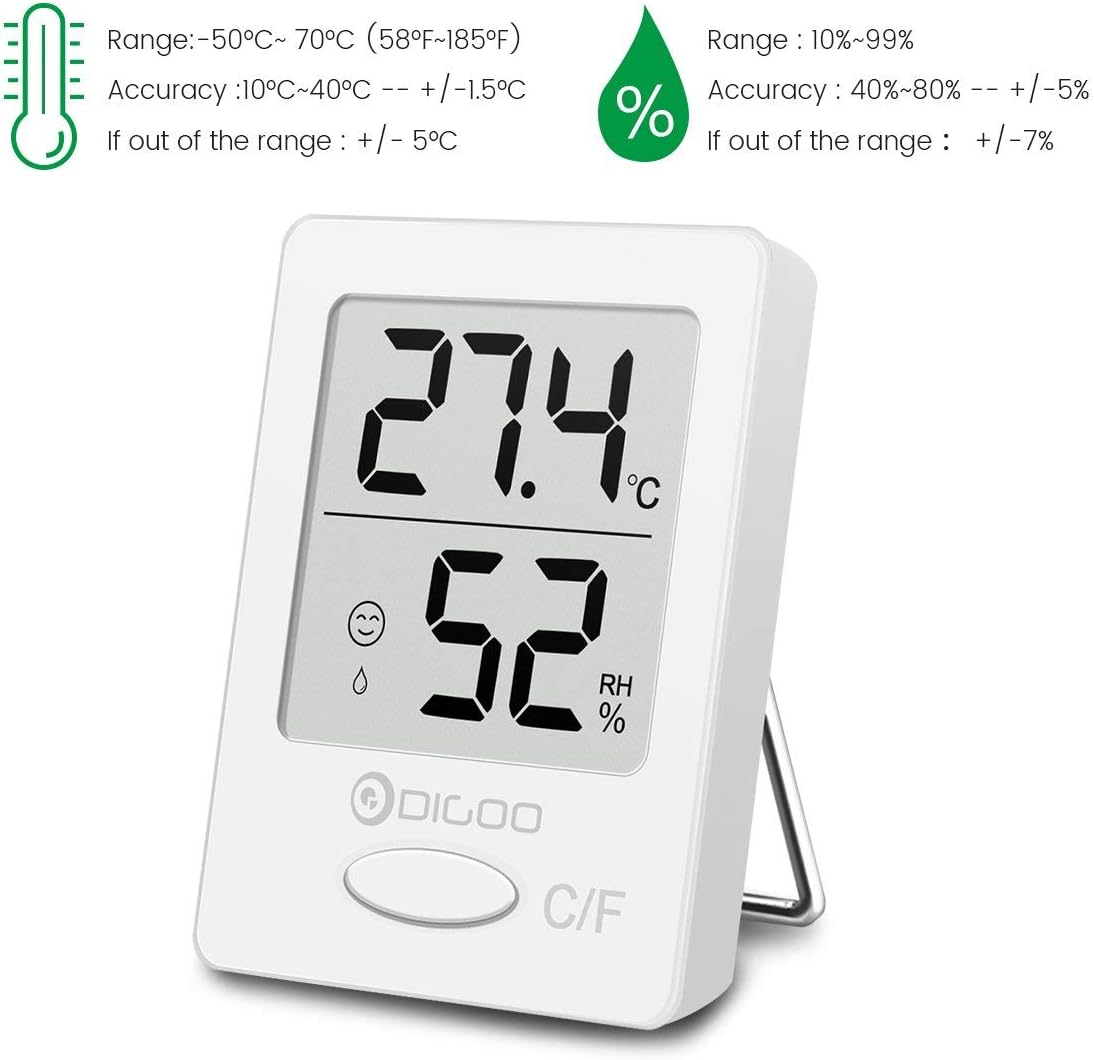
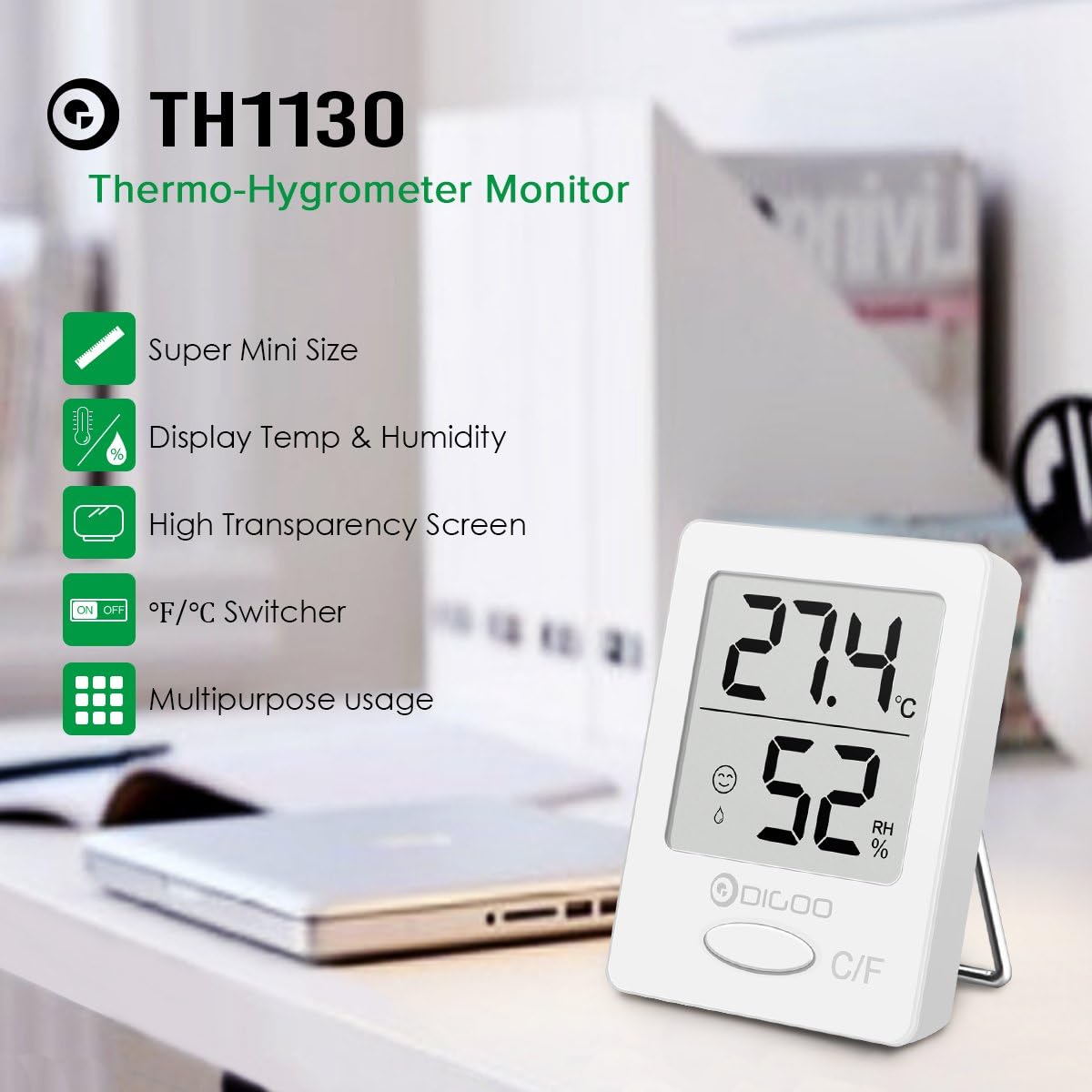
Image: DIGOO DG-TH1130 Thermo-Hygrometer Monitor highlighting its super mini size, temperature and humidity display, high transparency screen, °F/°C switcher, and multipurpose usage.
Główne cechy:
- Compact, super mini design.
- Clear LCD display for temperature and humidity.
- Switchable temperature units (°C/°F).
- Comfort zone indicator.
- Multiple placement options: stand or hang.
3. Konfiguracja
3.1 Instalacja baterii
The DIGOO DG-TH1130 typically comes with a pre-installed battery or requires a standard button cell battery (e.g., CR2032). To install or replace the battery:
- Znajdź komorę baterii z tyłu urządzenia.
- Otwórz pokrywę komory.
- Insert the battery with the correct polarity (+/-) as indicated inside the compartment.
- Dokładnie zamknij pokrywę komory baterii.
Upon initial power-on, the internal temperature will adjust automatically within approximately 30 seconds.
3.2 Umieszczenie
The device can be placed in various locations:
- Na stojąco: Use the integrated stand on the back to place it on a desk, shelf, or any flat surface.
- Wiszące: Utilize the suspension hole to hang the device on a hook or nail.
- Magnetyczny: The device features a creative magnetic design, allowing it to be attached to metallic surfaces.
For accurate readings, place the monitor away from direct sunlight, heat sources, or strong drafts.

Image: The DIGOO DG-TH1130 monitor held in a hand, demonstrating its compact and super mini size.

Obraz: Byłyamples of suitable placement locations for the DIGOO DG-TH1130, such as a baby room, living room, office, greenhouse, library, washing room, and wine cellar.
4. Instrukcja obsługi
4.1 Odczyt wyświetlacza
The large LCD screen clearly displays the current temperature and humidity levels. The upper digits show the temperature, and the lower digits show the relative humidity (RH%).
Obraz: Szczegółowy view of the DIGOO DG-TH1130 display, indicating temperature in Celsius, relative humidity percentage, and comfort level icons.
4.2 Przełączanie jednostek temperatury (°C/°F)
To switch between Celsius (°C) and Fahrenheit (°F), press the 'C/F' button located at the bottom of the device's front panel.

Image: A close-up of the DIGOO DG-TH1130's display and the 'C/F' button, used for switching between Celsius and Fahrenheit temperature units.
4.3 Comfort Zone Indicator
The device includes a comfort zone indicator to quickly assess the environmental conditions:
- Wygodny: Indicated by a smiling face icon, typically within 18°C to 26°C (64.4°F to 78.8°F) and 40% to 60% humidity.
- Uncomfortable: Indicated by a frowning face or droplet icon, when temperature is outside 10°C to 30°C (50°F to 86°F) or humidity is outside 30% to 70%.
- Normal Comfortable: Specific ranges like 10°C-17.9°C (50°F-64.2°F) with 30%-39% or 61%-70% humidity.
The improved air convection design ensures more precise and sensitive monitoring for these indicators.
5. Konserwacja
5.1 Czyszczenie
To clean the device, wipe it gently with a soft, dry cloth. Do not use abrasive cleaners, solvents, or immerse the device in water.
5.2 Wymiana baterii
When the display becomes dim or the device stops functioning, it is time to replace the battery. Refer to section 3.1 for battery installation instructions.
6. Rozwiązywanie Problemów
6.1 No Display or Dim Display
- Sprawdź, czy bateria została zainstalowana prawidłowo, z zachowaniem właściwej polaryzacji.
- Wymień baterię na nową.
6.2 Niedokładne odczyty
- Ensure the device is placed in a stable environment, away from direct sunlight, heat sources, or strong drafts that could affect readings.
- Allow the device sufficient time (at least 30 minutes) to stabilize after moving it to a new location.
- If readings remain consistently inaccurate, the device may require recalibration or replacement.
7. Specyfikacje
| Funkcja | Specyfikacja |
|---|---|
| Numer modelu | DG-TH1130 (DIGOOWuulihuiFR102) |
| Zakres temperatur | -50°C do 70°C (58°F do 185°F) |
| Dokładność temperatury | ±1.5°C (10°C~40°C), ±5°C (outside range) |
| Zakres wilgotności | Wilgotność względna od 10% do 99% |
| Dokładność wilgotności | ±5% (40%~80% RH), ±7% (outside range) |
| Wymiary | 0.99 x 0.99 x 0.99 cm (ok. 3.9 x 3.9 x 3.9 cala) |
| Waga | 31.75 g (ok. 1.12 uncji) |
| Kolor | Biały |

Image: Detailed specifications for the DIGOO DG-TH1130, including temperature range, accuracy, humidity range, and accuracy.
8. Gwarancja i wsparcie
Aby uzyskać informacje o gwarancji lub pomocy technicznej, zapoznaj się z dokumentacją dołączoną do produktu lub skontaktuj się ze sprzedawcą. Zachowaj paragon jako dowód zakupu.