
1. Wprowadzenie
This manual provides instructions for the proper use and maintenance of your Brother PT-E110 P-Touch Electrician Label Maker. The PT-E110 is a handheld label printer designed for creating durable labels for electrical, data communications, and general industrial applications. It features a QWERTY keyboard and specialized functions for efficient label creation.
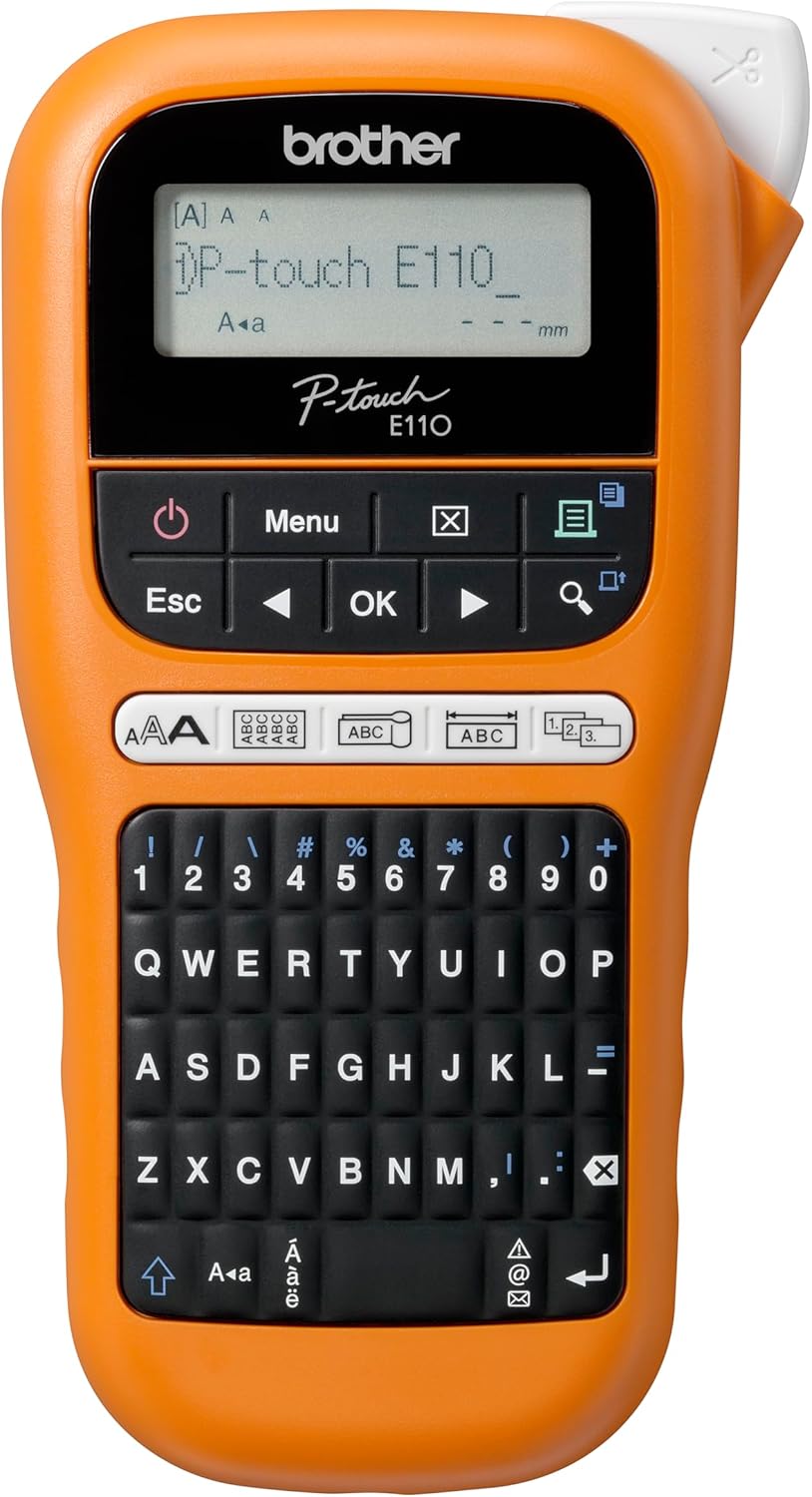
Rysunek 1.1: Przód view of the Brother PT-E110 P-Touch Electrician Label Maker, showing the display and QWERTY keyboard.
2. Co znajduje się w pudełku
Sprawdź, czy w przesyłce znajdują się wszystkie elementy wymienione poniżej:
- 1 x Brother PT-E110 Label Printer
- 1 x Instrukcja obsługi (ten dokument)
- 1 x Karta gwarancyjna
- 1 x Inbox Tape: 9 mm Black on White Flexible ID TZe Tape (8 m)

Rysunek 2.1: The Brother PT-E110 label maker shown with its retail packaging and an included TZe tape cassette.
3. Konfiguracja
3.1. Instalacja baterii
The Brother PT-E110 requires six (6) AAA batteries (not included) for operation. An AC adapter (not included) can also be used.
- Upewnij się, że drukarka etykiet jest wyłączona.
- Znajdź pokrywę komory baterii z tyłu urządzenia.
- Przesuń pokrywę w kierunku wskazanym strzałką.
- Włóż sześć baterii AAA, zwracając uwagę na prawidłową biegunowość (+/-).
- Załóż pokrywę komory baterii, aż zatrzaśnie się na swoim miejscu.
3.2. Instalacja kasety magnetofonowej
The PT-E110 uses Brother TZe tape cassettes. Ensure you are using the correct tape width (3.5mm, 6mm, 9mm, or 12mm) for your application.
- Upewnij się, że drukarka etykiet jest wyłączona.
- Open the tape cassette cover located on the top-rear of the unit.
- Włóż kasetę TZe mocno do komory, upewniając się, że koniec taśmy przechodzi przez prowadnicę taśmy.
- Zamknij pokrywę kasety z taśmą, aż zatrzaśnie się na swoim miejscu.

Rysunek 3.1: The Brother PT-E110 label maker positioned next to a TZe tape cassette, illustrating how the tape is inserted into the device.
4. Instrukcja obsługi
4.1. Włączanie/wyłączanie zasilania
Naciśnij Moc button (symbolized by a circle with a vertical line) to turn the label maker on or off.
4.2. Podstawowe tworzenie etykiet
- Turn on the label maker. The display will show the current settings.
- Użyj Klawiatura QWERTY aby wpisać żądany tekst.
- Adjust text size, style, and other settings using the Menu przycisk i klawisze strzałek.
- Naciśnij Wydrukować przycisk, aby wydrukować etykietę.
- Use the integrated cutter to cut the label.

Rysunek 4.1: Close-up of the Brother PT-E110's QWERTY keyboard, highlighting the layout and dedicated keys for easy access to symbols.
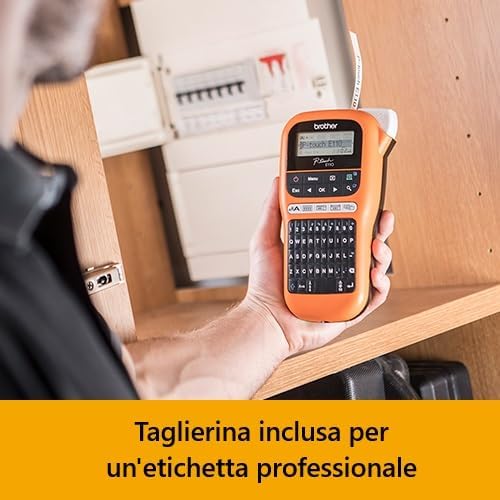
Rysunek 4.2: The Brother PT-E110 in use, demonstrating the integrated cutter for professional label finishing.
4.3. Specialized Label Functions
The PT-E110 includes dedicated keys for specific labeling applications:
- Cable Wrapping: Create labels that wrap around cables.
- Cable Flagging: Print labels that fold into a flag shape for cable identification.
- Faceplate Labels: Design labels for electrical faceplates and patch panels.
- Sequential Numbering: Automatically print multiple labels with incrementing numbers.
- Symbolika: Access over 200 built-in symbols from categories such as electrical, audio/video, security, and network infrastructure.

Rysunek 4.3: The Brother PT-E110 in operation, demonstrating the creation of a label for cable wrapping.
5. Konserwacja
5.1. Czyszczenie głowicy drukującej
To ensure optimal print quality, clean the print head periodically.
- Wyłącz drukarkę etykiet i wyjmij kasetę z taśmą.
- Use a cotton swab moistened with isopropyl alcohol to gently wipe the print head.
- Allow the print head to dry completely before reinserting the tape cassette and turning on the unit.
5.2. Czyszczenie ostrza tnącego
If labels are not cutting cleanly, the cutter blade may need cleaning.
- Wyłącz drukarkę etykiet i wyjmij kasetę z taśmą.
- Carefully use a soft brush or cotton swab to remove any adhesive residue or debris from the cutter blade area.
- Avoid touching the blade directly with your fingers.
6. Rozwiązywanie Problemów
| Problem | Możliwa przyczyna | Rozwiązanie |
|---|---|---|
| Urządzenie nie włącza się. | Batteries are low or incorrectly installed. No AC adapter connected or faulty. | Replace batteries with new AAA batteries, ensuring correct polarity. Check AC adapter connection if using. |
| Słaba jakość druku lub puste etykiety. | Print head is dirty. Tape cassette is not installed correctly. Incorrect tape type. | Clean the print head (see Section 5.1). Reinstall the tape cassette. Ensure genuine Brother TZe tape is used. |
| Tape jams or does not feed. | Tape cassette is not installed correctly. Debris in the tape path. | Remove and reinsert the tape cassette. Check for and remove any obstructions in the tape path. |
| Labels are not cutting cleanly. | Ostrze tnące jest brudne lub tępe. | Clean the cutter blade (see Section 5.2). If the problem persists, the blade may need replacement (contact support). |
7. Specyfikacje
| Nazwa modelu | Brother PT-E110 Label Printer | P-Touch Electrician Labeller | Handheld |
| Technologia druku | Termotransfer |
| Maksymalna rozdzielczość druku | 180 DPI (Black and White) |
| Maksymalna prędkość drukowania | 10 ppm (monochromatyczny) |
| Kompatybilne szerokości taśm | 3.5 mm, 6 mm, 9 mm, 12 mm (Brother TZe tapes) |
| Układ klawiatury | QWERTY |
| Źródło zasilania | 6 x AAA Batteries (not included) or optional AC Adapter |
| Waga przedmiotu | 0.4 kilograma (14.1 uncji) |
| Wymiary produktu | 2.28 x 4.37 x 8.03 cala (58 x 111 x 204 mm) |
| Pojemność pamięci masowej | 64 MB |
| Zawarte komponenty | Label Printer, User Guide, Warranty Card, 9mm Black on White TZe Tape |
| Funkcja specjalna | Portable, Dedicated Function Keys for Electrician Applications |

Rysunek 7.1: Dimensions of the Brother PT-E110 label maker, showing its height, width, and depth.
8. Gwarancja i wsparcie
8.1. Informacje o gwarancji
The Brother PT-E110 Label Maker comes with a Ograniczona gwarancjaSzczegółowe warunki, zasady i okres obowiązywania gwarancji znajdują się w dołączonej Karcie Gwarancyjnej. Zachowaj dowód zakupu na wypadek roszczeń gwarancyjnych.
8.2. Obsługa klienta
For technical assistance, product inquiries, or to purchase accessories and replacement tapes, please visit the official Brother support weblub skontaktuj się z działem obsługi klienta. Dane kontaktowe można zazwyczaj znaleźć na stronie Brother website or on the Warranty Card.
You can visit the Brother Store for more information: Oficjalny sklep Brother