
1. Wprowadzenie
Thank you for choosing the HTC USB Type-C Hi-Res Earphones, Model 99H20317-00. These earphones are designed to provide a high-quality audio experience with their advanced features and ergonomic design. This manual provides essential information for the proper setup, operation, maintenance, and troubleshooting of your new earphones.
Główne cechy obejmują:
- Concert hall design for unparalleled sound.
- Larger 13mm speakers for a fuller sound profile.
- Enhanced port optimization for improved bass reproduction.
- Lighter and thinner aerospace polymer diaphragm to increase sound frequency response.
- Ergonomic design for maximum comfort during extended use.
2. Informacje dotyczące bezpieczeństwa
Please read and follow these safety guidelines to ensure safe and optimal use of your earphones:
- Ochrona słuchu: Aby zapobiec uszkodzeniu słuchu, należy unikać długotrwałego słuchania muzyki przy wysokim poziomie głośności.
- Świadomość ekologiczna: Do not use earphones in situations where the inability to hear ambient sounds could be dangerous, such as while driving, cycling, or walking in traffic.
- Czyszczenie: Clean the earphones regularly with a soft, dry cloth. Do not use liquid cleaners or solvents.
- Narażenie na działanie wody: These earphones are not waterproof. Avoid exposure to water or excessive moisture.
- Dzieci: Przechowywać poza zasięgiem małych dzieci ze względu na małe części, które mogą stwarzać ryzyko zadławienia.
3. Zawartość opakowania
Sprawdź, czy w przesyłce znajdują się wszystkie elementy:
- HTC USB Type-C Hi-Res Earphones (Model: 99H20317-00)
- Additional ear tips (if included)
- Instrukcja obsługi (ten dokument)
4. Konfiguracja
These earphones are designed for simple plug-and-play operation.
- Łączyć: Insert the USB Type-C connector of the earphones into the USB Type-C port of your compatible device (Smartphone, Laptop, Tablet).
- Rozpoznawanie urządzenia: Your device should automatically recognize the earphones. If prompted, select the earphones as the audio output device.
- Dostosuj głośność: Begin playback at a low volume and gradually increase to a comfortable listening level.
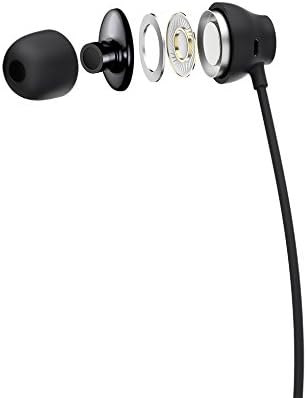
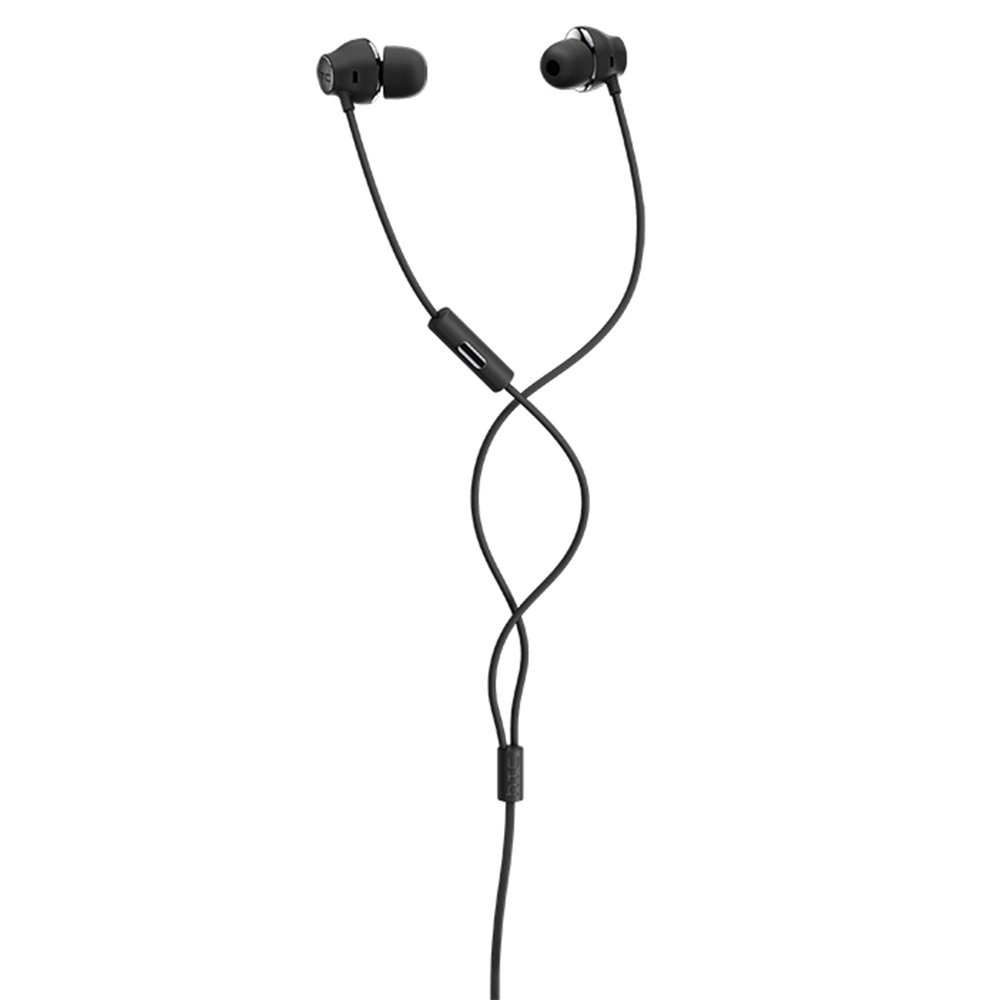
Figure 1: HTC USB Type-C Hi-Res Earphones connected to a device.
5. Instrukcja obsługi
Once connected, your earphones are ready for use.
- Odtwarzanie dźwięku: Play audio from your connected device. The sound will be routed through the earphones.
- Zarządzanie połączeniami: For devices supporting call functions, you can typically answer/end calls using the device's interface.
- Kontrola aplikacji: This model supports control via an application. Refer to your device's app store for any official HTC audio control applications that may offer additional features or sound customization.
6. Konserwacja i pielęgnacja
Proper care extends the lifespan of your earphones:
- Czyszczenie końcówek dousznych: Gently remove ear tips and clean them with a mild soap solution and water. Ensure they are completely dry before reattaching.
- Czyszczenie obudowy słuchawki: Wipe the earphone body and cable with a soft, dry, lint-free cloth. Do not use abrasive materials or harsh chemicals.
- Składowanie: When not in use, store the earphones in a clean, dry place, preferably in a protective pouch to prevent tangling and damage.
- Zarządzanie kablami: Avoid tightly winding the cable or subjecting it to sharp bends, which can damage internal wires.
Rysunek 2: Eksplodowany view of earphone components, highlighting the 13mm speaker and aerospace polymer diaphragm.
7. Rozwiązywanie Problemów
Jeśli napotkasz problemy, zapoznaj się z poniższymi typowymi problemami i rozwiązaniami:
| Problem | Możliwa przyczyna | Rozwiązanie |
|---|---|---|
| Brak dźwięku | Earphones not properly connected; device volume too low; incorrect audio output selected on device. | Ensure the USB Type-C connector is fully inserted. Increase device volume. Check device audio settings to confirm earphones are selected as output. |
| Słaba jakość dźwięku | Dirty ear tips; damaged cable; low-quality audio source. | Clean ear tips. Inspect the cable for visible damage. Try a different audio source or file. |
| Earphones uncomfortable or fall out | Nieprawidłowy rozmiar końcówki dousznej. | Try different sized ear tips (if provided) to find the best fit for your ears. |
8. Specyfikacje
| Funkcja | Szczegół |
|---|---|
| Marka | HTC |
| Numer modelu | 99H20317-00 |
| Technologia łączności | Przewodowy (USB typu C) |
| Rozmiar głośnika | 13 mm |
| Tworzywo | Synthetic leather (ear tips/housing accents) |
| Waga | 50 gramów |
| Wymiary produktu | 0.1 x 0.1 x 0.1 cm (packaging/shipping dimensions, actual earphone size is compact) |
| Metoda kontroli | Aplikacja |
| Obsługa Bluetooth | NIE |
| Wymagane baterie | NIE |
| Kompatybilne urządzenia | Smartphone, Laptop, Tablet with USB Type-C audio output |
| Kolor | Ciemnoszary |
| Umieszczenie ucha | Douszne |
9. Gwarancja i wsparcie
For warranty information and technical support, please refer to the documentation provided with your purchase or visit the official HTC support webZachowaj dowód zakupu na wypadek roszczeń gwarancyjnych.