
1. Wprowadzenie
This manual provides detailed instructions for the safe and efficient operation of your Nitecore ULM9 Digital USB Camera Charger. Please read this manual thoroughly before use to ensure proper functionality and to prevent damage. The ULM9 is specifically designed for Leica BLI-312 camera batteries, offering a convenient and intelligent charging solution.
2. Koniec produktuview
The Nitecore ULM9 is a smart USB-powered charger featuring a high-definition LCD display that provides real-time charging information. Its compact design makes it ideal for travel.
Główne cechy:
- Wyświetlanie poziomu naładowania baterii w czasie rzeczywistymtage, charging current, charged volume (mAh), and battery health.
- USB input for versatile power options from various sources.
- Kompaktowa i lekka konstrukcja zapewniająca przenośność.
- Automatic detection of battery status and charging parameters.
Zawartość opakowania:
- Nitecore ULM9 Charger
- Zintegrowany kabel ładujący USB
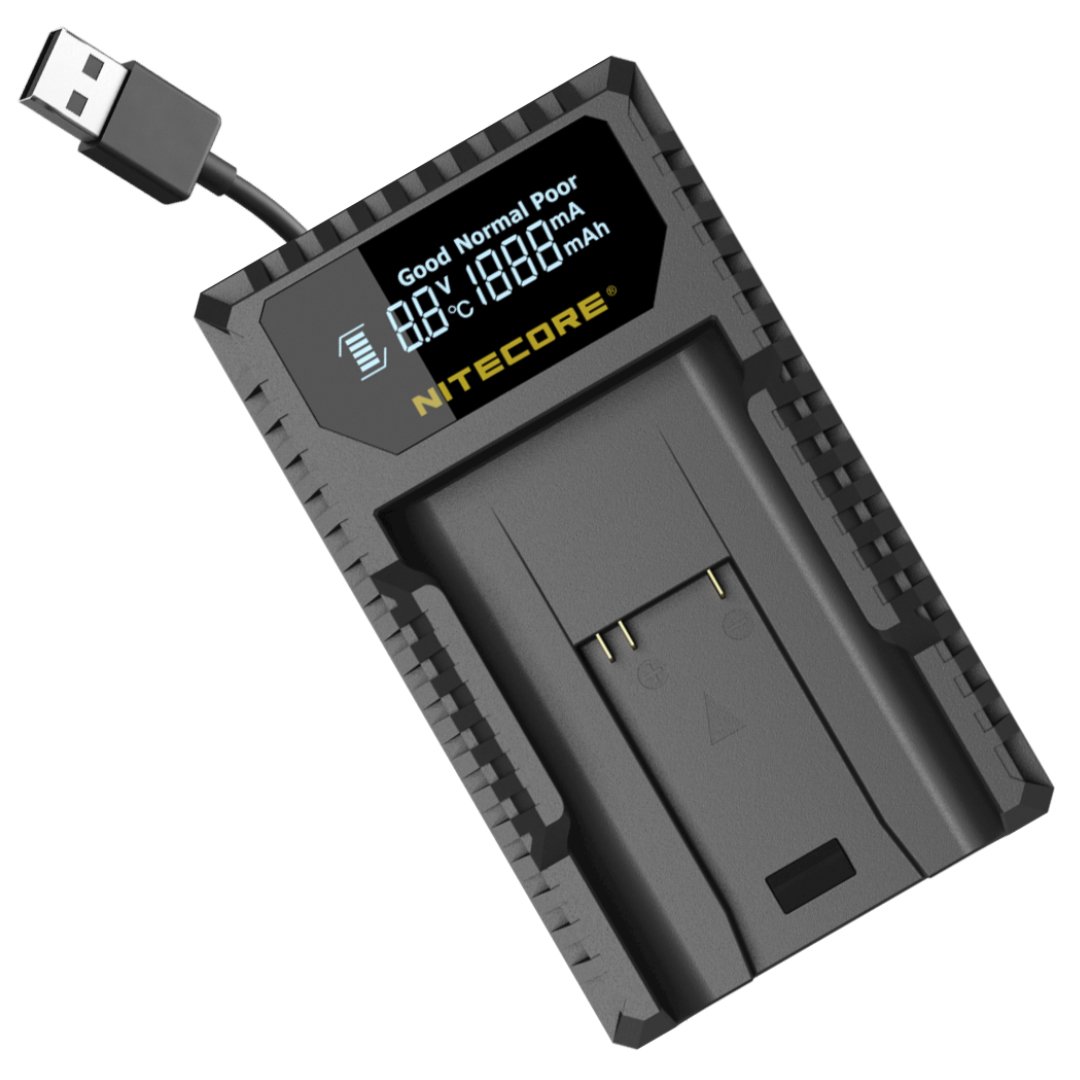
Image: Nitecore ULM9 Charger with a Leica BLI-312 battery. The LCD screen displays charging information such as voltage, prąd i pojemność naładowana.
3. Konfiguracja
- Podłącz zasilanie: Connect the integrated USB cable from the ULM9 charger to a compatible USB power source (e.g., USB wall adapter, power bank, computer USB port). The LCD display will illuminate upon successful connection.
- Włóż baterię: Carefully insert the Leica BLI-312 battery into the charging slot of the ULM9 charger. Ensure the battery's contacts align correctly with the charger's pins and that the battery is fully seated.
4. Instrukcja obsługi
Proces ładowania:
Once the battery is inserted and power is connected, the ULM9 will automatically detect the battery type and initiate the charging process. The LCD display will show real-time charging status and battery information.
Informacje o wyświetlaczu LCD:
- Tomtage (v): Wyświetla bieżącą objętośćtage baterii.
- Prąd (A): Shows the charging current being delivered to the battery.
- Charged Volume (mAh): Indicates the cumulative amount of charge delivered to the battery since charging began.
- Stan baterii: Provides an assessment of the battery's overall condition and remaining lifespan.
- Temperatura: Displays the battery's temperature during the charging cycle.
Zakończenie ładowania:
The ULM9 charger is equipped with intelligent charging management. It will automatically terminate the charging process once the battery is fully charged to prevent overcharging. The display will indicate a full charge status.
5. Zgodność
The Nitecore ULM9 charger is specifically designed for Leica BLI-312 camera batteries and is compatible with the following Leica camera models:
- Leica M8
- Leica M8.2
- Leica M9
- Leica M9-P
- Leica M-E Series
- Leica BM8
6. Specyfikacje
| Funkcja | Szczegół |
|---|---|
| Wejście | DC 5V / 2A |
| Kompatybilne baterie | Leica BLI-312 |
| Kompatybilne modele kamer | Leica M8, M8.2, M9, M9-P, M-E Series, BM8 |
| Waga | 1.78 uncji (ok. 50 g) |
| Liczba portów | 1 |
7. Konserwacja
- Keep the charger clean and dry. Avoid exposure to moisture, dust, or extreme temperatures.
- Do not attempt to disassemble, modify, or repair the charger yourself. This may void the warranty and cause damage.
- Jeśli nie używasz ładowarki, przechowuj ją w chłodnym i suchym miejscu.
- Use only the integrated USB cable or a high-quality replacement for power connection.
8. Rozwiązywanie Problemów
- Ładowarka się nie włącza: Ensure the USB cable is securely connected to both the charger and a functional USB power source. Try a different USB port or power adapter to rule out a faulty power source.
- Bateria nie ładuje się: Verify the battery is inserted correctly with the correct polarity. Ensure the battery's contacts are clean. Check if the battery is severely damaged or completely depleted beyond recovery.
- Wyświetlacz nie pokazuje informacji: Confirm the charger is receiving power. If the issue persists after checking power connections and battery insertion, contact customer support.
9. Gwarancja i wsparcie
For detailed warranty information, technical support, or service inquiries, please refer to the official Nitecore website or contact your authorized Nitecore dealer. It is recommended to retain your purchase receipt as proof of purchase for any warranty claims.