
1. Wprowadzenie
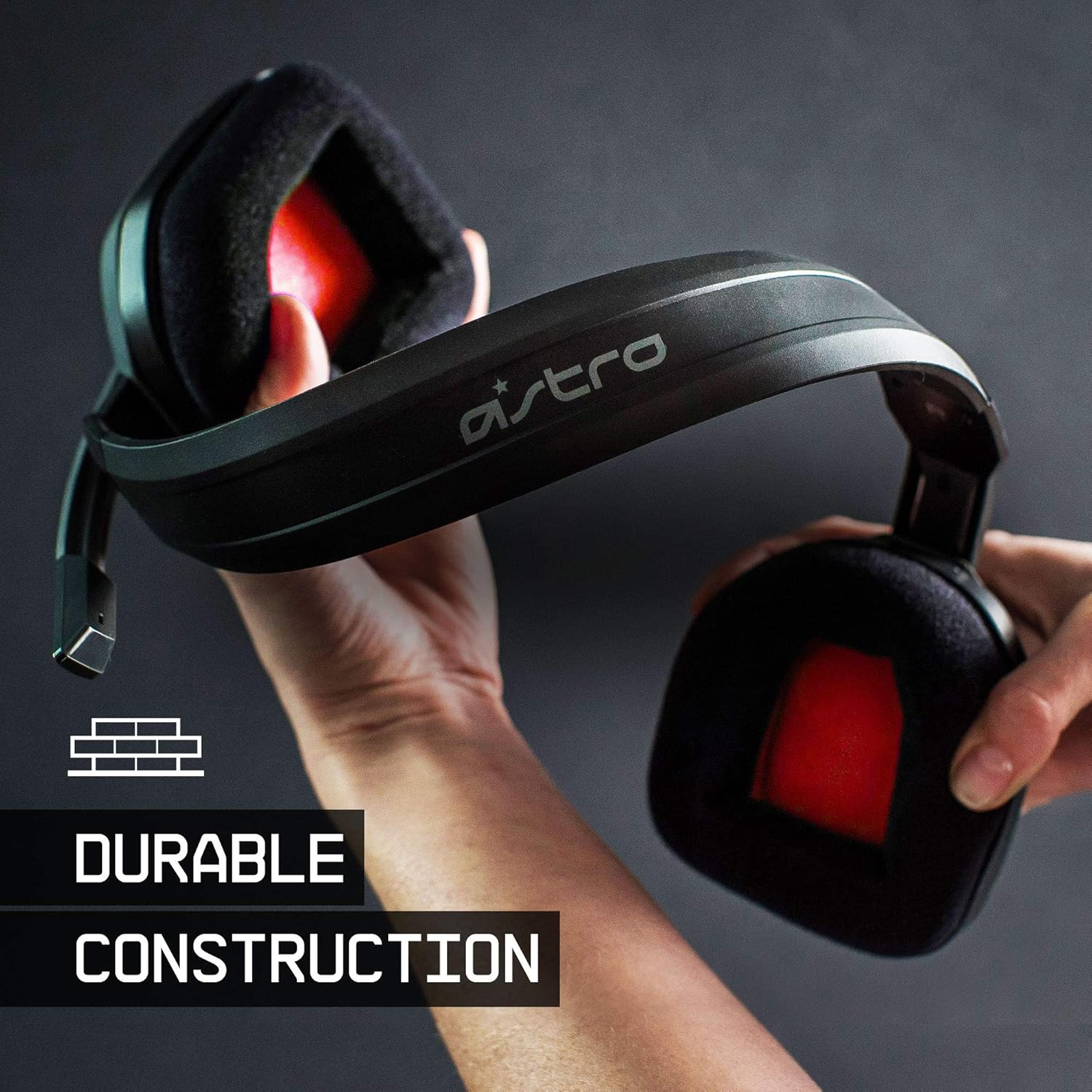
The ASTRO Gaming A10 Headset is engineered for gaming, offering durable construction and extended comfort for prolonged use. It features ASTRO Audio for clear and precise sound, an omnidirectional microphone with flip-up mute functionality, and in-line volume control for a comprehensive audio experience.
2. Co znajduje się w pudełku
Upon unboxing your ASTRO Gaming A10 Headset, you should find the following components:
- ASTRO Gaming A10 Headset
- A10 Volume Cable (3.5mm jack)

3. Funkcje produktu
- Trwałość: The A10 Headset is constructed with a durable headband made of anodized aluminum and a damage-resistant polycarbonate blend, designed to withstand rigorous use.
- Komfort: Featuring extended comfort memory foam ear-cushions, the headset is designed to minimize fatigue during long gaming sessions.
- Komunikacja: An omnidirectional microphone with flip-up mute functionality and in-line volume control ensures clear communication with teammates.
- Jakość dźwięku: Tuned with ASTRO Audio, the A10 delivers immersive and accurate audio, providing low latency and precise voice communication.
- Zgodność: The headset is compatible with multiple platforms including PS5, PC/MAC, XBOX SERIES X|S, NINTENDO SWITCH, VR, and streaming devices.



4. Instrukcje konfiguracji
- Connect the A10 Volume Cable: Insert the smaller end of the A10 Volume Cable into the 3.5mm port located on the left earcup of the ASTRO A10 Headset. Ensure it is securely connected.
- Połącz z urządzeniem: Plug the larger end of the A10 Volume Cable into the 3.5mm headphone jack on your gaming controller (e.g., Xbox, PlayStation), PC, Mac, Nintendo Switch, or other compatible device.
- Dostosuj głośność: Use the in-line volume control wheel on the A10 Volume Cable to adjust the audio level to your preference.
- Pozycja mikrofonu: Lower the microphone boom arm to activate the microphone. Position it appropriately for clear voice capture.

5. Instrukcja obsługi
Microphone Usage (Flip-to-Mute)
The ASTRO A10 Headset features a convenient flip-to-mute microphone. To activate the microphone, simply lower the boom arm into the speaking position. To mute the microphone, flip the boom arm upwards until it clicks into the vertical position. This action instantly mutes your voice input.
Kontrola głośności
Adjust the audio volume using the in-line control wheel located on the A10 Volume Cable. Rotate the wheel upwards to increase volume and downwards to decrease volume.
6. Zgodność
The ASTRO Gaming A10 Headset is designed for broad compatibility across various gaming and media platforms:
- PlayStation 5 (PS5)
- PlayStation 4 (PS4)
- Xbox Series X|S
- Xbox One
- Nintendo Switch
- PC
- Prochowiec
- VR devices
- Urządzenia do strumieniowania
- Most mobile phones and tablets with a 3.5mm jack

7. Konserwacja
- Czyszczenie: Do czyszczenia zestawu słuchawkowego używaj miękkiej, suchej ściereczki. Unikaj stosowania silnych środków chemicznych i materiałów ściernych.
- Składowanie: Przechowuj zestaw słuchawkowy w chłodnym, suchym miejscu, z dala od bezpośredniego światła słonecznego i ekstremalnych temperatur.
- Pielęgnacja kabli: Aby zapobiec uszkodzeniom, należy unikać ostrego zginania i nadmiernego ciągnięcia kabla.
- Poduszki nauszne: Okresowo sprawdzaj stan poduszek nausznych pod kątem zużycia. Wymienne poduszki mogą być dostępne u producenta.
8. Rozwiązywanie Problemów
- No Audio / Low Audio:
- Upewnij się, że kabel 3.5 mm jest całkowicie włożony do zestawu słuchawkowego i urządzenia.
- Check the in-line volume control and ensure it is turned up.
- Verify that the audio output settings on your device are correctly configured for the headset.
- Przetestuj zestaw słuchawkowy z innym urządzeniem, aby wykluczyć problem związany z danym urządzeniem.
- Mikrofon nie działa:
- Ensure the microphone boom arm is fully lowered into the speaking position (not flipped up for mute).
- Check the microphone input settings on your device to ensure the headset microphone is selected and not muted.
- Przetestuj mikrofon za pomocą innej aplikacji lub urządzenia.
- Static or Distorted Audio:
- Ensure the 3.5mm cable connections are secure and free from debris.
- Try using a different 3.5mm cable if available, to rule out a faulty cable.
- Reduce the volume on your device or headset if the audio is clipping.
9. Specyfikacje
| Funkcja | Szczegół |
|---|---|
| Marka | Gry ASTRO |
| Nazwa modelu | ASTRO Gamingowy A10 |
| Numer modelu | 939-001508 |
| Technologia łączności | Przewodowy |
| Gniazdo słuchawkowe | 3.5 mm Jack |
| Waga przedmiotu | 12.35 uncji |
| Zakres częstotliwości | 20 Hz - 20 kHz |
| Typ sterownika audio | Dynamiczny sterownik |
| Materiał obudowy | Aluminium |
| Dodatkowe funkcje | Microphone Included, Volume Control |
| Kompatybilne urządzenia | PS5, PC/MAC, XBOX SERIES X|S, NINTENDO SWITCH, VR, STREAMING, most mobile phones, tablets |
10. Gwarancja i wsparcie
The ASTRO Gaming A10 Headset comes with a 2-letnia gwarancja producenta. For warranty claims, technical support, or additional product information, please visit the official ASTRO Gaming webodwiedź witrynę lub skontaktuj się bezpośrednio z działem obsługi klienta.
11. Filmy produktowe
ASTRO A10 Experience
Wideo: Oficjalny pokaz wideoasing the overall experience and key aspects of the ASTRO A10 Headset. This video provides a visual overview of the product's design and functionality.