
1. Zawartość opakowania
Sprawdź, czy w opakowaniu znajdują się wszystkie elementy:
- Kamera nasobna BOBLOV
- Instrukcja obsługi
- Klips na ramię
- Ładowarka samochodowa
- 2 x Lithium Ion Batteries (1950mAh each)
- Kabel USB
- Baza ładująca
- Krótki klip

Image: The package contents include the body camera, user manual, two clips, car charger, two batteries, USB cable, and charging base.
2. Konfiguracja
2.1 Instalacja i ładowanie akumulatora
The camera comes with two 1950mAh Lithium Ion batteries. Ensure batteries are fully charged before first use.
- Insert one battery into the dedicated slot on the charging base.
- Place the body camera onto the charging base. The base allows simultaneous charging of one battery and the camera.
- Connect the USB cable to the charging base and a power source (e.g., wall adapter, car charger, or computer USB port).
- Czas ładowania do pełnego naładowania wynosi około 3 godzin.

Image: The body camera and a spare battery are shown charging in the dual charging dock.
Karta pamięci 2.2
The camera supports external TF (MicroSD) cards up to 128GB. A 64GB internal storage is included.
- Znajdź gniazdo karty TF z boku aparatu.
- Ostrożnie wsuń kartę TF do gniazda, aż zatrzaśnie się na miejscu.
- Aby wyjąć kartę, naciśnij ją do wewnątrz, aż wysunie się.
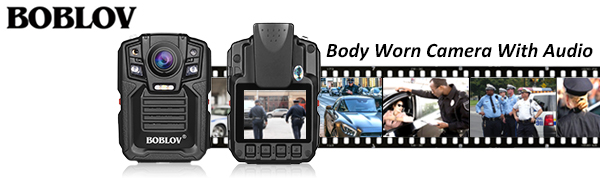
Image: The body camera features an external TF card slot, supporting cards up to 128GB for expanded storage.
3. Instrukcja obsługi
3.1 Włączanie/wyłączanie zasilania
Press and hold the Power button for 3 seconds to turn the camera on. To turn off, press and hold the Power button for 5 seconds.
3.2 Nagrywanie wideo
From standby mode, short press the Video Record button to start recording. The red light will flash, and the camera will vibrate twice. Short press again to stop recording and save the file.
3.3 Robienie zdjęć
From standby mode, short press the Photo button to take a single photo. The camera will vibrate once.
3.4 Nagrywanie dźwięku
From standby mode, short press the Audio Record button to start audio-only recording. Short press again to stop and save.
3.5 Widzenie nocne
The camera features automatic infrared night vision. In low light conditions, the IR lights will activate to capture clear footage up to 15 meters (approximately 49 feet) away.

Image: The body camera captures clear footage in low light, showing objects at 3 meters and 15 meters with night vision activated.
3.6 Odtwarzanie
Use the menu buttons to navigate through recorded videos, photos, and audio files on the 2-inch LCD screen. Select a file and press the OK button to play.
3.7 Mounting and Wear
The camera comes with rotatable clips for flexible mounting options. Attach the desired clip to the back of the camera.
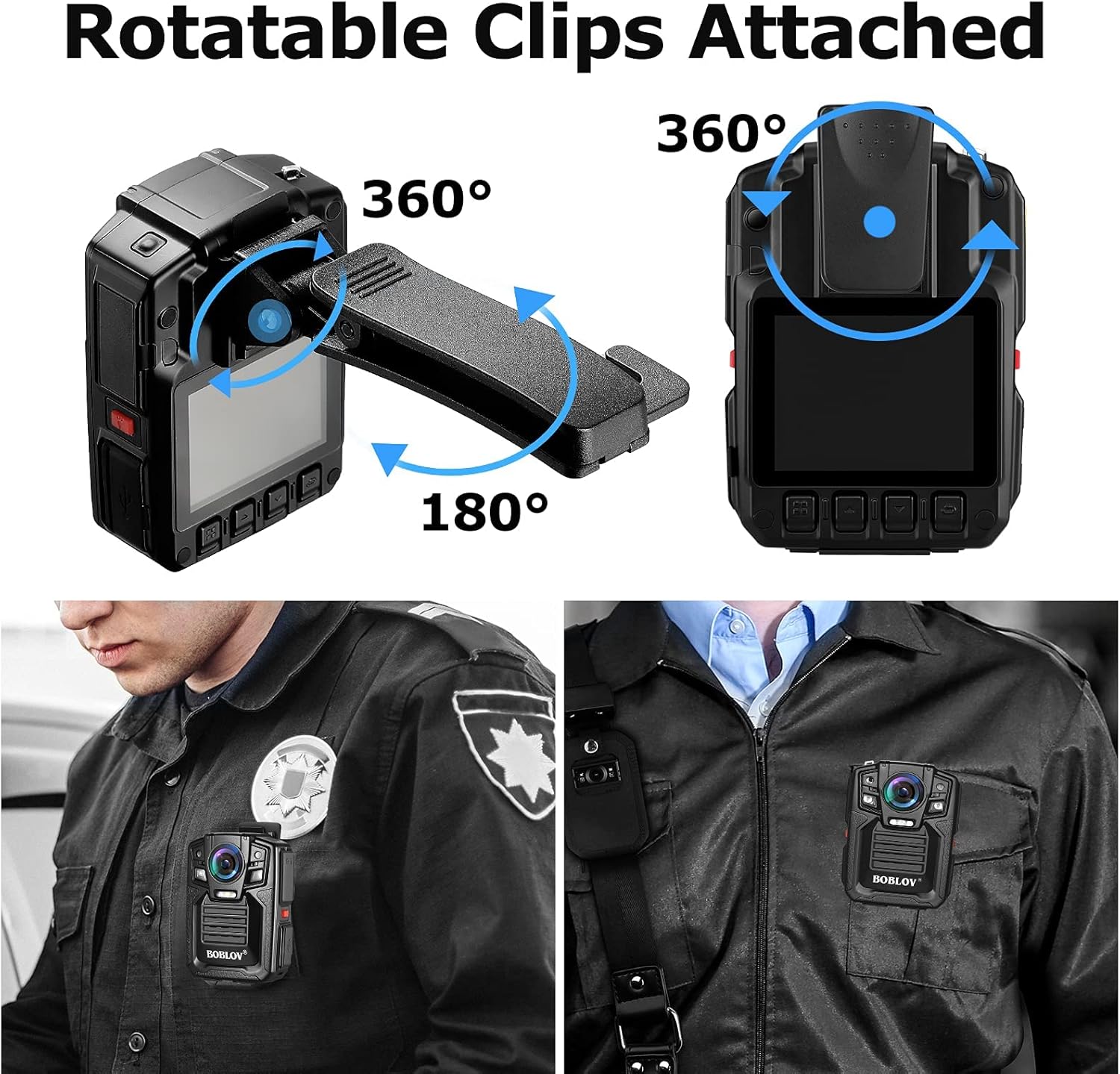
Image: The body camera is shown with rotatable clips, allowing for 360-degree rotation and 180-degree tilt for optimal positioning.

Image: A person in uniform wears the BOBLOV body camera clipped to their shirt pocket, demonstrating a typical use case.
4. Konserwacja
4.1 Czyszczenie
Wipe the camera body and lens with a soft, dry cloth. Avoid using harsh chemicals or abrasive materials.
4.2 Przesyłanie danych
Connect the camera to a computer using the provided USB cable to transfer recorded files. The camera will appear as a removable disk drive.
4.3 aktualizacji oprogramowania sprzętowego
Sprawdź producenta webOdwiedzaj tę witrynę okresowo w celu uzyskania aktualizacji oprogramowania sprzętowego, aby zapewnić optymalną wydajność i dostęp do nowych funkcji.
5. Rozwiązywanie Problemów
| Problem | Możliwa przyczyna | Rozwiązanie |
|---|---|---|
| Machine cannot boot | Wyczerpywanie się baterii | Całkowicie naładuj akumulator. |
| Machine cannot boot | Ochrona maszyn | Press reset button or reboot. |
| Machine working time is short | Za mało policzyć za coś | Full charge more than 4 hours. |
| Cannot copy data to computer | USB interface in front of computer power supply is insufficient | Connect the data line to the computer's back USB interface. |
6. Specyfikacje
| Funkcja | Szczegół |
|---|---|
| Rozdzielczość wideo | 1296P (Effective 1296 Pixels) |
| Format przechwytywania wideo | MPEG-4 |
| Pole View | 170 stopni |
| Wizja nocna | Yes (Low light technology: Night Color) |
| Poziom wodoodporności | Wodoodporny (IP67) |
| Pamięć wewnętrzna | 64 GB |
| Pamięć zewnętrzna | Obsługuje karty TF do 128GB |
| Typ baterii | 2 Lithium Ion batteries (1950mAh each) |
| Waga przedmiotu | 1 funt |
| Technologia łączności | USB |
| Numer modelu | HLX077-I0411B1 |
7. Gwarancja i wsparcie
For warranty information or technical assistance, please contact BOBLOV Customer Service. Refer to the user manual included in your package for specific contact details or visit the official BOBLOV webstrona.
General Customer Service Email: Support@Boblov.com
8. Oficjalne filmy o produktach
Below are official product videos from the seller for additional guidance and demonstrations.
BOBLOV BODY CAM Real Video Visual effects
Video: This video demonstrates the real-world visual effects and video quality of the BOBLOV body camera.