
1. Wprowadzenie
The FreedConn TCOM-SC Motorcycle Helmet Bluetooth Intercom Kit is designed to provide seamless communication and entertainment for motorcyclists. This advanced headset allows for Bluetooth intercom functionality between riders, hands-free mobile phone calls, stereo music playback, and FM radio reception. Its robust design ensures reliable performance in various riding conditions.

Image: The FreedConn TCOM-SC intercom unit, showing the main module, two speakers, and two microphone options (boom and soft wire).
2. Funkcje produktu
- Helmet Talk System: Supports intercom communication for 2 or 3 riders (2 simultaneous users) with a range of up to 800m in open space.
- Ekran LCD: Provides visual display of operating information for convenient control.
- Funkcja radia FM: Allows listening to music, news, and traffic information while riding.
- Zaawansowana kontrola hałasu: Features DSP (Digital Signal Processor) echo cancellation and noise suppression technology for clear voice and music.
- Wszechstronna łączność: Compatible with most Bluetooth-enabled devices such as smartphones, MP3 players, and GPS units.
- Trwała konstrukcja: Water-resistant and sun-proof, suitable for various weather conditions.
- Długa żywotność baterii: Up to 10 hours of phone talk time, 7-8 hours of intercom talk time, and 300 hours standby.
- Łatwa instalacja: Designed for simple installation on most motorcycle helmets.

Image: Visual representation of the intercom's main features, including multi-rider communication, hands-free calling, stereo music, FM radio, advanced noise control, phone linking, water resistance, and rechargeable battery.
3. Zawartość opakowania
The FreedConn TCOM-SC Helmet Intercom System package includes the following items:
- 1x Motorcycle Intercom System Unit
- 1x słuchawki stereo (w tym wymienny mikrofon twardy i miękki)
- 1x Klips do zestawu słuchawkowego
- 1x śrubokręt
- 1x Lepki Clamp
- 1x kabel USB
- 1x Instrukcja obsługi
- 4x filcowe samoprzylepne podkładki do słuchawek
Note: Power adapter is NOT included. The unit can be charged by any standard phone adapter.

Image: All components included in the FreedConn TCOM-SC package, laid out for clear viewing.
4. Konfiguracja i instalacja
Follow these steps to install your FreedConn TCOM-SC intercom system onto your helmet:
- Attach the headset clip to the side of your helmet. Ensure it is securely fastened.
- Slide the intercom unit onto the clip until it clicks into place.
- Otwórz wewnętrzną wyściółkę kasku, aby uzyskać dostęp do uszu.
- Attach the stereo speakers to the inside of the helmet near your ears using the felted adhesive pads. Ensure they are positioned directly over your ears for optimal sound.
- Choose the appropriate microphone (hard boom mic for modular/open-face helmets, soft wire mic for full-face helmets) and attach it inside the helmet, positioning it close to your mouth.
- Connect the speaker and microphone cables to the corresponding ports on the intercom unit.
- Tuck all excess cables neatly under the helmet lining to prevent interference and ensure comfort.

Image: Step-by-step visual guide for installing the intercom unit and speakers onto a motorcycle helmet.
Aby zapoznać się z wizualnym przewodnikiem dotyczącym instalacji i początkowej konfiguracji, obejrzyj oficjalny film o produkcie poniżej:
Video: Official FreedConn TCOM-SC Motorcycle Helmet Bluetooth Intercom Kit overview, demonstrating features and installation.
5. Instrukcja obsługi
5.1. Urządzenie ponadview i sterowanie

Image: Detailed diagram showing the components of the FreedConn TCOM-SC unit, including the LCD Display Screen, Jog Wheel, Multi-function Button, Power/Intercom Button, Stereo Ear Speakers, Noise Canceling Microphone, Charger and Headset Socket, Hard Cable, Soft Cable, and Detachable Socket.

Image: Diagram illustrating the various functions controlled by the multi-functional button and jog wheel, such as skipping tracks, playing/pausing music, FM radio controls, volume adjustment, answering/ending calls, rejecting calls, and redialing the last number.
5.2. Bluetooth Pairing (Phone/MP3/GPS)
To connect your TCOM-SC to a mobile phone, MP3 player, or GPS device via Bluetooth:
- Upewnij się, że jednostka TCOM-SC jest wyłączona.
- Naciśnij i przytrzymaj przycisk wielofunkcyjny, aż dioda LED zacznie migać naprzemiennie na czerwono i niebiesko, wskazując tryb parowania.
- Na swoim urządzeniu mobilnym włącz Bluetooth i wyszukaj dostępne urządzenia.
- Select "T-COM" or "FreedConn" from the list of devices.
- Po podłączeniu wskaźnik LED zacznie powoli migać na niebiesko.

Image: Diagram showing how the intercom unit connects to a cell phone, GPS, and other Bluetooth intercoms.
5.3. Funkcja interkomu
The TCOM-SC supports intercom communication between 2 or 3 riders, with 2 riders able to communicate simultaneously over a distance of up to 800 meters.
- Pairing with another TCOM-SC unit:
- Ensure both units are off.
- Press and hold the Power/Intercom Button on both units simultaneously until they enter pairing mode (red and blue flashing).
- Once paired, the LED indicators will flash blue slowly.
- Inicjowanie interkomu: After pairing, a short press of the Power/Intercom Button on either unit will initiate the intercom connection.
- Zakończenie interkomu: A short press of the Power/Intercom Button will end the intercom conversation.
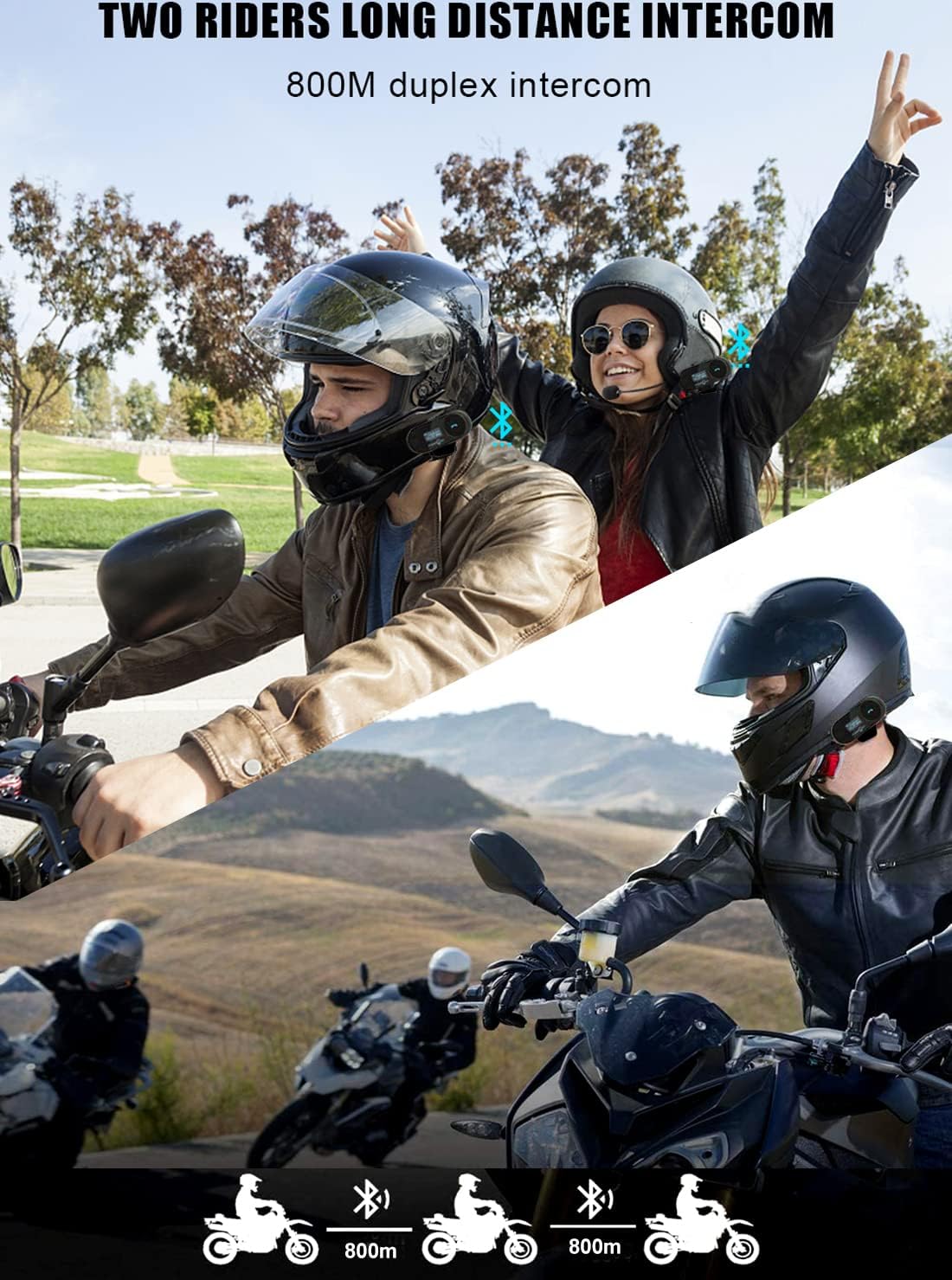
Image: Illustration of two motorcyclists communicating via the FreedConn intercom system over a long distance.
5.4. Obsługa radia FM
Aby skorzystać z wbudowanego radia FM:
- Włączanie/wyłączanie radia FM: Naciśnij dwukrotnie przycisk wielofunkcyjny.
- Zmień kanał: Turn the Jog Wheel to switch between FM channels.

Image: The LCD screen of the FreedConn TCOM-SC unit showing the FM radio frequency (100.7 MHz).
5.5. Phone Call and Music Control
- Odbieranie/kończenie połączeń: Jedno naciśnięcie przycisku wielofunkcyjnego.
- Odrzuć połączenie: Jedno naciśnięcie przycisku wielofunkcyjnego.
- Ponowne wybieranie ostatniego numeru: Przytrzymaj przycisk wielofunkcyjny przez 2 sekundy.
- Odtwórz/wstrzymaj muzykę: Jedno naciśnięcie przycisku wielofunkcyjnego.
- Pomiń ścieżkę: Obróć pokrętło Jog Wheel.
- Regulacja głośności: Obróć pokrętło Jog Wheel.
6. Specyfikacje techniczne
| Funkcja | Specyfikacja |
|---|---|
| Nazwa modelu | TCOM-SC-800M |
| Marka | FreedConn |
| Technologia łączności | Bezprzewodowy (Bluetooth, Wi-Fi, FM) |
| Wersja Bluetooth | 3.0 |
| Zakres częstotliwości | 2.4 GHz |
| Waga przedmiotu | 45 gramów (1.59 uncji) |
| Wymiary produktu | 3.23 x 1.26 x 0.98 cala |
| Typ baterii | Litowo-polimerowy (w zestawie) |
| Pojemność baterii | 400mAh |
| Czas ładowania | 2.5 godzin |
| Czas pracy baterii (telefon) | Do 10 godzin |
| Żywotność baterii (domofon) | Do 8 godzin |
| Czas czuwania | Do 300 godzin |
| Poziom wodoodporności | Wodoodporny |
| Kontrola hałasu | Aktywna redukcja szumów (DSP) |
| Kompatybilne urządzenia | Various Devices and Motorcycle Helmets |
| Konkretne zastosowania produktu | Sports/Movement |
| UPC | 711301107458 |
Image: A visual summary of the technical specifications and product structure.
7. Konserwacja
To ensure the longevity and optimal performance of your FreedConn TCOM-SC intercom kit, follow these maintenance guidelines:
- Czyszczenie: Przetrzyj urządzenie miękką, damp płótno. Nie używaj ostrych środków chemicznych ani ściernych środków czyszczących.
- Składowanie: Przechowuj urządzenie w chłodnym i suchym miejscu, gdy nie jest używane. Unikaj ekstremalnych temperatur.
- Ładowanie: Charge the battery regularly, even if not in frequent use, to maintain battery health. Avoid overcharging.
- Narażenie na działanie wody: While water-resistant, avoid submerging the unit in water. Ensure the charging port cover is securely closed during wet conditions.
8. Rozwiązywanie Problemów
If you encounter issues with your FreedConn TCOM-SC, refer to the following common problems and solutions:
| Problem | Możliwa przyczyna / rozwiązanie |
|---|---|
| No sound from speakers / Only one side has sound |
|
| Cannot achieve 3-person intercom |
|
| Difficulty connecting to phone/device |
|
| Sound quality issues (e.g., static, low volume) |
|
9. Gwarancja i wsparcie
For warranty information, technical support, or further assistance, please visit the official FreedConn store or contact their customer service directly.
Official FreedConn Store: FreedConn Amazon Store
Proszę zachować dowód zakupu na wypadek ewentualnych roszczeń gwarancyjnych.