
Wstęp
Dziękujemy za zakupasing the ipega PG-9087S Wireless Game Controller. This device is designed to enhance your mobile gaming experience on Android and iOS smartphones and tablets. Please read this manual carefully before use to ensure proper operation and to maximize the lifespan of your controller.
Informacje dotyczące bezpieczeństwa
- Nie wystawiaj kontrolera na działanie ekstremalnych temperatur, wilgoci ani bezpośredniego światła słonecznego.
- Unikaj upuszczania kontrolera i narażania go na silne uderzenia.
- Nie próbuj demontować ani modyfikować kontrolera. Spowoduje to unieważnienie gwarancji i może spowodować uszkodzenia.
- Trzymaj kontroler poza zasięgiem dzieci i zwierząt domowych.
- Należy używać wyłącznie dołączonego lub zalecanego kabla ładującego.
Zawartość opakowania
- ipega PG-9087S Wireless Game Controller
- Kabel ładujący USB
- Instrukcja obsługi (ten dokument)
Produkt ponadview

Figure 1: Controller Layout. This image displays the ipega PG-9087S controller with its various buttons and components labeled, including the Left 3D joystick, D-Pad, TURBO button, battery/mode indicators, Home Button, R1/R2, ABXY Action buttons, Right 3D joystick, START, and SELECT buttons.

Rysunek 2: Główne cechy. This image highlights specific design elements: a textured rocker for improved grip, LED red button lights for visibility, scrub and non-slip trigger construction for precise control, and a classic cross key design for the D-Pad.
Główne cechy:
- Łączność Bluetooth 4.0: Ensures stable and high-speed transmission.
- Wysuwane ramię: Accommodates devices with a maximum extending size of 6.2 inches (70-158mm) and a thickness of up to 9mm.
- Ergonomiczna konstrukcja: Provides comfort for extended gaming sessions.
- High Sensitivity Buttons: Designed for quick and accurate responses.
- Custom Function/Button Mapping: Allows users to customize button functions according to personal preferences for various games.
- Obsługa wielu platform: Compatible with Android 6.0 and above, and iOS devices.
Organizować coś
1. Ładowanie kontrolera
Before first use, fully charge the controller. Connect the provided USB charging cable to the controller's charging port and to a USB power source (e.g., computer, USB wall adapter). The battery charging indicators (1, 2, 3, 4) will illuminate to show charging status and battery level.
2. Włączanie/wyłączanie zasilania

Figure 3: Power Switch and Connection Methods. This image shows the physical on/off switch located at the bottom of the controller and provides visual instructions for Android and iOS direct connection methods.
- Włączanie: Locate the power switch (labeled 'switch:on/off' in Figure 3) on the bottom of the controller and slide it to the 'ON' position.
- Aby wyłączyć: Przesuń wyłącznik zasilania do pozycji „WYŁ”.
3. Parowanie Bluetooth
The PG-9087S supports direct connection without needing to download a separate application.
- Dla urządzeń z systemem iOS: Po wyłączeniu kontrolera naciśnij i przytrzymaj Y button + HOME button simultaneously for 2 seconds until the indicator light flashes rapidly.
- Dla urządzeń z systemem Android: Po wyłączeniu kontrolera naciśnij i przytrzymaj A button + HOME button simultaneously for 2 seconds until the indicator light flashes rapidly.
Once the indicator light flashes, enable Bluetooth on your mobile device and search for "PG-9087S". Select it to pair. The indicator light will become solid once successfully connected.
4. Instalacja urządzenia
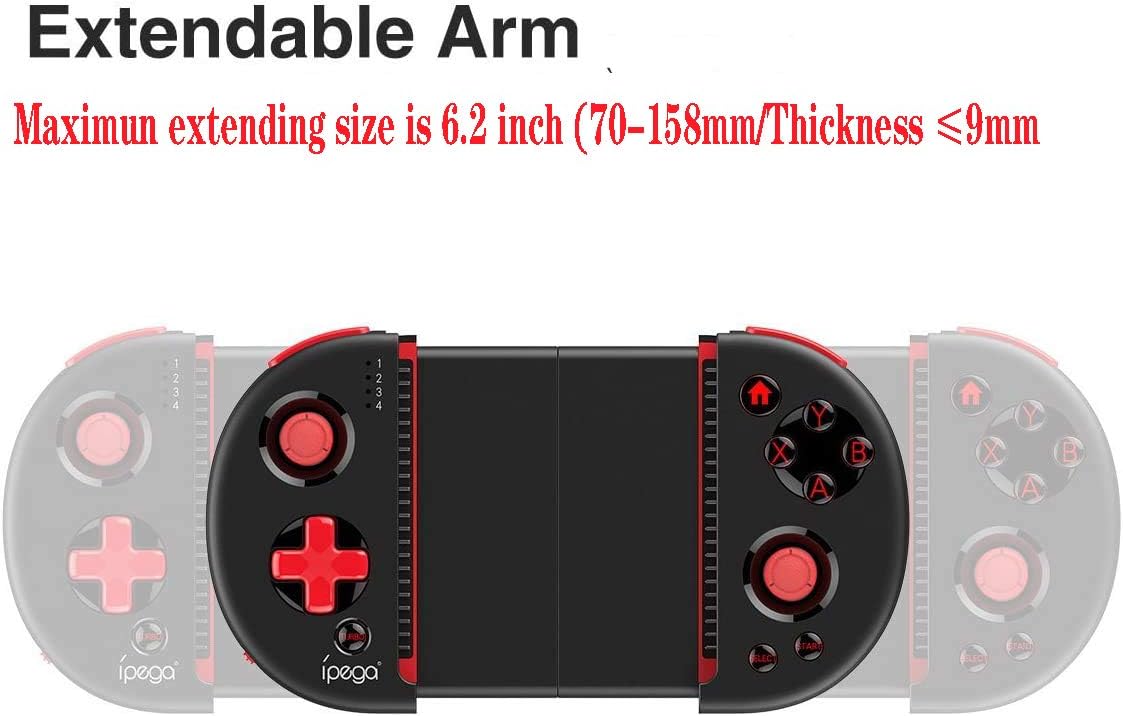
Figure 4: Extendable Arm. This image illustrates the extendable arm feature of the controller, showing its maximum extension size of 6.2 inches (70-158mm) and a maximum device thickness of 9mm.
Gently extend the arms of the controller to fit your smartphone or tablet. Ensure your device is securely seated within the extendable arm. The arm supports devices up to 6.2 inches (158mm) in length and 9mm in thickness.
Instrukcja obsługi
1. Podstawowe sterowanie
Refer to Figure 1 for the layout of the buttons and joysticks. The controller features:
- Joysticki 3D lewy/prawy: Do precyzyjnego ruchu i kontroli kamery.
- D-Pad (pad kierunkowy): Do wprowadzania danych kierunkowych.
- Przyciski akcji ABXY: Standard gaming action buttons.
- L1/L2/R1/R2 Triggers: Przyciski na ramionach i spusty umożliwiające wykonywanie różnych akcji w grze.
- Przyciski START/WYBIERZ: For in-game menu navigation and selections.
- Przycisk DOMOWY: Returns to the device's home screen or controller menu.
- Przycisk TURBO: Activates rapid-fire functionality for assigned buttons.
2. Mapowanie i dostosowywanie przycisków
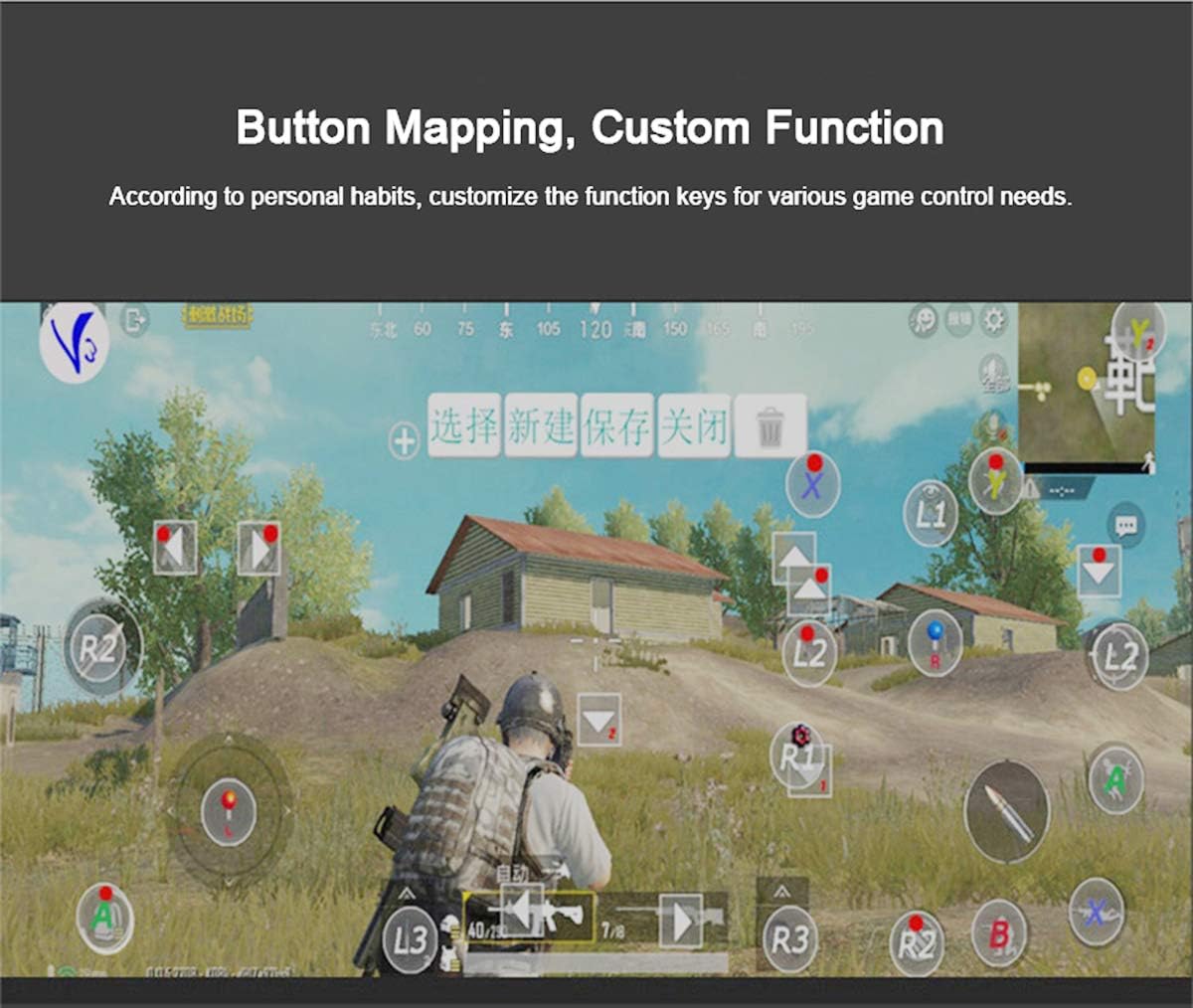
Figure 5: Button Mapping Interface. This image demonstrates the concept of button mapping within a game, allowing users to customize the function keys to suit their individual gaming preferences and needs.
The PG-9087S supports custom function key mapping. This feature allows you to assign specific in-game actions to the controller's buttons according to your personal habits. The method for customizing button functions typically depends on the game or emulator you are using. Refer to the specific game's settings or the emulator's configuration options for detailed instructions on how to remap controls.
3. Screen Orientation Support
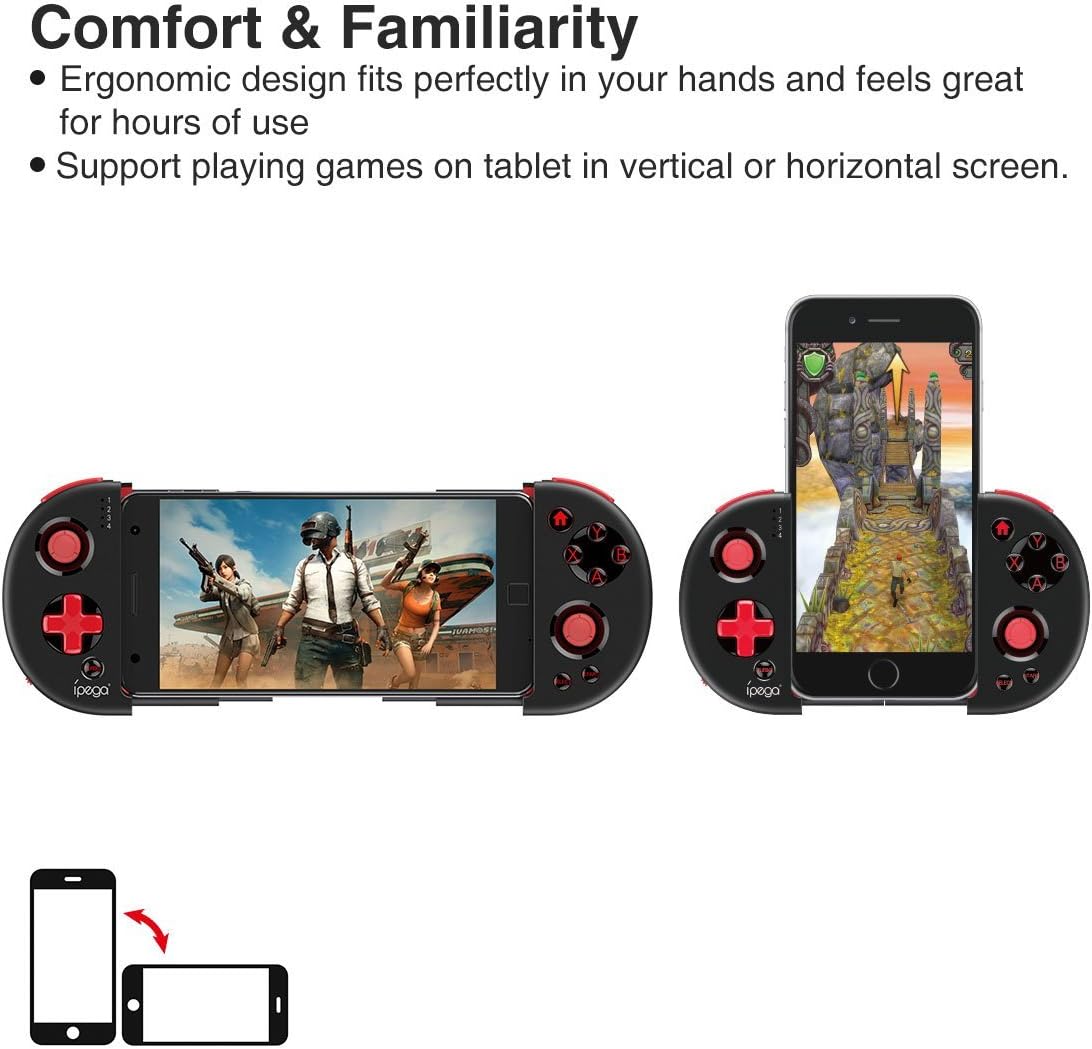
Figure 6: Orientation Support. This image illustrates the controller's ability to support gaming on tablets or smartphones in both vertical (portrait) and horizontal (landscape) screen orientations.
The controller supports playing games on your tablet or smartphone in both vertical (portrait) and horizontal (landscape) screen orientations, providing flexibility for various game types.
Konserwacja
- Czyszczenie: Use a soft, dry cloth to clean the controller. Do not use harsh chemicals or abrasive cleaners.
- Składowanie: Store the controller in a cool, dry place away from direct sunlight when not in use.
- Pielęgnacja baterii: Aby przedłużyć żywotność baterii, unikaj częstego całkowitego rozładowywania baterii. Regularnie ładuj kontroler, nawet jeśli nie jest używany regularnie.
Rozwiązywanie problemów
- Kontroler się nie włącza: Ensure the battery is charged. Connect the controller to a power source using the USB cable.
- Controller does not pair with device:
- Ensure the controller is in pairing mode (indicator light flashing rapidly).
- Wyłącz i włącz ponownie Bluetooth w swoim urządzeniu.
- Zapomnij urządzenie w ustawieniach Bluetooth i spróbuj sparować je ponownie.
- Ensure you are using the correct pairing combination (Y+HOME for iOS, A+HOME for Android).
- Buttons are unresponsive or laggy:
- Ensure the controller is fully charged. Low battery can affect performance.
- Zbliż się do urządzenia, aby zapewnić silne połączenie Bluetooth.
- Restart both the controller and your mobile device.
- Check the game's settings to ensure controller input is enabled and correctly configured.
- Device does not fit in the extendable arm: Check the dimensions of your device. The arm supports devices up to 6.2 inches (158mm) in length and 9mm in thickness. Remove any bulky cases from your device.
Specyfikacje
| Model | PG-9087S |
| Marka | ipega |
| Technologia łączności | Bluetooth 4.0, USB (do ładowania) |
| Typ kontrolera | Gamepad, Joystick |
| Kompatybilne urządzenia | Android (6.0 and above), iOS |
| Bateria | 1 bateria litowo-jonowa (wymagana) |
| Extendable Arm Max Size | 6.2 cala (158 mm) |
| Extendable Arm Max Thickness | 9mm |
| Waga przedmiotu | 6.9 uncji |
| Kolor | Czarny |
| Wymiary opakowania | 6.8 x 5.15 x 1.6 cala |
Gwarancja i wsparcie
Warranty information for the ipega PG-9087S Wireless Game Controller is typically provided with your purchase or can be found on the manufacturer's official webStrona. Zachowaj dowód zakupu na wypadek roszczeń gwarancyjnych.
For technical support or further assistance, please refer to the contact information provided by your retailer or visit the official ipega support channels.