
Wstęp
Dziękujemy za zakupasing the Gemini AS-12BLU Professional Audio Bluetooth PA Loudspeaker. This manual provides essential information for the safe and efficient operation of your new audio system. Please read this manual thoroughly before use and retain it for future reference.
Główne cechy
- 12-inch 1500W Peak Class AB Built-In Amplifier for crisp, concert-quality sound.
- Impedance at 4 Ohms with a linear frequency response between 30Hz-20Khz.
- Pure titanium 1" HF Compression Driver and Wide Dispersion Horn.
- Integrated MP3 player with USB, SD card, Bluetooth, and FM Radio capabilities.
- Two input channels with separate gain controls.
- Multiple input options: Mic and Line XLR, 1/4’’, 1/8’’, and RCA inputs.
- Mix Output for connecting to other audio devices.
- High/Low Equalization Controls for precise audio adjustment.
- Durable ABS Impact Resistant Nylon Fiber Cabinet.
- Top and side handles for easy transport.
- Flyable and stand-mountable design for versatile placement.
- Clip LED Alert to prevent overheating.
Zawartość opakowania
Proszę zaznaczyć pole dotyczące następujących elementów:
- Gemini AS-12BLU PA Loudspeaker
- Zasilacz
- Instrukcja obsługi (ten dokument)
W przypadku braku lub uszkodzenia jakichkolwiek elementów należy natychmiast skontaktować się ze sprzedawcą.
Sterowanie i połączenia
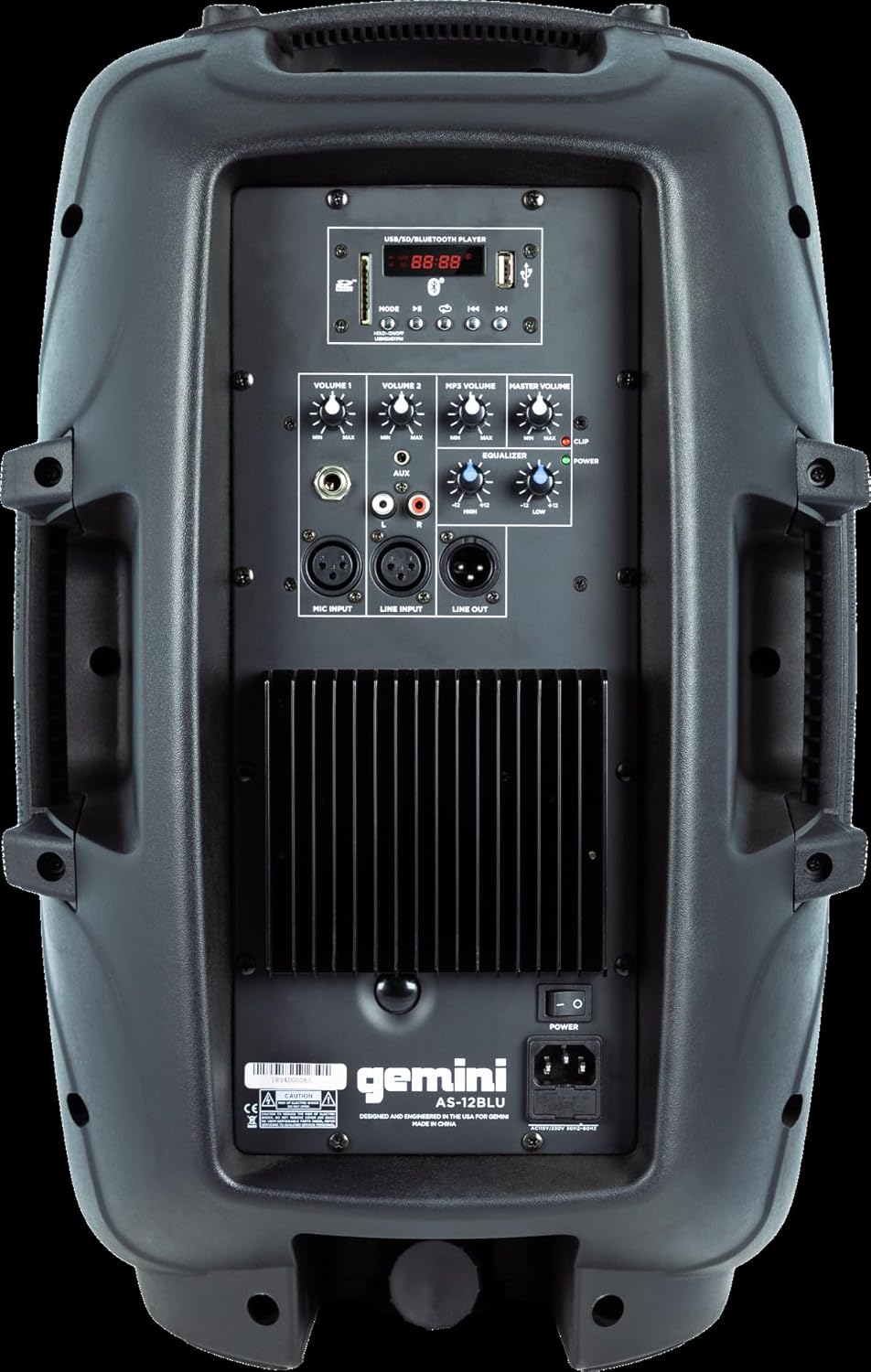
Image: Rear panel of the AS-12BLU loudspeaker. This view highlights the comprehensive control interface, including the USB/SD/Bluetooth player, volume controls, equalization knobs, and various input/output jacks.
Przód View
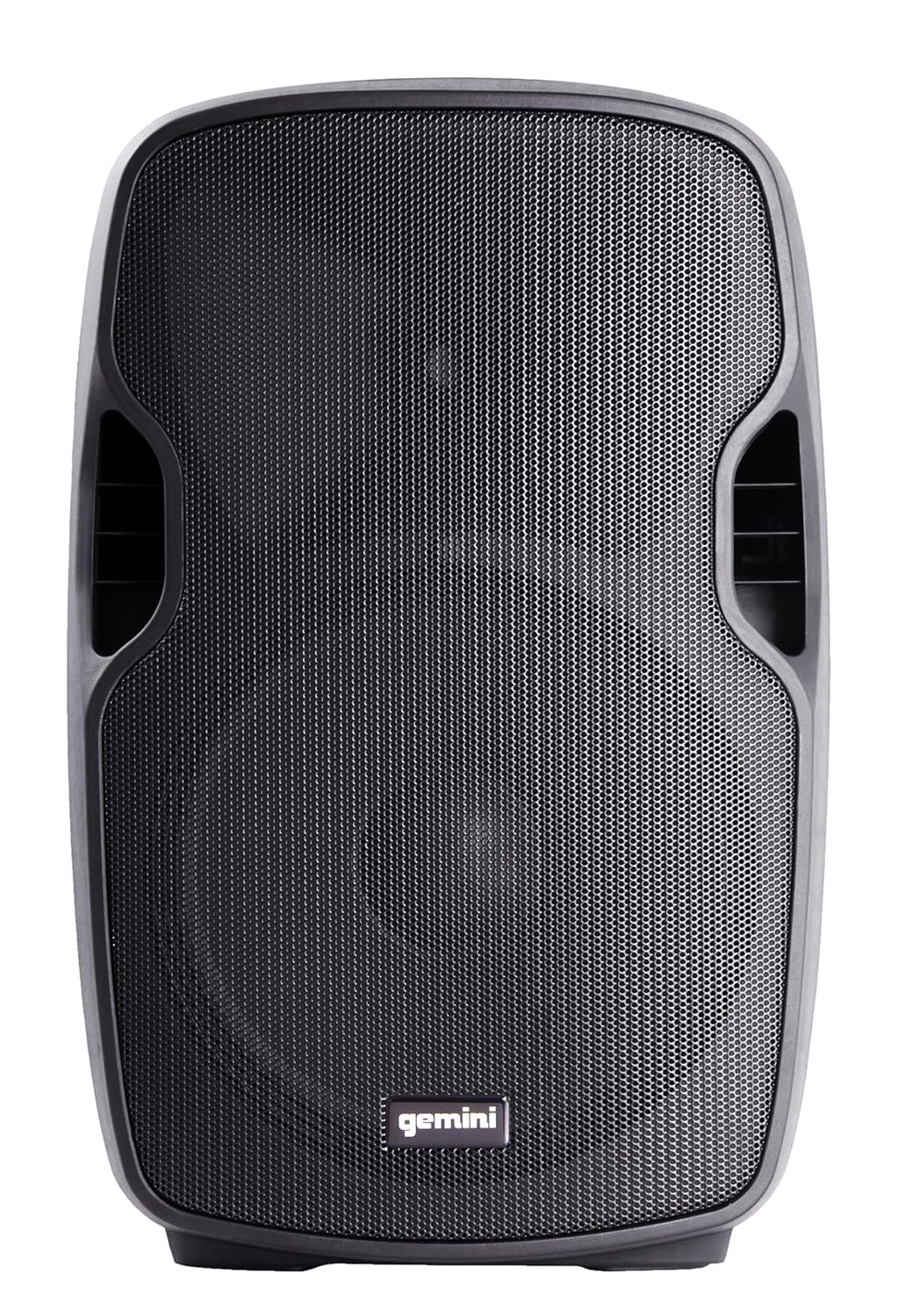
Obraz: Przód view of the AS-12BLU loudspeaker. This image displays the speaker's robust grille and integrated side handles, designed for both protection and portability.
Kątowy View
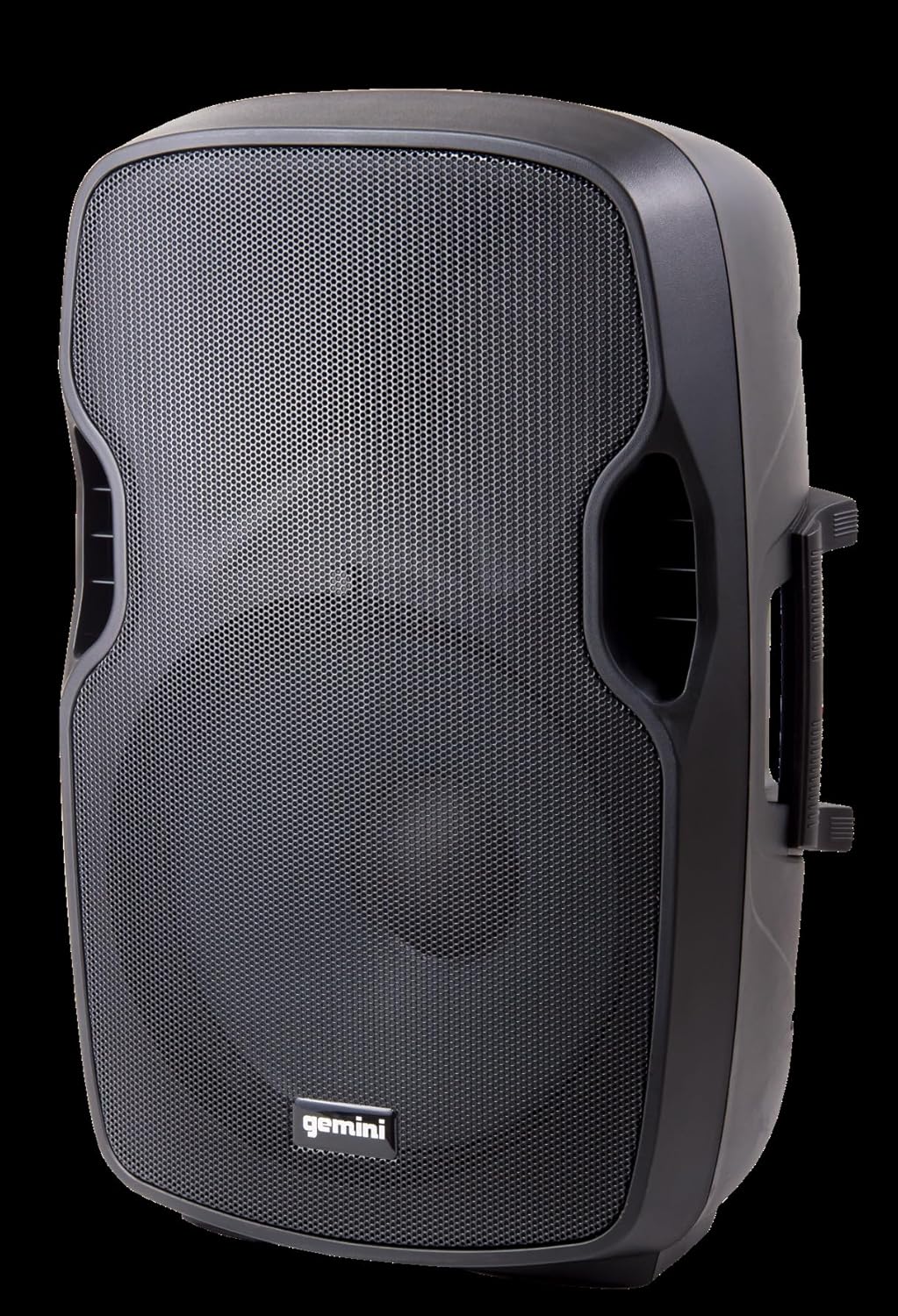
Obraz: kątowy view of the AS-12BLU loudspeaker. This perspective highlights the speaker's ergonomic design, including the integrated handles on both sides, facilitating easy transport and setup.
Tylny panel nadview:
- USB/SD/Bluetooth Player: Digital media playback interface.
- Przycisk trybu: Switches between USB, SD, Bluetooth, and FM Radio modes.
- Volume 1 & 2: Independent gain controls for Mic and Line inputs.
- Głośność MP3: Controls the volume of the integrated media player.
- Głośność: Overall output volume control.
- High/Low Equalization: Adjusts treble and bass frequencies.
- Mic Input (XLR & 1/4"): Do podłączania mikrofonów.
- Line Input (XLR, 1/4", 1/8", RCA): For connecting line-level audio sources (e.g., mixers, instruments, media players).
- Line Out (XLR): For connecting to additional PA speakers or recording devices.
- Przycisk zasilania: Włącza/wyłącza urządzenie.
- Wejście AC: Connects the power adaptor.
- Klip LED: Illuminates when the audio signal is clipping, indicating potential distortion.
Organizować coś
- Umieszczenie: Position the AS-12BLU on a stable, flat surface or mount it on a compatible speaker stand. Ensure adequate ventilation around the unit.
- Podłączenie zasilania: Connect the provided power adaptor to the AC Input on the rear panel of the speaker, then plug the other end into a suitable power outlet.
- Pierwsze włączenie: Ensure all volume controls are set to minimum before turning on the power switch.
- Podłączanie źródeł dźwięku:
- Mikrofon: Connect your microphone to the Mic Input (XLR or 1/4").
- Urządzenia liniowe: Connect mixers, instruments, or other audio players to the Line Input (XLR, 1/4", 1/8", or RCA).
- Connecting Additional Speakers (Optional): Use the Line Out (XLR) to connect to the input of another powered PA speaker for expanded sound coverage.
Instrukcja obsługi
Podstawowa obsługa:
- After connecting all sources and powering on, slowly increase the Master Volume to a desired listening level.
- Adjust individual input volumes (Volume 1, Volume 2, MP3 Volume) as needed for proper balance.
- Use the High/Low Equalization controls to fine-tune the audio's treble and bass response.
- Monitor the Clip LED. If it illuminates frequently, reduce the input gain or volume to prevent distortion and potential speaker damage.
Parowanie Bluetooth:
- Press the "Mode" button on the USB/SD/Bluetooth Player until "BLUE" or "BT" appears on the display, indicating Bluetooth mode.
- Na urządzeniu z włączoną funkcją Bluetooth (smartfonie, tablecie itp.) włącz Bluetooth i wyszukaj dostępne urządzenia.
- Select "GEMINI AS-12BLU" from the list of devices.
- Po sparowaniu możesz odtwarzać dźwięk z urządzenia przez głośnik.
Odtwarzanie USB/SD:
- Włóż dysk flash USB lub kartę SD zawierającą dźwięk w formacie MP3 files into the corresponding slot on the USB/SD/Bluetooth Player.
- The unit should automatically switch to USB or SD mode and begin playback. If not, press the "Mode" button to select the correct source.
- Use the playback controls (Play/Pause, Next/Previous Track) on the player to navigate your music.
Radio FM:
- Press the "Mode" button until "FM" appears on the display.
- The unit will automatically scan and store available FM radio stations.
- Use the Next/Previous Track buttons to cycle through the stored stations.
Konserwacja
- Czyszczenie: Do czyszczenia zewnętrznej części głośnika należy używać miękkiej, suchej ściereczki. Nie należy używać środków czyszczących o właściwościach ściernych, wosków ani rozpuszczalników.
- Składowanie: Gdy głośnik nie jest używany, należy go przechowywać w chłodnym i suchym miejscu, z dala od bezpośredniego światła słonecznego i ekstremalnych temperatur.
- Wentylacja: Ensure the speaker's vents are not blocked to prevent overheating.
- Przewód zasilający: Regularly inspect the power cord for any damage. If damaged, replace it with an authorized Gemini part.
Rozwiązywanie problemów
| Problem | Możliwa przyczyna | Rozwiązanie |
|---|---|---|
| Brak zasilania | Przewód zasilający nie jest podłączony; Gniazdo zasilania nie jest aktywne; Wyłącznik zasilania jest wyłączony. | Ensure power cord is securely connected. Check power outlet with another device. Turn power switch ON. |
| Brak wyjścia dźwięku | Master Volume too low; Input volume too low; Incorrect input selected; Audio source issue. | Increase Master Volume. Increase relevant input volume. Press "Mode" to select correct input. Check audio source device. |
| Zniekształcony dźwięk | Volume levels too high (clipping); Damaged cable; Speaker overload. | Reduce Master Volume or input gain until Clip LED no longer illuminates. Replace faulty cables. Do not exceed speaker's rated power. |
| Brak parowania Bluetooth | Speaker not in Bluetooth mode; Device too far; Device already paired to another speaker. | Ensure speaker is in Bluetooth mode ("BLUE" or "BT" on display). Move device closer to speaker. Disconnect device from other Bluetooth speakers. |
| USB/SD Not Playing | Błędny file format; uszkodzona karta USB/SD; wybrano niewłaściwy tryb. | Zapewnić files are MP3 format. Try a different USB/SD card. Press "Mode" to select USB or SD. |
Specyfikacje
| Funkcja | Szczegół |
|---|---|
| Numer modelu | AS-12BLU |
| Typ głośnika | 12-inch Portable Active PA Loudspeaker |
| Maksymalna moc wyjściowa | 1500 watów |
| AmpKlasa lifier | Klasa AB |
| Impedancja | 4 omy |
| Odpowiedź częstotliwościowa | 30Hz - 20KHz |
| Sterownik HF | 1" Pure Titanium Compression Driver |
| Łączność | Bluetooth, USB, SD Card, FM Radio, XLR, 1/4", 1/8", RCA |
| Tryb wyjścia audio | Stereofoniczny |
| Wymiary produktu | 14.57 x 11.81 x 22.83 cala |
| Waga przedmiotu | 11.42 funtów |
| Materiał szafki | ABS Impact Resistant Nylon Fiber |
Gwarancja i wsparcie
Gemini products are designed for reliability and performance. For information regarding warranty coverage, technical support, or service, please visit the official Gemini webstronie lub skontaktuj się z działem obsługi klienta.
Official Gemini Webstrona: www.geminisound.com
Proszę zachować dowód zakupu na potrzeby roszczeń gwarancyjnych.