
Wstęp
The INSIGNIA Portable Bluetooth Audio Receiver NS-MBTK35 allows you to wirelessly stream audio from your Bluetooth-enabled devices to any audio system with a 3.5mm or RCA input. Enjoy crystal clear sound and hands-free calling with this versatile receiver. Its compact design and built-in rechargeable battery make it ideal for use at home or on the go.
Co jest zawarte
- INSIGNIA Portable Bluetooth Audio Receiver
- 3.5 mm Audio Cable (3 ft.)
- 3.5 mm Male-to-Male Adapter
- 3.5 mm to RCA Adapter
- Kabel ładujący Micro USB
- Torba transportowa
- Velcro Mounting Pads
Produkt ponadview
Familiarize yourself with the receiver's controls and ports.
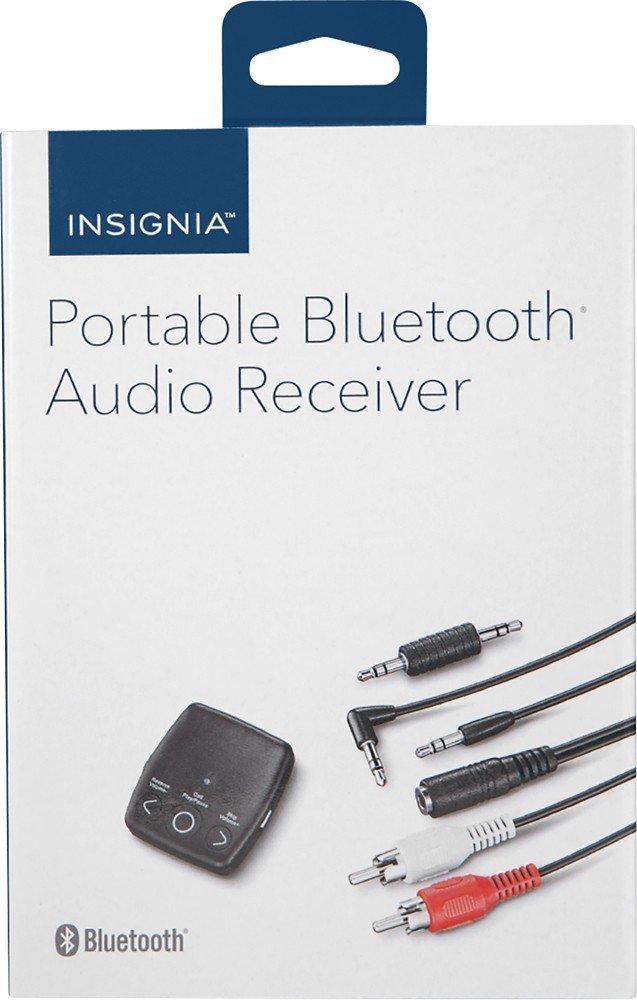
Obraz: Przód view of the INSIGNIA Portable Bluetooth Audio Receiver, showing the control buttons: Reverse/Volume-, Call/Play/Pause, and Skip/Volume+.
Sterownica:
- Przycisk Zadzwoń/Odtwórz/Pauza: Powers the device on/off, plays/pauses audio, answers/ends calls.
- Reverse/Volume- Button: Skips to the previous track or decreases volume.
- Skip/Volume+ Button: Skips to the next track or increases volume.
- Mikrofon: Do połączeń bez użycia rąk.
- Wyjście audio 3.5 mm: Connects to your audio system.
- Port ładowania micro USB: Do ładowania wewnętrznego akumulatora.
Ładowanie odbiornika
Before first use, fully charge the receiver. A full charge provides up to 6 hours of operation.
- Connect the small end of the included Micro USB charging cable to the Micro USB port on the receiver.
- Connect the large end of the Micro USB charging cable to a USB power source (e.g., computer USB port, USB wall adapter).
- Podczas ładowania wskaźnik LED będzie świecić, a po jego zakończeniu zgaśnie.

Image: A black Micro USB charging cable, used to power the receiver.
Organizować coś
Podłączanie do systemu audio:
The receiver can connect to your audio system using either a 3.5mm audio cable or an RCA adapter.
- Korzystanie z kabla audio 3.5 mm: Connect one end of the 3.5mm audio cable to the receiver's 3.5mm audio output port. Connect the other end to the 3.5mm auxiliary input on your audio system (e.g., car stereo, home speaker).
- Using the 3.5mm to RCA Adapter: If your audio system has RCA inputs (red and white), connect the 3.5mm male-to-male adapter to the receiver's 3.5mm audio output. Then, connect the 3.5mm male-to-male adapter to the 3.5mm female end of the RCA adapter. Finally, connect the red and white RCA plugs to the corresponding RCA input jacks on your audio system.
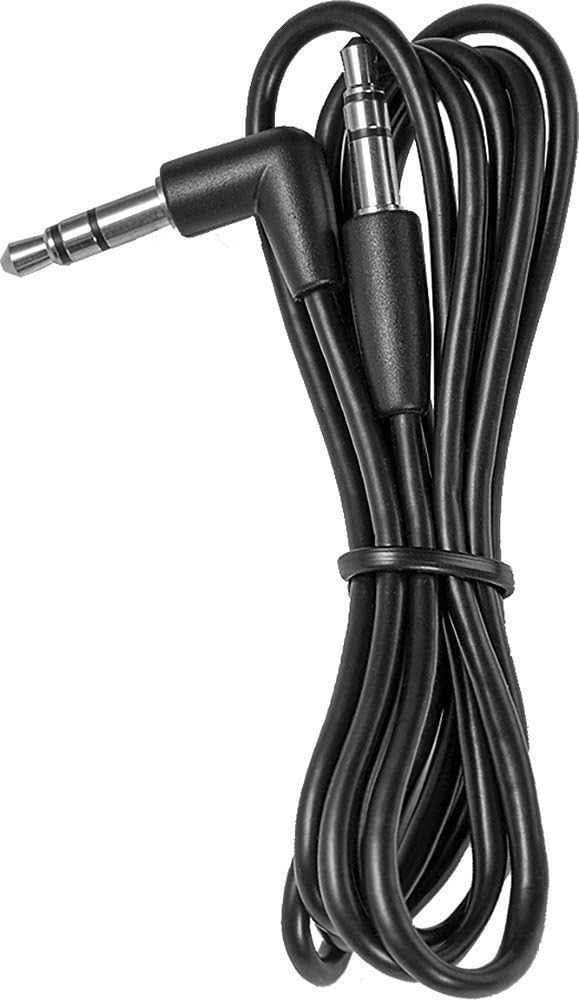
Image: A black 3.5 mm audio cable with L-shaped and straight connectors.

Image: A 3.5 mm female to dual RCA male adapter cable (red and white).
Montaż odbiornika:
Use the included Velcro mounting pads to secure the receiver in a convenient location, such as on a dashboard or near your audio system.

Image: Two circular white Velcro mounting pads with 3M branding.
Instrukcja obsługi
Włączanie/wyłączanie:
- Włączanie: Naciśnij i przytrzymaj Call/Play/Pause button for approximately 3 seconds until the LED indicator flashes.
- Aby wyłączyć: Naciśnij i przytrzymaj Call/Play/Pause Naciśnij przycisk i przytrzymaj go przez około 3 sekundy, aż dioda LED zgaśnie.
Parowanie z urządzeniem Bluetooth:
The receiver can be paired with up to eight different Bluetooth devices.
- Ensure the receiver is powered on and in pairing mode (LED indicator will flash rapidly). If it's not in pairing mode, press and hold the Call/Play/Pause button until it enters pairing mode.
- Włącz Bluetooth w swoim urządzeniu źródłowym audio (np. smartfonie, tablecie).
- Szukaj available Bluetooth devices on your audio source device.
- Select "NS-MBTK35" from the list of found devices.
- Once paired, the LED indicator on the receiver will glow solid blue.
Odtwarzanie dźwięku:
- Odtwórz/Pauza: Naciśnij Call/Play/Pause przycisk.
- Zwiększenie głośności: Naciśnij Skip/Volume+ przycisk.
- Ściszanie: Naciśnij Reverse/Volume- przycisk.
- Następny utwór: Naciśnij i przytrzymaj Skip/Volume+ przycisk.
- Poprzedni utwór: Naciśnij i przytrzymaj Reverse/Volume- przycisk.
Rozmowy bez użycia rąk:
The built-in microphone allows you to make and receive calls.
- Odbierz połączenie: Naciśnij Call/Play/Pause przycisk, gdy nadejdzie połączenie.
- Zakończ połączenie: Naciśnij Call/Play/Pause podczas rozmowy.
- Odrzuć połączenie: Naciśnij i przytrzymaj Call/Play/Pause przycisk, gdy nadejdzie połączenie.
Konserwacja
- Keep the receiver dry. Avoid exposure to moisture or liquids.
- Clean the receiver with a soft, dry cloth. Do not use abrasive cleaners or solvents.
- Unikaj ekstremalnych temperatur, bezpośredniego światła słonecznego i zakurzonego środowiska.
- Do not attempt to disassemble or modify the receiver. This will void the warranty.
Rozwiązywanie problemów
| Problem | Rozwiązanie |
|---|---|
| Odbiornik nie włącza się. | Ensure the battery is charged. Connect the receiver to a power source using the Micro USB cable. |
| Nie można sparować z urządzeniem Bluetooth. | 1. Ensure the receiver is in pairing mode (flashing LED). 2. Make sure Bluetooth is enabled on your audio source device. 3. Place the receiver and your device within 30 feet (10 meters) of each other. 4. Turn off and on both devices and try pairing again. |
| Brak dźwięku lub słaba jakość dźwięku. | 1. Check all cable connections between the receiver and your audio system. 2. Ensure the volume on both the receiver and your audio source device is turned up. 3. Make sure the receiver is within range of your Bluetooth device and there are no significant obstacles. 4. Verify that your audio system is set to the correct input source (e.g., AUX). |
| Calls are not clear. | Ensure the microphone is not obstructed and you are speaking clearly towards the receiver. Reduce background noise if possible. |
Specyfikacje
| Marka | INSIGNIA |
| Numer modelu | NS-MBTK35 |
| Technologia łączności | Bluetooth, RCA, USB |
| Technologia bezprzewodowa | Bluetooth |
| Zasięg bezprzewodowej | Do 30 stóp (10 metrów) |
| Tryb wyjścia audio | Stereofoniczny |
| Kompatybilne urządzenia | Smartfon, głośnik |
| Funkcja specjalna | Wbudowany mikrofon umożliwiający prowadzenie rozmów bez użycia rąk |
| Żywotność baterii | Do 6 godzin (przy pełnym naładowaniu) |
| Kolor | Czarny |
| UPC | 600603206559 |
Informacje dotyczące bezpieczeństwa
- Read these instructions carefully before using your new product.
- Zachowaj tę instrukcję do wykorzystania w przyszłości.
- Do not expose the receiver to water, rain, or moisture.
- Do not place the receiver near heat sources such as radiators, heat registers, stoves, or other apparatus (including amp(lifiers) wytwarzające ciepło.
- Stosować wyłącznie dodatki/akcesoria wskazane przez producenta.
- Wszelkie czynności serwisowe należy powierzyć wykwalifikowanemu personelowi serwisowemu. Serwis jest wymagany, gdy urządzenie zostało w jakikolwiek sposób uszkodzone.
Gwarancja i wsparcie
For warranty information or technical support, please refer to the documentation included with your purchase or visit the official INSIGNIA webstrona. Zachowaj dowód zakupu na potrzeby roszczeń gwarancyjnych.