
Wstęp
The SteelSeries Apex 100 Gaming Keyboard is designed for optimal gaming performance, featuring Quick Tension Switches for fast reaction times, tactile feedback, and quiet operation. It includes blue LED backlighting, advanced anti-ghosting, and is built with splash resistance for durability.
Organizować coś
1. Podłączanie klawiatury
Connect the keyboard's USB-A cable to an available USB port on your computer. The keyboard is plug-and-play, and your operating system should automatically detect and install the necessary drivers.

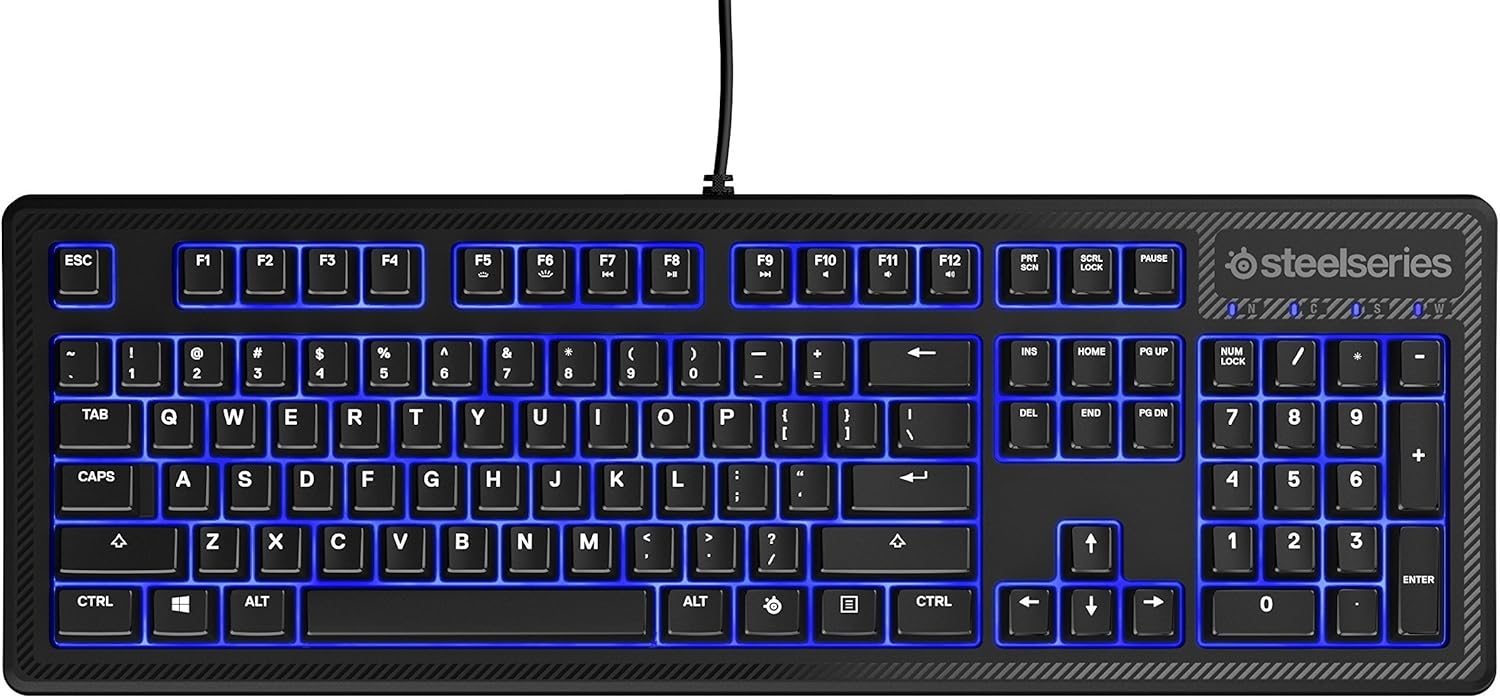
Obraz: Góra view of the SteelSeries Apex 100 Gaming Keyboard, showing the full QWERTY layout with blue LED backlighting and the attached USB cable.
2. Instalacja oprogramowania (opcjonalnie)
For advanced customization, including macro programming and backlighting adjustments, download and install the SteelSeries Engine 3 software from the official SteelSeries webStrona (steelseries.com/silnik). Postępuj zgodnie z instrukcjami wyświetlanymi na ekranie, aby przeprowadzić instalację.
Obsługa klawiatury
Główne cechy
- Quick Tension Switches: Designed to mimic mechanical switches, providing a tactile feel and fast actuation.
- Niebieskie podświetlenie LED: Offers brilliant ground effects backlighting. Intensity can be adjusted via SteelSeries Engine 3.
- Advanced Anti-Ghosting: Gwarantuje, że wszystkie naciśnięcia klawiszy zostaną dokładnie zarejestrowane podczas intensywnych sesji grania.
- Sterowanie multimediami: Integrated media control functions are accessible via function keys (F7-F12) in combination with the Fn key.
Obraz: Bok view of the SteelSeries Apex 100 Gaming Keyboard, highlighting its ergonomic design and keycap profile.
Customization with SteelSeries Engine 3
The SteelSeries Engine 3 software allows you to:
- Create and assign macros to any key.
- Adjust the intensity of the blue LED backlighting.
- Configure polling rates and other performance settings.
Konserwacja
Czyszczenie
To clean your keyboard, disconnect it from your computer. Use a soft, dry cloth to wipe down the keys and chassis. For stubborn dirt, a slightly damp cloth with mild soap can be used, ensuring no liquid enters the key switches or internal components. The keyboard is splash resistant, but not waterproof; avoid submerging it or exposing it to excessive liquids.
Trwałość
The Apex 100 keyboard features a guaranteed 20-million click lifespan for its switches, ensuring long-term reliability under heavy use.

Obraz: Dół view of the SteelSeries Apex 100 Gaming Keyboard, showing the drainage channels and adjustable feet.
Rozwiązywanie problemów
Klawiatura nie odpowiada
- Sprawdź, czy kabel USB jest prawidłowo podłączony do klawiatury i komputera.
- Spróbuj podłączyć klawiaturę do innego portu USB.
- Uruchom ponownie komputer.
- Jeśli używasz koncentratora USB, spróbuj podłączyć go bezpośrednio do komputera.
Problemy z podświetleniem
- Check the backlighting settings within the SteelSeries Engine 3 software.
- Ensure the keyboard's brightness level is not set to minimum.
Klucze nie są rejestrowane
- Wyczyść obszar wokół klawiszy, aby usunąć wszelkie zanieczyszczenia.
- If the issue persists, consider reinstalling the SteelSeries Engine 3 software or updating your USB drivers.
For further assistance, please refer to the SteelSeries support webstrona.
Specyfikacje
| Funkcja | Szczegół |
|---|---|
| Marka | Stalowa seria |
| Nazwa modelu | Szczyt 100 |
| Numer modelu | 64435 |
| Technologia łączności | USB-A |
| Opis klawiatury | Hazard |
| Zalecane zastosowania | Hazard |
| Funkcja specjalna | Podświetlany |
| Kolor | Niebieski |
| Obsługa kolorów podświetlenia klawiatury | Single Color (Blue) |
| Styl | Whisper Quiet – Tactile & Silent |
| Wymiary produktu | 18.21" dł. x 6.13" szer. x 1.58" wys. |
| Źródło zasilania | USB |
| Typ przełącznika | Tactile (Quick Tension Switches) |
| Układ klawiatury | QWERTY |
| Ilość przycisków | 104 |
| Kompatybilna rodzina systemów operacyjnych | Okna |
| Liczba kluczy | 100 |
| Materiał obudowy | Plastikowy |
| Waga przedmiotu | 2.42 funtów |
| UPC | 813682020101 |
Informacje o gwarancji
According to product information, this item comes with bez gwarancji. Please check with your retailer for their return or exchange policies.
Wsparcie
For additional support, driver downloads, or frequently asked questions, please visit the official SteelSeries support webstrona: