
Wstęp
This manual provides instructions for the proper setup, operation, and maintenance of your Targus W600 Wireless Optical Mouse. Please read this manual thoroughly before using the device to ensure optimal performance and longevity.
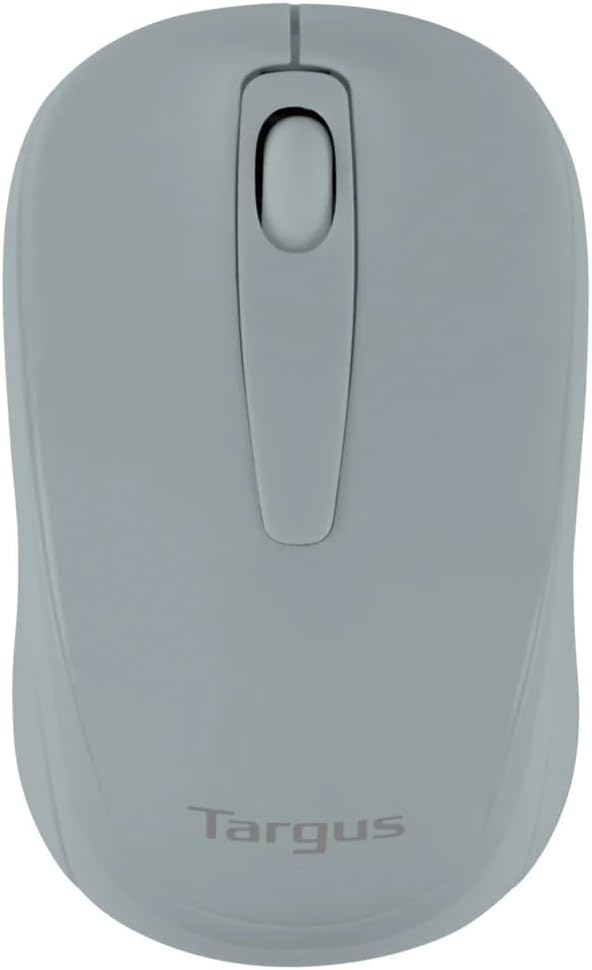
Figure 1: Targus W600 Wireless Optical Mouse (Quarry Gray)
Zawartość opakowania
Sprawdź, czy w przesyłce znajdują się wszystkie elementy:
- Targus W600 Wireless Optical Mouse
- Odbiornik USB
- Instrukcja obsługi (ten dokument)
Note: 1 AA battery is required and sold separately.
Cechy produktu
- 2.4 GHz Wireless Technology for reliable connection
- 1600 DPI Optical Sensor for precise tracking
- Ergonomiczna konstrukcja zapewniająca wygodę użytkowania
- Zgodny z systemami operacyjnymi Windows i Mac
- Integrated USB receiver storage compartment
Organizować coś
1. Instalowanie baterii
- Turn the mouse over to locate the battery compartment cover.
- Gently slide the cover off.
- Włóż jedną (1) baterię AA, zwracając uwagę na prawidłową biegunowość (+/-).
- Załóż z powrotem pokrywę komory baterii.
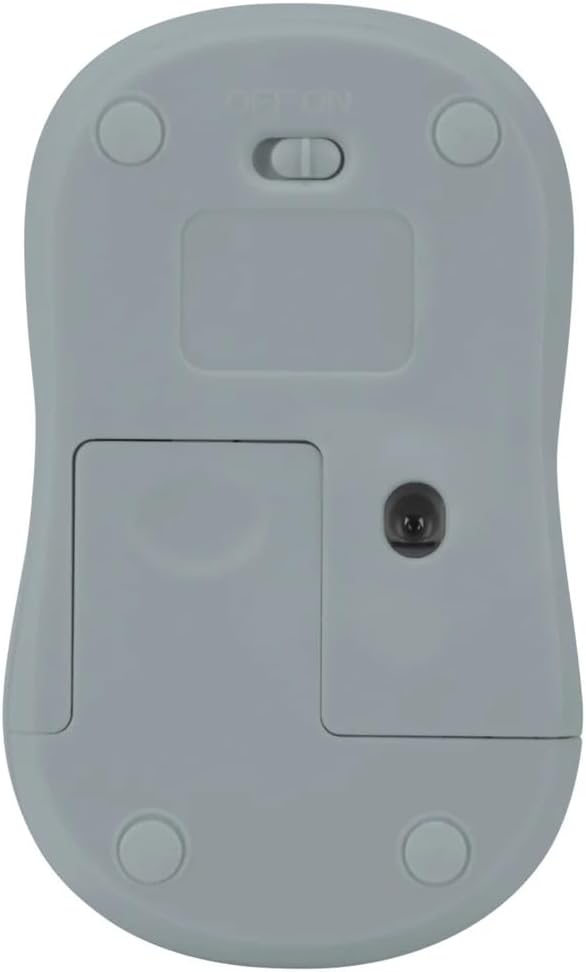
Rysunek 2: Dół view of the mouse with battery compartment and power switch.
2. Podłączanie odbiornika USB
- Locate the USB receiver, typically stored inside the mouse's battery compartment or a dedicated slot.
- Podłącz odbiornik USB do dostępnego portu USB w komputerze.
- Twój komputer powinien automatycznie wykryć i zainstalować niezbędne sterowniki. Może to potrwać chwilę.
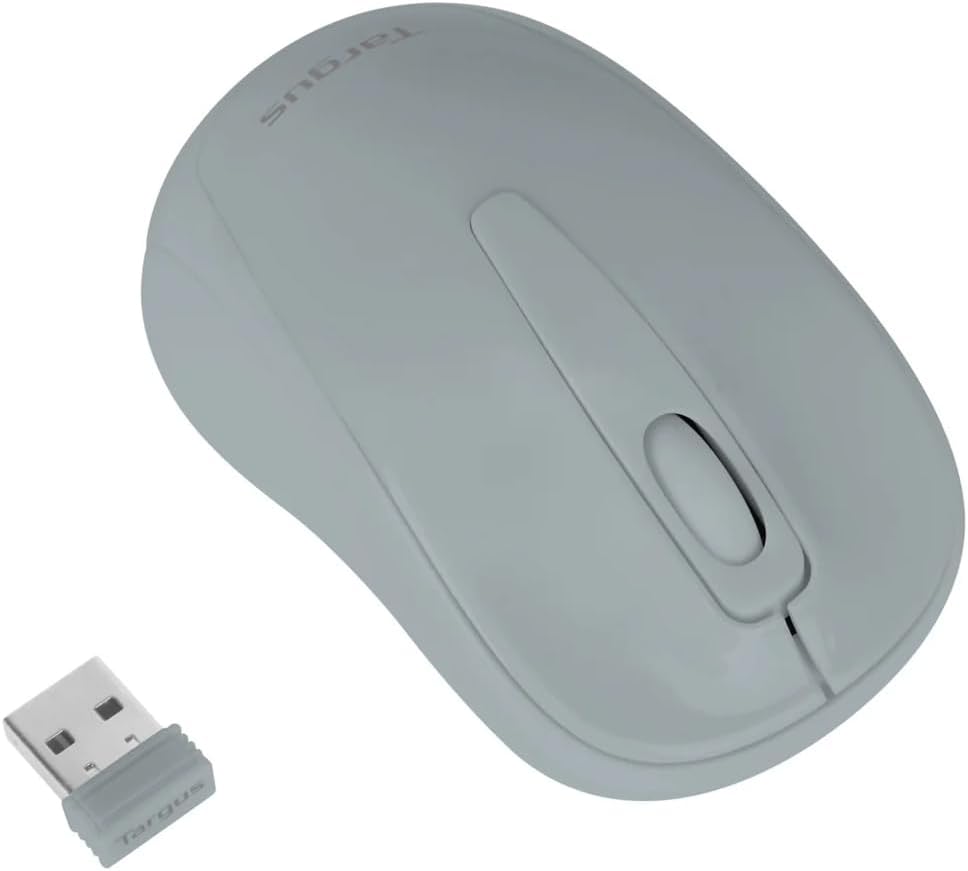
Figure 3: Targus W600 mouse and its USB receiver.

Figure 4: USB receiver plugged into a laptop, with the mouse nearby.
3. Włączanie myszy
On the bottom of the mouse, slide the ON/OFF switch to the "ON" position. The mouse is now ready for use.
Obsługa myszy
The Targus W600 Wireless Optical Mouse functions like a standard 3-button mouse. It features a left button, a right button, and a scroll wheel that also acts as a middle button.
- Lewy przycisk myszy: Podstawowa akcja, wybór, otwieranie elementów.
- Kliknij prawym przyciskiem myszy: Otwiera menu kontekstowe.
- Kółko przewijania: Przewija dokumenty i web pages vertically. Pressing the scroll wheel acts as a middle click, often used for opening links in new tabs or specific application functions.
The 1600 DPI optical sensor provides smooth and accurate cursor control on most surfaces. For best performance, use on a mouse pad or a non-reflective, uniform surface.
Konserwacja
Czyszczenie
Aby wyczyścić mysz, delikatnie przetrzyj jej powierzchnię miękką szmatką.amp cloth. Avoid using harsh chemicals or abrasive cleaners, as these can damage the finish or internal components. Ensure no liquid enters the mouse.
Wymiana baterii
When the mouse performance degrades or stops responding, it may be time to replace the battery. Follow the steps outlined in the "Installing the Battery" section to replace the AA battery. Dispose of used batteries responsibly according to local regulations.
Rozwiązywanie problemów
| Problem | Rozwiązanie |
|---|---|
| Mysz nie reaguje |
|
| Nieregularny ruch kursora |
|
| Krótki zasięg bezprzewodowy |
|
Specyfikacje
| Numer modelu | AMW60006AP-55 |
| Łączność | Bezprzewodowa sieć 2.4 GHz (odbiornik USB) |
| Technologia czujników | Optyczny |
| DPI | 1600 DPI |
| Liczba przycisków | 3 (lewy, prawy, kółko przewijania/środkowy przycisk) |
| Źródło zasilania | 1 baterie AA (brak w zestawie) |
| Kompatybilne systemy operacyjne | Windows, Mac |
Uwaga: Specyfikacje mogą ulec zmianie bez powiadomienia.
Gwarancja i wsparcie
Aby uzyskać informacje o gwarancji i pomocy technicznej, zapoznaj się z oficjalną stroną Targus webOdwiedź witrynę lub skontaktuj się z działem obsługi klienta. Zachowaj paragon jako dowód zakupu na wypadek reklamacji.
Targus Official Webstrona: www.targus.com