
1. Wprowadzenie
The Tenda SG108 is an unmanaged 8-Port Gigabit Ethernet Switch designed to expand your network with high-speed wired connections. This device offers a simple plug-and-play solution, requiring no configuration or software installation. It is suitable for various environments, including home, surveillance systems, school dormitories, and small businesses, providing stable and lossless data transmission.
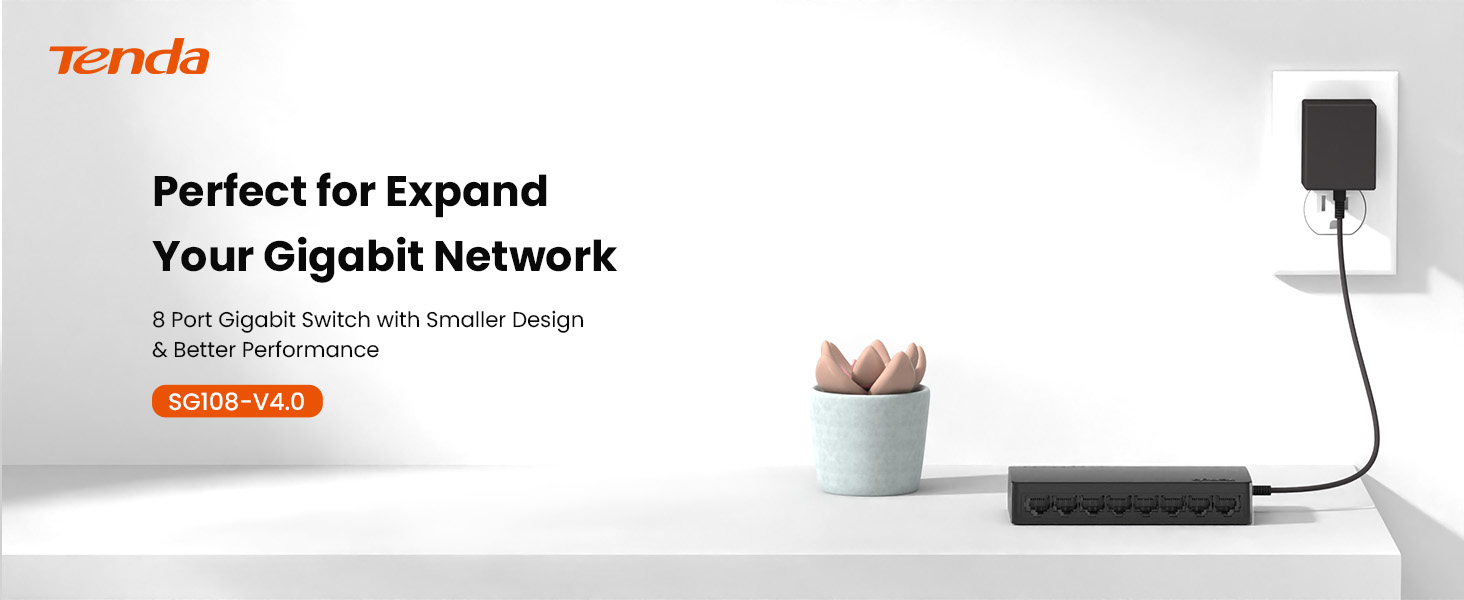
Image 1.1: Tenda SG108 8-Port Gigabit Ethernet Switch, highlighting its role in expanding a gigabit network.
2. Koniec produktuview
2.1 Główne cechy
- Podłącz i graj: Łatwa konfiguracja, nie wymaga żadnego oprogramowania ani konfiguracji.
- Prędkość gigabitowa: Provides 8 10/100/1000Mbps adaptive ports for wire-speed forwarding up to 1000 megabits per second.
- Stable Lossless Transmission: Adopts store-and-forward mode, automatically learns and updates MAC addresses, ensuring stable data transmission for 7x24 hours without dropping connections.
- Rozszerzenie sieci: Offers additional wired connections for devices like laptops, gaming consoles, and printers.
- Inteligentne rozpoznawanie: Ports automatically identify parallel and intersecting lines, simplifying network setup.
- Kompaktowa konstrukcja: Small form factor suitable for desktop or wall-mount installation.

Image 2.1: The Tenda SG108 switch highlighting its stable connection, high speed, stylish design, and power-saving features.
2.2 Zawartość opakowania
Sprawdź, czy w przesyłce znajdują się następujące elementy:
- 1 x Tenda SG108 8-Port Gigabit Ethernet Switch
3. Instrukcje konfiguracji
The Tenda SG108 switch is designed for easy installation. Follow these steps to set up your device:
3.1 Podłączanie zasilacza
- Connect the provided power adapter to the power input port on the rear panel of the SG108 switch.
- Podłącz drugi koniec zasilacza do standardowego gniazdka elektrycznego.
- The power LED indicator on the switch will illuminate, indicating that the device is powered on.

Image 3.1: Easy setup guide for the Tenda SG108, illustrating power and device connections.
3.2 Podłączanie urządzeń sieciowych
- Connect an Ethernet cable from your router or modem to any of the 8 RJ45 ports on the SG108 switch. This port will automatically function as the uplink.
- Connect your network devices (e.g., computers, gaming consoles, IP cameras, printers) to the remaining RJ45 ports using Ethernet cables.
- The corresponding LED indicators for each connected port will light up, indicating an active connection.

Image 3.2: Illustrates how to connect various devices to the Tenda SG108 switch to expand your network.
3.3 Opcje montażu
The SG108 supports both desktop placement and wall-mounting.
- Umieszczenie na pulpicie: Simply place the switch on a flat, stable surface. Ensure adequate ventilation around the device.
- Montaż naścienny: The switch features mounting slots on its underside. Use appropriate screws (not included) to secure the switch to a wall.

Image 3.3: The Tenda SG108 switch demonstrating both desktop and wall-mounted installation options.
4. Instrukcja obsługi
The Tenda SG108 is an unmanaged switch, meaning it operates automatically without requiring user configuration. Once powered on and connected to your network devices, it will begin functioning immediately.
4.1 Wskaźniki LED
The front panel of the SG108 features LED indicators for each port, providing visual feedback on network activity:
- Jednolity zielony: Indicates a stable link connection at Gigabit speed.
- Migające zielone: Wskazuje aktywność danych na porcie.
- Wyłączony: Żadne urządzenie nie jest podłączone, albo podłączone urządzenie jest wyłączone.

Image 4.1: The Tenda SG108 is designed for continuous, stable operation, ensuring connectivity for 7x24 hours.
4.2 Funkcje automatyczne
- Automatyczny MDI/MDIX: Eliminates the need for crossover cables. The switch automatically detects the cable type.
- Autonegocjacja: Each port automatically detects the link speed of a connected network device (10, 100, or 1000 Mbps) and intelligently adjusts for compatibility and optimal performance.
- Full-Duplex/Half-Duplex: Supports full-duplex mode for 2000Mbps data transfer per port.
5. Konserwacja
To ensure optimal performance and longevity of your Tenda SG108 switch, follow these maintenance guidelines:
- Umieszczenie: Place the switch in a cool, dry, and well-ventilated area. Avoid direct sunlight, heat sources, and areas with high humidity.
- Czyszczenie: Do czyszczenia zewnętrznej części przełącznika należy używać miękkiej, suchej ściereczki. Nie należy używać środków czyszczących w płynie ani aerozolu.
- Wentylacja: Ensure that the ventilation holes on the device are not blocked to prevent overheating.
- Zasilanie: Używaj wyłącznie zasilacza dostarczonego z urządzeniem.
- Zarządzanie kablami: Organize network cables to prevent strain on the ports and ensure proper airflow.
6. Rozwiązywanie Problemów
If you encounter issues with your Tenda SG108 switch, refer to the following common troubleshooting steps:
6.1 Brak zasilania
- Upewnij się, że zasilacz jest solidnie podłączony do przełącznika i sprawnego gniazdka elektrycznego.
- Sprawdź, czy gniazdko elektryczne działa prawidłowo, podłączając do niego inne urządzenie.
6.2 Dioda LED braku połączenia/aktywności
- Check that the Ethernet cable is securely plugged into both the switch port and the connected device.
- Sprawdź, czy podłączone urządzenie jest włączone i działa prawidłowo.
- Try using a different Ethernet cable to rule out cable defects.
- Przetestuj przy użyciu innego portu na przełączniku.
6.3 Niska prędkość sieci
- Upewnij się, że wszystkie podłączone urządzenia i kable obsługują Gigabit Ethernet (w celu uzyskania prędkości gigabitowych zalecane są kable Cat5e lub szybsze).
- Sprawdź, czy w Twojej sieci nie działa nadmierny ruch sieciowy lub czy nie ma w niej uruchomionych aplikacji intensywnie wykorzystujących przepustowość.
- Uruchom ponownie przełącznik i podłączone urządzenia.
7. Specyfikacje
| Funkcja | Specyfikacja |
|---|---|
| Marka | Tenda |
| Numer modelu | SG108 |
| Liczba portów | 8 |
| Typ przełącznika | Niezarządzany |
| Interfejs | RJ45 |
| Szybkość przesyłu danych | 2000 Megabits Per Second (Full-Duplex) |
| Tomtage | 9 wolty |
| Obecna ocena | 5 Amps |
| Górna ocena temperatury | 40 stopni Celsjusza |
| Rodzaj materiału obudowy | Plastikowy |
| Waga przedmiotu | 159 gram |
| Kompatybilne urządzenia | Router, Mesh, IP devices, Laptop, gaming console, printer, etc. |
8. Gwarancja i wsparcie
8.1 Informacje o gwarancji
The Tenda SG108 8-Port Gigabit Ethernet Switch comes with a 3-letnia gwarancja producenta.
8.2 Wsparcie techniczne
Tenda provides FREE lifetime 24/7 dedicated technical support. For assistance, please contact Tenda's support team via phone or email.