
1. Koniec produktuview
The Tenergy 11W Dimmable LED Desk Lamp (Model FY-0001) is designed to provide versatile lighting for various tasks, featuring adjustable brightness, multiple color temperatures, and a convenient USB charging port. Its sleek design and flexible arm make it suitable for home and office environments.

Image: The Tenergy 11W LED Desk Lamp, pokażasing its modern design and adjustable features.
2. Co znajduje się w pudełku
- Tenergy 11W Dimmable LED Desk Lamp
- Kabel ładujący USB
- Zasilacz
- Instrukcja obsługi (ten dokument)

Image: The Tenergy 11W LED Desk Lamp and its included accessories laid out on a surface.
3. Konfiguracja
- Ostrożnie wyjąć wszystkie elementy z opakowania.
- Umieść lamp base on a stable, flat surface.
- Podłącz zasilacz do lampPort wejściowy zasilania, zwykle zlokalizowany z tyłu podstawy.
- Podłącz zasilacz do standardowego gniazdka elektrycznego.amp's indicator light should illuminate, indicating it is ready for use.
4. Instrukcja obsługi
4.1 Włączanie/wyłączanie zasilania
Aby obrócić lamp on or off, gently touch the Włącz/Wyłącz button located on the touch control panel on the lampbaza.
4.2 Regulacja jasności
Lamp offers 5 levels of brightness. Use the + I - buttons on the touch control panel to increase or decrease the light intensity.
4.3 Zmiana trybów oświetlenia (temperatura barwowa)
Lamp features 4 distinct light modes, each with a different color temperature, optimized for various activities:
- Tryb czytania: Provides a bright, neutral white light ideal for reading.
- Tryb nauki: Offers a cooler, more focused light to enhance concentration.
- Tryb relaksu: Emits a warm, soft light for a comfortable and calming atmosphere.
- Tryb uśpienia: Delivers a very warm, dim light suitable for winding down before sleep.
To switch between these modes, repeatedly touch the corresponding icon on the control panel.

Image: Visual representation of the four adjustable light color temperatures available on the lamp.
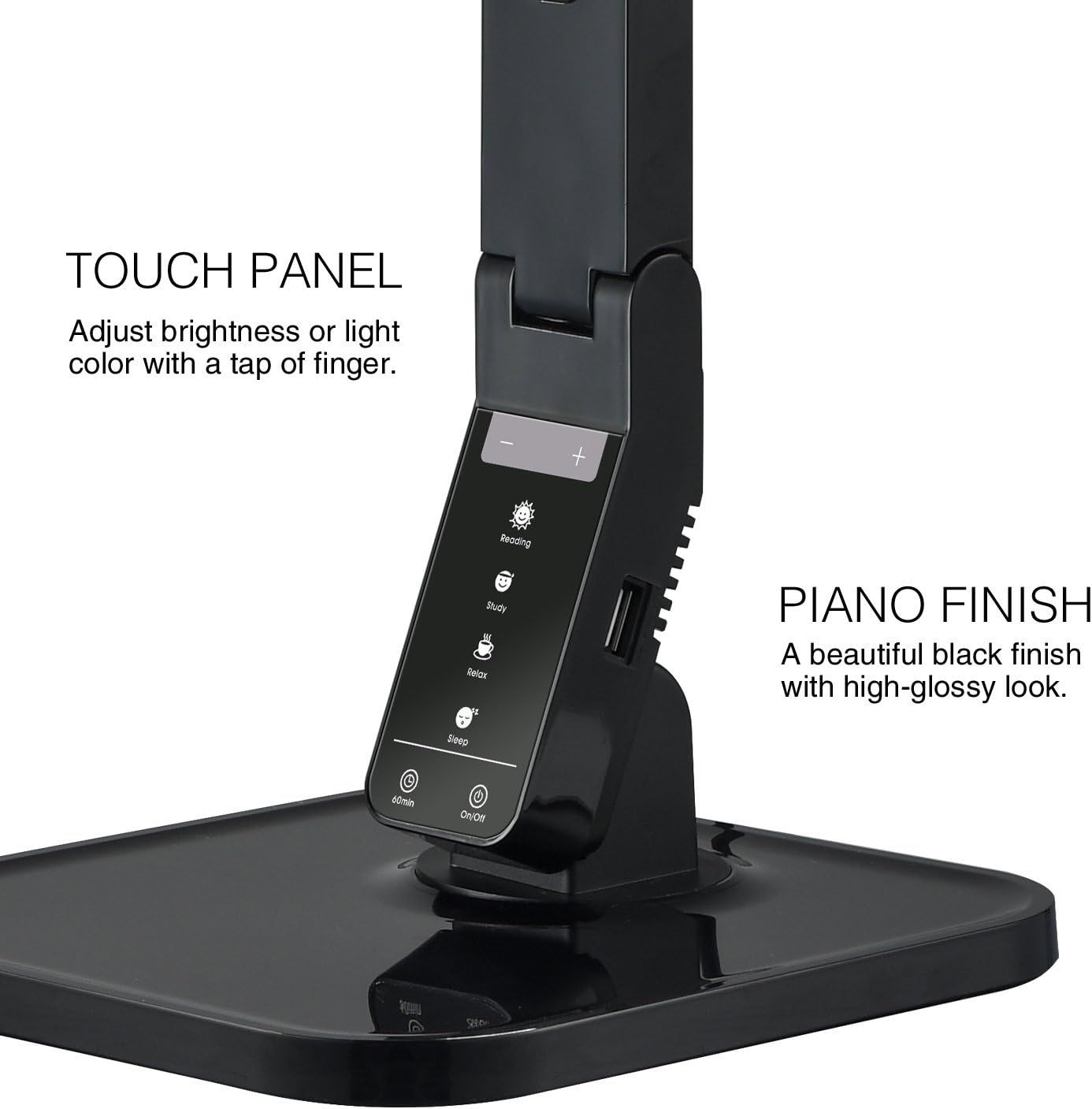
Image: The touch control panel with various light mode and brightness adjustment icons.
4.4 Korzystanie z portu ładowania USB
A USB charging port is integrated into the lamp's base, allowing you to charge compatible devices such as smartphones or tablets. Simply connect your device's USB charging cable to the port.

Image: A smartphone being charged via the integrated USB port on the lampbaza.
4.5 Regulacja Lamp Ramię
Lamp features an adjustable arm that allows you to direct the light precisely where needed. The arm can be folded, extended, and swiveled to achieve optimal positioning.

Image: Illustrations demonstrating the flexibility and adjustability of the lamp's arm.
4.6 Funkcja timera
Lamp includes a 60-minute timer function. To activate, press the 60 minuta button on the control panel. The lamp wyłączy się automatycznie po 60 minutach.
4.7 Oficjalny film o produkcie
Video: An official product video from Tenergy Corporation demonstrating the features and benefits of the 11W LED Desk Lamp, including its adjustable lighting, USB charging, and sleek design.
5. Konserwacja
- Czyszczenie: Aby wyczyścić lamp, especially its glossy finish, use a soft, dry microfiber cloth. Avoid abrasive cleaners or harsh chemicals that may damage the surface.
- Składowanie: W przypadku nieużywania przez dłuższy czas, należy przechowywaćamp w chłodnym i suchym miejscu.
6. Rozwiązywanie Problemów
- Lamp nie włącza się: Upewnij się, że zasilacz jest prawidłowo podłączony do obu gniazd.amp and a working electrical outlet. Check if the outlet is receiving power.
- USB port not charging: Sprawdź lamp is powered on and the USB cable is properly connected to both the lamp and your device. Ensure your device is compatible with USB charging.
- Migotanie światła: If the light flickers, try unplugging the lamp for a few minutes and then plugging it back in. If the issue persists, contact customer support.
7. Specyfikacje
| Numer modelu | Rok fiskalny 0001 |
| Marka | Tenergia |
| Cotage | 11 watów |
| Typ źródła światła | PROWADZONY |
| Poziomy jasności | 5 |
| Light Colors / Modes | 4 (Reading, Study, Relax, Sleep) |
| Metoda kontroli | Dotykać |
| Technologia łączności | USB |
| Źródło zasilania | Elektryczny przewodowy |
| Wymiary produktu | 7" gł. x 6.75" szer. x 16.7" wys. |
| Typ materiału | Plastikowy |
| Rodzaj wykończenia | Lśniący |
8. Gwarancja i wsparcie
For warranty information or technical support, please visit the official Tenergy webOdwiedź witrynę lub skontaktuj się z działem obsługi klienta. Zachowaj paragon zakupu na wypadek ewentualnych roszczeń gwarancyjnych.
Tenergy Store: https://www.amazon.com/stores/Tenergy/page/5AE2FFA8-E197-4708-9169-C4D8CB488E9E