
Wstęp
The ARRIS SURFboard TM822G is a high-performance DOCSIS 3.0 cable modem and a 2-port telephony modem, designed for use with XFINITY from Comcast Internet & Voice service. This device provides a reliable connection for your internet and supports two Voice over IP (VoIP) telephone lines. By owning your modem, you can avoid monthly rental fees from your service provider.
Zawartość opakowania
Upewnij się, że w opakowaniu produktu znajdują się wszystkie elementy:
- ARRIS SURFboard TM822G Cable Modem
- Kabel Ethernet
- Coaxial Cable Splitter
- Dwa kable koncentryczne
- Przewód zasilający
- Instrukcja obsługi (ten dokument)
Urządzenie ponadview
Familiarize yourself with the ARRIS SURFboard TM822G's components and indicators.
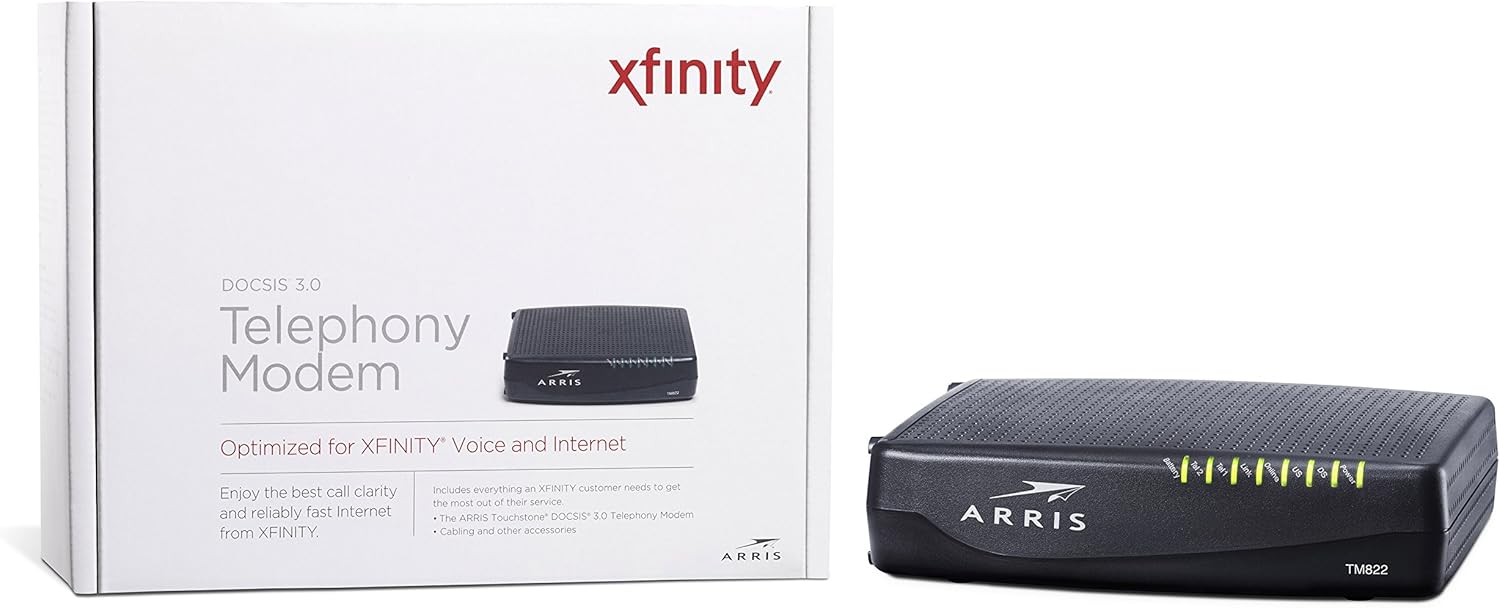
Rycina 1: Przód View of ARRIS SURFboard TM822G
This image shows the front panel of the ARRIS SURFboard TM822G cable modem, highlighting the status indicator lights.

Rysunek 2: Tył View of ARRIS SURFboard TM822G
This image displays the rear panel of the ARRIS SURFboard TM822G, detailing the coaxial input, Ethernet port, and two telephone line ports.
Wskaźniki stanu LED
The front panel LEDs provide information about the modem's operational status:
- Moc: Indicates the modem's power status.
- DS (Downstream): Indicates downstream channel connectivity.
- USA (góra łańcucha dostaw): Indicates upstream channel connectivity.
- W sieci: Oznacza udane połączenie z Internetem.
- Połączyć: Indicates Ethernet connection status.
- Tel1 / Tel2: Indicate the status of the two telephone lines.
- Bateria: Indicates the status of an optional battery backup (sold separately).
Organizować coś
Follow these steps to set up your ARRIS SURFboard TM822G cable modem:
- Podłącz kabel koncentryczny: Connect one end of a coaxial cable to the cable wall outlet and the other end to the "Cable In" port on the back of the modem. Ensure the connection is finger-tight.
- Podłącz kabel Ethernet: Connect one end of the Ethernet cable to the Ethernet port on the back of the modem and the other end to your computer or wireless router.
- Podłącz linie telefoniczne: If you have Xfinity Voice service, connect your telephone(s) to the "Tel1" and/or "Tel2" ports on the back of the modem.
- Podłącz zasilanie: Plug the power cord into the modem's power port and then into an electrical outlet.
- Włączanie: Wait for the modem to power on and for the front panel LEDs (Power, DS, US, Online, Link, Tel1/Tel2) to become solid green or blue, indicating a stable connection. This may take several minutes.
- Aktywuj usługę:
- For Xfinity Users: Otwórz web przeglądarkę na podłączonym urządzeniu i przejdź do xfinity.com/aktywuj. Follow the on-screen instructions to activate your modem. You may need your Xfinity account information.
- For Other ISPs: Refer to your Internet Service Provider's activation instructions or contact their customer support.
Instrukcja obsługi
Once successfully set up and activated, your ARRIS SURFboard TM822G will provide internet and telephone service. The modem operates continuously to maintain your connection. Monitor the front panel LEDs to ensure proper operation. Solid lights typically indicate a stable connection, while blinking lights or specific color changes may indicate activity or a problem.
For optimal performance, ensure the modem is placed in a well-ventilated area, away from direct sunlight or heat sources, and not obstructed by other objects.
Konserwacja
Regular maintenance helps ensure the longevity and optimal performance of your modem:
- Czyszczenie: Periodically wipe the exterior of the modem with a soft, dry cloth. Avoid using liquid cleaners or abrasive materials.
- Wentylacja: Ensure the modem's ventilation holes are not blocked to prevent overheating.
- Aktualizacje oprogramowania układowego: Firmware updates are typically managed automatically by your Internet Service Provider. Do not attempt to manually update the firmware unless instructed by your ISP.
- Ponowne uruchomienie: If you experience connectivity issues, a simple reboot of the modem (unplugging the power for 30 seconds and plugging it back in) can often resolve minor problems.
Rozwiązywanie problemów
If you encounter issues with your ARRIS SURFboard TM822G, refer to the following common troubleshooting tips:
| Problem | Możliwa przyczyna | Rozwiązanie |
|---|---|---|
| Brak diody LED zasilania | Modem is not receiving power. | Check power cord connections to the modem and electrical outlet. Ensure the outlet is functional. |
| DS/US/Online LEDs are blinking or off | No connection to the cable network or internet. | Ensure coaxial cable is securely connected. Check for service outages in your area. Contact your ISP if the issue persists. |
| Link LED is off | No Ethernet connection to your computer/router. | Verify the Ethernet cable is securely connected to both the modem and your device/router. Try a different Ethernet cable. |
| Tel1/Tel2 LEDs are off or blinking | Telephone service issue. | Ensure telephone lines are correctly connected. Contact your Xfinity Voice service provider. |
| Niska prędkość Internetu | Network congestion, outdated router, or ISP issue. | Reboot the modem and router. Ensure your router is capable of handling your internet speed plan. Contact your ISP to check line quality and service plan. |
The ARRIS SURFboard TM822G supports Loop Diagnostics for remote testing and troubleshooting of in-house wiring, which can be utilized by your service provider.
Specyfikacje
Key technical specifications for the ARRIS SURFboard TM822G:
- Marka: KANT
- Model: TM822G
- Typ modemu: Cable Modem with Telephony Adapter
- Standard DOCSIS: DOCSIS 3.0
- Downstream Channels: 8 bonded channels
- Upstream Channels: 4 bonded channels
- Maximum Downstream Speed: Do 343 Mb/s
- Maximum Upstream Speed: Do 131 Mb/s
- Porty Ethernet: 1 port Gigabit Ethernet
- Porty telefoniczne: 2 (for Voice over IP)
- Compatible ISP: Certified for Comcast Xfinity Internet & Voice service only.
- Technologia łączności: Sieć Ethernetowa
- Kolor: Czarny
Gwarancja i wsparcie
The ARRIS SURFboard TM822G comes with a 2-letnia ograniczona gwarancja na części i robociznę. For technical assistance or warranty claims, please contact ARRIS customer support. You can find contact information and additional resources on the official ARRIS support webstrona.