
1. Koniec produktuview
The Canon EF 24-105mm f/4L IS II USM is a versatile standard zoom lens designed for Canon EOS cameras. It features a constant f/4L aperture and a broad focal range from wide-angle to mid-telephoto, making it suitable for various photographic situations. The integrated Image Stabilizer (IS) provides up to 4 stops of shake correction, enhancing sharpness in handheld shooting. Its optical design includes Air Sphere Coating (ASC) to minimize flare and ghosting, and a 10-blade circular aperture for smooth background blur.
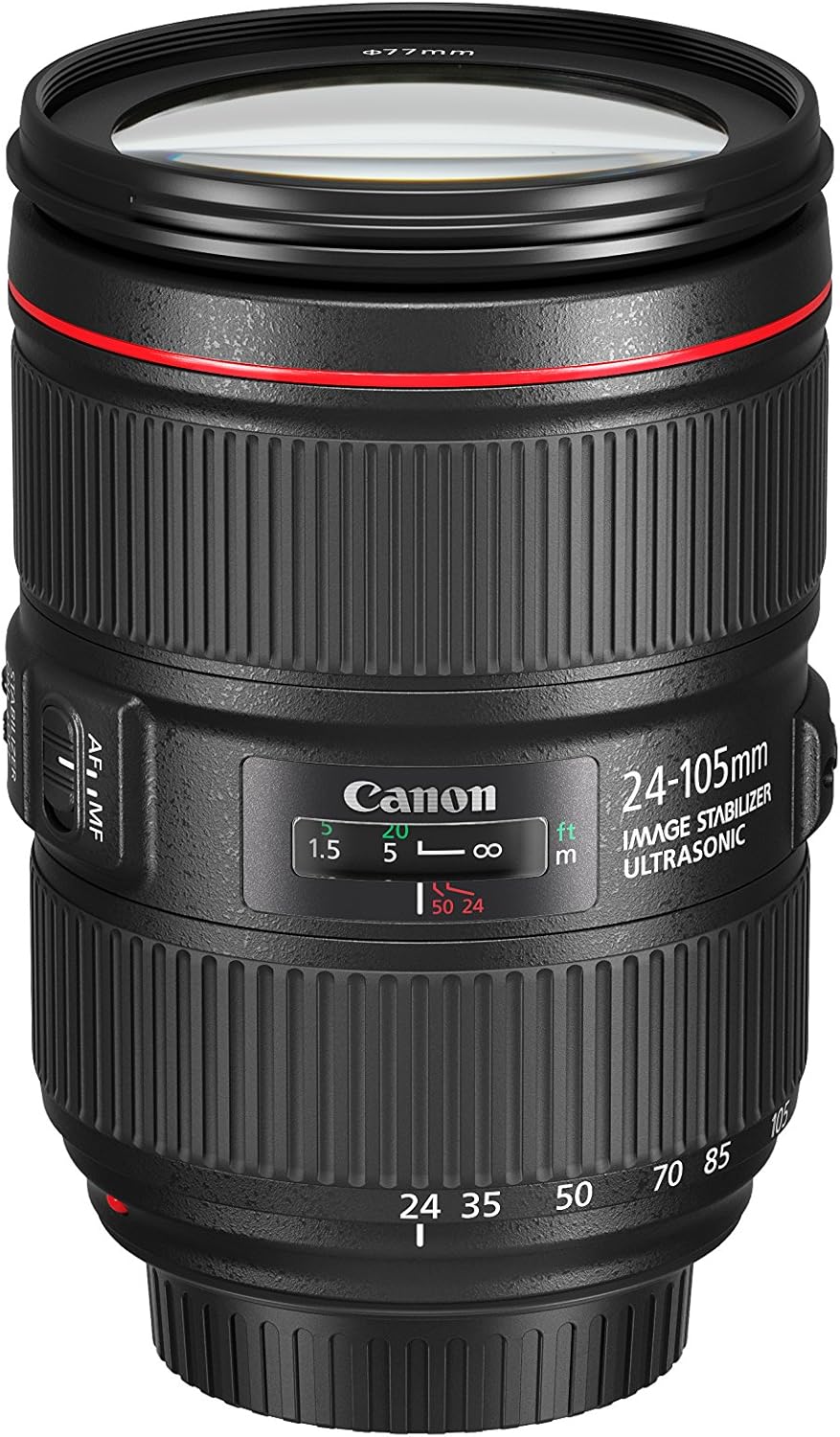
Image 1.1: The Canon EF 24-105mm f/4L IS II USM Lens, showcasinze względu na kompaktową konstrukcję.
Główne cechy:
- All-new optical design: Significant improvements in peripheral brightness.
- High-performance standard zoom lens: Constant f/4L aperture with a broad angle of view (wide angle to mid-telephoto).
- Air Sphere Coating (ASC): Helps to significantly reduce flare and ghosting.
- Stabilizator obrazu: Up to 4 stops of shake correction for sharp images.
- Circular Aperture (10 blades): Delivers beautiful, soft backgrounds.
2. Co znajduje się w pudełku
Verify that all the following items are included with your Canon EF 24-105mm f/4L IS II USM Lens:
- EF 24-105mm f/4 L IS II USM Lens
- Dekiel na obiektyw E-77II
- Osłona przeciwpyłowa obiektywu E
- Lens Case LP1219
- Lens Hood EW-83M
- Instrukcja obsługi
- Karta gwarancyjna
3. Konfiguracja
3.1 Mocowanie obiektywu
- Zdejmij tylną osłonę obiektywu i osłonę korpusu aparatu.
- Dopasuj czerwony znacznik na obiektywie do czerwonego znacznika na korpusie aparatu.
- Obróć soczewkę zgodnie z ruchem wskazówek zegara, aż zatrzaśnie się na swoim miejscu.
3.2 Wyjmowanie soczewki
- While pressing the lens release button on the camera, turn the lens counter-clockwise until it stops.
- Zdejmij soczewkę.
- Attach the rear lens cap to the lens and the body cap to the camera.
3.3 Attaching the Lens Hood (EW-83M)
Align the red dot on the lens hood with the red dot on the front of the lens. Turn the hood clockwise until it clicks into place. The lens hood helps to prevent flare and ghosting by blocking unwanted light.
4. Obsługa obiektywu

Obraz 4.1: Bok view of the lens showing the AF/MF and Stabilizer switches.
4.1 Przełącznik trybu ostrości (AF/MF)
- AF (Autofokus): Set the switch to AF for automatic focusing.
- MF (ręczne ustawianie ostrości): Set the switch to MF to manually adjust focus using the focus ring.
4.2 Image Stabilizer Switch (ON/OFF)
- NA: Turn the Image Stabilizer ON to reduce camera shake when shooting handheld.
- OFF: Turn the Image Stabilizer OFF when using a tripod or when shooting at very high shutter speeds.
4.3 Pierścień zoomu
Rotate the zoom ring to change the focal length from 24mm (wide-angle) to 105mm (telephoto). The lens maintains a constant f/4 aperture throughout the zoom range.

Obraz 4.2: Przód view of the lens, showing the zoom ring and filter thread.
4.4 Pierścień ostrości
When the focus mode switch is set to MF, rotate this ring to adjust the focus manually.
4.5 Zoom Lock Switch
This switch is located on the side of the lens. When engaged, it locks the lens at the 24mm position to prevent zoom creep during transport or when the camera is pointed downwards.
5. Konserwacja
5.1 Czyszczenie obiektywu
- Use a lens blower to remove dust from the lens surface.
- For smudges or fingerprints, use a soft, clean lens cloth and a small amount of lens cleaning solution. Wipe gently in a circular motion.
- Nigdy nie używaj materiałów ściernych ani silnych środków chemicznych.
5.2 Storing the Lens
- Zawsze zakładaj przednią i tylną osłonę obiektywu, gdy nie używasz obiektywu.
- Przechowuj soczewki w chłodnym i suchym miejscu, z dala od bezpośredniego światła słonecznego i ekstremalnych temperatur.
- If storing for an extended period, place it in a lens case with a desiccant to prevent mold and mildew.
6. Rozwiązywanie Problemów
Jeśli masz problemy z obiektywem, rozważ poniższe typowe rozwiązania:
- Obiektyw nie ustawia ostrości: Ensure the AF/MF switch is set to AF for autofocus, or adjust manually in MF mode. Check that the lens is securely attached to the camera body.
- Rozmycie obrazu: Verify the Image Stabilizer is ON if shooting handheld. Check your camera's shutter speed and ISO settings.
- Obiektyw nie został rozpoznany przez aparat: Remove and reattach the lens. Clean the electrical contacts on both the lens and camera body with a clean, dry cloth.
For more detailed troubleshooting or persistent issues, refer to your camera's instruction manual or contact Canon customer support.
7. Oficjalny film o produkcie
Wideo 7.1: Sędziaview of the Canon EF 24-105mm f/4L IS II USM lens, highlighting its features and design.
8. Specyfikacje
| Funkcja | Szczegół |
|---|---|
| Marka | Kanon |
| Numer modelu | 1380C002 |
| Długość ogniskowej | 24-105 mm |
| Typ soczewki | Brzęczenie |
| Kompatybilne mocowania | CanonEF |
| Maksymalna apertura | f/4 |
| minimalna przysłona | f/22 |
| Stabilizacja obrazu | Optyczny |
| Typ fokusu | Autofokus |
| Liczba ostrzy membrany | 10 |
| Rozmiar filtra fotograficznego | 77mm |
| Powłoka soczewek | Air Sphere Coating |
| Kolor | Czarny |
9. Gwarancja i wsparcie
This Canon EF 24-105mm f/4L IS II USM Lens comes with a 1-letnia gwarancja producenta. For warranty claims, technical support, or service inquiries, please visit the official Canon website or contact your local authorized Canon service center. Keep your purchase receipt and warranty card as proof of purchase.
Wsparcie online: Wsparcie Canon Webstrona