
1. Wprowadzenie
The Logitech Z625 THX Certified 2.1 Speaker System is designed to deliver a powerful audio experience for various entertainment needs, including gaming, movies, and music. This system features two satellite speakers and a subwoofer, providing 400 Watts Peak power for crisp sound and deep bass. It supports multiple input options, allowing connection to up to three compatible devices simultaneously.

Image 1.1: The Logitech Z625 THX Certified 2.1 Speaker System, showcasing subwoofer i dwa głośniki satelitarne.
2. Co znajduje się w pudełku
Carefully unpack the contents of your Logitech Z625 speaker system. The package should contain the following items:
- Subwoofer
- Dwa głośniki satelitarne
- Kabel audio 3.5 mm
- Kabel optyczny
- Szybki przewodnik

Image 2.1: Contents of the Logitech Z625 package, showing the subwoofer, satellite speakers, and connection cables.
3. Instrukcje konfiguracji
Aby skonfigurować system głośników Logitech Z625, wykonaj następujące czynności:
- Umieszczenie: Position the subwoofer on the floor, ideally near a wall for enhanced bass. Place the two satellite speakers on either side of your monitor or television, ensuring they are equidistant from your listening position for optimal stereo imaging.
- Podłącz głośniki satelitarne: Podłącz kable głośników satelitarnych do odpowiednich portów z tyłu subwoofera. Upewnij się, że połączenie jest stabilne.
- Podłącz źródło dźwięku: The Z625 system supports multiple input options. Choose the appropriate cable for your device:
- Wejście 3.5mm: Use the included 3.5mm audio cable to connect your computer, smartphone, or other devices with a 3.5mm audio output to the AUX input on the right satellite speaker or the 3.5mm input on the subwoofer.
- Wejście optyczne: Use an optical cable (included) to connect your television, game console, or other devices with an optical audio output to the OPTICAL input on the subwoofer.
- Wejście RCA: Use an RCA cable (not included) to connect devices with RCA audio outputs to the RCA inputs on the subwoofer.
- Podłączenie zasilania: Podłącz kabel zasilający subwoofera do gniazdka ściennego.
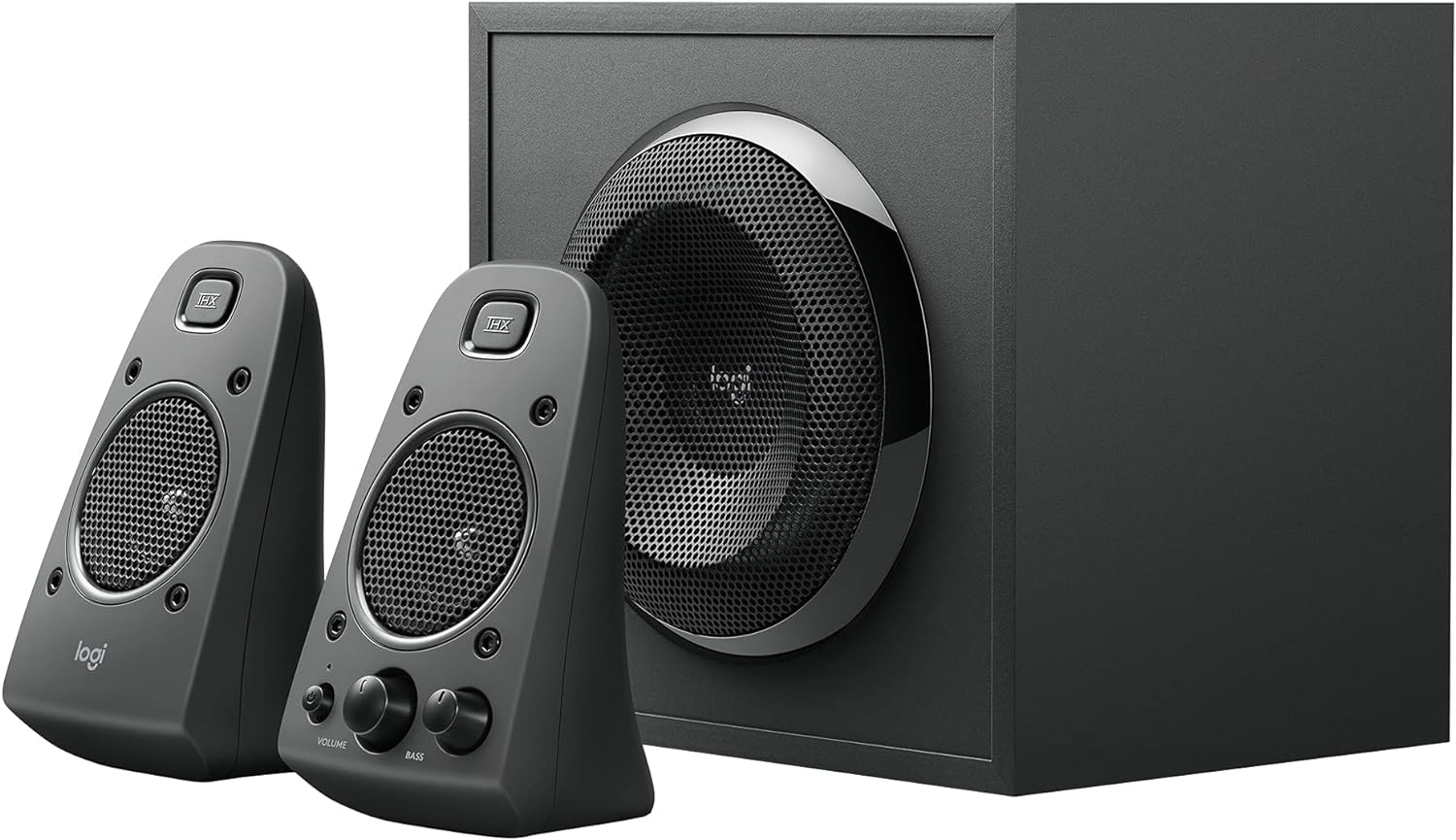
Image 3.1: Rear panel of the Z625 subwoofer, illustrating the various audio input options and satellite speaker connections.
4. Instrukcja obsługi
All primary controls for the Logitech Z625 system are conveniently located on the right satellite speaker.
- Przycisk zasilania: Press the power button to turn the speaker system on or off. An indicator light will confirm the power status.
- Regulacja głośności: Rotate the large volume knob to adjust the overall audio level.
- Kontrola basu: Rotate the bass knob to increase or decrease the subwoofer's output. Adjust this to your preference for optimal bass response.
- Gniazdo słuchawkowe: Connect headphones to this 3.5mm jack for private listening. When headphones are connected, audio output from the speakers will be muted.
- Wejście pomocnicze: This 3.5mm input allows for quick connection of portable audio devices.
The system supports simultaneous connection of up to three devices. To switch between audio sources, simply play audio from the desired connected device. The system will automatically prioritize the active input.

Image 4.1: Controls located on the right satellite speaker of the Z625 system.
5. Konserwacja
Aby zapewnić długą żywotność i optymalną wydajność systemu głośników Logitech Z625, należy przestrzegać poniższych wskazówek dotyczących konserwacji:
- Czyszczenie: Do czyszczenia powierzchni głośników i subwoofera używaj miękkiej, suchej ściereczki. Unikaj stosowania płynnych środków czyszczących lub materiałów ściernych, ponieważ mogą one uszkodzić wykończenie lub elementy wewnętrzne.
- Wentylacja: Upewnij się, że subwoofer i głośniki satelitarne mają odpowiednią wentylację. Nie blokuj otworów wentylacyjnych, zwłaszcza w subwooferze, aby zapobiec przegrzaniu.
- Środowisko: Keep the speaker system away from direct sunlight, excessive heat, humidity, and dust. Avoid placing it near strong magnetic fields.
- Zarządzanie kablami: Okresowo sprawdzaj wszystkie połączenia kablowe, aby upewnić się, że są solidne i nieuszkodzone. Unikaj ostrego zginania kabli.
6. Rozwiązywanie Problemów
If you encounter issues with your Logitech Z625 speaker system, refer to the following common troubleshooting steps:
- Brak zasilania:
- Ensure the power cable is securely plugged into both the subwoofer and a working wall outlet.
- Verify that the power button on the right satellite speaker is pressed.
- Brak dźwięku:
- Check all audio cable connections (3.5mm, optical, RCA) between the speaker system and your audio source.
- Increase the volume on both the speaker system and your audio source device.
- Ensure no headphones are plugged into the headphone jack on the right satellite speaker.
- Confirm that the correct audio output is selected on your source device (e.g., PC sound settings, TV audio output).
- Zniekształcony lub niewyraźny dźwięk:
- Reduce the volume on both the speaker system and your audio source.
- Adjust the bass control knob on the right satellite speaker.
- Test with a different audio source or cable to rule out source-specific issues.
- Dźwięk przerywany:
- Sprawdź, czy nie ma luźnych połączeń kablowych.
- Ensure the speaker system is not in standby mode. If it enters standby, power cycling the unit may resolve the issue.
For more detailed troubleshooting or persistent issues, please refer to the official Logitech support resources or the complete user guide PDF.
7. Specyfikacje
| Funkcja | Specyfikacja |
|---|---|
| Marka | Logitech |
| Nazwa modelu | Z625 Powerful THX Sound |
| Numer modelu przedmiotu | 980-001258 |
| Typ głośnika | Monitor, Satellite |
| Konfiguracja kanału dźwięku przestrzennego | 2.1 |
| Technologia łączności | Auxiliary, Optical, RCA |
| Tryb wyjścia audio | Stereo, dźwięk przestrzenny |
| Maksymalna moc wyjściowa głośnika | 400 W szczytowe / 200 W RMS |
| Odpowiedź częstotliwościowa | 35 Hz - 20 kHz |
| Wejście Voltage | 120 wolty |
| Kompatybilne urządzenia | Personal Computer, Phones, Television, Gaming Consoles |
| Metoda kontroli | Touch (on right satellite) |
| Wymiary produktu | 10.4" gł. x 11.9" szer. x 11.1" wys. |
| Waga przedmiotu | 18.1 funtów |
| Tworzywo | Plastik, drewno |
| Kolor | Czarny |
8. Gwarancja i wsparcie
The Logitech Z625 THX Certified 2.1 Speaker System comes with a Ograniczona gwarancja. For specific terms and conditions of your warranty, please refer to the documentation included with your product or visit the official Logitech webstrona.
For further assistance, detailed product information, or to download the complete user guide, please visit the official Logitech support page:
Pobierz oficjalny podręcznik użytkownika (PDF)
Możesz również odwiedzić Sklep Logitech na Amazon Więcej produktów i informacji.


