
1. Wprowadzenie
This manual provides essential instructions for the proper setup, operation, and maintenance of your YI YAS.1616.INT 4K Action Camera Kit. Please read this manual thoroughly before using the product to ensure optimal performance and safety. Keep this manual for future reference.
2. Koniec produktuview
2.1 Zawartość zestawu
The YI YAS.1616.INT 4K Action Camera Kit includes the following components:
- YI 4K Action Camera
- YI Monopod
- Pilot Bluetooth
- Akumulator do ponownego ładowania
- Kabel USB
- Instrukcja obsługi

Image 2.1: Contents of the YI 4K Action Camera Kit.
2.2 Funkcje aparatu
The YI 4K Action Camera is designed for high-quality video and photo capture, featuring:
- 4K/30fps Video Recording: Captures video at 60mbps, offering 4 times the quality of standard 1080p.
- Advanced Imaging Hardware: Equipped with an Amarelle A9SE75 chip, Sony IMX377 image sensor, and 7-layer optical glass lenses with an F2.8 large aperture for enhanced light intake.
- 2.19" LCD Touchscreen: A 640 x 360 high-resolution display with Gorilla Glass Retina for easy previewing, shooting, and scratch resistance.
- Długa żywotność baterii: A 1400mAh 4.4V lithium-ion battery provides up to 120 minutes of 4K/30fps video recording on a single charge.
- Wydajny system chłodzenia: Prevents overheating during extended recording sessions.
- Łączność: Built-in Wi-Fi for smartphone app control and Bluetooth for remote control.
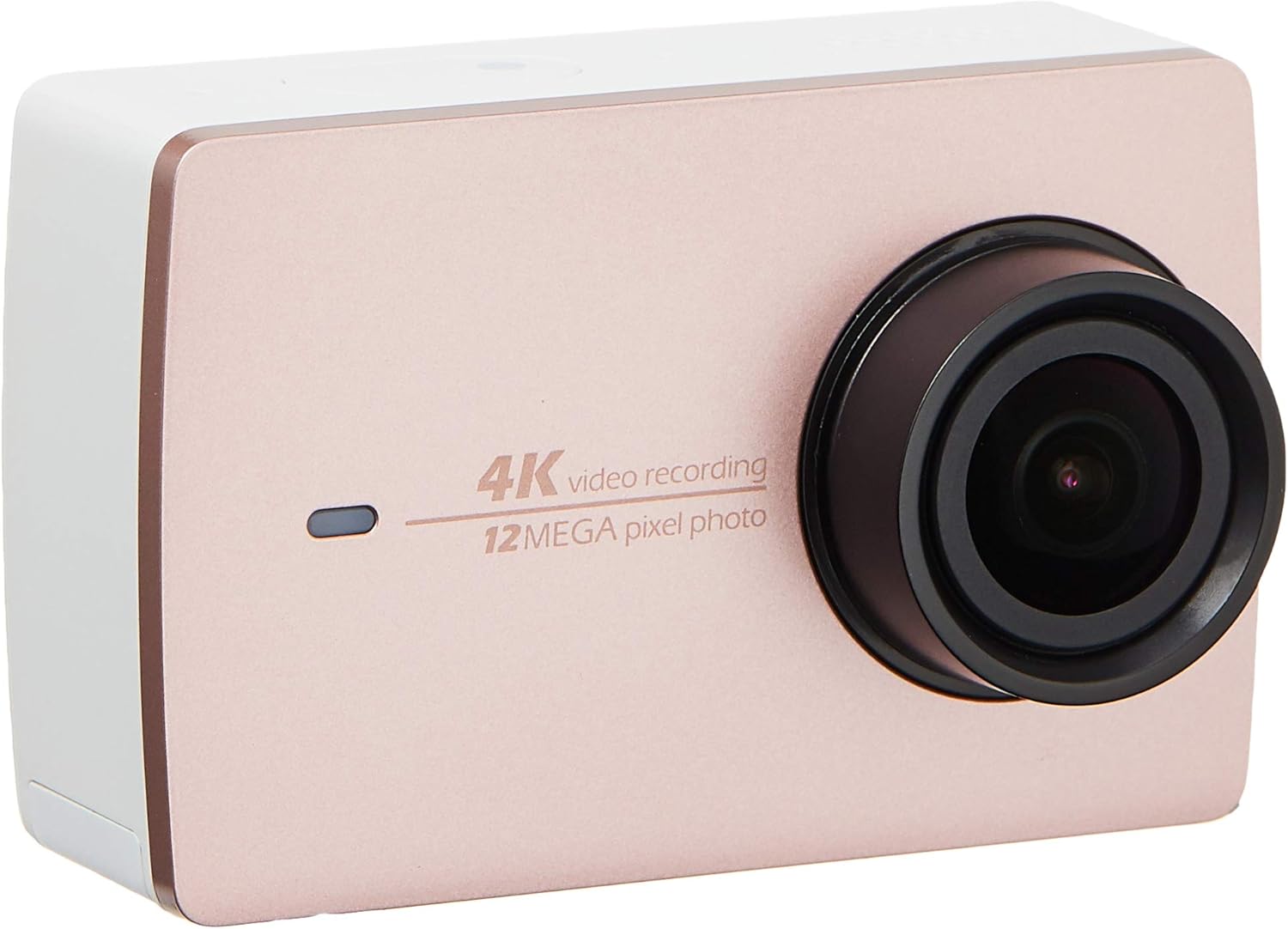
Obraz 2.2: Przód view of the YI 4K Action Camera.
3. Konfiguracja
3.1 Instalacja i ładowanie akumulatora
- Znajdź komorę baterii w aparacie.
- Insert the 1400mAh lithium-ion battery, ensuring correct polarity.
- Dokładnie zamknij komorę baterii.
- Connect the camera to a power source using the provided USB cable for charging. The charging indicator will illuminate.
3.2 Instalacja karty pamięci
The YI 4K Action Camera supports SDHC and SmartMedia flash memory types.
- Otwórz pokrywę gniazda karty pamięci.
- Insert a compatible memory card (not included) into the slot with the contacts facing the correct direction. Push until it clicks into place.
- Zamknij pokrywę gniazda karty pamięci.
3.3 Włączanie/wyłączanie
- Włączanie: Naciśnij i przytrzymaj przycisk zasilania, aż ekran się podświetli.
- Aby wyłączyć: Naciśnij i przytrzymaj przycisk zasilania, aż kamera się wyłączy.
3.4 Connecting the Bluetooth Remote
The included Bluetooth remote allows for convenient control of the camera.
- Upewnij się, że kamera jest włączona.
- Activate Bluetooth pairing mode on the camera via the settings menu.
- Follow the remote's instructions to enter pairing mode.
- Once paired, the remote can be used to switch between video and photo modes and trigger recording/capture.

Image 3.1: The YI Monopod, included in the kit.
4. Obsługa aparatu
4.1 Nawigacja za pomocą ekranu dotykowego
The 2.19" LCD touchscreen provides intuitive control:
- Trzepnąć: Navigate through different modes (Video, Photo, Time-lapse, etc.) and settings.
- Uzyskiwać: Select options, adjust settings, or start/stop recording.
- Przedview: View twój schwytany footage and photos directly on the screen.
4.2 Nagrywanie wideo
- Select the Video mode on the touchscreen.
- Adjust video resolution (e.g., 4K/30fps) and other settings as desired.
- Press the Shutter button or tap the record icon on the screen to start recording.
- Press the Shutter button or tap the record icon again to stop recording.
4.3 Robienie zdjęć
- Select the Photo mode on the touchscreen.
- Adjust photo settings such as resolution, exposure, and white balance.
- Press the Shutter button or tap the capture icon on the screen to take a photo.
4.4 Łączność Wi-Fi i korzystanie z aplikacji
The camera's built-in Wi-Fi allows connection to a smartphone app for remote control, live previewi zarządzanie treścią.
- Download the official YI Action Camera app from your device's app store.
- Włącz Wi-Fi w kamerze za pomocą menu ustawień.
- Connect your smartphone to the camera's Wi-Fi network (SSID and password displayed on camera screen).
- Open the YI Action Camera app to control the camera, view footagi przeniesienie files.
5. Konserwacja
5.1 Czyszczenie
- Do czyszczenia korpusu aparatu i ekranu dotykowego należy używać miękkiej, niepozostawiającej włókien ściereczki.
- Do czyszczenia soczewek należy używać specjalnej ściereczki i płynu do czyszczenia soczewek. Unikać materiałów ściernych.
- Upewnij się, że wszystkie porty są wolne od kurzu i zanieczyszczeń.
5.2 Przechowywanie
- Przechowuj kamerę w chłodnym, suchym miejscu, z dala od bezpośredniego światła słonecznego i ekstremalnych temperatur.
- Remove the battery if storing for extended periods to prevent leakage.
5.3 aktualizacji oprogramowania sprzętowego
Periodically check the official YI website or the YI Action Camera app for available firmware updates. Keeping your camera's firmware updated ensures optimal performance and access to new features.
6. Rozwiązywanie Problemów
6.1 Typowe problemy i rozwiązania
- Kamera nie włącza się: Sprawdź, czy akumulator jest całkowicie naładowany i prawidłowo włożony.
- Nagrywanie zostaje nieoczekiwanie przerwane: Check if the memory card has sufficient space or if it's a high-speed card suitable for 4K recording. Ensure the battery is not depleted.
- Ekran dotykowy nie reaguje: Try restarting the camera. If the issue persists, ensure the screen is clean and dry.
- Pilot Bluetooth nie łączy się: Ensure both the camera and remote are in pairing mode and within range. Check the remote's battery.
- Problemy z połączeniem Wi-Fi: Verify the camera's Wi-Fi is enabled and your smartphone is connected to the correct network. Try restarting both devices.
For further assistance, refer to the official YI support resources.
7. Specyfikacje
| Producent | YI |
| Numer modelu | 90010 |
| Wymiary produktu | Wymiary 6.6 x 3 x 4.3 cm |
| Waga | 96.39 gramów |
| Technologia czujnika fotograficznego | CMOS |
| Rozdzielczość przechwytywania wideo | 4K |
| Maksymalna ogniskowa | 1 |
| Maksymalna apertura | 2.8 milimetrów |
| Typ pamięci flash | SDHC, SmartMedia |
| Format przechwytywania wideo | MP4 |
| Obsługiwany format audio | AAC, MP3 |
| Rozmiar ekranu | 2.19 cali |
| Technologia łączności | Wi-Fi |

Image 7.1: YI 4K Action Camera with monopod, illustrating approximate dimensions.
8. Gwarancja i wsparcie
8.1 Informacje o gwarancji
Ten produkt jest dostarczany z 1 rok gwarancji lokalnej (Singapur)Prosimy zachować dowód zakupu na wypadek roszczeń gwarancyjnych. Gwarancja obejmuje wady produkcyjne w normalnych warunkach użytkowania.
8.2 Obsługa klienta
For technical support, service, or warranty inquiries, please visit the official YI Technology website or contact their authorized service centers in Singapore. Contact information can typically be found on the product packaging or the official webstrona.