
1. Wprowadzenie
Thank you for choosing the ACCUWEIGHT Digital Personal Scale. This manual provides essential information for the safe and effective use of your new scale. Designed for accuracy and ease of use, this scale helps you monitor your weight with precision. Please read this manual thoroughly before operation and keep it for future reference.

Obraz 1.1: Widok z góry na dół view of the ACCUWEIGHT Digital Personal Scale, showcasindzięki eleganckiemu wzornictwu i cyfrowemu wyświetlaczowi.
2. Informacje dotyczące bezpieczeństwa
Aby zapewnić bezpieczną obsługę i przedłużyć żywotność wagi, należy przestrzegać następujących środków ostrożności:
- Aby zapewnić dokładność pomiarów, zawsze ustawiaj wagę na twardej, płaskiej i stabilnej powierzchni. Unikaj dywanów i nierównych podłóg.
- Do not use the scale if the surface is wet or covered with water droplets, as this poses a risk of slipping. Wipe the surface dry before use.
- Nie wskakuj na wagę. Wchodź i schodź ostrożnie.
- Trzymaj wagę z dala od ekstremalnych temperatur, bezpośredniego światła słonecznego i wysokiej wilgotności.
- This scale is designed for personal use only. Do not use for commercial or medical purposes requiring certified precision.

Image 2.1: Visual comparison highlighting the safety features of the ACCUWEIGHT scale, including its skid-proof surface and rounded corners, compared to typical scales.
3. Zawartość opakowania
Proszę zaznaczyć pole dotyczące następujących elementów:
- 1x ACCUWEIGHT Digital Personal Scale
- 1x User Manual (this guide)
- 2 baterie AAA
4. Funkcje produktu
The ACCUWEIGHT Digital Personal Scale is equipped with several features designed for convenience and accuracy:
- Bezpieczeństwo i komfort: Constructed from durable 5mm ABS material, featuring a large 32x30cm non-slip platform and rounded corners for enhanced safety and user comfort.
- Smart Auto-Activation Technology: Provides immediate weight readings as soon as you step on the scale.
- Wysoka precyzja: Utilizes 4 high-precision sensors for consistent and accurate measurements.
- Szeroki zakres pomiarowy: Supports a maximum weight capacity of 400 lb (180 kg) with graduation increments of 0.2 lb (0.1 kg).
- Łatwy do odczytania wyświetlacz: Features a large 3.6-inch LCD screen with a blue backlight and large font numbers for clear visibility from any angle.
- Konwersja jednostek: Easily switch between measurement units: pounds (lb), kilograms (kg), and stones (st).
- Funkcja automatycznego wyłączania: Automatically turns off after 10 seconds of inactivity to conserve battery life.

Image 4.1: An illustration detailing the practical features of the scale, including its skid-proof surface, backlit LCD, and high-precision sensors.

Image 4.2: A diagram illustrating the internal structure and placement of the four advanced precision sensors within the scale, ensuring accurate measurements.
5. Konfiguracja
Follow these steps to set up your ACCUWEIGHT Digital Personal Scale:
- Zainstaluj baterie: Open the battery compartment on the underside of the scale. Insert the two AAA batteries, ensuring correct polarity (+/-). Close the compartment securely.
- Umieszczenie: Place the scale on a hard, flat, and stable surface. Avoid placing it on soft surfaces like carpets, rugs, or uneven flooring, as this can affect accuracy.
- Kalibracja początkowa (przed pierwszym użyciem lub po przeprowadzce): For the first use, or if the scale has been moved, gently step on the scale until the display shows '0.0' or a reading, then step off. The scale will calibrate itself to zero. This ensures accurate readings for subsequent uses.
6. Instrukcja obsługi
Using your ACCUWEIGHT Digital Personal Scale is simple:
- Nadepnąć: Gently step onto the center of the scale's platform with bare feet. The scale will automatically turn on and display your weight.
- Odczyt pomiaru: Stand still on the scale until the weight reading stabilizes on the LCD screen.
- Zejść z: Once your weight is displayed, you can step off the scale. The scale will automatically turn off after approximately 10 seconds to save battery life.
- Zmień jednostki: To switch between measurement units (lb, kg, st), locate the unit button on the underside of the scale. Press it to cycle through the available units until your desired unit is displayed.
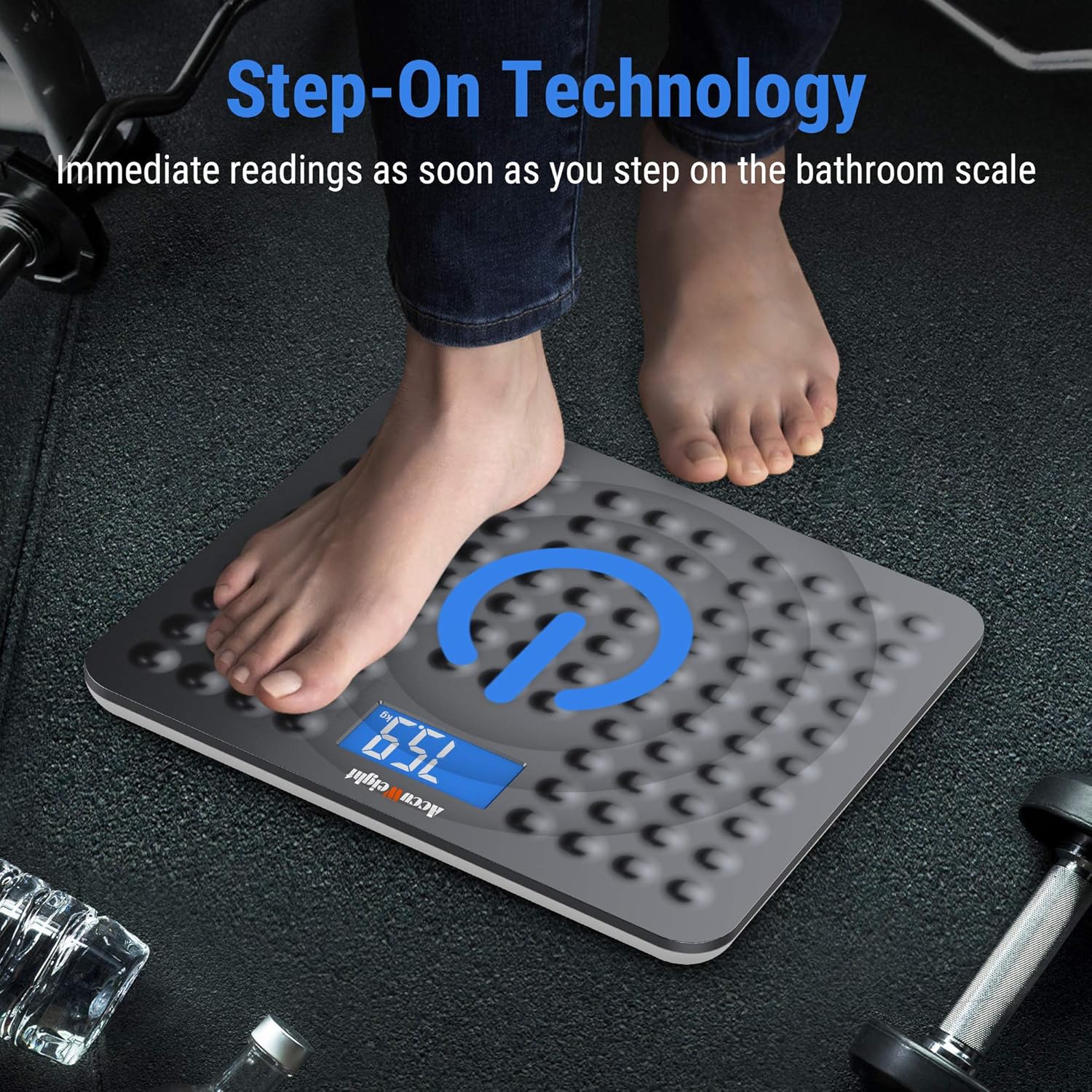
Image 6.1: A visual representation of the 'Step-On Technology' in action, showing a user stepping onto the scale for an immediate weight reading.

Image 6.2: An illustration demonstrating the ease of switching between different measurement units (pounds, kilograms, and stones) on the scale's backlit display.
7. Konserwacja
Proper maintenance will ensure the longevity and accuracy of your scale:
- Czyszczenie: Przetrzyj powierzchnię wagi miękką,amp ściereczką. Nie używaj środków czyszczących o właściwościach ściernych ani nie zanurzaj wagi w wodzie.
- Składowanie: Store the scale in a cool, dry place. Avoid storing it vertically or placing heavy objects on it.
- Wymiana baterii: If the display shows a 'Lo' indicator or becomes dim, it's time to replace the batteries. Use only AAA batteries.
8. Rozwiązywanie Problemów
Jeśli masz problemy z wagą, zapoznaj się z poniższymi typowymi problemami i ich rozwiązaniami:
| Problem | Możliwa przyczyna | Rozwiązanie |
|---|---|---|
| Brak wyświetlacza / Waga się nie włącza | Rozładowane lub nieprawidłowo zainstalowane baterie. | Sprawdź biegunowość baterii. W razie potrzeby wymień baterie. |
| Niedokładne lub niespójne odczyty | Scale on uneven surface; not calibrated; weight fluctuations throughout the day. | Ensure scale is on a hard, flat surface. Perform initial calibration (step on, then off). Note that body weight naturally fluctuates by 4-6 lb throughout the day. |
| Na wyświetlaczu pojawia się napis „Lo” | Niski poziom naładowania baterii. | Wymień baterie. |
| Na wyświetlaczu pojawia się komunikat „Err” | Przeciążenie lub błąd wewnętrzny. | The scale's maximum capacity is 180 kg (400 lb). Step off the scale. If the error persists, try removing and reinserting batteries. |
9. Specyfikacje
Detailed technical specifications for the ACCUWEIGHT Digital Personal Scale:
| Specyfikacja | Szczegół |
|---|---|
| Numer modelu | AW-BS002WHU |
| Zakres pomiaru | 5 kg do 180 kg (11 funtów do 400 funtów) |
| Graduation Increments | 0.1 kg (0.2 funta) |
| Jednostki miary | funty, kg, st |
| Typ wyświetlacza | LCD z niebieskim podświetleniem |
| Rozmiar ekranu LCD | 3.8 x 7.6 cm (1.5 x 3.0 cala) |
| Materiał platformy | ABS Plastic (5mm thick) |
| Wymiary platformy | 30.5 x 33 x 2.0 cm (12.0 x 13.0 x 0.8 cala) |
| Źródło zasilania | 2 x baterie AAA (w zestawie) |
| Czas automatycznego wyłączenia | Około. 10 sekund |
| Kolor | Ciemnoszary |

Image 9.1: A diagram illustrating the physical dimensions of the ACCUWEIGHT Digital Personal Scale.
10. Gwarancja i wsparcie
ACCUWEIGHT products are manufactured to high-quality standards. For any questions, technical support, or warranty claims, please contact ACCUWEIGHT customer service through the retailer's platform or the official ACCUWEIGHT webStrona. Zachowaj dowód zakupu w celach gwarancyjnych.