
1. Koniec produktuview
The PAPAGO GoSafe 388 is a compact Full HD dash camera designed to record vehicle activity. It features 1080p video recording, a 142-degree wide-angle lens, and a 2-inch LCD display. The device supports various recording modes and includes driver assistance features to enhance road safety. An optional GPS antenna can be integrated for location and speed data.
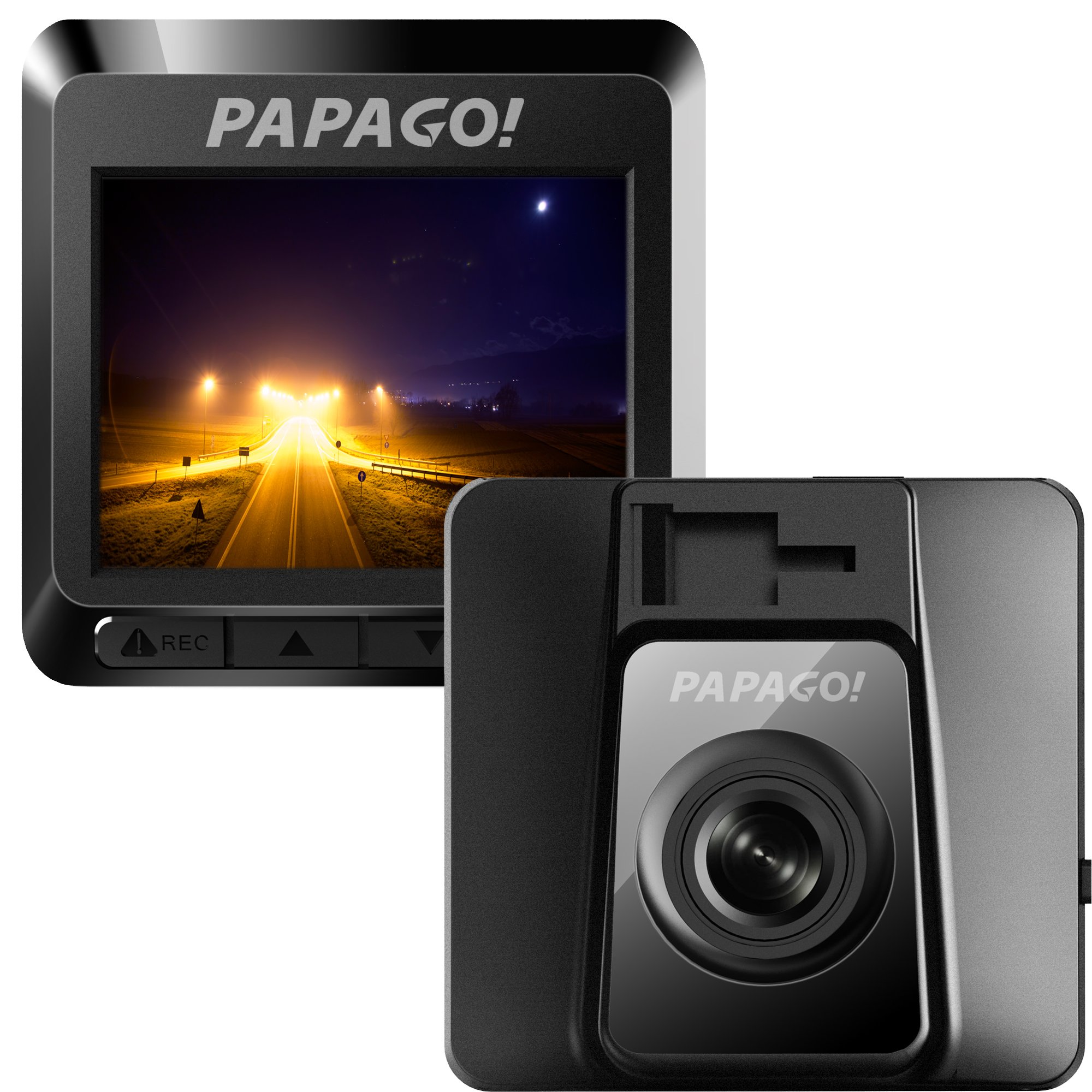
Rysunek 1.1: Przód view of the GoSafe 388 Dash Camera, showing the lens and PAPAGO logo.
2. Zawartość opakowania
Verify that all items are present in your GoSafe 388 package:
- GoSafe 388 Dash Camera
- Mocowanie samoprzylepne 3 M.
- Detachable USB Power Cable
- Class 10 8GB MicroSD Card with Adapter
- Krótki przewodnik użytkownika
- Karta gwarancyjna

Rysunek 2.1: Contents of the GoSafe 388 package, including the camera, mount, cables, and documentation.
3. Konfiguracja i instalacja
3.1 Wkładanie karty MicroSD
- Locate the MicroSD card slot on the side of the GoSafe 388.
- Insert the provided Class 10 MicroSD card (or another compatible card up to 64GB) into the slot until it clicks into place. Ensure the card is oriented correctly.
- Aby wyjąć kartę, delikatnie wciśnij ją do środka, aż wysunie się.
3.2 Montaż kamery samochodowej
The GoSafe 388 uses an adhesive windshield mount for secure placement.
- Clean the desired area on your windshield thoroughly. Ensure it is free of dust and grease.
- Attach the 3M adhesive mount to the camera.
- Zdejmij folię ochronną z podkładki samoprzylepnej na uchwycie.
- Press the mount firmly onto the chosen windshield location, ideally behind the rearview lustro, aby nie zasłaniać viewPrzytrzymaj przez co najmniej 30 sekund, aby upewnić się, że klej mocno przylega.
- Dostosuj kąt kamery, aby zapewnić wyraźny obraz view drogi przed nami.

Rysunek 3.1: Strona view of the GoSafe 388 showing the adhesive mount attachment point.

Rysunek 3.2: The GoSafe 388 discreetly mounted behind a rearview mirror, as seen from inside the vehicle.
3.3 Podłączanie zasilania
- Connect the detachable USB power cable to the GoSafe 388.
- Podłącz drugi koniec kabla do gniazda zasilania 12 V w pojeździe (gniazdo zapalniczki).
- The camera will typically power on and begin recording automatically when the vehicle's ignition is turned on.
3.4 Optional GPS Antenna Installation
If you have purchased the optional PAPAGO GPS Antenna (GPSA-US), connect it to the designated port on the GoSafe 388. This will enable the recording of speed and location data with your video footage.
4. Operating the Dash Camera
4.1 Podstawowa obsługa
Once powered on, the GoSafe 388 will automatically begin continuous loop recording. The 2-inch LCD display will show the live view and recording status.
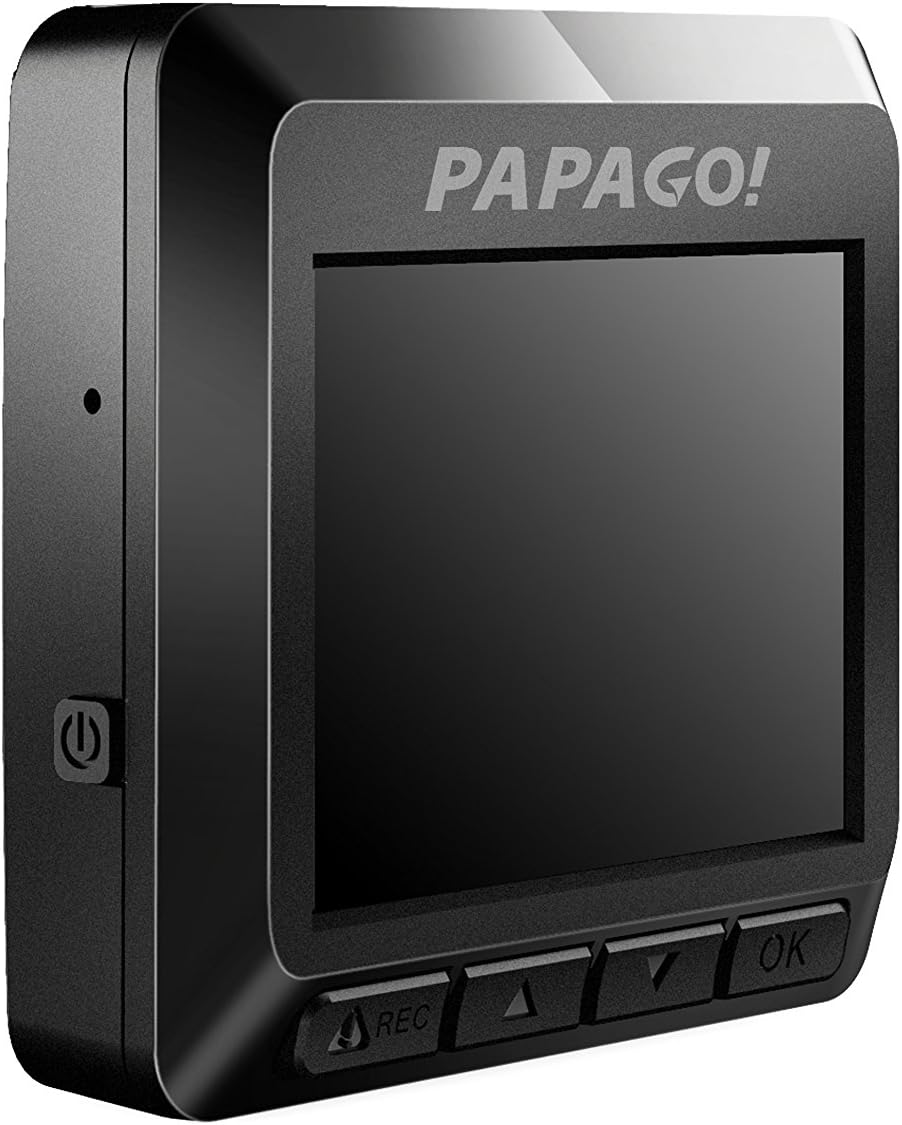
Rysunek 4.1: Strona view of the GoSafe 388, highlighting the screen and control buttons.
4.2 Tryby nagrywania
The GoSafe 388 supports three primary recording modes:
- Automatyczne nagrywanie: Standard continuous loop recording when the vehicle is powered on.
- Tryb monitora: Activates when the vehicle is parked, using motion detection to record events.
- Detekcja ruchu: Records only when movement is detected in the camera's field of view, conserving storage space.
Refer to the Quick User Guide for detailed instructions on how to switch between these modes using the camera's control buttons.
4.3 Driver Assistance Features
The GoSafe 388 includes pre-installed driver assistance systems designed to promote safer driving habits:
- Stop Sign Recognition: Alerts the driver to stop signs.
- Zatrzymaj się i ruszaj: Notifies the driver when traffic ahead has started moving.
- Alarm zmęczenia kierowcy: Provides reminders for breaks during long drives.
- Light Reminder: Prompts the driver to turn on headlights in low-light conditions.
These features can be configured through the camera's menu settings.
4.4 Accessing Recorded Footage
Do view nagrane filmy:
- Remove the MicroSD card from the dash camera.
- Insert the MicroSD card into a computer's card reader.
- Przeglądaj files on the card to access and play the video recordings.
5. Konserwacja
5.1 Zarządzanie kartami MicroSD
The GoSafe 388 utilizes loop recording, meaning it will automatically overwrite the oldest files when the MicroSD card is full. To ensure optimal performance and prevent data corruption, it is recommended to:
- Format the MicroSD card regularly (e.g., once a month) using the camera's menu option.
- Use a high-quality Class 10 or higher MicroSD card from a reputable brand.
5.2 Czyszczenie urządzenia
The GoSafe 388 is made with ionized molecular material to help prevent bacteria build-up. To clean the camera and lens:
- Do czyszczenia korpusu aparatu należy używać miękkiej, suchej i niepozostawiającej włókien ściereczki.
- Do czyszczenia soczewek należy używać specjalnej ściereczki i płynu do czyszczenia soczewek, aby uniknąć zarysowań.
- Nie używaj żrących chemikaliów ani ściernych środków czyszczących.
6. Rozwiązywanie Problemów
If you encounter issues with your GoSafe 388, refer to the following common solutions:
- Kamera nie włącza się: Ensure the power cable is securely connected to both the camera and the vehicle's 12V outlet. Check the vehicle's fuse for the 12V outlet.
- Kamera nie nagrywa: Verify that a MicroSD card is inserted correctly and is not full. Format the MicroSD card if necessary. Check recording settings in the menu.
- Słaba jakość wideo: Clean the camera lens. Ensure the windshield area in front of the camera is clean. Check video resolution settings.
- GPS not working (if optional antenna installed): Upewnij się, że antena GPS jest bezpiecznie podłączona i ma zapewnioną wolną przestrzeń. view nieba.
- Przyciski nie reagują: Try resetting the device by disconnecting and reconnecting power.
W przypadku bardziej złożonych problemów zapoznaj się z pełną instrukcją obsługi lub skontaktuj się z działem obsługi klienta.
7. Specyfikacje
| Nazwa modelu | GoSafe 388 |
| Numer modelu | GS3888G |
| Rozdzielczość przechwytywania wideo | 1080p Full HD |
| Kąt rzeczywisty View | 142 stopni |
| Typ wyświetlacza | 2-calowy wyświetlacz LCD |
| Składowanie | Supports MicroSD card up to 64GB (Class 10 recommended) |
| Technologia łączności | USB |
| Typ montażu | Uchwyt samoprzylepny na przednią szybę |
| Cechy specjalne | Night Vision, Parking Monitor, Driver Assistance Systems (Stop Sign Recognition, Stop & Go, Driver Fatigue Alarm, Light Reminder), Optional GPS |
| Producent | PAPAGO Inc. |
| Waga przedmiotu | 0.1 funtów |
8. Informacje o gwarancji
The PAPAGO GoSafe 388 Dash Camera comes with a limited warranty. Please refer to the warranty card included in your product package for specific terms, conditions, and duration of coverage. Retain your proof of purchase for warranty claims.
9. Obsługa klienta
For technical assistance, product inquiries, or warranty support, please contact PAPAGO customer service. Contact details can typically be found on the official PAPAGO webstronie internetowej lub na karcie gwarancyjnej dołączonej do produktu.