
Wstęp
The Master & Dynamic MW60 Wireless Bluetooth Foldable Headphones are designed to deliver a high-quality audio experience with effective sound isolation. They feature 45mm neodymium drivers for clear audio reproduction across various music genres. Equipped with Bluetooth 4.1, these headphones offer wireless connectivity and up to 16 hours of battery life. Constructed with lightweight stainless steel and aluminum, and featuring leather ear pads, the MW60 headphones are designed for comfort and durability, with a foldable design for portability.
Co jest w pudełku
- Master & Dynamic MW60 Wireless Headphones
- Kabel audio (3.5mm)
- Adapter audio
- Kabel ładujący Micro USB na USB
- Carry Case for Headphones
- Carry Pouch for Accessories
Produkt ponadview
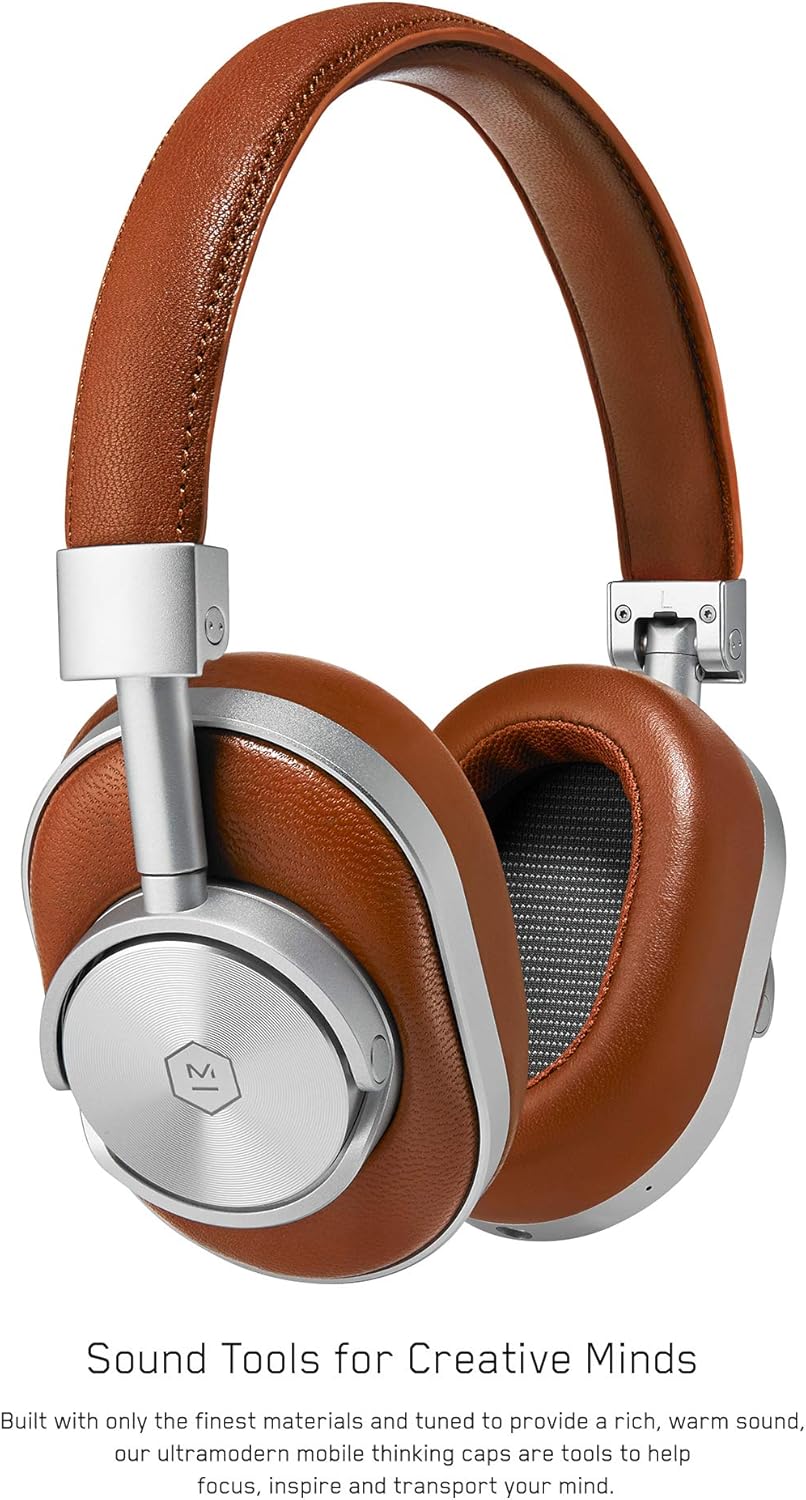
Rysunek 1: Przód view of the Master & Dynamic MW60 Wireless Headphones. This image displays the over-ear design with silver metal accents and brown leather earcups and headband.

Rysunek 2: Close-up of the right earcup showing the control buttons and ports. Visible controls include volume up/down, a multi-function button, and the power/pairing switch. A 3.5mm audio jack and micro USB charging port are also present.
Elementy sterujące i porty
- Power/Pairing Switch: Located on the earcup, used to turn the headphones on/off and initiate Bluetooth pairing.
- Przycisk wielofunkcyjny: Controls playback (play/pause), call management, and voice assistant activation.
- Przyciski zwiększania / zmniejszania głośności: Adjusts audio volume. Can also be used for track skipping (hold for next/previous track).
- Gniazdo audio 3.5 mm: Do połączenia przewodowego za pomocą dołączonego kabla audio.
- Port micro USB: Do ładowania wewnętrznego akumulatora.
- Mikrofon: Zintegrowany system umożliwiający prowadzenie rozmów w trybie głośnomówiącym.
Organizować coś
Ładowanie słuchawek
- Connect the Micro USB end of the charging cable to the Micro USB port on the headphone earcup.
- Podłącz koniec USB-A kabla ładującego do zasilanego portu USB (np. w komputerze, zasilaczu sieciowym).
- Kontrolka pokaże stan ładowania. Pełne naładowanie trwa zazwyczaj około 2 godzin.
Parowanie Bluetooth
- Sprawdź, czy słuchawki są całkowicie naładowane.
- Slide the Power/Pairing switch to the ON position.
- To enter pairing mode, slide and hold the Power/Pairing switch to the far right (pairing icon) until the indicator light begins to flash.
- Na swoim urządzeniu (smartfonie, tablecie, komputerze) włącz Bluetooth i wyszukaj dostępne urządzenia.
- Select "MW60" from the list of detected devices.
- Once paired, the indicator light will turn solid blue or white, depending on the model.
Instrukcja obsługi
Podstawowe funkcje
- Włączanie/wyłączanie: Slide the Power/Pairing switch to the ON or OFF position.
- Odtwórz/Pauza: Naciśnij raz przycisk wielofunkcyjny.
- Regulacja głośności: Naciśnij przycisk zwiększania głośności (+) lub zmniejszania głośności (-).
- Następny utwór: Naciśnij i przytrzymaj przycisk zwiększania głośności (+).
- Poprzedni utwór: Naciśnij i przytrzymaj przycisk zmniejszania głośności (-).
Zarządzanie połączeniami
- Odbieranie/kończenie połączeń: Naciśnij raz przycisk wielofunkcyjny.
- Odrzuć połączenie: Naciśnij i przytrzymaj przycisk wielofunkcyjny.
- Aktywuj asystenta głosowego: Dwukrotnie naciśnij przycisk wielofunkcyjny.
Połączenie przewodowe
To use the headphones with a wired connection, plug the included 3.5mm audio cable into the audio jack on the earcup and the other end into your audio source. The headphones will automatically switch to wired mode, conserving battery life.
Konserwacja
Czyszczenie
- Wytrzyj słuchawki miękką, suchą ściereczką.
- Nie używaj żrących środków chemicznych ani materiałów ściernych.
- For leather parts, use a specialized leather cleaner if necessary, following product instructions.
Składowanie

Rysunek 3: The MW60 headphones folded into a compact form, demonstrating their portability and ease of storage in the included carry case.
- When not in use, fold the headphones and store them in the provided carry case to protect them from dust and damage.
- Unikać przechowywania w ekstremalnych temperaturach i przy wysokiej wilgotności.
Rozwiązywanie problemów
| Problem | Możliwe rozwiązanie |
|---|---|
| Słuchawki się nie włączają | Upewnij się, że słuchawki są w pełni naładowane. Podłącz je do źródła zasilania za pomocą kabla micro USB. |
| Nie można sparować przez Bluetooth | Ensure headphones are in pairing mode (flashing indicator light). Turn off and on Bluetooth on your device. Try forgetting the device on your phone and re-pairing. Ensure no other devices are actively connected. |
| Przerywane dźwięki lub zrywanie połączenia | Ensure your device is within the Bluetooth range. Avoid physical obstructions between the headphones and your device. Minimize interference from other wireless devices. |
| Brak dźwięku w trybie przewodowym | Ensure the 3.5mm audio cable is securely connected to both the headphones and the audio source. Check the volume levels on both the headphones and the audio source. |
| Earcups detach easily | Ensure earcups are properly aligned and securely attached to the magnetic mounts. |
Specyfikacje
| Funkcja | Szczegół |
|---|---|
| Nazwa modelu | MW60S2 |
| Technologia łączności | Bezprzewodowa (Bluetooth 4.1) |
| Typ sterownika audio | 45mm Neodymium Dynamic Drivers |
| Żywotność baterii | Do 16 godzin |
| Przybory | Aluminum, Stainless Steel, Leather |
| Waga przedmiotu | 3 funty (około 1.36 kg) |
| Wymiary produktu | 10 x 3.75 x 8 cala (25.4 x 9.5 x 20.3 cm) |
| Impedancja | 32 omy |
| Kontrola hałasu | Izolacja akustyczna (pasywna) |
| Gniazdo słuchawkowe | 3.5 mm Jack |
Gwarancja i wsparcie
Warranty information for your Master & Dynamic MW60 Wireless Headphones is typically provided with your purchase. Please refer to the documentation included in your product packaging for specific warranty terms and conditions.
For technical support, service, or further inquiries, please contact Master & Dynamic customer service directly. Contact details can usually be found on the manufacturer's official webstronie lub w dokumentacji produktu.