
1. Wprowadzenie
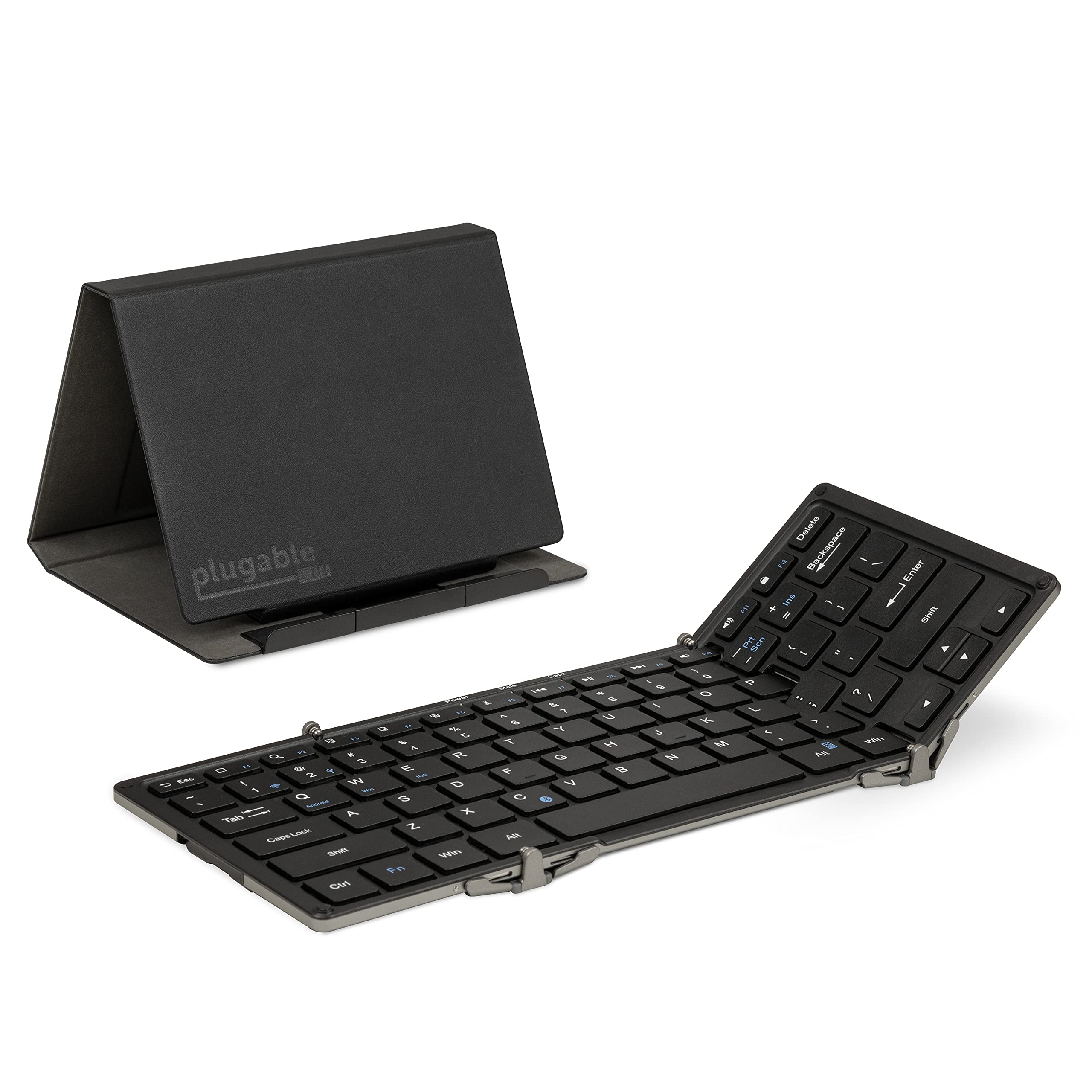
This manual provides instructions for the setup, operation, maintenance, and troubleshooting of your Plugable Foldable Bluetooth Keyboard (Model: BT-KEY3XL). This full-size, portable keyboard is designed for multi-device compatibility across various operating systems.
2. Zawartość opakowania
Sprawdź, czy w przesyłce znajdują się wszystkie elementy:
- Plugable Foldable Bluetooth Keyboard (BT-KEY3XL)
- Protective Case / Stand
- Kabel ładujący USB
- Szybki przewodnik

Video: Unboxing the Plugable Full-Size Keyboard, demonstrating the contents and initial presentation.
3. Konfiguracja
3.1 Ładowanie klawiatury
Before first use, fully charge the keyboard using the provided USB cable. Connect the small end of the USB cable to the keyboard's charging port and the other end to a USB power source (e.g., computer USB port, USB wall adapter).

3.2 Składanie i rozkładanie
The keyboard features a foldable design for portability. To unfold, gently extend the side panels until they lock into place, forming a full-size keyboard. To fold, collapse the side panels inward.

3.3 parowanie Bluetooth
The keyboard supports pairing with iOS, Android, Mac, and Windows devices.
- Włączanie: Unfold the keyboard to power it on. The power indicator light will illuminate.
- Wejdź w tryb parowania: Naciśnij Fn jednocześnie z klawiszem C key. The Bluetooth indicator light will flash, indicating it is in pairing mode.
- Select OS Mode: For optimal key mapping, press Fn + Q dla Androida, Fn + W dla systemu Windows lub Fn + E for iOS/macOS.
- Włącz Bluetooth na urządzeniu: On your device (phone, tablet, computer), go to Bluetooth settings and ensure Bluetooth is enabled.
- Wybierz klawiaturę: Look for "Plugable Keyboard" or "BT-KEY3XL" in the list of available devices and select it to pair.
- Potwierdź parowanie: If prompted, enter the displayed code on the Plugable keyboard and press Wchodzić. The Bluetooth indicator light will stop flashing and remain solid once successfully paired.
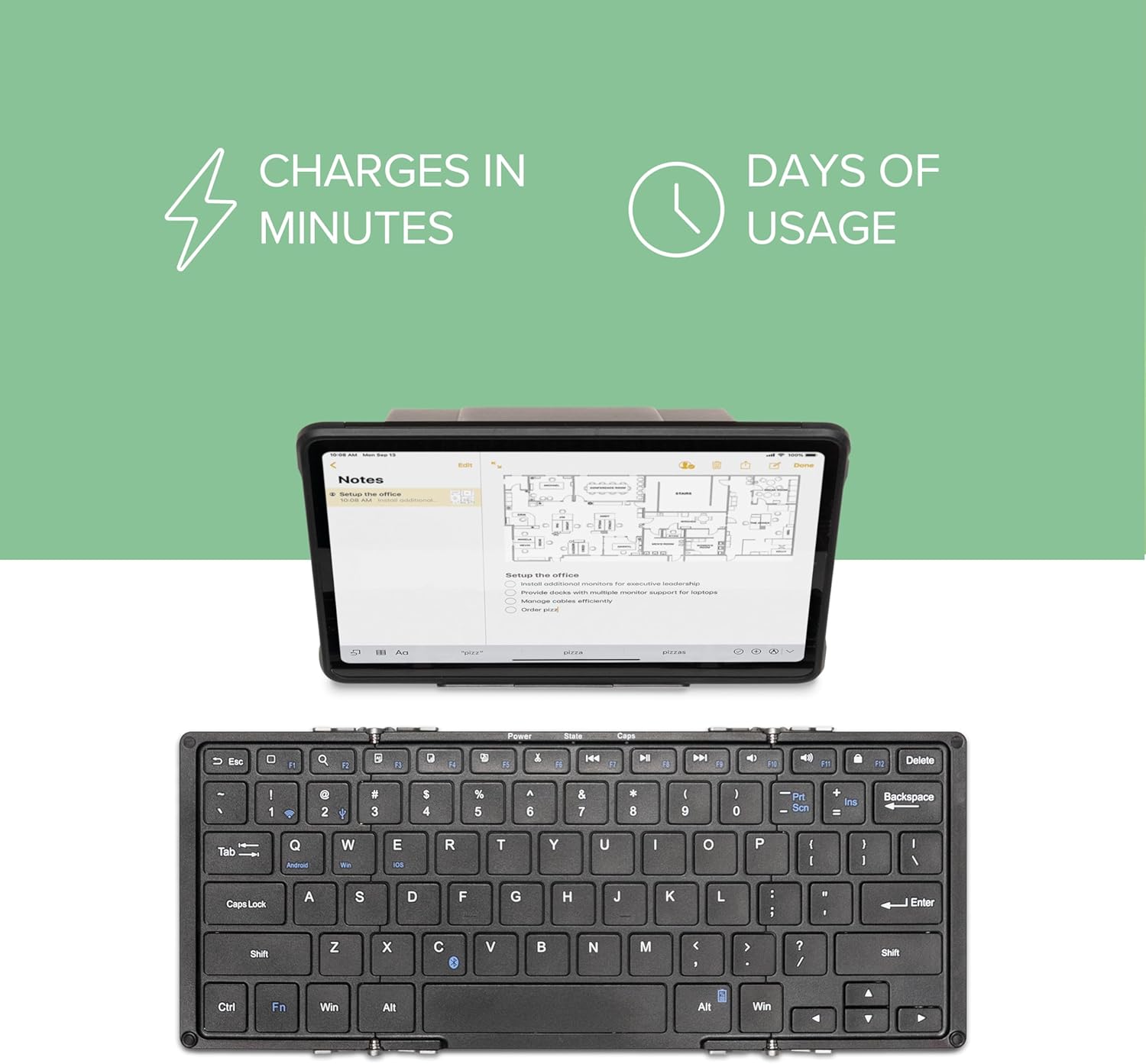
Video: A demonstration of the Plugable Foldable Bluetooth Keyboard's features and connectivity with tablets.
4. Instrukcja obsługi
4.1 Funkcje klawiszy i skróty
The keyboard features a standard QWERTY layout with additional function keys. Some keys have different functions depending on the selected operating system mode (Fn+Q/W/E).
- Fn + Top Row Keys (F1-F12): Access multimedia controls and system functions.
- Navigation Keys (Home, End, Page Up/Down): Accessed via Fn + Arrow keys on some systems.
- Edit Keys (Copy, Cut, Paste, Select All): Dedicated keys or Fn combinations available.
- OS-Specific Keys: Some keys are mapped differently for iOS, Android, and Windows. Refer to your device's operating system for specific key behaviors.
4.2 Using the Protective Case as a Stand
The included protective case can be folded into a stand to hold your smartphone or tablet, providing an ergonomic setup for typing.
- Unfold the case according to the diagrams provided in the quick start guide or on the product packaging.
- Ensure the magnetic clasps secure the stand in its triangular format.
- Place your device in the designated slot on the stand. The stand supports both landscape and portrait orientations.

Video: Demonstrating the Plugable Foldable Keyboard's ability to type on any device, highlighting its portability and versatility.
5. Konserwacja
5.1 Czyszczenie
Aby wyczyścić klawiaturę, delikatnie przetrzyj klawisze i powierzchnię miękką szmatką.amp cloth. Avoid using harsh chemicals or abrasive materials that could damage the finish or key legends.
5.2 Pielęgnacja baterii
The keyboard uses a USB-rechargeable Li-Ion battery. To prolong battery life:
- Unikaj częstego całkowitego rozładowywania akumulatora.
- Jeśli klawiaturę nie używasz przez dłuższy czas, przechowuj ją w chłodnym i suchym miejscu.
- Jeśli akumulator jest przechowywany przez dłuższy czas, należy go okresowo doładowywać, aby zapobiec jego głębokiemu rozładowaniu.
6. Rozwiązywanie Problemów
Klawiatura 6.1 nie łączy się z parą
- Sprawdź, czy klawiatura jest naładowana i włączona.
- Confirm the keyboard is in pairing mode (Bluetooth indicator flashing after pressing Fn+C).
- Check that Bluetooth is enabled on your device and it is discoverable.
- Try forgetting the device on your host system's Bluetooth settings and re-pairing.
- Ensure the correct OS mode (Fn+Q/W/E) is selected for your device.
6.2 Keys Not Responding or Dropped Connection
- Sprawdź poziom naładowania akumulatora i naładuj go, jeśli to konieczne.
- Ensure the keyboard is within the effective range of your Bluetooth device.
- Uruchom ponownie klawiaturę (złóż i rozłóż) i urządzenie hosta.
- Unikaj źródeł silnych zakłóceń elektromagnetycznych.
6.3 Keyboard Prevents Device from Sleeping (Windows)
- If connected via USB, disconnect the keyboard when not in use to allow the system to enter sleep mode properly.
- Check your computer's power management settings for USB devices.
7. Specyfikacje
| Numer modelu | BT-KEY3XL |
| Technologia łączności | Bluetooth bezprzewodowy |
| Kompatybilne urządzenia | iPad, iPhone, Android Phones/Tablets, MacBooks, Windows Desktops/Laptops, Google Chromebooks, Linux |
| Układ klawiatury | QWERTY |
| Liczba kluczy | 78 |
| Typ przełącznika | Nożycowy |
| Tworzywo | Aluminium |
| Wymiary produktu (rozłożony) | 11.5" dł. x 4.75" szer. x 0.75" wys. (290 x 117 x 13 mm) |
| Product Dimensions (Folded with cover) | 6.6" dł. x 5" szer. x 0.9" wys. (167 x 124 x 23 mm) |
| Item Weight (Keyboard only) | 9.8 uncje (278 g) |
| Item Weight (Keyboard + cover) | 15.7 uncje (446 g) |
| Źródło zasilania | Battery Powered (USB-rechargeable Li-Ion) |
8. Gwarancja i wsparcie
The Plugable Foldable Bluetooth Keyboard BT-KEY3XL comes with a 2-roczna ograniczona gwarancja na części i robociznę. For technical support or warranty claims, please contact Plugable customer service. Details can be found on the official Plugable website or through the contact information provided with your product.