
Zmodo ZM-W0002-4
Instrukcja obsługi systemu kamer bezpieczeństwa zewnętrznego Zmodo (model ZM-W0002-4)
Kompleksowy przewodnik dotyczący konfiguracji, obsługi i konserwacji.
1. Wprowadzenie
This manual provides detailed instructions for the installation, operation, and maintenance of your Zmodo Outdoor Security Camera System, Model ZM-W0002-4. This system offers 1080p Full HD surveillance for your property, featuring night vision, motion detection, and weatherproof construction.
2. Zawartość opakowania
Sprawdź, czy w przesyłce znajdują się wszystkie elementy:
- 4 x Zmodo Outdoor Security Cameras
- 4 x zasilacze
- 1 x Krótki przewodnik
3. Konfiguracja i instalacja
Follow these steps to set up your Zmodo security cameras:
3.1. Umiejscowienie kamery
Select optimal locations for your cameras. Consider areas that provide a clear view of entry points or critical zones. Ensure the chosen location is within range of your Wi-Fi network and has access to a power outlet.

Image: Zmodo outdoor security camera mounted on a wall, illustrating its weatherproof design and typical installation scenario.
3.2. Podłączenie zasilania
Connect each camera to its respective power supply and plug it into a standard electrical outlet. The camera will power on automatically.
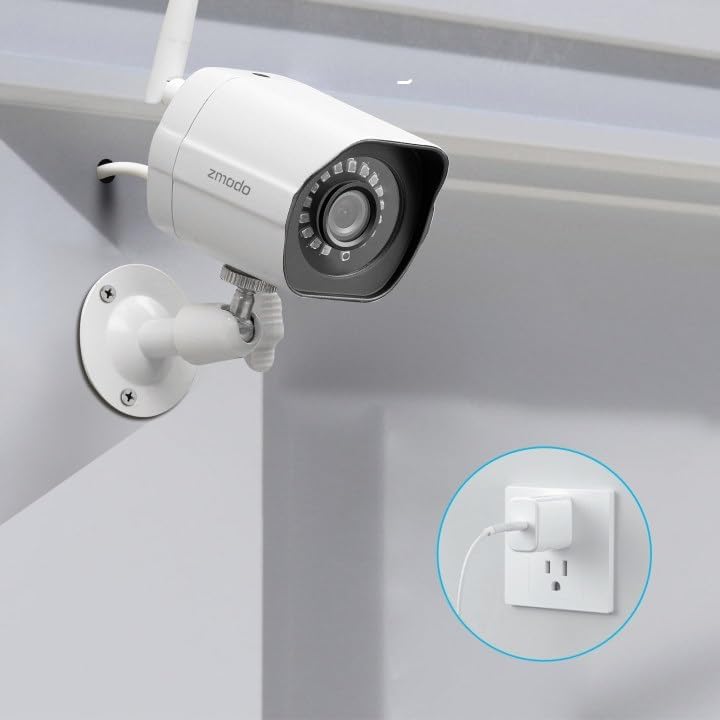
Image: A Zmodo outdoor security camera with its power cable plugged into a wall outlet, demonstrating the power connection process.
3.3. Pobieranie aplikacji i tworzenie konta
Download the Zmodo app from your smartphone's app store (iOS or Android). Create a new account or log in if you already have one.
3.4. Parowanie aparatu
Follow the in-app instructions to add your cameras. Zmodo cameras typically use QR code pairing technology for straightforward setup. Ensure your smartphone is connected to the 2.4GHz Wi-Fi network that the cameras will use.

Image: A set of four Zmodo outdoor security cameras, illustrating the product's appearance and external antenna design for enhanced Wi-Fi signal.
4. Działanie
Once your cameras are set up, you can access and manage them through the Zmodo app.
4.1. Na żywo View
Open the Zmodo app to view live 1080p Full HD video streams from your cameras. You can monitor up to four camera feeds simultaneously on one screen.

Image: A smartphone screen showing a four-panel live video feed from multiple Zmodo cameras, demonstrating the multi-camera viewfunkcja.
4.2. Detekcja ruchu i alerty
The cameras are equipped with motion detection. When motion is detected, you will receive instant alerts on your smartphone. Review recorded clips via the app.

Image: A smartphone displaying a push notification for motion detected by a Zmodo camera, indicating the alert system.

Image: A Zmodo camera with an illustration of AI-powered motion detection, highlighting its ability to accurately detect and identify humans, pets, and vehicles.
4.3. Wizja nocna
The cameras feature adjustable night vision with built-in IR lights, providing clear images up to 65 feet in low-light conditions.
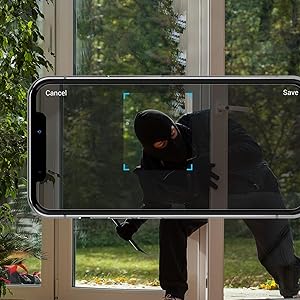
Image: A Zmodo camera mounted outdoors at night, with its red IR lights active, demonstrating its night vision capability.
4.4. Przechowywanie w chmurze
Zmodo offers a cloud service for secure storage of your video footage. A subscription plan is required for this feature. This ensures continuous recording and access to past events.
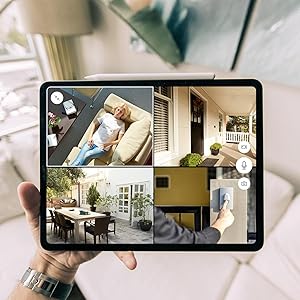
Image: An abstract graphic depicting a secure cloud with a padlock icon, symbolizing the bank-level encryption used for Zmodo's cloud storage service.
4.5 Integracja z Alexą
The cameras are compatible with Amazon Alexa. Use voice commands like "Alexa, show me the front door" to view live streams on compatible Alexa-enabled devices.

Image: An Amazon Echo Show device displaying a live feed from a Zmodo camera, illustrating the Alexa integration feature.
5. Konserwacja
Regular maintenance helps ensure optimal performance and longevity of your cameras.
- Czyszczenie soczewek: Okresowo czyść obiektyw aparatu miękką,amp cloth to remove dust, dirt, or water spots that may affect image clarity. Avoid abrasive cleaners.
- Sprawdź podłączenie zasilania: Ensure power cables are securely connected and free from damage.
- Stabilność montażu: Verify that the cameras remain securely mounted to prevent accidental dislodgement.
- Aktualizacje oprogramowania: Keep the Zmodo app updated to the latest version for new features and security enhancements.
6. Rozwiązywanie Problemów
If you encounter issues with your Zmodo cameras, refer to the following common solutions:
- Kamera offline:
- Check the power connection to ensure the camera is receiving power.
- Verify your Wi-Fi network is operational and the camera is within range.
- Restart the camera by unplugging and replugging its power supply.
- Ensure your router's 2.4GHz Wi-Fi band is enabled and the camera is connected to it.
- Słaba jakość obrazu:
- Wyczyść obiektyw aparatu.
- Upewnij się, że w polu widzenia kamery nie ma żadnych przeszkód. view.
- Sprawdź siłę sygnału Wi-Fi. Słaby sygnał może mieć wpływ na jakość przesyłania strumieniowego wideo.
- Wykrywanie ruchu nie działa:
- Verify motion detection settings are enabled in the Zmodo app.
- Adjust motion sensitivity settings if necessary.
- Upewnij się, że kamera view nie jest zablokowana.
- Brak otrzymanych alertów:
- Check your smartphone's notification settings for the Zmodo app.
- Upewnij się, że Twój telefon ma aktywne połączenie z Internetem.
7. Specyfikacje
Key technical specifications for the Zmodo Outdoor Security Camera System (Model ZM-W0002-4):
| Funkcja | Szczegół |
|---|---|
| Nazwa modelu | ZM-W0002-4 |
| Rozdzielczość przechwytywania wideo | 1080p Full HD |
| Zastosowanie wewnątrz/na zewnątrz | Plenerowy |
| Technologia łączności | Wi-Fi (2.4 GHz) |
| Zakres noktowizora | Do 65 stóp |
| Odporność na warunki atmosferyczne | IP66 (odporny na warunki atmosferyczne) |
| Wykrywanie ruchu | Yes (Motion Only, AI-powered) |
| Kompatybilne urządzenia | Smartfon, Amazon Alexa, Asystent Google |
| Źródło zasilania | Elektryczny przewodowy (12 V, 5 W) |
| Wymiary (dł. x szer. x wys.) | 2.2 x 2.1 x 3.4 cala |
| Waga przedmiotu | 3.04 funta (na kamerę) |
| Szybkość klatek | 25 klatek na sekundę |
| Tworzywo | Plastikowy |
8. Informacje o gwarancji
For specific warranty details regarding your Zmodo Outdoor Security Camera System, please refer to the warranty card included in your product packaging or visit the official Zmodo webPlany ochrony mogą być również dostępne z rozszerzonym zakresem ochrony.
9. Obsługa klienta
If you require further assistance or have questions not covered in this manual, please contact Zmodo customer support through their official website or the Zmodo app. Support resources, including FAQs and troubleshooting guides, are often available online.
Zmodo Official Webstrona: www.zmodo.com
Ask a question about this manual
Ask about setup, troubleshooting, compatibility, parts, safety, or missing instructions. Manuals+ will review the question and use this page’s manual context to help answer it.