
Wstęp
Thank you for choosing the AT&T SEB50 In-Ear Wired Earphones. These earphones are designed to provide high-definition sound with deep bass through dual dynamic drivers. They feature a tangle-free cable, gold-plated jack, and convenient in-line controls with an integrated microphone for hands-free communication.

Obraz: Ponadview of the AT&T SEB50 in-ear wired earphones, showing the earbuds, in-line microphone, and cable.
Co jest w pudełku
The AT&T SEB50 package includes the following items:
- One (1) AT&T SEB50 Earphone Unit
- Multiple sizes of soft gel earpieces (ear sleeves) for a comfortable fit
Organizować coś
- Wybierz końcówki douszne: Choose the ear tips that provide the most comfortable and secure fit for your ears. A proper fit is essential for optimal sound isolation and audio performance. The package includes three sizes of noise-isolating soft gel earpieces.
- Włóż słuchawki: Gently insert the earphones into your ears. Ensure the left earbud is in your left ear and the right earbud is in your right ear.
- Połącz z urządzeniem: Plug the 3.5 mm gold-plated jack into the headphone port of your audio device (e.g., smartphone, tablet, laptop, MP3 player). Ensure the connection is secure.

Image: A person wearing the AT&T SEB50 earphones, demonstrating proper usage.
Instrukcja obsługi
Odtwarzanie dźwięku
- Po nawiązaniu połączenia rozpocznij odtwarzanie dźwięku ze swojego urządzenia.
- Adjust the volume using your device's volume controls or the in-line remote control on the earphone cable.
In-Line Controls and Microphone
The AT&T SEB50 earphones feature an in-line remote control and microphone for convenient management of calls and music playback.
- Odtwórz/wstrzymaj muzykę: Naciśnij raz przycisk wielofunkcyjny.
- Pomiń ścieżkę: Aby przejść do następnego utworu, naciśnij szybko dwukrotnie przycisk wielofunkcyjny.
- Odbieranie/kończenie połączeń: Press the multi-function button once during an incoming call to answer. Press again to end an active call.
- Odrzuć połączenie: Podczas połączenia przychodzącego naciśnij i przytrzymaj przycisk wielofunkcyjny przez około 2 sekundy.
- Regulacja głośności: Use the dedicated volume up (+) and volume down (-) buttons on the in-line remote to adjust audio levels.
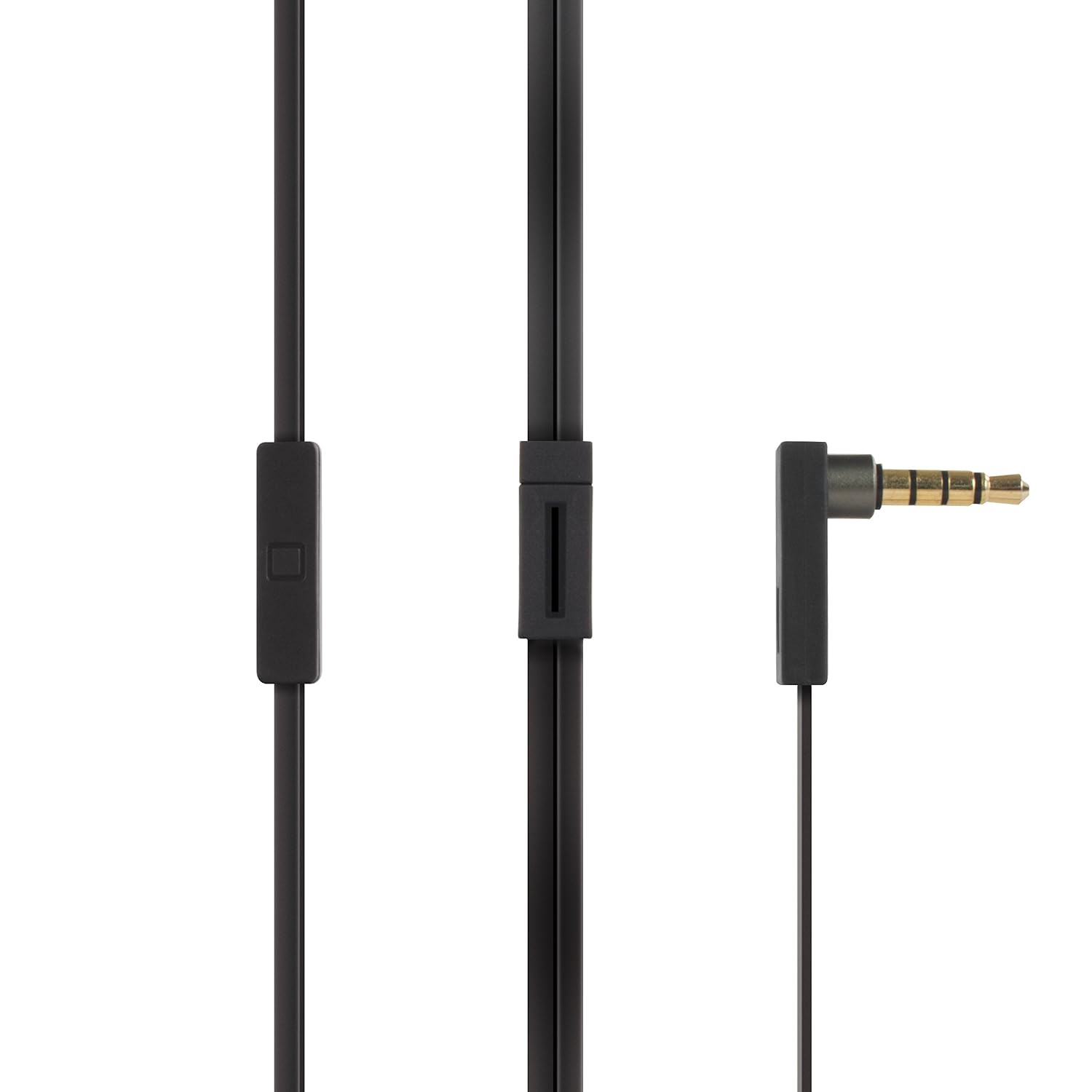
Image: Close-up of the AT&T SEB50's 3.5mm gold-plated jack and the in-line remote control with microphone.
Konserwacja
- Czyszczenie: Regularly clean the ear tips with a soft, dry cloth. For deeper cleaning, remove the ear tips and wash them with mild soap and water, ensuring they are completely dry before reattaching. Do not use harsh chemicals or abrasive materials on the earphones.
- Pielęgnacja kabli: The earphones feature a tangle-free flat cable. To maintain its condition, avoid excessive bending or pulling. When storing, coil the cable loosely.
- Składowanie: Store the earphones in a clean, dry place away from extreme temperatures and direct sunlight. Avoid placing heavy objects on them.
- Wilgoć: Keep the earphones away from water and moisture. They are not waterproof.

Image: AT&T SEB50 earphones neatly stored inside a bag, demonstrating proper storage.
Rozwiązywanie problemów
- Brak dźwięku lub niski poziom głośności:
- Ensure the 3.5 mm jack is fully inserted into your device's audio port.
- Check the volume levels on both your audio device and the in-line remote.
- Przetestuj słuchawki z innym urządzeniem audio, aby wykluczyć problemy związane ze specyficznym urządzeniem.
- Verify that the audio source is playing correctly.
- Słaba jakość dźwięku (zniekształcenia, stłumiony dźwięk):
- Sprawdź, czy końcówki douszne są czyste i prawidłowo osadzone na słuchawkach.
- Try different sized ear tips to achieve a better seal in your ear canal.
- Sprawdź źródło dźwięku pod kątem jakości.
- Ensure the 3.5 mm jack and device port are clean and free of debris.
- Mikrofon nie działa:
- Ensure the 3.5 mm jack is fully inserted into your device. Some devices require a TRRS (Tip-Ring-Ring-Sleeve) jack for microphone functionality, which these earphones provide.
- Check your device's settings to ensure the external microphone is selected as the input source.
- Przetestuj mikrofon za pomocą innej aplikacji lub urządzenia.
- In-Line Controls Not Responding:
- Ensure the earphones are securely connected to your device.
- Some older devices or specific operating systems may have limited compatibility with in-line controls.
- Uruchom ponownie urządzenie audio.
Specyfikacje
| Marka | AT&T |
| Numer modelu | SEB50 |
| Umieszczenie ucha | W uchu |
| Współczynnik kształtu | W uchu |
| Kontrola hałasu | Izolacja akustyczna |
| Technologia łączności | Przewodowy (gniazdo 3.5 mm) |
| Cechy kabla | Bez plątania |
| Typ sterowania | Regulacja głośności, pilot |
| Kompatybilne urządzenia | Laptops, Desktops, Mobiles, Tablets, TV, Audio Players, Gaming Consoles |
| Waga | 0.1 funta (około 45 gramów) |
| Kraj pochodzenia | Chiny |
Gwarancja i wsparcie
Informacje o gwarancji
The AT&T SEB50 In-Ear Wired Earphones come with a 1-letnia gwarancja Gwarancja producenta obowiązuje od daty zakupu. Prosimy zachować dowód zakupu na wypadek roszczeń gwarancyjnych.
Obsługa klienta
For technical assistance, warranty claims, or product inquiries, please contact the manufacturer:
Producent: Concept 101 LLCAdres: 1356 Broadway, New York, NY 10018, USA
Telefon: (646) 856-8650