
Wstęp
The Vonyx STM2270 is a versatile 2-channel DJ mixer designed for both aspiring and experienced DJs. It integrates modern features such as Bluetooth connectivity and a USB/SD card MP3 player, alongside essential DJ tools like a crossfader and microphone input. This manual provides detailed instructions for the safe and efficient setup, operation, and maintenance of your Vonyx STM2270 mixer.
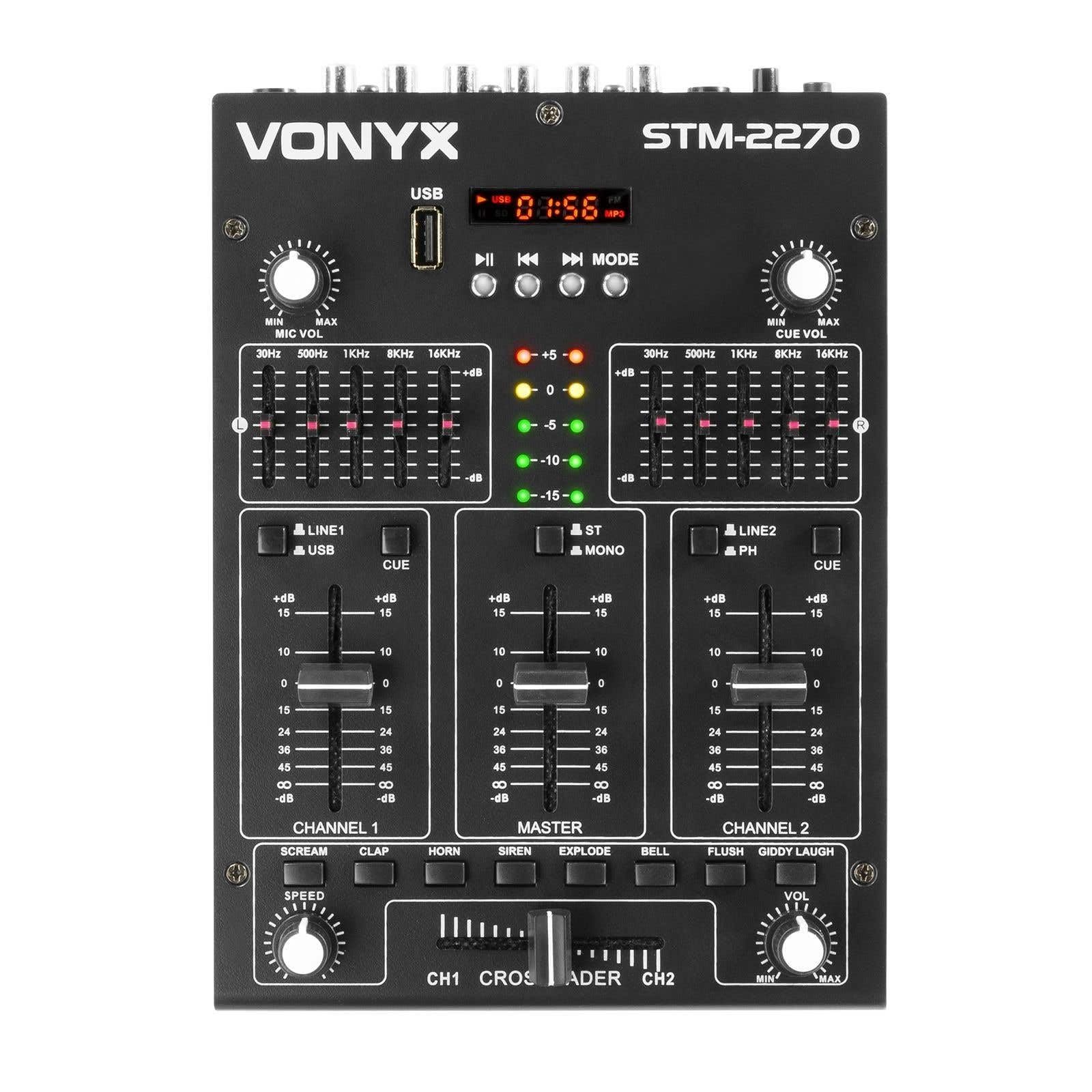
Przód view of the Vonyx STM2270 DJ Mixer, showing all controls and inputs.
Organizować coś
Rozpakowywanie
- Ostrożnie wyjąć wszystkie elementy z opakowania.
- Verify that all parts are present and undamaged.
- Zachowaj oryginalne opakowanie na wypadek transportu lub przechowywania w przyszłości.
Podłączenie zasilania
- Ensure the mixer is switched off before connecting the power supply.
- Connect the provided 14V/600mA power adapter to the DC input on the rear panel of the mixer.
- Podłącz zasilacz do standardowego gniazdka elektrycznego prądu zmiennego 220 V.
Połączenia audio
The STM2270 offers various input and output options for connecting your audio sources and sound system.
Rear panel of the Vonyx STM2270 DJ Mixer, showing power input, master output, line/phono inputs, and microphone input.
- Wyjście główne: Connect your main sound system (amplifiers, powered speakers) to the MASTER OUTPUT RCA jacks.
- Line/Phono Inputs: Connect CD players, media players, or other line-level devices to the LINE inputs. For turntables, use the PHONO inputs. Ensure the correct input type is selected on the mixer.
- Wejście mikrofonowe: Connect a microphone to the 6.3mm jack input on the rear panel.
- Wyjście słuchawkowe: Connect your headphones to the 6.3mm jack on the front panel for monitoring.
Operacyjny
Włączanie/wyłączanie
- To power on, ensure all volume controls are at their minimum setting, then press the POWER button.
- To power off, lower all volume controls, then press the POWER button.
Kontrola kanału
The mixer features two main channels, each with dedicated controls:
- Selektor wejścia: Switch between LINE/USB (for Channel 1) or LINE/PHONO (for Channel 2) inputs.
- Gain Control: Adjust the input level for each channel to prevent clipping.
- Korektor (EQ): Each channel has 2-band EQ controls (High and Low) to adjust the tone of the audio. (Highs: ±10dB, Lows: ±10dB).
- Fader kanałów: Controls the volume of the respective channel.
- Przycisk CUE: Activates pre-fader listening (PFL) for the channel through headphones.

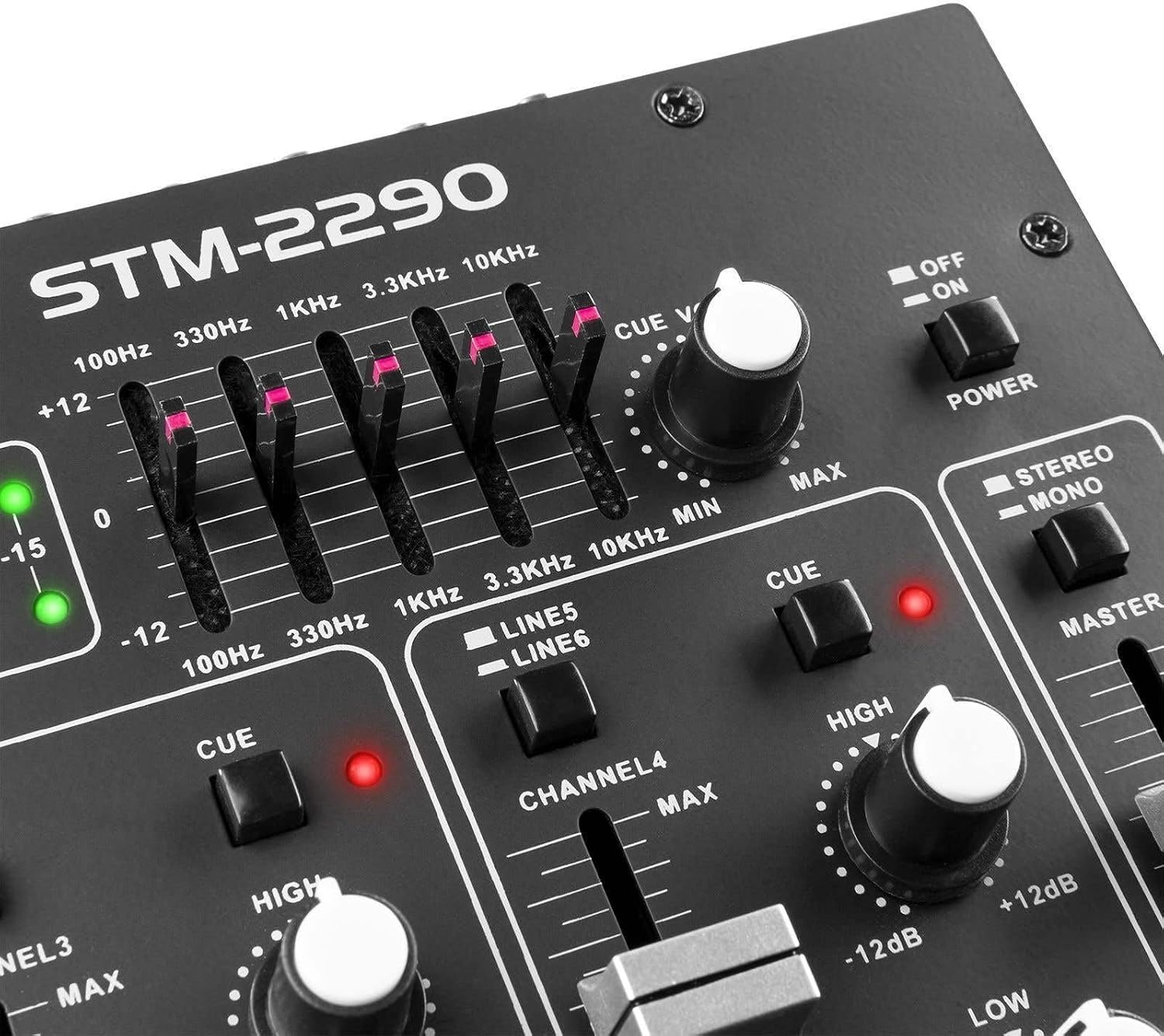
Close-up of the EQ section and LED level meters.
Master and Crossfader
- Główny suwak: Steruje ogólną głośnością wyjściową miksera.
- Crossfader: Allows for smooth transitions between Channel 1 and Channel 2. Slide the crossfader to the left for Channel 1, to the right for Channel 2, and to the center for a blend of both.

Close-up of the crossfader and integrated sound effects buttons.
Łączność Bluetooth
- Activate the Bluetooth function on the mixer (usually via the MP3 player section).
- Włącz Bluetooth na swoim urządzeniu zewnętrznym (smartfonie, tablecie itp.).
- Szukaj and select "Vonyx STM2270" (or similar) in your device's Bluetooth settings to pair.
- Once paired, audio from your device will be routed through the mixer.
USB/SD MP3 Player
- Włóż dysk flash USB lub kartę SD zawierającą dźwięk w formacie MP3 files do wyznaczonego gniazda.
- Use the player controls (Play/Pause, Next, Previous, Mode) to navigate and play tracks.
- The display will show track information and playback time.

Close-up of the USB port and SD card slot for the integrated MP3 player.
Użycie mikrofonu
- Connect your microphone to the MIC input.
- Adjust the MIC VOL knob to control the microphone's volume.
- The mixer may include a 'talkover' function, which automatically lowers the music volume when the microphone is in use, allowing vocals to be heard clearly.
Efekty dźwiękowe
The mixer includes integrated sound effects. Use the dedicated buttons to trigger effects and the SPEED knob to adjust their characteristics.
Konserwacja
Czyszczenie
- Disconnect the mixer from power before cleaning.
- Do przecierania zewnętrznej części należy używać miękkiej, suchej ściereczki.
- W przypadku uporczywych zabrudzeń, należy użyć lekkiego detergentu.amp Można użyć ściereczki zwilżonej łagodnym mydłem, a następnie wytrzeć do sucha.
- Avoid using abrasive cleaners, solvents, or excessive moisture, as these can damage the unit.
Składowanie
- Przechowywać mikser w chłodnym, suchym miejscu, z dala od bezpośredniego światła słonecznego i ekstremalnych temperatur.
- If storing for an extended period, use the original packaging to protect against dust and physical damage.
Rozwiązywanie problemów
If you encounter issues with your Vonyx STM2270 mixer, refer to the following common problems and solutions:
- Brak zasilania:
- Check if the power adapter is securely connected to both the mixer and the electrical outlet.
- Sprawdź, czy gniazdko elektryczne jest sprawne.
- Brak dźwięku:
- Ensure the Master Fader is raised.
- Check that individual Channel Faders are raised and not muted.
- Verify all audio cables are correctly connected to the mixer's inputs and outputs, and to your sound system.
- Confirm the correct input source is selected for each channel.
- Zniekształcony dźwięk:
- Reduce the Gain control for the input channel to prevent clipping (indicated by red LEDs on the level meter).
- Check the volume levels on your connected audio sources.
- Sprawdź kable audio pod kątem uszkodzeń i luźnych połączeń.
- Problemy z połączeniem Bluetooth:
- Ensure the mixer's Bluetooth function is active and in pairing mode.
- Make sure your external device's Bluetooth is enabled and searching for devices.
- Move your device closer to the mixer to ensure it's within range.
- Spróbuj rozparować i ponownie sparować urządzenie.
- Humming/Noise in Headphones:
- Sprawdź, czy wszystkie połączenia są bezpieczne.
- Przetestuj różne słuchawki, aby wykluczyć problemy ze słuchawkami.
- Check for potential ground loops or interference from other electronic devices nearby.
Specyfikacje
| Funkcja | Specyfikacja |
|---|---|
| Marka | Wonyks |
| Model | STM2270 |
| Liczba kanałów | 2 (with multiple inputs per channel) |
| Odpowiedź częstotliwościowa | 20 Hz - 20 kHz |
| THD (całkowite zniekształcenia harmoniczne) | < 0.05% |
| Korektor (EQ) | Highs: ±10dB, Lows: ±10dB |
| Wejście mikrofonowe | 10 mV / 10 K Ohm (6.3mm Jack) |
| Wejście liniowe | 300 mV / 30 K Ohm |
| Wejście gramofonowe | 15 mV / 22 K Ohm |
| Wyjście główne | 2 V / 400 Ohm (RCA) |
| Impedancja słuchawek | 16 - 32 omów |
| Stosunek sygnału do szumu | > 70 dB |
| Zasilacz | 14 V / 600 mA (AC Adapter) |
| Objętość operacyjnatage | 220 wolty |
| Technologia łączności | Bluetooth, USB |
| Wymiary (gł. x szer. x wys.) | Wymiary: 24 cm x 20 cm x 6 cm |
Gwarancja i wsparcie
This Vonyx STM2270 DJ Mixer is covered by a manufacturer's warranty, subject to the terms and conditions provided at the time of purchase. Please retain your proof of purchase for warranty claims.
For technical support, service, or warranty inquiries, please contact your retailer or the official Vonyx support channels. Refer to the product packaging or the Vonyx webwitryna do informacji kontaktowych.
Do not attempt to repair the unit yourself, as this may void your warranty and could result in electrical shock or damage to the device.