
Allen-Bradley 1746-NI4
Allen-Bradley SLC 500 1746-NI4 Analog Input Module User Manual
Model: 1746-NI4 Series A
Wstęp
This manual provides essential information for the installation, operation, and maintenance of the Allen-Bradley SLC 500 1746-NI4 Series A Analog Input Module. This module is designed to convert analog signals from various sensors and devices into digital data for processing by the SLC 500 programmable logic controller (PLC) system. Proper understanding and adherence to these instructions are crucial for safe and efficient operation.
The 1746-NI4 is a high-performance analog input module, part of the SLC 500 family, known for its reliability in industrial automation environments. It supports multiple input ranges, allowing flexibility for diverse application requirements.
Informacje dotyczące bezpieczeństwa
Always observe standard industrial safety practices when working with electrical equipment. Disconnect all power before installing, wiring, or servicing the module. Only qualified personnel should perform installation and maintenance procedures. Failure to follow these safety guidelines could result in personal injury or equipment damage.
- Należy zapewnić prawidłowe uziemienie całego sprzętu.
- Sprawdź poprawność objętościtage i prądu znamionowego przed podłączeniem zasilania.
- Protect against electrostatic discharge (ESD) when handling the module.
- Do not operate the module outside its specified environmental limits.
Produkt ponadview
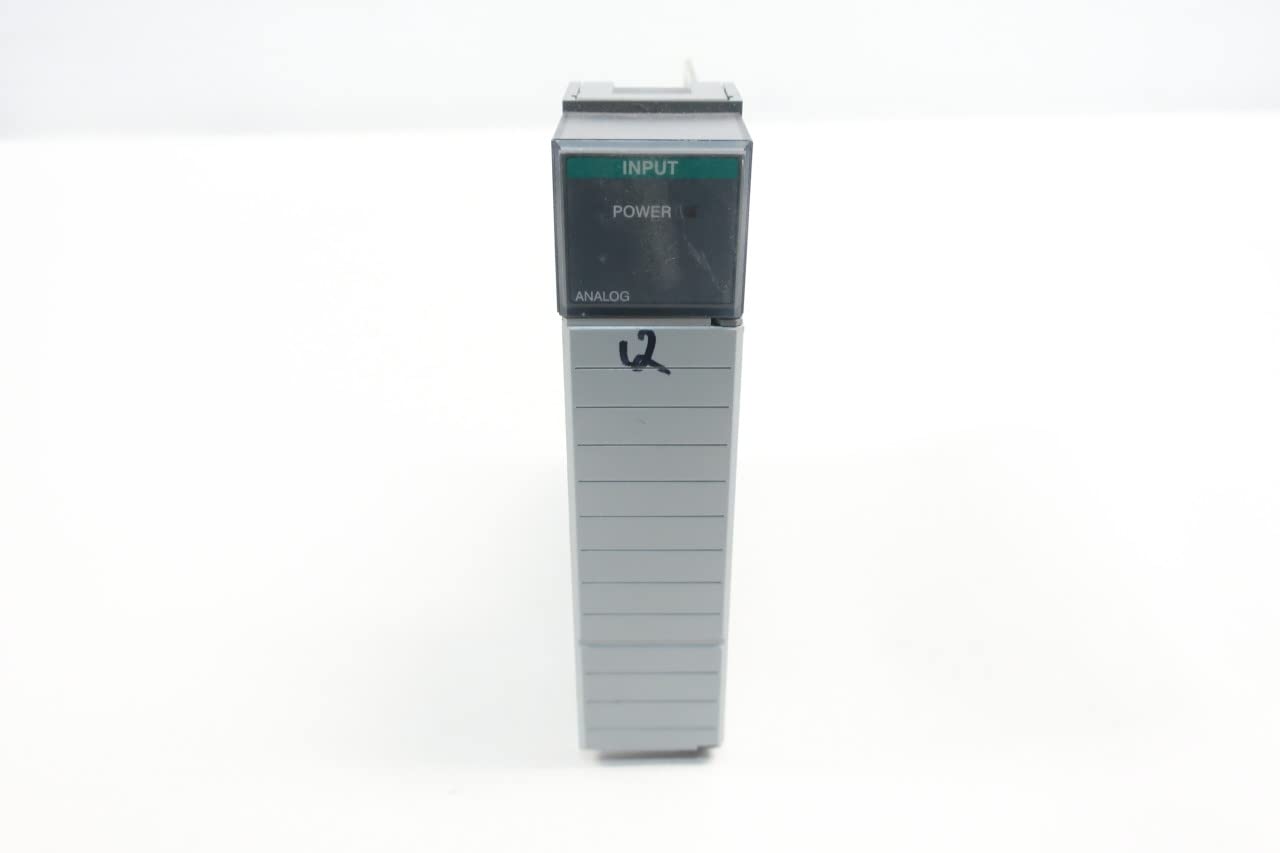
The Allen-Bradley 1746-NI4 is an analog input module for the SLC 500 series. It features multiple input channels and configurable input ranges to accommodate various analog sensors. The module integrates seamlessly into the SLC 500 chassis.


Konfiguracja i instalacja
1. Kontrole przed instalacją
- Verify that the SLC 500 chassis has an available slot for the 1746-NI4 module.
- Ensure the power supply to the SLC 500 chassis is disconnected before proceeding.
- Confirm that the module is the correct model (1746-NI4 Series A) for your application.
2. Instalacja modułu
- Carefully slide the 1746-NI4 module into an empty slot in the SLC 500 chassis until it clicks into place.
- Ensure the module is securely seated in the backplane connector.
3. Połączenia okablowania
Refer to the wiring diagram located on the inside of the module's front cover (Figure 2) for correct terminal assignments. The 1746-NI4 supports both current and voltage inputs. Configure the input range using the DIP switches (SW1) as shown in Figure 3.
- Bieżące wejście: For 4-20mA or 0-20mA signals, connect the analog signal wires to the designated input terminals.
- Tomtage Wprowadź: For 0-10VDC or -10VDC to +10VDC signals, connect the analog signal wires to the designated input terminals.
- Ensure all connections are tight and secure to prevent intermittent signals.
4. DIP Switch Configuration (SW1)
The 1746-NI4 module features DIP switches (SW1) to select the desired input range for each channel. Consult the label on the module (Figure 3) for the specific switch settings corresponding to current or voltage wejścia.
| Pozycja SW1 | Zakres wejściowy | Opis |
|---|---|---|
| ON (Current Selection) | -20mA to +20mA | Configures the channel for current input signals. |
| OFF (Voltage Selection) | -10VDC do +10VDC | Configures the channel for voltagsygnały wejściowe. |
Ensure that the DIP switches are set correctly for each channel based on the type of analog sensor connected.
Instrukcja obsługi
1. Włącz zasilanie
After all wiring is complete and verified, restore power to the SLC 500 chassis. The "POWER" indicator on the 1746-NI4 module (Figure 1) should illuminate, indicating proper power supply.
2. Konfiguracja oprogramowania
The 1746-NI4 module requires configuration within the SLC 500 programming software (e.g., RSLogix 500). This involves:
- Adding the 1746-NI4 module to the I/O configuration tree.
- Defining the input data file (e.g., I:x.0 for the module's input data).
- Scaling analog input values to engineering units within your PLC program.
- Setting up alarm limits or other process control logic based on the analog inputs.
3. Monitoring Analog Inputs
Once configured, the analog input values can be monitored through the PLC programming software. The "INPUT" indicator on the module (Figure 1) may provide status feedback depending on the module's operational state and input activity.
Konserwacja
The Allen-Bradley 1746-NI4 module is designed for robust industrial use and requires minimal routine maintenance. However, periodic checks can ensure optimal performance and longevity.
- Kontrola wizualna: Periodically inspect the module and its wiring for any signs of damage, loose connections, or corrosion. Ensure the module is securely seated in the chassis.
- Kontrola środowiska: Aby zapobiec przedwczesnemu uszkodzeniu podzespołów, należy upewnić się, że środowisko pracy mieści się w określonym zakresie temperatur i wilgotności.
- Czyszczenie: If necessary, gently clean the module's exterior with a soft, dry, lint-free cloth. Do not use solvents or abrasive cleaners.
- Aktualizacje oprogramowania układowego: Check the official Allen-Bradley (Rockwell Automation) website for any available firmware updates for the 1746-NI4 module. Follow their instructions carefully for any update procedures.
Rozwiązywanie problemów
This section provides guidance for common issues encountered with the 1746-NI4 Analog Input Module.
| Problem | Możliwa przyczyna | Rozwiązanie |
|---|---|---|
| Module "POWER" indicator is off. | No power to chassis, module not seated correctly, faulty module. | Verify chassis power. Re-seat the module firmly. Test with a known good module if available. |
| Analog input values are incorrect or fluctuating. | Incorrect wiring, wrong DIP switch settings, sensor issue, electrical noise, faulty module. | Check wiring against diagram. Verify DIP switch settings (Table 1). Test sensor. Check for grounding issues or shielded cable requirements. Replace module if necessary. |
| Module not recognized by PLC. | Module not seated, incorrect I/O configuration in software, faulty backplane. | Re-seat module. Verify module type and slot in RSLogix 500. Check backplane integrity. |
If issues persist after following these steps, contact Allen-Bradley technical support.
Specyfikacje
Key technical specifications for the Allen-Bradley 1746-NI4 Series A Analog Input Module:
- Model: 1746-NI4
- Szereg: A
- Typ: Moduł wejść analogowych
- Zakresy wejściowe: Configurable via DIP switches for Current (-20mA to +20mA) and Voltage (-10VDC to +10VDC)
- Zgodność: Allen-Bradley SLC 500 series controllers
- Wymiary produktu: 7.75 x 7.25 x 1.38 cale (w przybliżeniu)
- Waga: 7.2 uncji (w przybliżeniu)
- Producent: ALLEN BRADLEY
- ASIN: B016KRM48C
- Numer katalogowy: D514925 (EVN)
Gwarancja i wsparcie
Allen-Bradley (Rockwell Automation) products typically come with a standard manufacturer's warranty. For specific warranty terms and conditions, please refer to the official documentation provided with your purchase or visit the Rockwell Automation website. Warranty coverage usually applies to defects in materials and workmanship under normal use.
For technical support, product documentation, software downloads, and service inquiries, please contact Rockwell Automation directly through their official website or authorized distributors. Provide your module's model number (1746-NI4) and series (A) when seeking support.
Important Links:
Powiązane dokumenty - 1746-NI4
 |
Moduł wejścia/wyjścia analogowego Allen-Bradley MicroLogix 1762-IF2OF2: instrukcje instalacji i specyfikacje Kompleksowy przewodnik instalacji i specyfikacje techniczne modułu analogowego wejścia/wyjścia Allen-Bradley MicroLogix 1762-IF2OF2. Obejmuje on kwestie bezpieczeństwa, środowiska, montażu, okablowania, konfiguracji, mapowania danych i certyfikacji dla aplikacji automatyki przemysłowej. |
 |
Panel Allena-BradleyaView Instrukcja obsługi terminali operatorskich Niniejsza instrukcja obsługi zawiera wyczerpujące informacje na temat panelu Allen-BradleyView Terminale operatorskie, obejmujące ich przeznaczenie, typy, funkcje, konfigurację, aplikacje, instalację i rozwiązywanie problemów. Szczegółowo opisuje różne modele, w tym PanelView 550, 600, 900, 1000 i 1400. |
 |
Instrukcja instalacji modułu wejść analogowych MicroLogix 1762-IF4 Niniejszy dokument zawiera instrukcje instalacji modułu wejść analogowych Allen-Bradley MicroLogix 1762-IF4. Zaprojektowany z myślą o środowiskach automatyki przemysłowej, moduł ten rozszerza możliwości sterowników MicroLogix, udostępniając analogowe kanały wejściowe. |
 |
SLC 500 Hardware Migration Guide: Upgrade to CompactLogix This guide provides comprehensive instructions for migrating from SLC 500 hardware to newer Allen-Bradley CompactLogix and Compact 5000 I/O systems. It covers controller and I/O module replacements, including wiring diagrams and software requirements for a smooth transition. |
 |
SLC to CompactLogix Programming Migration Guide - Rockwell Automation A comprehensive guide for migrating SLC programs and I/O to CompactLogix systems, detailing the process, requirements, and considerations for a smooth transition. This document provides insights into leveraging existing infrastructure while minimizing costs and risks. |
 |
Instrukcja instalacji modułu wejściowego RTD/rezystancji Allen-Bradley MicroLogix 1200 (1762-IR4) Kompleksowy przewodnik instalacji modułu wejściowego RTD/rezystancji Allen-Bradley MicroLogix 1200 (numer katalogowy 1762-IR4). Obejmuje moduły.view, opis, procedury instalacji, schematy okablowania, specyfikacje, zatwierdzenia dla lokalizacji niebezpiecznych i zasoby wsparcia. |