
1. Wprowadzenie
This manual provides comprehensive instructions for the YI YHS-113-IR Home Camera 1. This wireless home camera system is designed to provide reliable surveillance with clear 720p HD video recording and two-way audio communication. It features a 111° wide-angle lens, 940nm infrared night vision, and 4x digital zoom for detailed monitoring of your home or workplace.
The non-invasive infrared sensor ensures monitoring without disturbance, making it suitable for various applications including baby monitoring and pet surveillance.

Figure 1: YI YHS-113-IR Home Camera 1. This image shows the white camera unit with its black lens and base, designed for indoor use.
2. Konfiguracja
Follow these steps to set up your YI Home Camera 1:
- Pobierz aplikację YI Home: Szukaj "YI Home" in your smartphone's app store (available for Android and iOS).
- Włączanie: Connect the provided USB cable to the camera and the power adapter, then plug the adapter into a power outlet. The camera will power on and indicate its status (e.g., blinking light).
- Połącz się z Wi-Fi: Open the YI Home App, create an account if you don't have one, and follow the on-screen instructions to add your camera. Ensure your Wi-Fi network is 2.4GHz, as the camera supports 802.11 bgn single-band 2.4Ghz Wi-Fi. The app will guide you through scanning a QR code displayed on your phone with the camera to establish the connection.

Figure 2: Visual guide for the initial setup process, showing the three main steps: downloading the YI Home app, plugging in the power cable, and connecting the camera to your phone via the app.
2.1 Instalacja karty MicroSD (opcjonalnie)
For local video storage, you can install a microSD card. The YI Home Camera supports High Speed Class 10, UHS Speed Class 1 (U1), and UHS Speed Class 3 (U3) microSD cards (8-32GB). We recommend using high-quality microSD cards for optimal recording performance.

Rysunek 3: Examples of recommended microSD card brands and types (SanDisk Ultra, Toshiba EXCERIA, Samsung EVO, Transcend Premium) for use with the YI Home Camera, indicating supported capacities (8GB, 32GB).
3. Instrukcja obsługi
3.1 Na żywo View i nagrywanie
Once connected, you can access real-time streaming from your camera via the YI Home App. The camera records in 720p HD, providing clear video quality. You can view żyćtage, ponownieview recorded events, and capture snapshots directly from the app.

Figure 4: The YI Home Camera positioned in a living room, illustrating its 720p HD resolution and 111° wide-angle lens capabilities for comprehensive room coverage.
3.2 Dźwięk dwukierunkowy
The camera features a built-in microphone and speaker, enabling two-way audio communication. Use the YI Home App to speak through the camera and listen to audio from its surroundings. This feature is useful for communicating with family members, pets, or deterring intruders.

Figure 5: A smartphone displaying the YI Home App interface during a two-way conversation, highlighting the clear voice quality feature.
3.3 Detekcja ruchu i alerty
The camera is equipped with a motion sensor that triggers activity alerts. When motion is detected, you will receive notifications on your phone. The YI Home App allows you to customize alert settings, including defining specific activity regions and setting alert schedules to suit your preferences.
3.4 Widzenie nocne
With 940nm infrared technology, the camera provides clear night vision without visible red glow, ensuring non-invasive monitoring in low-light or dark conditions. This allows you to monitor areas discreetly, such as a child's room during sleep.
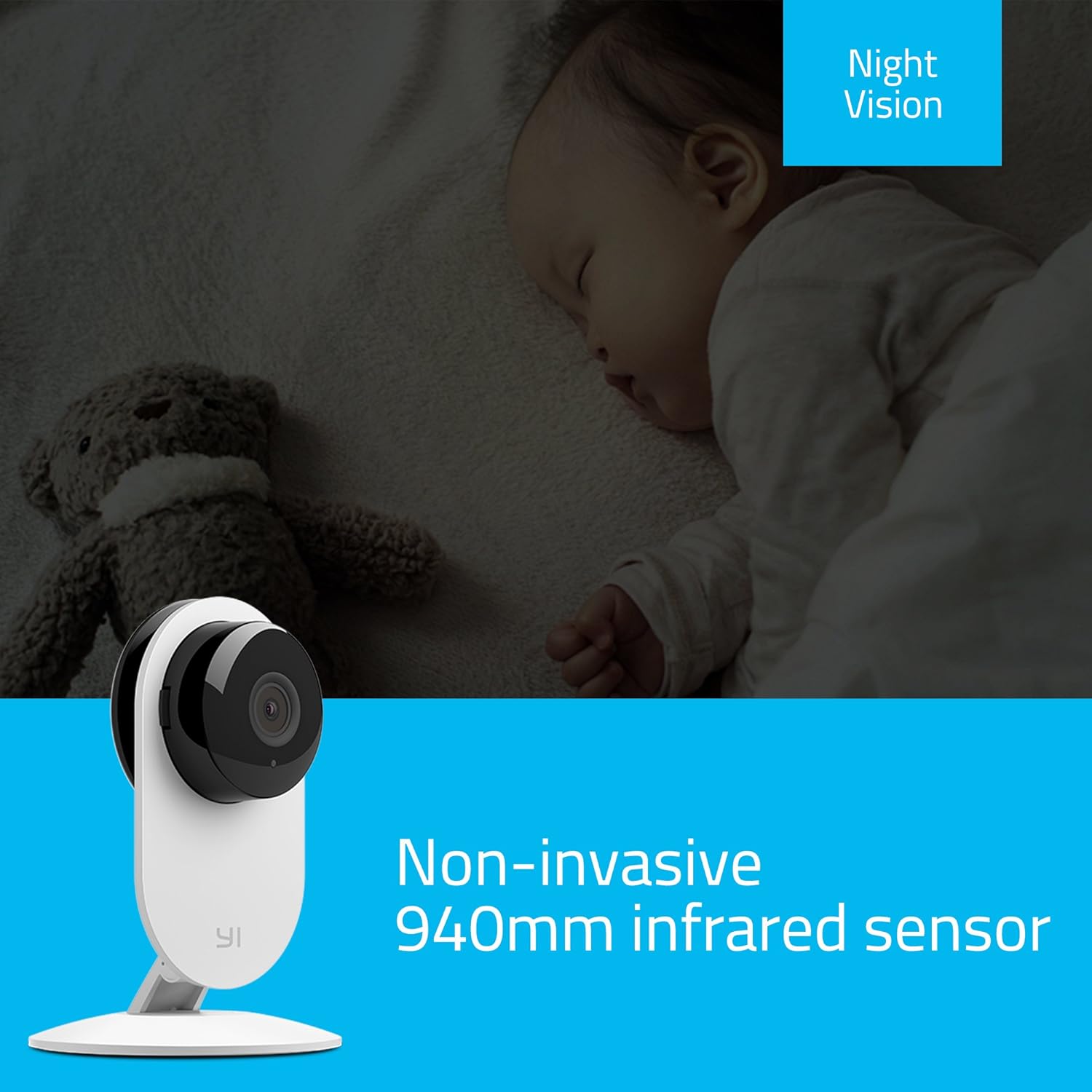
Figure 6: The YI Home Camera demonstrating its non-invasive 940nm infrared night vision capability, monitoring a sleeping baby without disturbance.
3.5 Manual Rotation
The camera unit can be manually rotated 180 degrees on its base to adjust the viewing angle as needed. This allows for flexible positioning to cover your desired area.
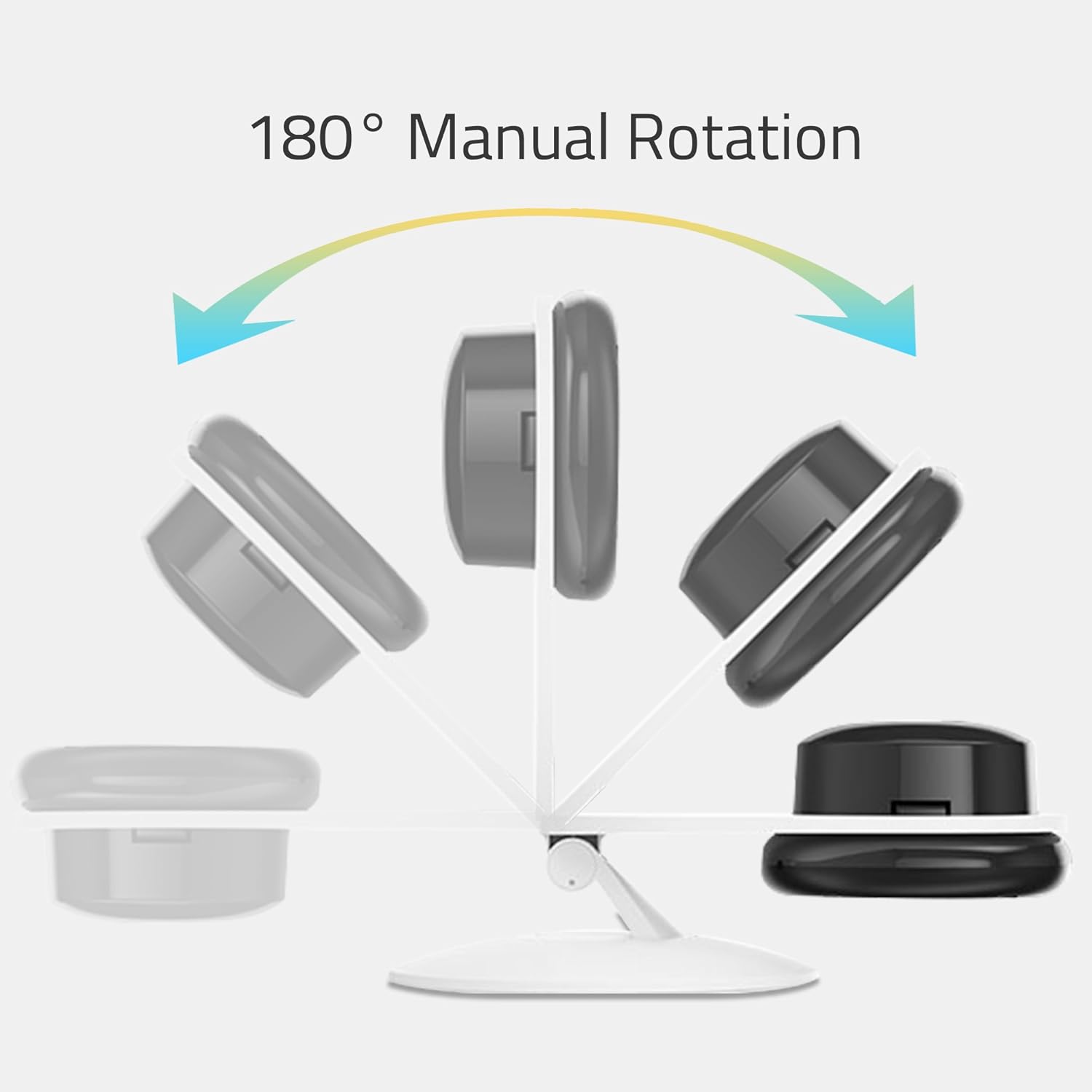
Figure 7: An illustration depicting the 180° manual rotation capability of the YI Home Camera, showing how the camera head can be adjusted on its stand.
4. Konserwacja
- Czyszczenie: Use a soft, dry cloth to clean the camera lens and body. Do not use liquid cleaners, aerosols, or harsh chemicals, as these may damage the device.
- Umieszczenie: Ensure the camera is placed in a well-ventilated area to prevent overheating. Avoid placing it near heat sources or in direct sunlight.
- Moc: Always use the original power adapter and cable provided with the camera to ensure proper operation and safety.
5. Rozwiązywanie Problemów
If you encounter issues with your YI Home Camera, refer to the following common solutions:
- Kamera offline:
- Sprawdź, czy kamera jest prawidłowo włączona i czy zasilacz jest solidnie podłączony.
- Sprawdź, czy sieć Wi-Fi jest aktywna i czy kamera znajduje się w zasięgu.
- Upewnij się, że Twoja sieć Wi-Fi obsługuje częstotliwość 2.4 GHz.
- Uruchom ponownie kamerę, odłączając i ponownie podłączając kabel zasilający.
- If the issue persists, try resetting the camera and re-pairing it with the YI Home App.
- Słaba jakość wideo:
- Upewnij się, że obiektyw aparatu jest czysty i nie ma na nim kurzu ani smug.
- Sprawdź prędkość swojego połączenia internetowego. Stabilne i szybkie połączenie jest niezbędne do optymalnego streamingu.
- Adjust the camera's position to ensure adequate lighting, especially during the day.
- No Audio or Poor Two-Way Audio:
- Check the volume settings on your smartphone and within the YI Home App.
- Upewnij się, że nie ma żadnych przeszkód blokujących mikrofon lub głośnik kamery.
- Verify your internet connection for stable audio transmission.
- Alerty ruchu nie działają:
- Confirm that motion detection is enabled in the YI Home App settings for your camera.
- Check the alert schedule and activity regions to ensure they are configured correctly.
- Verify that your phone's notification settings allow alerts from the YI Home App.
For further assistance, refer to the help section within the YI Home App or contact YI customer support.
6. Specyfikacje
| Marka | YI |
| Nazwa modelu | YI Home Camera 1 |
| Numer modelu przedmiotu | US Edition (YHS-113-IR) |
| Kolor | Biały |
| Rozdzielczość przechwytywania wideo | Rozdzielczość 720p HD |
| Viewing kąt | 111 stopni |
| Szybkość klatek | 20 klatek na sekundę |
| Komunikacja bezprzewodowa | Wi-Fi (802.11 bgn, Single band 2.4Ghz) |
| Cechy specjalne | Motion Sensor, 2-Way Audio, Night Vision (940nm infrared) |
| Do użytku wewnątrz/na zewnątrz | Wnętrz |
| Kompatybilne urządzenia | Smartphone, Tablet (Android, iPhone) |
| Źródło zasilania | Elektryczny przewodowy (5 V, 1 W) |
| Tworzywo | Metal |
| Wymiary (dł. x szer. x wys.) | Wymiary 8.2 x 8.2 x 11.5 cm |
| Waga | 150 gramów |
| Zawarte komponenty | YI Home Camera 1, USB Cable, Power Adapter, Manual |
7. Informacje o gwarancji
Aby uzyskać szczegółowe informacje dotyczące gwarancji, zapoznaj się z kartą gwarancyjną dołączoną do produktu lub odwiedź oficjalną stronę internetową YI Technology webWarunki gwarancji mogą się różnić w zależności od regionu i daty zakupu.
8. Obsługa klienta
If you require technical assistance or have questions regarding your YI YHS-113-IR Home Camera 1, please contact YI Technology customer support. Support contact details can typically be found on the official YI website or within the YI Home App.
You can also find frequently asked questions (FAQs) and troubleshooting guides on the YI Technology support portal.