
1. Wprowadzenie
The Pentax HD PENTAX-D FA 24-70mm F2.8ED SDM WR is a high-performance standard zoom lens designed for Pentax K-mount digital SLR cameras. This lens offers exceptional imaging power across its versatile 24-70mm focal range, making it suitable for a wide array of photographic applications from ultra-wide-angle landscapes to standard portraits. Its robust weather-resistant construction ensures reliable performance in challenging outdoor conditions.
Główne cechy obejmują:
- High-Performance Standard Zoom: Provides exceptional imaging power with a large F2.8 maximum aperture.
- Konstrukcja odporna na warunki atmosferyczne: Special seals prevent water intrusion, ensuring dependability in various weather conditions.
- HD Coating: Enhances imaging power, producing high-contrast images with edge-to-edge sharpness, free of flare and ghosting.
- Exceptional Imaging Power: Newly designed optics with three ED optical elements accommodate super-high-resolution image sensors, delivering uniform image description over the entire field.
- Built-in SDM (Supersonic Direct-Drive Motor): Assures quiet, high-speed autofocus operation for swift reaction to subjects.
- Super Protect (SP) Coating: Fluorine treatment on the front lens surface prevents adhesion of dust, water drops, and grease.
- Quick-Shift Focus System: Allows instant switching to manual-focus operation after autofocus.
- Zaokrąglona membrana: Produces a smooth, beautiful bokeh (defocus) effect.
2. Co znajduje się w pudełku
Upon opening your Pentax HD PENTAX-D FA 24-70mm F2.8ED SDM WR lens package, you should find the following items:
- HD PENTAX-D FA 24-70mm F2.8ED SDM WR Lens
- Przednia pokrywka obiektywu
- Lens Mount Cap
- Lens Hood PH-RBD82
- Lens Case S120-150

Figure 2.1: The Pentax HD PENTAX-D FA 24-70mm F2.8ED SDM WR Lens.
3. Konfiguracja
3.1 Mocowanie obiektywu do aparatu
- Ensure both your camera and the lens are powered off.
- Zdejmij tylną pokrywkę obiektywu i pokrywkę korpusu aparatu.
- Align the red mounting index on the lens with the red mounting index on your camera body.
- Włóż obiektyw do mocowania obiektywu aparatu i obróć go zgodnie z ruchem wskazówek zegara, aż zatrzaśnie się na miejscu. Nie wciskaj obiektywu na siłę.
- Aby odłączyć obiektyw, naciśnij przycisk zwalniania obiektywu na obudowie aparatu i obróć obiektyw w kierunku przeciwnym do ruchu wskazówek zegara.
3.2 Zakładanie osłony obiektywu
The included lens hood (PH-RBD82) helps to block extraneous light and protect the front element of the lens.
- Wyrównaj osłonę obiektywu z przednią częścią obiektywu.
- Rotate the hood until it locks securely into position.
- To store the hood, you can reverse it and attach it to the lens.

Figure 3.1: The lens with the lens hood attached.
4. Obsługa obiektywu
4.1 Autofokus (AF) i ręczne ustawianie ostrości (MF)
- SDM (Supersonic Direct-Drive Motor): This lens features a built-in SDM for fast, quiet, and smooth autofocus operation.
- Quick-Shift Focus System: After the camera's AF system has achieved focus, you can instantly switch to manual focus by simply turning the focus ring. This allows for fine-tuning without needing to change the camera's focus mode.
- To switch between AF and MF, use the AF/MF switch on your camera body.
4.2 Powiększanie
Rotate the zoom ring to adjust the focal length between 24mm and 70mm. The F2.8 constant maximum aperture ensures consistent brightness throughout the zoom range.
4.3 Konstrukcja odporna na warunki atmosferyczne
The lens's weather-resistant construction makes it suitable for use in light rain, mist, or dusty environments when paired with a weather-sealed Pentax DSLR camera. While designed for durability, avoid prolonged exposure to heavy rain or direct water immersion.
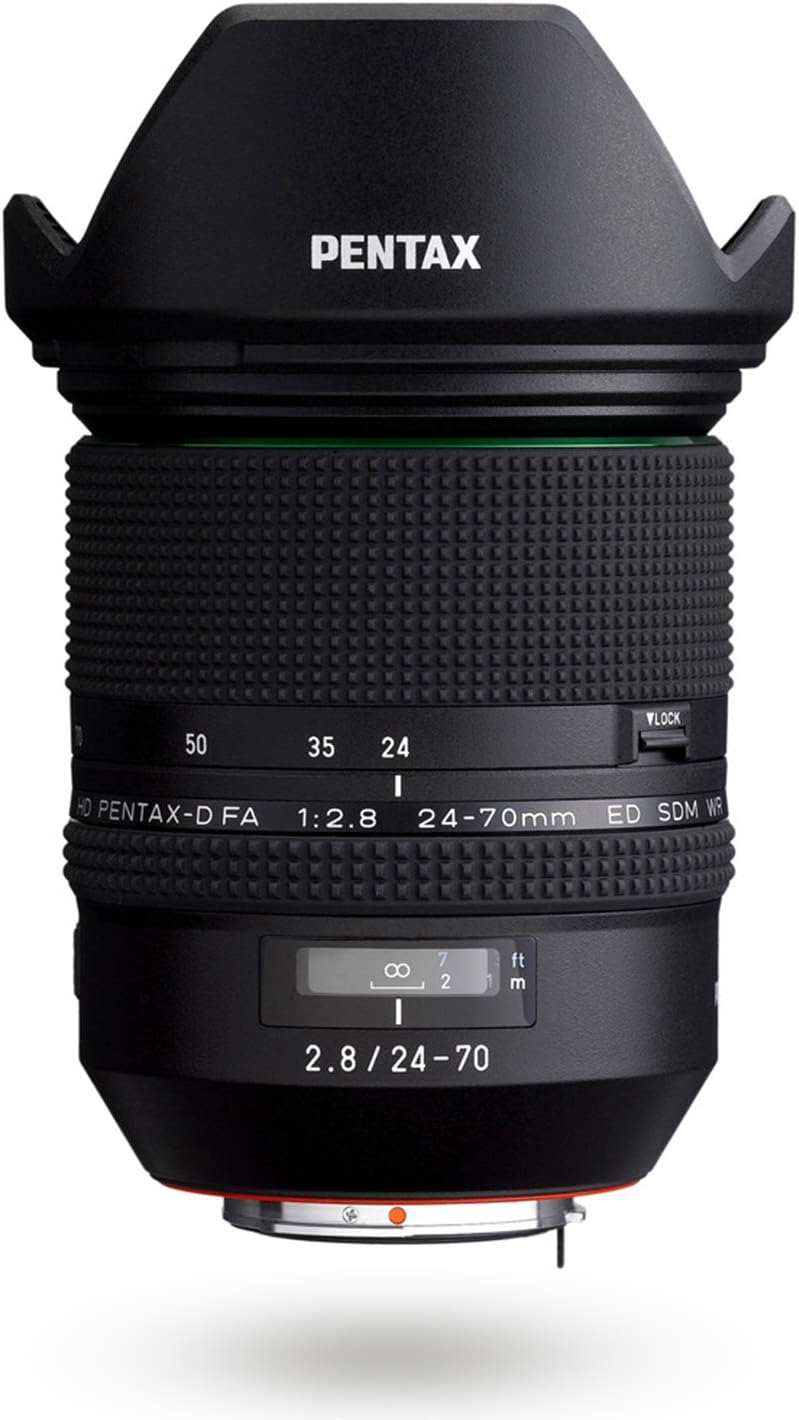
Rysunek 4.1: Strona view of the lens, highlighting the zoom and focus rings.
5. Konserwacja
5.1 Czyszczenie obiektywu
- Pył: Za pomocą gruszki usuń kurz z powierzchni soczewek.
- Smudges/Fingerprints: The Super Protect (SP) coating on the front element makes it easier to wipe away smudges. Use a clean, soft microfiber cloth specifically designed for optics. For stubborn marks, a small amount of lens cleaning fluid applied to the cloth (not directly to the lens) can be used.
- Unikaj dotykania elementów obiektywu bezpośrednio palcami.
5.2 Przechowywanie
- Zawsze zakładaj przednią i tylną osłonę obiektywu, gdy obiektyw nie jest używany.
- Store the lens in its provided lens case (S120-150) or a padded camera bag to protect it from impacts and dust.
- Store in a cool, dry place away from direct sunlight and extreme temperatures. High humidity can lead to mold growth.
6. Rozwiązywanie Problemów
- Obiektyw nie został rozpoznany przez aparat: Ensure the lens is securely mounted to the camera body. Power off and restart the camera. Check camera firmware for updates.
- Autofokus jest powolny lub niedokładny: Check if the AF/MF switch on the camera is set to AF. Ensure there is sufficient light for the autofocus system. Clean the lens contacts on both the lens and camera body.
- Obrazy są niewyraźne: Check focus settings (AF/MF). Ensure shutter speed is appropriate for the focal length to avoid camera shake. Verify that the lens elements are clean.
- Obiektyw nie działa płynnie: Inspect the zoom ring for any obstructions. If the issue persists, contact customer support.
7. Specyfikacje
| Marka | Pentax |
| Nazwa modelu | HD PENTAX-D FA 24-70MM F/2.8 ED SDM WR |
| Numer modelu | DFA 24-70mm F2.8ED SDM WR |
| Długość ogniskowej | 24-70 mm |
| Maksymalna apertura | F2.8 |
| minimalna przysłona | F2.8 |
| Mocowanie obiektywu | Pentax KAF |
| Kompatybilne modele kamer | PENTAX K-1, PENTAX K-3, PENTAX K-70, etc. |
| Typ fokusu | Auto Focus (SDM) |
| Powłoka soczewek | HD Coating, Super Protect (SP) Coating |
| Stabilizacja obrazu | Digital, Optical (in-camera SR mechanism) |
| Poziom wodoodporności | Wodoodporny |
| Liczba ostrzy membrany | 9 (Rounded Diaphragm) |
| Waga przedmiotu | 1.8 funtów |
| UPC | 027075293557 |
8. Informacje o gwarancji
This Pentax lens comes with a 1-letnia gwarancja producenta. Please retain your proof of purchase for warranty claims. For detailed terms and conditions, refer to the warranty card included in your product packaging or visit the official Pentax support webstrona.
9. Wsparcie
Should you require further assistance, technical support, or service for your Pentax HD PENTAX-D FA 24-70mm F2.8ED SDM WR lens, please contact Pentax customer service.
- Visit the official Pentax webwitryna zawierająca zasoby pomocy technicznej, odpowiedzi na często zadawane pytania i informacje kontaktowe.
- Refer to your camera's instruction manual for lens compatibility and specific camera settings.