
1. Wprowadzenie
This manual provides detailed instructions for the proper use and maintenance of your Baseus H08 Immersive Virtual 3D Gaming Headset. Please read this manual thoroughly before using the product to ensure optimal performance and safety. Keep this manual for future reference.
2. Informacje dotyczące bezpieczeństwa
- Ochrona słuchu: Avoid using the headset at high volume levels for extended periods to prevent hearing damage.
- Warunki środowiskowe: Nie wystawiaj zestawu słuchawkowego na działanie ekstremalnych temperatur, wilgoci ani bezpośredniego światła słonecznego.
- Czyszczenie: Do czyszczenia używaj miękkiej, suchej ściereczki. Unikaj płynnych środków czyszczących i materiałów ściernych.
- Demontaż: Nie próbuj demontować ani modyfikować zestawu słuchawkowego. Może to spowodować unieważnienie gwarancji i uszkodzenie.
- Dzieci: Keep the headset and its accessories out of reach of small children to prevent choking hazards.
3. Zawartość opakowania
Sprawdź, czy w opakowaniu znajdują się wszystkie elementy:
- Baseus H08 Immersive Virtual 3D Gaming Headset
- Kabel audio 3.5 mm
- Etui transportowe
- Instrukcja obsługi (ten dokument)
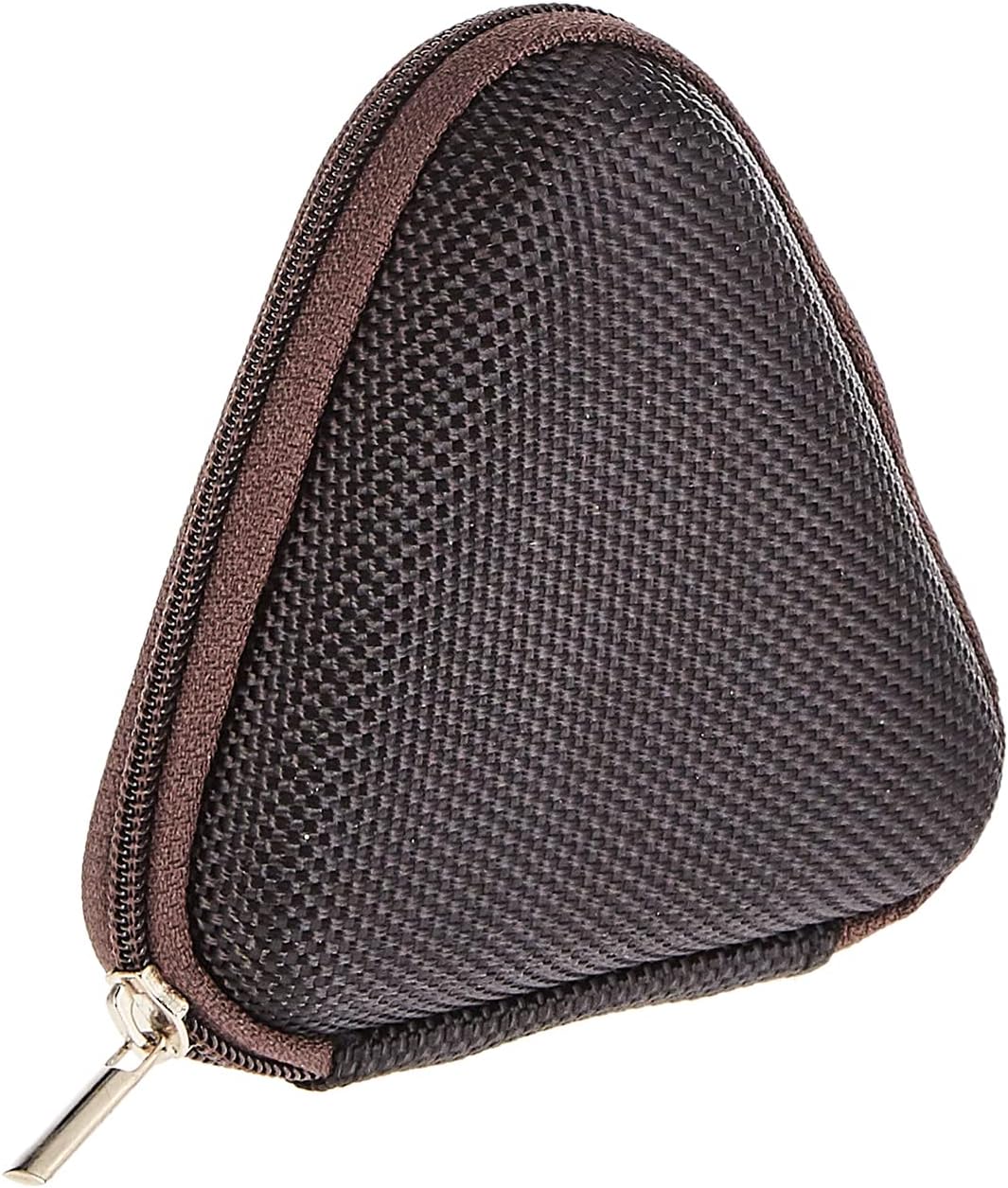
Image: The included triangular carrying case, designed for protecting and transporting the headset.
4. Koniec produktuview
The Baseus H08 headset is designed for an immersive gaming audio experience. It features a comfortable over-ear design and integrated controls.

Image: The Baseus H08 Immersive Virtual 3D Gaming Headset, showcasing jego konstrukcji i komponentów.
Składniki:
- Nauszniki: Padded earcups for comfort and sound isolation.
- Kapitałka: Adjustable headband for a secure fit.
- Mikrofon: Zintegrowany mikrofon do komunikacji.
- Przewód audio: Detachable 3.5mm audio cable for connection to devices.
- Regulacja głośności: In-line or earcup-mounted volume adjustment.
5. Konfiguracja
- Rozpakować: Ostrożnie wyjmij zestaw słuchawkowy i wszystkie akcesoria z opakowania.
- Podłącz kabel audio: Insert the 3.5mm audio jack into the corresponding port on your gaming device (PC, console controller, smartphone, etc.). Ensure the connection is secure.
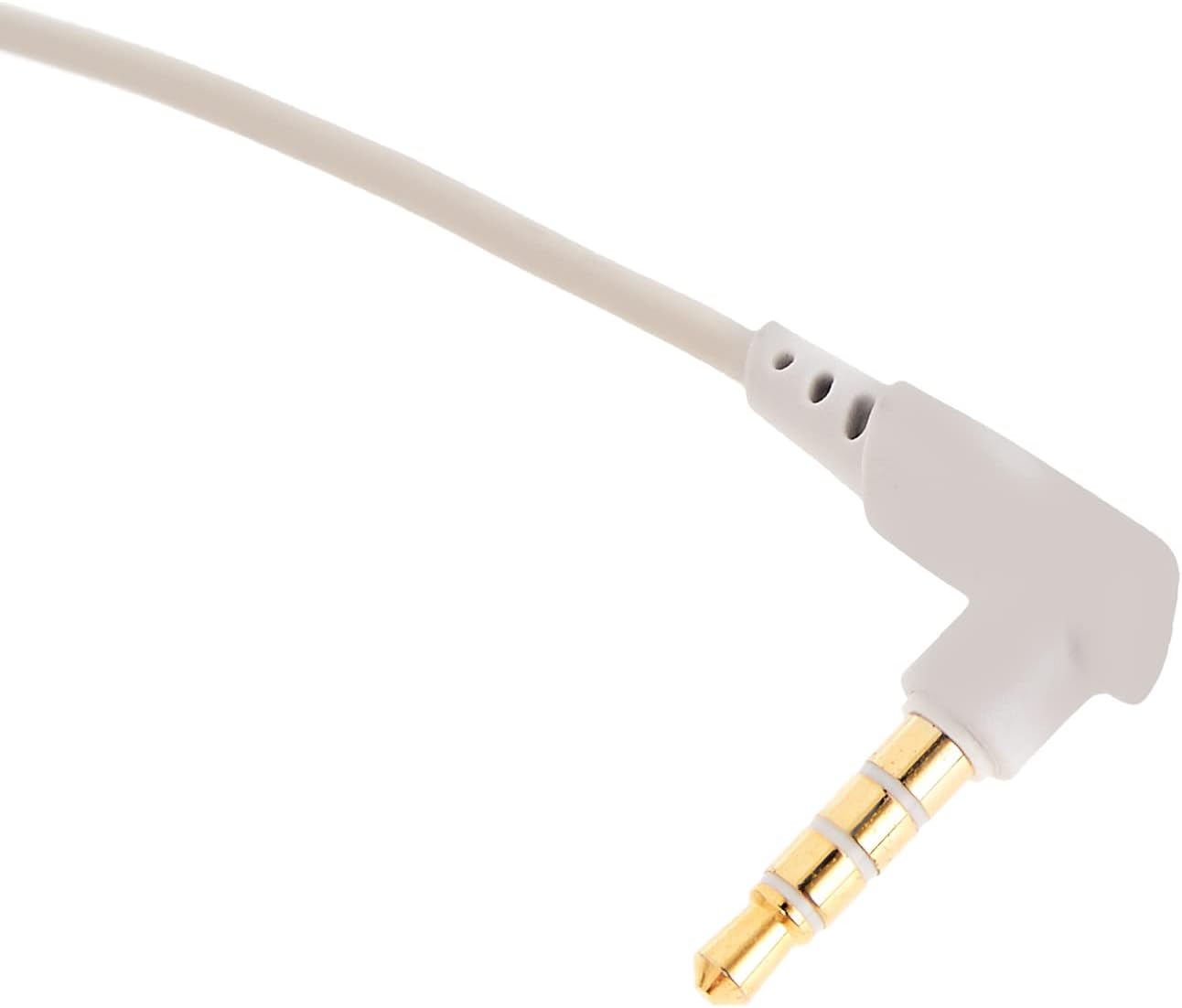
Obraz: Zbliżenie view of the 3.5mm audio jack, used for connecting the headset to compatible devices.
- Dostosuj zestaw słuchawkowy: Place the headset on your head and adjust the headband for a comfortable and secure fit. Position the earcups over your ears.
- Pozycjonowanie mikrofonu: If the microphone is adjustable, position it appropriately for clear voice capture, typically near the corner of your mouth.
6. Instrukcja obsługi
- Regulacja głośności: Use the integrated volume control (if present on the cable or earcup) to adjust the audio output level. Rotate or slide the control to increase or decrease volume.
- Wyciszenie mikrofonu: If your headset features a microphone mute switch, use it to toggle the microphone on or off as needed during gameplay or calls.
- Virtual 3D Sound: The headset provides an immersive virtual 3D sound experience. This feature is typically active upon connection and enhances spatial audio cues in compatible games. No specific activation is usually required unless indicated by your device's audio settings.
7. Konserwacja
- Czyszczenie: Wipe the headset with a soft, dry, lint-free cloth. Do not use harsh chemicals, cleaning solvents, or strong detergents.
- Składowanie: When not in use, store the headset in its carrying case to protect it from dust, scratches, and physical damage. Keep it in a cool, dry place.
- Pielęgnacja kabli: Avoid sharp bends or excessive pulling on the audio cable to prevent internal damage.
8. Rozwiązywanie Problemów
Typowe problemy i rozwiązania:
- Brak dźwięku:
- Ensure the 3.5mm audio cable is fully plugged into both the headset and your device.
- Check the volume control on the headset and your device to ensure it is not muted or set too low.
- Sprawdź, czy w ustawieniach dźwięku Twojego urządzenia wybrano właściwe urządzenie wyjściowe audio.
- Słaba jakość dźwięku:
- Sprawdź, czy połączenia nie są luźne.
- Przetestuj zestaw słuchawkowy z innym urządzeniem, aby wykluczyć problem związany z danym urządzeniem.
- Upewnij się, że źródło dźwięku jest dobrej jakości.
- Mikrofon nie działa:
- Ensure the microphone is not muted (if applicable).
- Sprawdź ustawienia dźwięku swojego urządzenia i upewnij się, że mikrofon zestawu słuchawkowego jest wybrany jako urządzenie wejściowe.
- Przetestuj mikrofon za pomocą innej aplikacji lub urządzenia.
- Dyskomfort podczas użytkowania:
- Adjust the headband and earcup positions for a better fit.
- Take breaks during long gaming sessions.
9. Specyfikacje
| Funkcja | Szczegół |
|---|---|
| Marka | Baza |
| Nazwa modelu | NGH08-2G |
| Numer modelu przedmiotu | B012LZLE1U |
| Wymiary produktu | Wymiary 5 x 3 x 10 cm |
| Waga przedmiotu | 200 gramów |
| Kolor | Biały + Szary |
| Typ sterowania | Kontrola głośności |
| Liczba elementów | 1 |
| Konkretne zastosowania produktu | Niedostępne |
| Współczynnik kształtu słuchawek | Niedostępne |
| Gniazdo słuchawkowe | Niedostępne |
| Technologia łączności | Niedostępne |
| Technologia komunikacji bezprzewodowej | Niedostępne |
| Zawarte komponenty | Niedostępne |
| Zakres wiekowy (opis) | Niedostępne |
| Tworzywo | Niedostępne |
10. Gwarancja i wsparcie
For warranty information and technical support, please refer to the warranty card included with your product or visit the official Baseus webwitryny. Możesz również skontaktować się ze sprzedawcą, u którego kupiłeś produkt, aby uzyskać pomoc.
Oficjalny Baseus Webstrona: www.baseus.pl