
1. Wprowadzenie
The Bose SoundTouch 10 is a compact wireless audio system designed to deliver clear, room-filling sound. It connects to your home Wi-Fi network or Bluetooth-enabled devices, allowing you to stream music from various sources. This manual provides instructions for setting up, operating, and maintaining your SoundTouch 10 system.
2. Zawartość opakowania
Sprawdź, czy w pakiecie znajdują się wszystkie elementy:
- Bose SoundTouch 10 Wireless Audio System
- Kabel zasilający
- Zdalne sterowanie
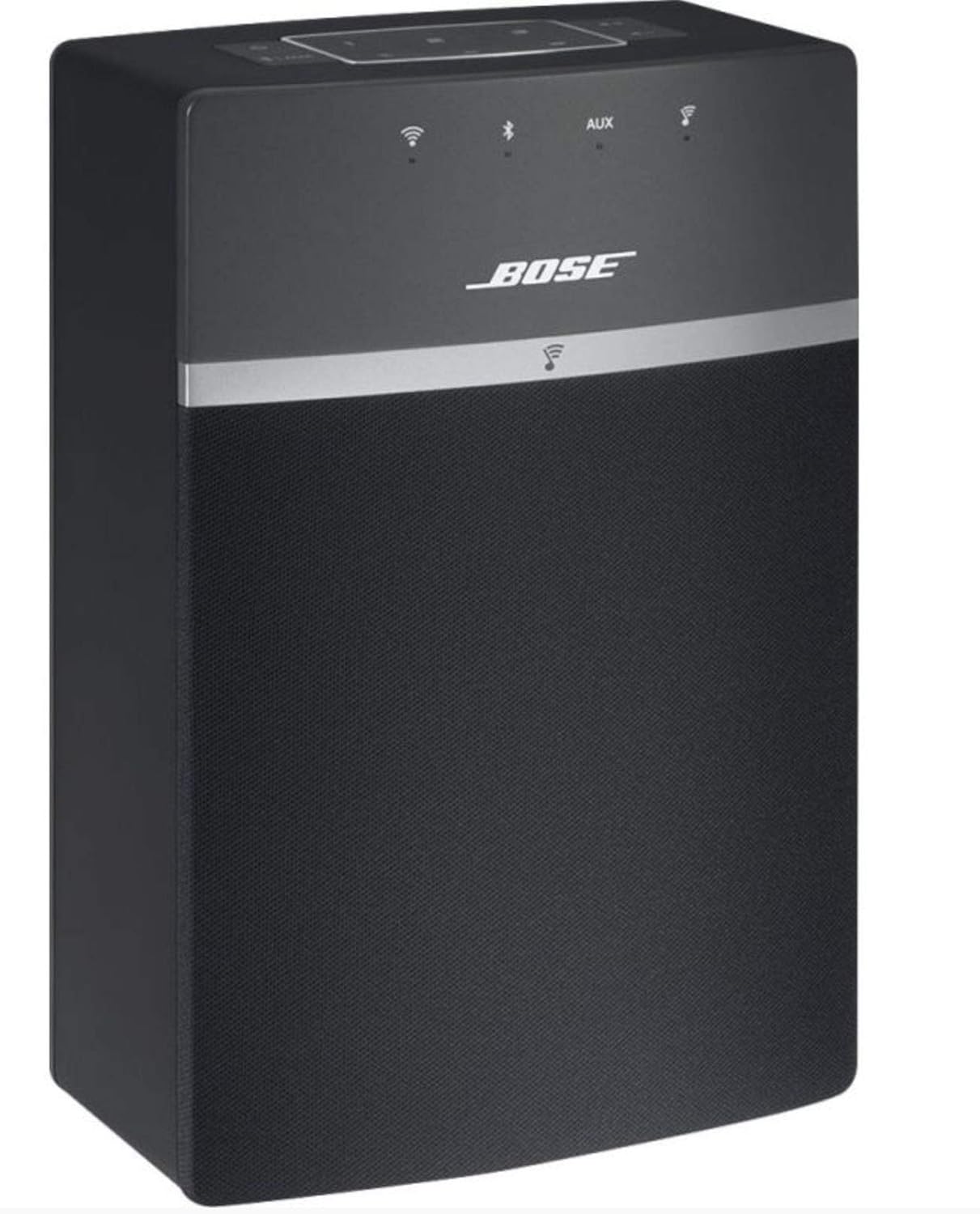
Image: The Bose SoundTouch 10 speaker in black, accompanied by its remote control, ready for use.
3. Konfiguracja
- Podłączenie zasilania: Connect the power cable to the speaker and then to a wall outlet. The system will power on automatically.
- Download the SoundTouch App: For full functionality, download the Bose SoundTouch app on your smartphone or tablet. The app is compatible with Windows 7, 8, 10; Mac 64-bit OS X 10.8 or later; iOS 8.2 or later; and Android 4.4 or later.
- Postępuj zgodnie z instrukcjami w aplikacji: Open the SoundTouch app and follow the on-screen instructions to connect your speaker to your home Wi-Fi network. This process will guide you through naming your speaker and setting up music services.

Image: The Bose SoundTouch 10 speaker positioned on a modern grey surface, with its remote control nearby, illustrating a typical setup environment.
4. Instrukcja obsługi
4.1. Sterowanie
The SoundTouch 10 can be controlled using the top panel buttons, the included remote control, or the SoundTouch app.
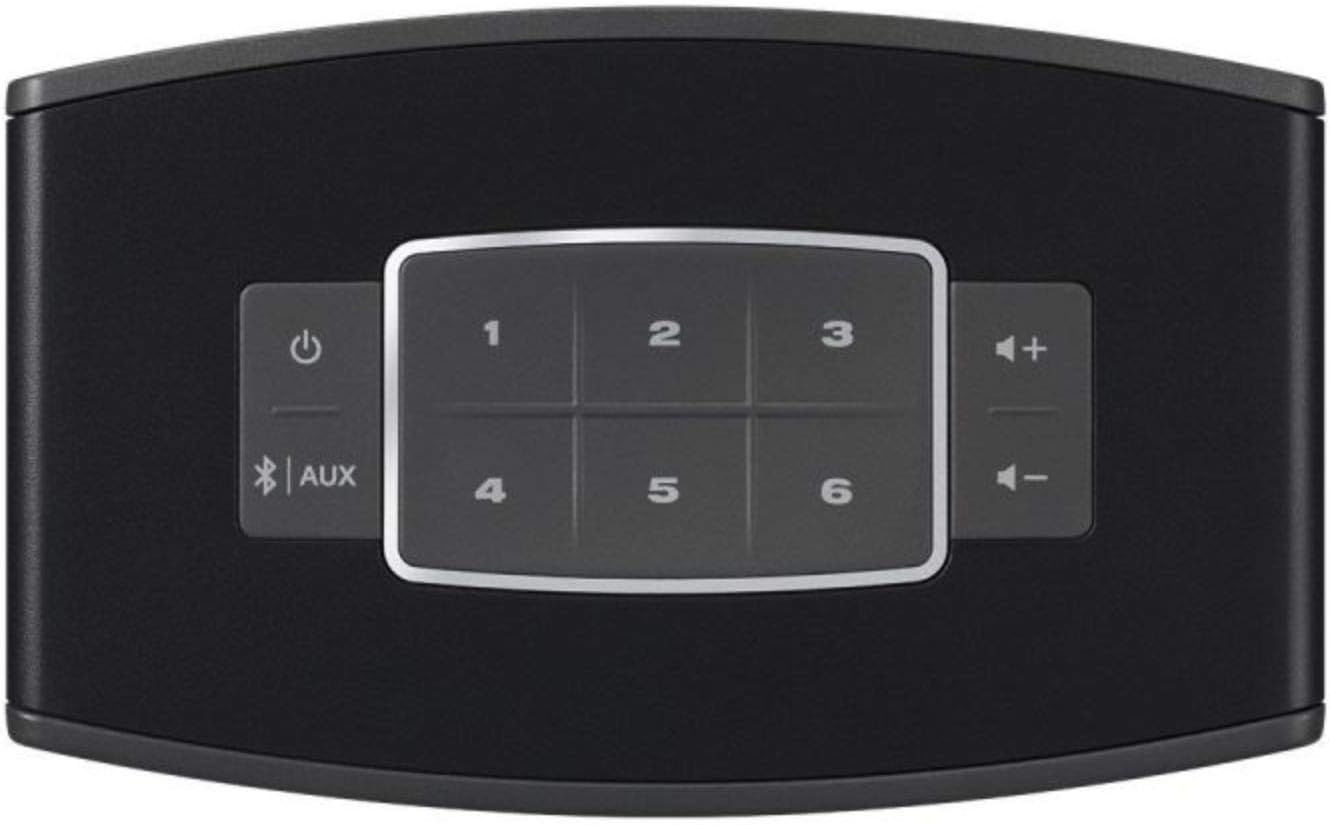
Obraz: Zbliżenie view of the top panel of the Bose SoundTouch 10 speaker, showing the power button, Bluetooth/AUX input selector, volume controls, and six preset buttons.
- Przycisk zasilania: Włącza lub wyłącza system.
- Przyciski głośności (+/-): Reguluje głośność odtwarzania.
- Przycisk Bluetooth/AUX: Toggles between Bluetooth and Auxiliary input modes.
- Przyciski ustawień wstępnych (1-6): Access your favorite music or radio stations saved as presets in the SoundTouch app.
4.2. Łączność
- Wi-Fi: Connects to your home network for streaming music services and internet radio via the SoundTouch app.
- Bluetooth:
- Naciśnij Bluetooth/AUX button on the speaker or remote until the Bluetooth indicator light blinks blue.
- On your device, enable Bluetooth and select "Bose SoundTouch 10" from the list of available devices.
- Po nawiązaniu połączenia kontrolka będzie świecić ciągłym białym światłem.
- Wejście AUX: Connect an audio device using a 3.5mm stereo cable (not included) to the AUX input port on the back of the speaker. Press the Bluetooth/AUX button until the AUX indicator light glows solid white.
5. Konserwacja
- Czyszczenie: Use a soft, dry cloth to clean the surface of the speaker. Do not use any liquids or solvents.
- Umieszczenie: Place the speaker on a stable, level surface. Ensure adequate ventilation around the speaker.
- Aktualizacje oprogramowania: Keep your SoundTouch app and speaker firmware updated for optimal performance. Updates are typically managed through the SoundTouch app.
6. Rozwiązywanie Problemów
| Problem | Możliwe rozwiązanie |
|---|---|
| Brak zasilania | Upewnij się, że kabel zasilający jest prawidłowo podłączony do głośnika i do sprawnego gniazdka elektrycznego. |
| Brak dźwięku |
|
| Nie można połączyć się z siecią Wi-Fi |
|
| Problemy z parowaniem Bluetooth |
|
7. Specyfikacje
| Funkcja | Szczegół |
|---|---|
| Marka | Bosé |
| Nazwa modelu | 731396-2100 |
| Technologia łączności | Bluetooth, WiFi |
| Tryb wyjścia audio | Otaczać |
| Typ głośnika | Stereofoniczny |
| Maksymalna moc wyjściowa głośnika | 10 watów |
| Kompatybilne urządzenia | Smartfon, Tablet |
| Metoda kontroli | Touch, Remote Control, Voice (via compatible devices) |
| Wymiary (gł. x szer. x wys.) | Wymiary: 8.7 cm x 14.1 cm x 21.2 cm |
| Waga przedmiotu | 1.31 kilograma |
| Obsługiwane formaty audio | MP3, WMA, AAC, FLAC, Apple Lossless |
| UPC | 017817692311 |
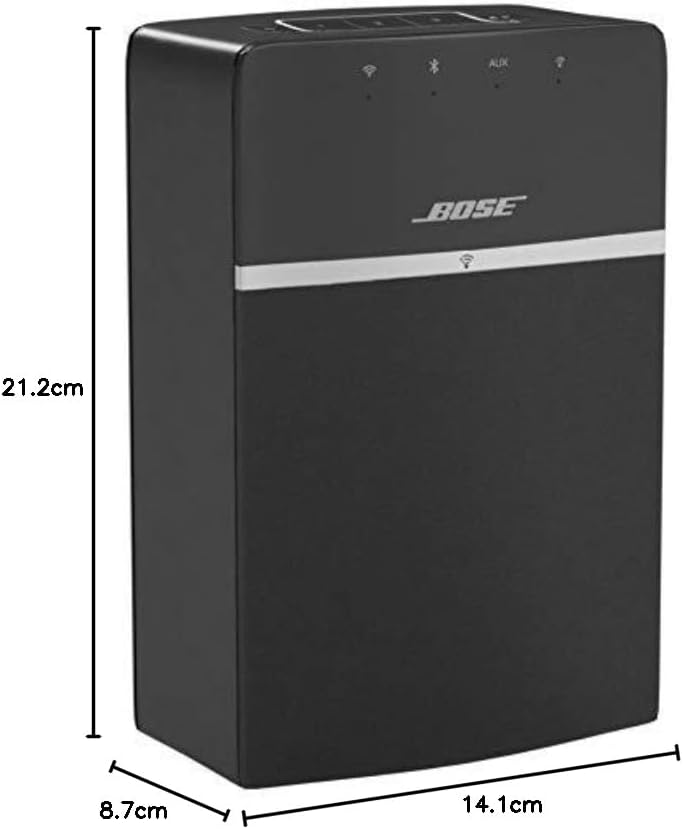
Image: A diagram illustrating the dimensions of the Bose SoundTouch 10 speaker: 21.2 cm height, 14.1 cm width, and 8.7 cm depth.
8. Gwarancja i wsparcie
The Bose SoundTouch 10 Wireless Audio System comes with a manufacturer's limited warranty of 2 years. For technical support or warranty claims, please contact Bose customer service.
Kontakt do producenta: 0033-806-230-000