
1. Wprowadzenie
This manual provides comprehensive instructions for the installation, operation, and maintenance of your Speco Technologies HT5941T Intense IR HD TVI Dome Camera. This camera is designed to deliver high-definition surveillance with advanced features such as True WDR, Intense IR, and day/night operation. Please read this manual thoroughly before installation and use to ensure proper functionality and safety.
2. Informacje dotyczące bezpieczeństwa
- Zasilanie: Use only the specified 12VDC or 24VAC power supply. Incorrect voltage may damage the camera.
- Instalacja: Ensure the camera is securely mounted to prevent accidental falls. Professional installation is recommended.
- Środowisko: Nie wystawiaj aparatu na działanie ekstremalnych temperatur, wilgoci ani czynników korozyjnych poza określonymi warunkami pracy.
- Czyszczenie: Disconnect power before cleaning. Use a soft, dry cloth. Avoid harsh chemicals.
- Serwisowanie: Do not attempt to disassemble or service the camera yourself. Refer all servicing to qualified personnel.
3. Zawartość opakowania
Sprawdź, czy w przesyłce znajdują się wszystkie elementy:
- HT5941T Dome Camera
- Chameleon Cover
- Sprzęt montażowy (śruby, kotwy)
- Szybki przewodnik (jeśli dotyczy)
4. Konfiguracja i instalacja
4.1 Montaż kamery
The HT5941T camera supports 3-axis adjustment for both wall and ceiling mounting. Ensure the mounting surface is strong enough to support the camera's weight.
- Wybierz odpowiednie miejsce montażu.
- Use the provided mounting template (if included) or the camera base to mark drilling points.
- W razie potrzeby wywierć otwory montażowe i włóż kołki rozporowe.
- Przymocuj podstawę kamery do powierzchni montażowej za pomocą dołączonych śrub.
- Dostosuj kąt kamery, aby uzyskać optymalny obraz viewing.
4.2 Okablowanie i podłączenie zasilania
The HT5941T is an HD-TVI output only camera, providing full HD resolution over coaxial cable.
- Connect a coaxial cable (RG59 or similar) from the camera's BNC output to your HD-TVI DVR or monitor.
- Connect the power cable to the camera's power input. The camera supports dual voltage operation (12VDC or 24VAC). Ensure the power supply matches the camera's requirements.
- Przed podłączeniem zasilania sprawdź, czy wszystkie połączenia są pewne.
4.3 Chameleon Cover Installation
The included Chameleon Cover can be painted to match your décor.
- If desired, paint the Chameleon Cover before installation. Allow it to dry completely.
- Align the cover with the camera body and snap it into place.
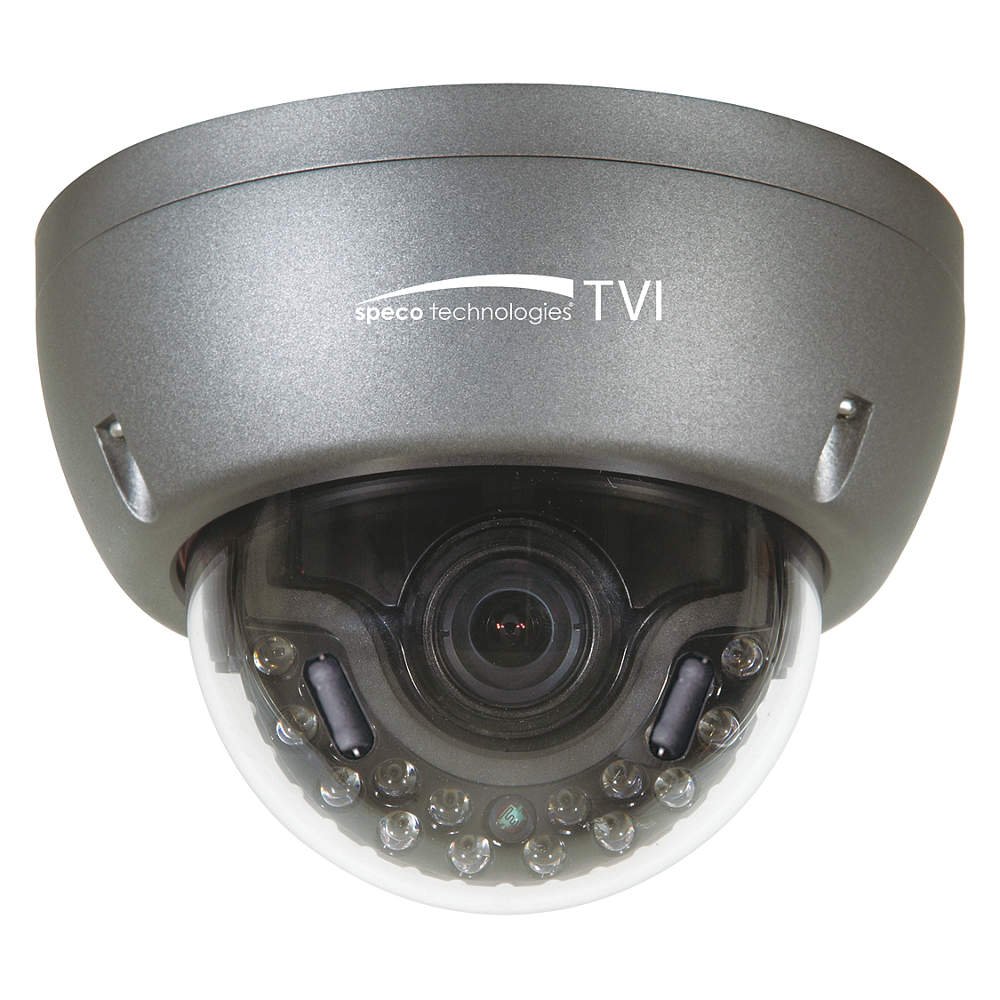
Figure 1: Speco Technologies HT5941T Dome Camera with its dark gray housing and dome design.
5. Instrukcja obsługi
5.1 Powering On and Initial View
Once the camera is properly wired and powered, it will automatically begin transmitting video. Connect your HD-TVI DVR or monitor to view kanał na żywo.
5.2 Menu ekranowe (OSD)
The camera features a full OSD menu for configuration, accessible via on-board controls or UTC (Up The Coax) control from a compatible DVR.
- Dostęp do OSD: Use the joystick or buttons on the camera (if present) or the UTC control function on your DVR to bring up the OSD menu.
- Nawigacja: Use the directional controls to navigate through menu options. Select options to adjust settings such as exposure, white balance, and image enhancements.
- Główne cechy:
- Prawdziwe WDR: Wide Dynamic Range for clear images in high-contrast lighting.
- Intense IR: Adapts IR intensity to the subject, preventing saturation and providing vivid night vision.
- Day/Night Operation: Mechanical IR cut filter automatically switches between color (day) and monochrome (night) modes for optimal image quality.
6. Konserwacja
6.1 Czyszczenie
Regularne czyszczenie pomaga zachować optymalną jakość obrazu.
- Gently wipe the camera lens and housing with a soft, lint-free cloth.
- W przypadku uporczywych zabrudzeń, delikatnieampen the cloth with water or a mild lens cleaning solution. Avoid abrasive cleaners.
- Przed czyszczeniem upewnij się, że aparat jest wyłączony.
6.2 Względy środowiskowe
The HT5941T features heater circuitry and anti-moisture glass to reduce fog or condensation in various weather conditions. No specific user maintenance is required for these features, but ensure the camera's power supply is stable to allow these functions to operate effectively.
7. Rozwiązywanie Problemów
| Problem | Możliwa przyczyna | Rozwiązanie |
|---|---|---|
| Brak wyjścia wideo | No power; Loose cable connection; Incorrect video format (not HD-TVI compatible DVR) | Check power supply and connections; Ensure DVR supports HD-TVI input. |
| Słaba jakość obrazu (rozmazany, zniekształcony) | Dirty lens; Improper focus; Cable interference; Insufficient lighting | Clean the lens; Adjust focus via OSD; Use shielded coaxial cable; Verify adequate lighting or IR function. |
| IR nie działa w nocy | Insufficient power; Day/Night setting incorrect; IR sensor blocked | Check power supply; Verify Day/Night mode in OSD; Ensure nothing obstructs the IR LEDs or sensor. |
| Menu OSD nie pojawia się | Incorrect control method; DVR not compatible with UTC | Try on-board controls if available; Consult DVR manual for UTC compatibility and operation. |
8. Specyfikacje
| Funkcja | Specyfikacja |
|---|---|
| Numer modelu | HT5941T |
| Marka | Technologie Speco |
| Rozdzielczość przechwytywania wideo | 1080p (Pełna rozdzielczość HD) |
| Szybkość klatek | 30 klatek na sekundę |
| Technologia łączności | HD-TVI (Coaxial) |
| Źródło zasilania | 12VDC & 24VAC Dual Voltage |
| Typ montażu | Wall Mount (3-axis adjustment) |
| Współczynnik kształtu | Kopuła |
| Technologia słabego oświetlenia | Day/Night, Intense IR |
| Cechy specjalne | True WDR, Heater circuitry, Anti-moisture glass, Chameleon Cover |
| Międzynarodowa Ocena Ochrony | IP67 |
| Wymiary (dł. x szer. x wys.) | 5.12 x 4.84 x 3.66 cala |
| Waga przedmiotu | 1.5 funtów |
| Tworzywo | Szkło (soczewka) |
9. Gwarancja i wsparcie
For warranty information and technical support, please refer to the official Speco Technologies webOdwiedź witrynę lub skontaktuj się z działem obsługi klienta. Zachowaj paragon jako dowód zakupu na wypadek reklamacji.
Speco Technologies Official Webstrona: www.specotech.com