
1. Wprowadzenie
The KitSound Cayman 2.1 Wireless Bluetooth Speaker System combines powerful audio performance with a modern design, offering versatile connectivity options for an enhanced listening experience. This manual provides detailed instructions for setting up, operating, and maintaining your speaker system.
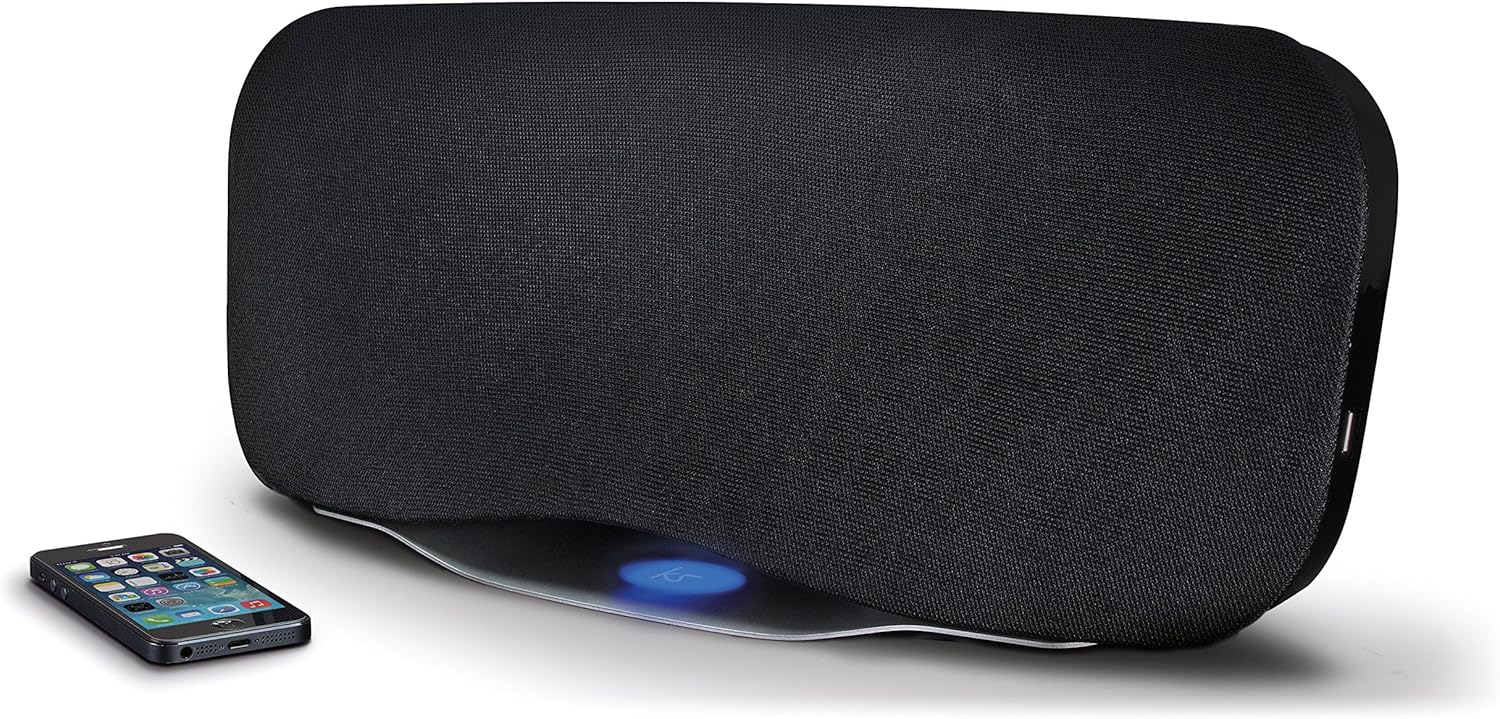
Image 1.1: The KitSound Cayman 2.1 speaker system shown with a smartphone, highlighting its sleek design and wireless connectivity.
2. Zawartość opakowania
Proszę zaznaczyć pole dotyczące następujących elementów:
- KS Cayman 2.1 Wireless Bluetooth Speaker with EU Plug
- Zdalne sterowanie
- Kabel audio 3.5 mm
- Instrukcja obsługi (ten dokument)

Image 2.1: The retail packaging for the KitSound Cayman 2.1 Wireless Bluetooth Speaker System, indicating the included components.
3. Koniec produktuview
3.1 Przód i góra View

Obraz 3.1: Przód view of the KitSound Cayman 2.1 speaker, showing the speaker grille and the included remote control.
3.2 Panel tylny i złącza

Obraz 3.2: Tył view of the speaker system, illustrating the various input ports and power connection.
Na tylnym panelu znajdują się zazwyczaj:
- Moc wejściowa
- 3.5mm Audio Input (AUX)
- Port ładowania USB
3.3 Pilot zdalnego sterowania

Rysunek 3.3: Szczegółowy view of the remote control, showing buttons for power, pairing, mode selection, volume, track control, and sound modes (Balanced/Boost).
The remote control allows you to manage power, volume, playback, and sound modes from a distance. Key buttons include:
- Przycisk zasilania: Włącza/wyłącza głośnik.
- Przycisk parowania: Inicjuje tryb parowania Bluetooth.
- Przycisk trybu: Switches between input sources (Bluetooth, AUX).
- Zwiększanie/zmniejszanie głośności: Reguluje głośność głośnika.
- Kontrola toru: Skips tracks forward/backward (Bluetooth mode).
- Odtwórz/Wstrzymaj/Połącz: Controls playback and manages calls (Bluetooth mode).
- Balanced/Boost: Selects between different sound profiles.
4. Konfiguracja
4.1 Połączenie zasilania
- Place the KitSound Cayman speaker on a stable, flat surface.
- Podłącz kabel zasilający do gniazda zasilania z tyłu głośnika.
- Plug the other end of the power cable into a suitable EU power outlet.
- Press the power button on the speaker or remote control to turn it on.
4.2 Początkowe umiejscowienie
For optimal sound performance, position the speaker in a central location within the room. When used as a soundbar, place it directly below your television.
5. Instrukcja obsługi
5.1 parowanie Bluetooth
- Upewnij się, że głośnik jest włączony.
- Naciśnij Tryb button on the remote control or speaker until the Bluetooth indicator light flashes, indicating pairing mode.
- On your smartphone, tablet, or MP3 device, enable Bluetooth and search for available devices.
- Wybierać "KS Cayman" z listy urządzeń.
- Po sparowaniu kontrolka Bluetooth zaświeci się światłem ciągłym i usłyszysz dźwięk potwierdzający.
- Teraz możesz bezprzewodowo przesyłać dźwięk ze swojego urządzenia do głośnika.
5.2 Parowanie NFC (komunikacja bliskiego zasięgu)
W przypadku urządzeń z funkcją NFC:
- Sprawdź, czy w urządzeniu włączona jest funkcja NFC i czy głośnik jest włączony.
- Gently tap your NFC-enabled device against the NFC logo on the top of the KitSound Cayman speaker.
- Your device will automatically connect to the speaker via Bluetooth.
- A confirmation tone will sound upon successful connection.
5.3 Połączenie przewodowe (AUX)
To connect devices without Bluetooth or NFC:
- Connect one end of the supplied 3.5mm audio cable to the AUX IN port z tyłu głośnika.
- Connect the other end of the 3.5mm audio cable to the headphone jack or audio output of your device (e.g., TV, MP3 player).
- Naciśnij Tryb button on the remote control or speaker to select the AUX input.
- Dźwięk z podłączonego urządzenia będzie teraz odtwarzany przez głośnik.
5.4 Using as a Soundbar
The KitSound Cayman can function as a soundbar for your television:
- Place the speaker (540mm wide) directly under your TV.
- Connect your TV's audio output to the speaker's AUX IN port using the 3.5mm audio cable.
- Select the AUX input mode on the speaker.
- Adjust the volume using the remote control or the TV's volume controls.
5.5 porty USB do ładowania
The integrated USB port on the rear of the speaker can be used to charge compatible devices (e.g., smartphones, tablets) while the speaker is powered on.
5.6 tryby dźwięku
The remote control features buttons to switch between different sound profiles:
- Zrównoważony: Provides a neutral and well-rounded audio experience.
- Zwiększyć: Enhances bass and treble for a more dynamic sound.
6. Konserwacja
- Czyszczenie: Do czyszczenia obudowy głośnika używaj miękkiej, suchej ściereczki. Nie używaj płynnych środków czyszczących ani materiałów ściernych.
- Składowanie: Jeśli głośnik nie będzie używany przez dłuższy czas, należy przechowywać go w chłodnym, suchym miejscu, z dala od bezpośredniego światła słonecznego i ekstremalnych temperatur.
- Unikaj wilgoci: Do not expose the speaker to water or excessive humidity, as it is not waterproof.
- Wentylacja: Aby zapobiec przegrzaniu, upewnij się, że otwory wentylacyjne głośnika nie są zablokowane.
7. Rozwiązywanie Problemów
| Problem | Możliwa przyczyna | Rozwiązanie |
|---|---|---|
| Brak zasilania | Power cable not connected or power outlet not active. | Ensure the power cable is securely connected to both the speaker and a working power outlet. Check the power switch. |
| Brak dźwięku (Bluetooth) | Speaker not paired, volume too low, or incorrect input mode. | Re-pair the Bluetooth device. Increase speaker and device volume. Ensure the speaker is in Bluetooth mode. |
| No sound (AUX) | Cable not connected properly, incorrect input mode, or device volume too low. | Check 3.5mm audio cable connections. Ensure the speaker is in AUX mode. Increase volume on both speaker and connected device. |
| Pilot nie działa | Batteries depleted or obstruction between remote and speaker. | Replace remote control batteries. Ensure a clear line of sight between the remote and the speaker's sensor. |
| Słabe połączenie Bluetooth | Device too far from speaker, interference, or obstacles. | Move the device closer to the speaker (within 10 meters). Remove any obstacles. Avoid placing near other wireless devices. |
8. Specyfikacje
| Wyjściowa wartość skuteczna | 50 W |
| Odpowiedź częstotliwościowa | 40Hz - 15KHz |
| Wersja Bluetooth | Wersja 4.0 EDR |
| Zasięg Bluetooth | Do 10 metrów |
| Technologia łączności | Pomocniczy, Bluetooth, NFC, USB |
| Metoda kontroli | Zdalny |
| Źródło zasilania | Electric component with cord (EU Power Plug) |
| Wymiary produktu | Wymiary 54.5 x 21.5 x 17.5 cm |
| Waga przedmiotu | 3.85 kilogramów |
| Numer modelu | KSCAYMEU |
9. Gwarancja i wsparcie
For warranty information and technical support, please refer to the documentation provided with your purchase or visit the official KitSound webZachowaj dowód zakupu na wypadek roszczeń gwarancyjnych.
Manufacturer: Kondor Limited