
Wstęp
This manual provides detailed instructions for the EMOS E0042 Wireless Digital Thermometer. This device is designed to accurately measure and display both indoor and outdoor temperatures using a main unit and a remote wireless sensor. Please read this manual thoroughly before use to ensure proper operation and longevity of your device.

Image showing the EMOS E0042 Wireless Digital Thermometer in its retail packaging.
Zawartość opakowania
The EMOS E0042 package includes the following components:
- 1x EMOS E0042 Main Display Unit
- 1x EMOS Wireless Outdoor Sensor

Image showing the EMOS E0042 main display unit and the wireless outdoor sensor.
Cechy produktu
The EMOS E0042 Wireless Digital Thermometer offers a range of features for convenient temperature monitoring:
- Clear and easy-to-read LCD display with large digits.
- Simultaneous display of indoor and outdoor temperatures.
- Wireless outdoor sensor with a transmission range of up to 100 meters (open area).
- Temperature measurement range: Indoor 0 °C to 60 °C, Outdoor -40 °C to +60 °C.
- Temperature resolution: 0.1 °C.
- Main unit suitable for tabletop placement or wall mounting.
- Sensor designed for outdoor use.
- Powered by AAA batteries (not included).
Icon indicating indoor and outdoor temperature measurement capabilities.
Organizować coś
1. Instalacja baterii
The main unit and the wireless sensor each require 2x AAA 1.5V batteries (not included).
Główny wyświetlacz:
- Locate the battery compartment on the back of the main display unit.
- Otwórz pokrywę komory baterii.
- Włóż 2 baterie AAA, zwracając uwagę na prawidłową biegunowość (+/-).
- Dokładnie zamknij pokrywę komory baterii.
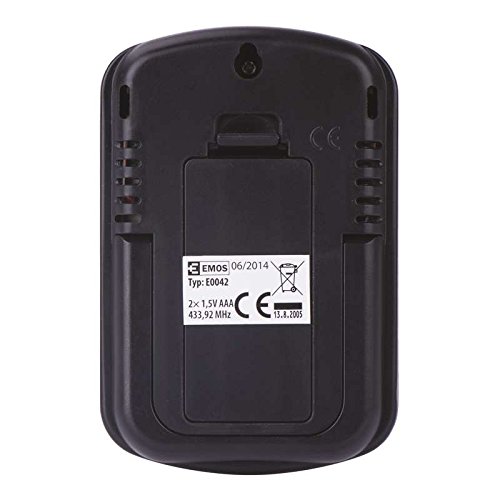
Tył view of the EMOS E0042 main display unit, showing the battery compartment and wall-mount hole.
Bezprzewodowy czujnik zewnętrzny:
- Locate the battery compartment on the back of the wireless outdoor sensor.
- Otwórz pokrywę komory baterii.
- Włóż 2 baterie AAA, zwracając uwagę na prawidłową biegunowość (+/-).
- Dokładnie zamknij pokrywę komory baterii.
- The sensor will automatically begin transmitting data.
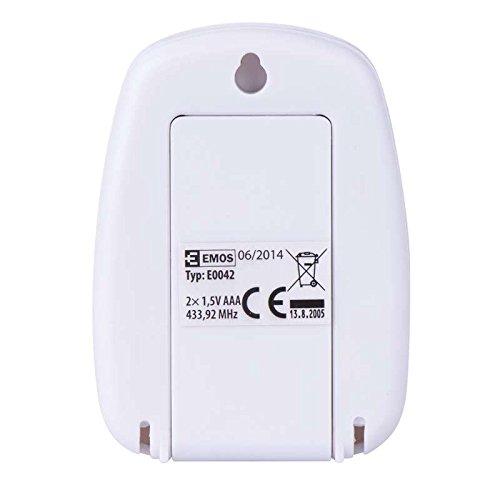
Tył view of the EMOS wireless outdoor sensor, showing the battery compartment.
2. Parowanie czujników
The main unit and sensor should automatically pair once batteries are installed. If the outdoor temperature is not displayed, ensure both units are within range and try re-inserting the batteries in both units.
3. Umieszczenie
Główny wyświetlacz:
Place the main unit indoors on a flat surface using its integrated stand, or mount it on a wall using the hanging hole on the back. Ensure it is in a location where the display is easily visible and not exposed to direct sunlight or extreme temperature fluctuations.
Strona view of the EMOS E0042 main display unit, showing its integrated stand for tabletop placement.
Bezprzewodowy czujnik zewnętrzny:
Position the wireless sensor outdoors in a shaded area, protected from direct rain and sunlight, to ensure accurate temperature readings. The maximum effective range between the sensor and the main unit is 100 meters in an open area. Walls, obstacles, and electronic interference can reduce this range.
Instrukcja obsługi
Odczyt temperatur
Once powered on and paired, the main display unit will show two temperature readings:
- NA ZEWNĄTRZ: This indicates the outdoor temperature measured by the wireless sensor.
- W: This indicates the indoor temperature measured by the main display unit itself.
The temperature is displayed in degrees Celsius (°C).
Wyświetlacz
The large LCD screen provides clear, simultaneous readings of both indoor and outdoor temperatures.
Konserwacja
Czyszczenie
Aby wyczyścić urządzenie należy przetrzeć je miękką, damp ściereczką. Nie używaj środków czyszczących ani rozpuszczalników o działaniu ściernym, ponieważ mogą one uszkodzić wyświetlacz lubasing.
Wymiana baterii
When the display becomes dim or readings are inconsistent, it is time to replace the batteries in both the main unit and the wireless sensor. Follow the battery installation steps outlined in the "Setup" section.
Rozwiązywanie problemów
| Problem | Możliwa przyczyna | Rozwiązanie |
|---|---|---|
| Brak obrazu na jednostce głównej. | Baterie są rozładowane lub nieprawidłowo włożone. | Sprawdź biegunowość baterii i wymień je na nowe baterie AAA. |
| Outdoor temperature not displayed or shows "--". | Sensor out of range, batteries dead, or interference. | Move sensor closer to the main unit. Replace sensor batteries. Ensure no strong electronic interference sources are nearby. Re-pair by removing and re-inserting batteries in both units. |
| Niedokładne odczyty temperatury. | Czujnik wystawiony na bezpośrednie działanie promieni słonecznych, deszczu lub źródeł ciepła. | Relocate the sensor to a shaded, protected area. Ensure proper ventilation around both units. |
Specyfikacje
| Funkcja | Szczegół |
|---|---|
| Numer modelu | E0042 |
| Marka | EMOS |
| Zakres temperatury wewnętrznej | od 0 °C do 60 °C |
| Zakres temperatury zewnętrznej | -40 °C do +60 °C |
| Rozdzielczość temperatury | 0.1 °C |
| Zasięg bezprzewodowej | Do 100 metrów (otwarta przestrzeń) |
| Częstotliwość | 433MHz |
| Zasilacz jednostki głównej | 2x baterie AAA 1.5 V (brak w zestawie) |
| Zasilanie czujnika | 2x baterie AAA 1.5 V (brak w zestawie) |
| Wymiary jednostki głównej (dł. x szer. x wys.) | Wymiary 8.5 x 5.6 x 1.8 cm |
| Wymiary czujnika (dł. x szer. x wys.) | Wymiary 6.8 x 4.9 x 2.0 cm |
| Typ wyświetlacza | Cyfrowy LCD |
| Technologia łączności | RF (częstotliwość radiowa) |
| Tworzywo | Plastikowy |
| Certyfikaty | CE |
Informacje dotyczące bezpieczeństwa
For detailed safety guidelines and important warnings, please refer to the official Safety Information PDF document provided by the manufacturer. Pobierz informacje dotyczące bezpieczeństwa (PDF)
Gwarancja i wsparcie
EMOS products are manufactured to high-quality standards. For warranty information or technical support, please contact your retailer or the official EMOS customer service. Keep your purchase receipt as proof of purchase.