
1. Wprowadzenie
This manual provides essential instructions for the safe and efficient operation, setup, and maintenance of your Fellowes Powershred 60Cs Cross-Cut Shredder. This shredder is designed for personal and home office use, capable of shredding paper and credit cards.
The Fellowes Powershred 60Cs features SafeSense Technology, which automatically stops shredding when hands touch the paper opening, enhancing user safety. It can shred up to 10 sheets of paper per pass into 5/32" x 2" cross-cut particles, offering Security Level 3.

Obraz 1.1: Przód view of the Fellowes Powershred 60Cs Cross-Cut Shredder, showcasing its compact design and the shred bin window.
2. Ważne informacje dotyczące bezpieczeństwa
- Przed użyciem należy przeczytać wszystkie instrukcje.
- Trzymaj dzieci i zwierzęta z dala od rozdrabniacza.
- Keep loose clothing, jewelry, hair, and other foreign objects away from the shredder opening.
- Do not place hands or fingers into the paper entry.
- Odłącz niszczarkę od zasilania, gdy jej nie używasz oraz przed czyszczeniem.
- Nie używaj produktów w aerozolu w pobliżu niszczarki.
- Do not shred metal objects, wet paper, or adhesive materials.
3. Konfiguracja
- Rozpakuj niszczarkę: Carefully remove the shredder from its packaging. Ensure all components are present.
- Pozycjonowanie: Ustaw niszczarkę na płaskiej, stabilnej powierzchni. Upewnij się, że wokół urządzenia jest wystarczająco dużo miejsca, aby umożliwić wentylację i działanie.
- Podłącz zasilanie: Plug the power cord into a standard electrical outlet. The shredder is now ready for use.
4. Instrukcja obsługi
4.1 Basic Paper Shredding
- Włączanie: Locate the control switch on the top of the shredder. Set it to the "ON" (I) position.
- Włóż papier: Insert up to 10 sheets of paper straight into the paper entry slot. The shredder will automatically start and stop.
- Praca ciągła: Niszczarka może pracować nieprzerwanie do 6 minut. Po tym czasie należy odczekać 20 minut, aby urządzenie ostygło, przed wznowieniem pracy, aby zapobiec przegrzaniu.
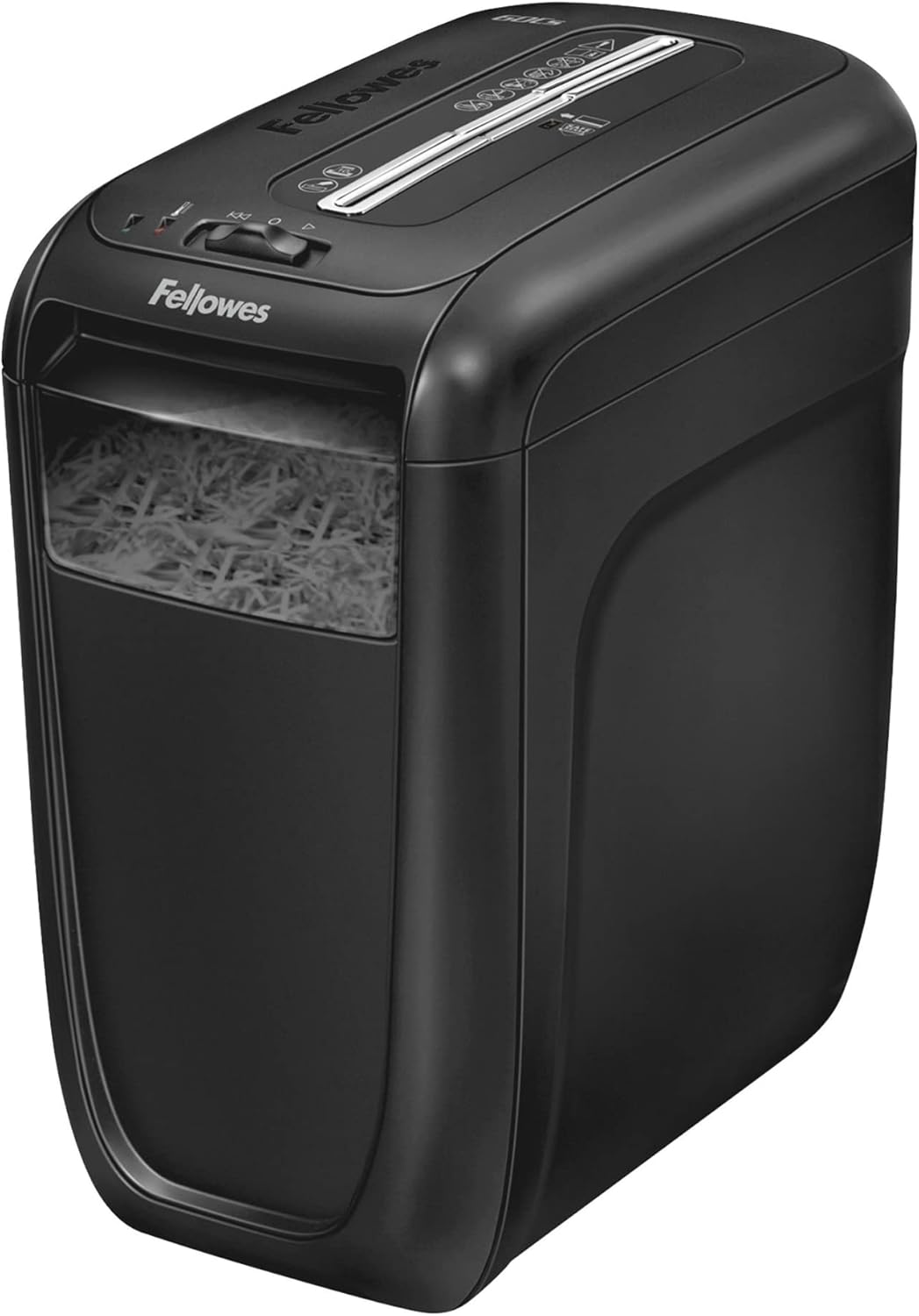
Image 4.1: A hand inserting a stack of paper into the shredder's feed slot for destruction.
4.2 Shredding Credit Cards
- Insert one credit card at a time into the center of the paper entry slot.
- The shredder will automatically detect and shred the card.
4.3 SafeSense Technology
The Fellowes Powershred 60Cs is equipped with SafeSense Technology. This feature automatically detects when hands touch the paper entry area and immediately stops the shredding process, providing an added layer of safety.

Image 4.2: A hand hovering over the shredder's paper entry, demonstrating the SafeSense technology which pauses operation for safety.
5. Konserwacja
5.1 Emptying the Shredder Bin
- Wyłączone: Turn the shredder off and unplug it from the power outlet.
- Remove Shredder Head: Podnieś głowicę niszczarki z pojemnika na odpady.
- Pusta zawartość: Dispose of the shredded material from the bin.
- Wymień głowicę: Place the shredder head back securely onto the waste bin.
- Ponowne podłączenie zasilania: Plug the shredder back into the power outlet.

Image 5.1: A user lifting the top section of the shredder to access and empty the waste bin filled with shredded paper.
5.2 Smarowanie niszczarki
Regular oiling is crucial for maintaining the shredder's performance and extending its lifespan. Oil the shredder after every 30 minutes of accumulated shredding or at least twice a month. Use only vegetable-based shredder oil in a non-aerosol container.
- Nanieś cienką warstwę oleju do niszczarek na szczelinę wlotową papieru.
- Set the shredder to the "ON" (I) position and feed a few sheets of paper through to distribute the oil.
6. Rozwiązywanie Problemów
| Problem | Możliwa przyczyna | Rozwiązanie |
|---|---|---|
| Niszczarka nie uruchamia się. | Not plugged in; power switch off; shredder head not seated correctly; SafeSense activated. | Ensure power cord is securely plugged in. Turn power switch to "ON" (I). Re-seat shredder head. Remove hands from paper entry. |
| Zacięcie papieru. | Too much paper inserted; paper not inserted straight. | Switch to "REVERSE" (R) to clear the jam. If necessary, unplug, remove shredder head, and carefully clear paper. Do not exceed 10 sheets per pass. |
| Niszczarka zatrzymuje się w trakcie pracy. | Overheat protection activated; bin full; SafeSense activated. | Allow 20 minutes for cool-down. Empty the shredder bin. Remove hands from paper entry. |
7. Specyfikacje
- Model: 4606001
- Rodzaj niszczenia: Przekop
- Rozmiar strzępienia: 5/32" x 2" (4mm x 50mm)
- Poziom bezpieczeństwa: P-3
- Pojemność arkusza: 10 arkuszy (papier dokumentowy 20 funtów)
- strzępy: Paper, Credit Cards, Staples, Small Paper Clips
- Czas trwania: 6 minut włączony / 20 minuty wyłączony
- Pojemność pojemnika: 6 galona (22.7 litrów)
- Wymiary (wys. x szer. x gł.): 16" x 9.25" x 14.63" (40.64 cm x 23.5 cm x 37.16 cm)
- Waga: 15.66 funta (7.1 kg)
- Funkcje bezpieczeństwa: SafeSense Technology
8. Gwarancja i wsparcie
Aby uzyskać informacje o gwarancji i obsłudze klienta, zapoznaj się z kartą gwarancyjną dołączoną do produktu lub odwiedź oficjalną stronę internetową Fellowes website. You can also contact Fellowes customer service for assistance with product operation, troubleshooting, or parts replacement.
Dane kontaktowe Fellowes:
Visit Fellowes Support Page