
1. Wprowadzenie
The Tenda 4G06 is a wireless gateway designed to provide high-speed internet access via LTE cellular networks and Wi-Fi. It integrates both cellular and Ethernet uplink access, offering flexible data and voice services. This device is suitable for various environments, including remote areas, temporary setups, and homes or offices where traditional wired broadband is unavailable or inconvenient. It supports Wi-Fi 4 (IEEE 802.11b/g/n) and includes an RJ11 port for voice services.

Obraz 1.1: Przód view of the Tenda 4G06 Wi-Fi 4G VoLTE Router.
2. Funkcje produktu
- Łączność 4G LTE: Provides internet access via a Mini SIM card, ideal for locations without wired broadband.
- Szybkie Wi-Fi: Supports Wi-Fi 4 (802.11b/g/n) with speeds up to 300Mbps, allowing up to 32 devices to connect simultaneously.
- VoLTE Voice Service: Features an RJ11 port to connect external landline phones for voice calls over the LTE network.
- Porty Ethernet: Includes Fast Ethernet ports (up to 100Mbps) for wired network connections.
- Odłączane anteny: Equipped with two external detachable antennas for improved signal reception.
- Data Traffic Monitoring: Allows setting a maximum monthly data traffic limit via the web interface to manage usage.
- Łatwa konfiguracja: Simple installation by inserting a SIM card and powering on the device.
3. Zawartość opakowania
Sprawdź, czy w przesyłce znajdują się następujące elementy:
- Tenda 4G06 Wi-Fi 4G VoLTE Router
- Zasilacz
- Kabel Ethernet
- RJ11 Phone Cable
- Szybki przewodnik instalacji

Wideo 3.1: W tym filmie przedstawionoview of the Tenda 4G06 LTE Voice Router and its included components.
4. Koniec sprzętuview
4.1 Wskaźniki na panelu przednim
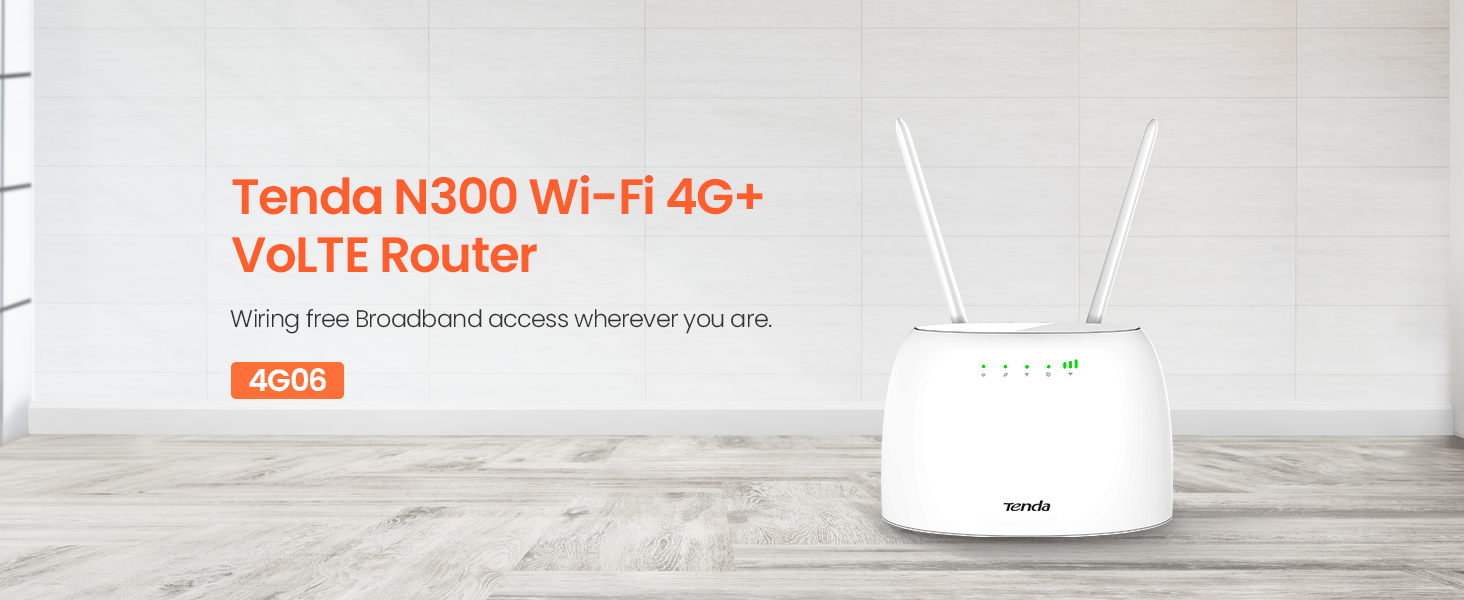
Obraz 4.1: Przód view of the Tenda 4G06 showing LED indicators.
- Wskaźnik zasilania: Wskazuje stan zasilania urządzenia.
- Wskaźnik sygnału 4G: Displays the strength of the 4G cellular signal.
- Wskaźnik Wi-Fi: Pokazuje stan sieci Wi-Fi.
- Ethernet Port Indicator: Lights up when an Ethernet device is connected.
4.2 Porty i przyciski na panelu tylnym

Obraz 4.2: Tył view of the Tenda 4G06 showing ports and buttons.
- Przycisk zasilania: Służy do włączania i wyłączania urządzenia.
- Port zasilania: Podłączany do dołączonego zasilacza.
- RJ11/TEL Port: Connects to a landline phone for voice calls.
- Szybkie porty Ethernet: Connect to wired devices such as computers or switches.
- Gniazdo karty SIM: Insert your Mini SIM card here.
- Odłączane anteny: Connect the two external antennas for optimal signal reception.
5. Przewodnik konfiguracji
Follow these steps for initial setup of your Tenda 4G06 router:
- Włóż kartę SIM: Locate the SIM card slot on the rear panel. Carefully insert your activated Mini SIM card into the slot until it clicks into place. Ensure the SIM card is correctly oriented.
- Dołącz anteny: Screw the two detachable antennas onto the connectors on the rear of the router. Adjust their position for optimal signal reception.
- Podłącz zasilanie: Connect the power adapter to the router's power port and then plug the adapter into a power outlet. Press the power button to turn on the device.
- Sprawdź wskaźniki: Wait for the Power, 4G Signal, and Wi-Fi indicators on the front panel to stabilize. The 4G Signal indicator will show the strength of your cellular connection.
- Podłącz urządzenia:
- Wi-Fi: On your computer or mobile device, search for the Wi-Fi network name (SSID) printed on the label at the bottom of the router. Connect to this network using the default Wi-Fi password (also on the label).
- Ethernet: Podłącz kabel Ethernet do portu LAN routera i portu Ethernet komputera.
- Dostęp Web Interfejs: Otwórz web przeglądarkę i wprowadź domyślny adres IP (np.
192.168.0.1) into the address bar. Log in using the default username and password (usuallyadminfor both, check the router label).
6. Instrukcja obsługi
6.1 Basic Internet Configuration
Po zalogowaniu się do web interface, the router should automatically detect your SIM card's network settings. If not, navigate to the Ustawienia internetowe or Ustawienia WAN section to manually configure the APN (Access Point Name) provided by your cellular service provider.
6.2 Ustawienia Wi-Fi
W web interfejs, przejdź do Ustawienia Wi-Fi or Ustawienia bezprzewodowe section. Here you can:
- Zmień nazwę sieci Wi-Fi (SSID).
- Change the Wi-Fi password for security.
- Włącz lub wyłącz Wi-Fi.
- Adjust Wi-Fi channel and mode for better performance.
6.3 Voice Service (VoLTE)
To use the voice service, connect a standard landline phone to the RJ11/TEL port on the rear of the router using the provided phone cable. Ensure your SIM card plan supports VoLTE. You can then make and receive calls through the connected phone while simultaneously using the internet.
6.4 Data Traffic Monitoring
The Tenda 4G06 allows you to monitor and manage your data usage. In the web interface, look for a Wykorzystanie danych or Statystyki ruchu section. You can set a monthly data limit, and the router will automatically disconnect from the network once this limit is reached, helping you avoid unexpected charges.
7. Konserwacja
To ensure optimal performance and longevity of your Tenda 4G06 router, consider the following maintenance tips:
- Umieszczenie: Umieść router w centralnym miejscu, z dala od przeszkód i innych urządzeń elektronicznych, które mogą powodować zakłócenia. Zapewnij dobrą wentylację.
- Czyszczenie: Regularly clean the router's exterior with a soft, dry cloth. Avoid using liquid cleaners or aerosols.
- Aktualizacje oprogramowania układowego: Okresowo sprawdzaj oficjalne informacje Tenda webStrona z aktualizacjami oprogramowania sprzętowego. Aktualizacja oprogramowania sprzętowego może poprawić wydajność, dodać nowe funkcje i naprawić błędy. Należy ściśle przestrzegać instrukcji dołączonych do aktualizacji oprogramowania sprzętowego.
- Ponowne uruchamianie: If you experience slow performance or connectivity issues, try restarting the router by unplugging the power adapter for 10 seconds and then plugging it back in.
8. Rozwiązywanie Problemów
If you encounter issues with your Tenda 4G06 router, refer to the following common problems and solutions:
| Problem | Możliwe rozwiązanie |
|---|---|
| Brak dostępu do internetu |
|
| Słaby sygnał Wi-Fi |
|
| Nie można uzyskać dostępu web interfejs |
|
| Voice calls not working |
|
9. Specyfikacje
| Funkcja | Szczegół |
|---|---|
| Model | 4G06 |
| Typ bezprzewodowy | 802.11b/g/n (Wi-Fi 4) |
| Prędkość bezprzewodowa | Do 300 Mb/s |
| Sieć komórkowa | 4G LTE |
| Typ karty SIM | Mini-SIM |
| Porty Ethernet | Fast Ethernet (10/100 Mbps) |
| Port głosowy | RJ11/TEL |
| Anteny | 2 x odłączane anteny zewnętrzne |
| Wymiary (dł. x szer. x wys.) | 7.3 x 5 x 2.4 cala |
| Waga przedmiotu | 12.3 uncji |
| System operacyjny | TendaOS |
| Tomtage | 12 wolty |
10. Gwarancja i wsparcie
The Tenda 4G06 router comes with a 3-letnia gwarancja na produkt. For technical assistance, product inquiries, or warranty claims, please contact Tenda Customer Support.
Kontakt z obsługą klienta:
- Telefon: +44 0800 041 8955
- E-mail: support.uk@tenda.cn
Kontaktując się z pomocą techniczną, przygotuj model produktu i informacje o zakupie.