
Wstęp
The Ozeri WeightMaster II Digital Body Weight Scale is designed to provide a comprehensive and simple solution for measuring and tracking your weight. This scale features BMI measurement, automatic user recognition, and advanced weight change detection technology to help you monitor your progress effectively. It supports a maximum weight capacity of 440 lbs (200 kg).
Please read this manual thoroughly before using your new scale to ensure proper operation and to maximize its features.
Informacje dotyczące bezpieczeństwa
- Do not use this scale on wet or slippery surfaces. Ensure the scale is placed on a firm, flat, and dry surface before use.
- Avoid dropping the scale or subjecting it to strong impacts, as this may damage the device.
- Do not immerse the scale in water or use abrasive cleaning agents. Clean with a damp płótno.
- Waga przeznaczona jest wyłącznie do użytku domowego i nie jest przeznaczona do celów medycznych lub komercyjnych.
- Baterie należy przechowywać poza zasięgiem dzieci. W przypadku połknięcia natychmiast zasięgnij porady lekarza.
Zawartość opakowania
- Ozeri WeightMaster II 440 lbs Digital Bath Scale
- Instrukcja obsługi
- 2 baterie AA
Organizować coś
1. Instalacja baterii
- Otwórz pokrywę komory baterii, która znajduje się na spodzie wagi.
- Insert the two included AA batteries, ensuring correct polarity (+/-).
- Dokładnie zamknij pokrywę komory baterii.
2. Początkowe umiejscowienie
Umieść wagę na twardej, płaskiej i stabilnej powierzchni. Unikaj dywanów i nierównych podłóg, ponieważ mogą one wpływać na dokładność pomiaru.
3. Unit Selection (lbs/kg)
On the underside of the scale, locate the unit switch. Toggle the switch to select your preferred unit of measurement: pounds (lb) or kilograms (kg).
4. Użytkownik Profile Setup (for BMI and Auto-Recognition)
The scale can store data for up to 8 unique users. To set up a user profile and enable BMI calculation:
- Press the 'SET' button on the scale. The display will show a user number (P1-P8). Use the arrow buttons to select your desired user number.
- Press 'SET' again. The display will prompt for height. Use the arrow buttons to adjust your height.
- Press 'SET' to confirm. Your profile jest już ustawione.
- The scale will automatically recognize you based on your weight when you step on it, provided your weight is within a reasonable range of your last recorded weight for that profile.
Instrukcja obsługi
1. Wykonywanie pomiaru
- Upewnij się, że waga jest umieszczona na twardej, płaskiej powierzchni.
- Ostrożnie wejdź na wagę bosymi stopami. Waga włączy się automatycznie.
- Stój nieruchomo, aż Twoja waga zostanie wyświetlona i ustabilizuje się.
- The scale will then display your Body Mass Index (BMI).
- Following the BMI, the scale will show your weight change detection data (L1, L3, L7, L30) with color alerts.
- Step off the scale. It will automatically power off after a few seconds.

Image: The Ozeri WeightMaster II scale display showing initial zero reading.
2. Weight Change Detection and Color Alert Technology
The WeightMaster II provides immediate feedback on your weight trends using its unique Weight Change Detection and Color Alert Technology:
- L1: Displays your net weight change from your last weigh-in.
- L3: Displays your net weight change from the average of your last 3 weigh-ins.
- L7: Displays your net weight change from the average of your last 7 weigh-ins.
- L30: Displays your net weight change from the average of your last 30 weigh-ins.
The display illuminates in different colors to indicate your trend:
- GREEN Illumination: Indicates weight loss.
- RED Illumination: Indicates weight gain.
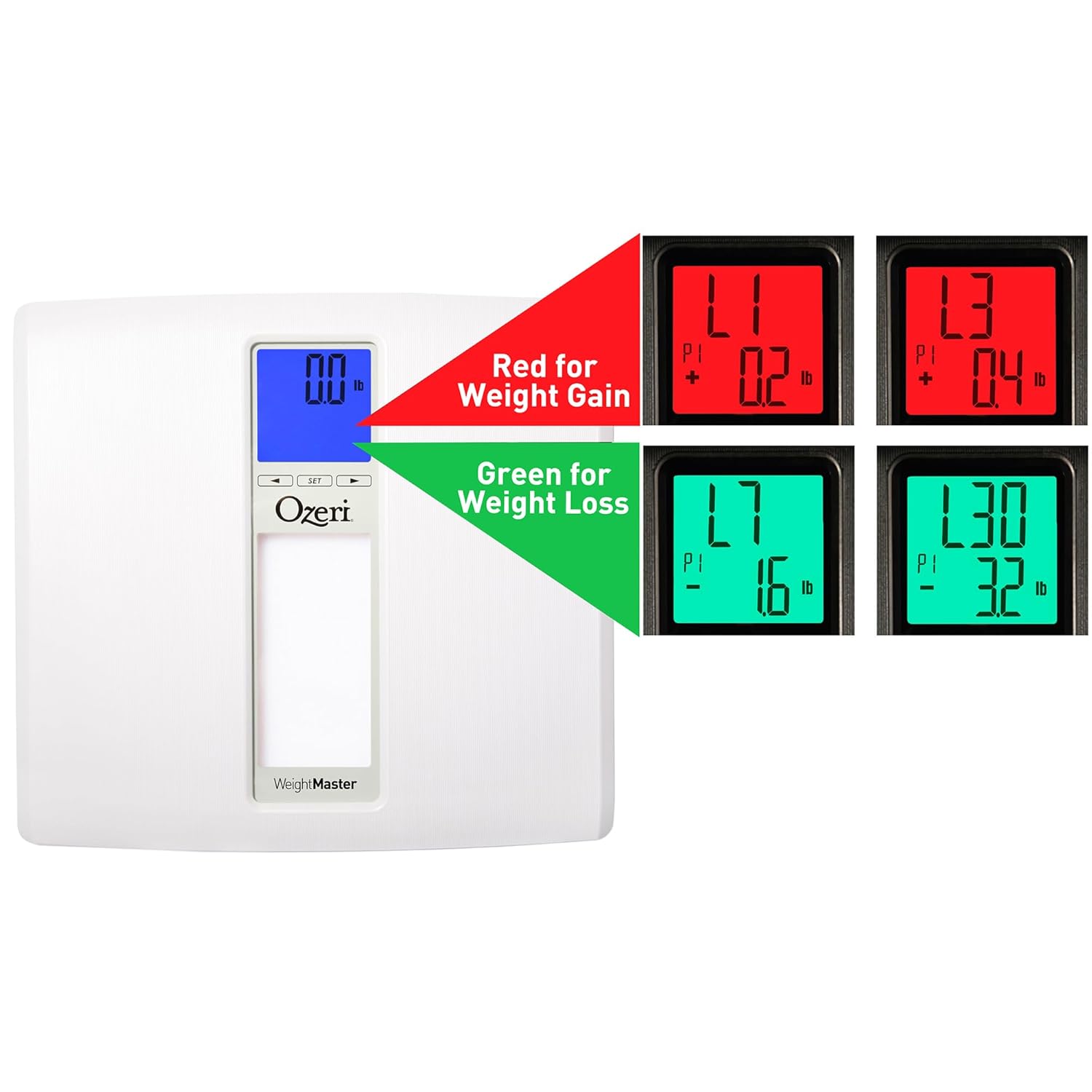
Image: The scale display illustrating red for weight gain and green for weight loss.

Image: Close-up of the display showing 'L1' in red, indicating a net weight gain from the previous recorded weight.
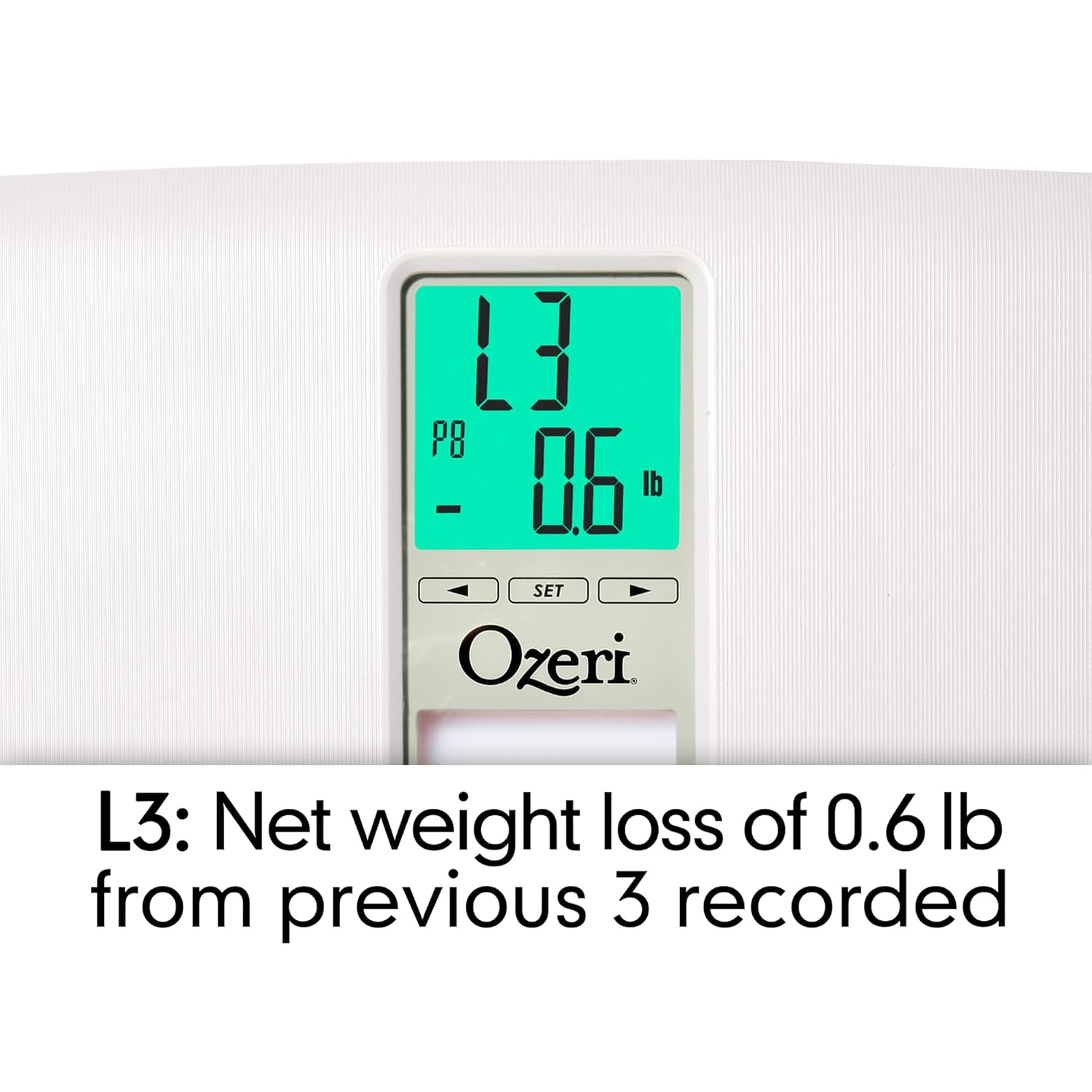
Image: Close-up of the display showing 'L3' in green, indicating a net weight loss from the average of the last 3 recorded weights.
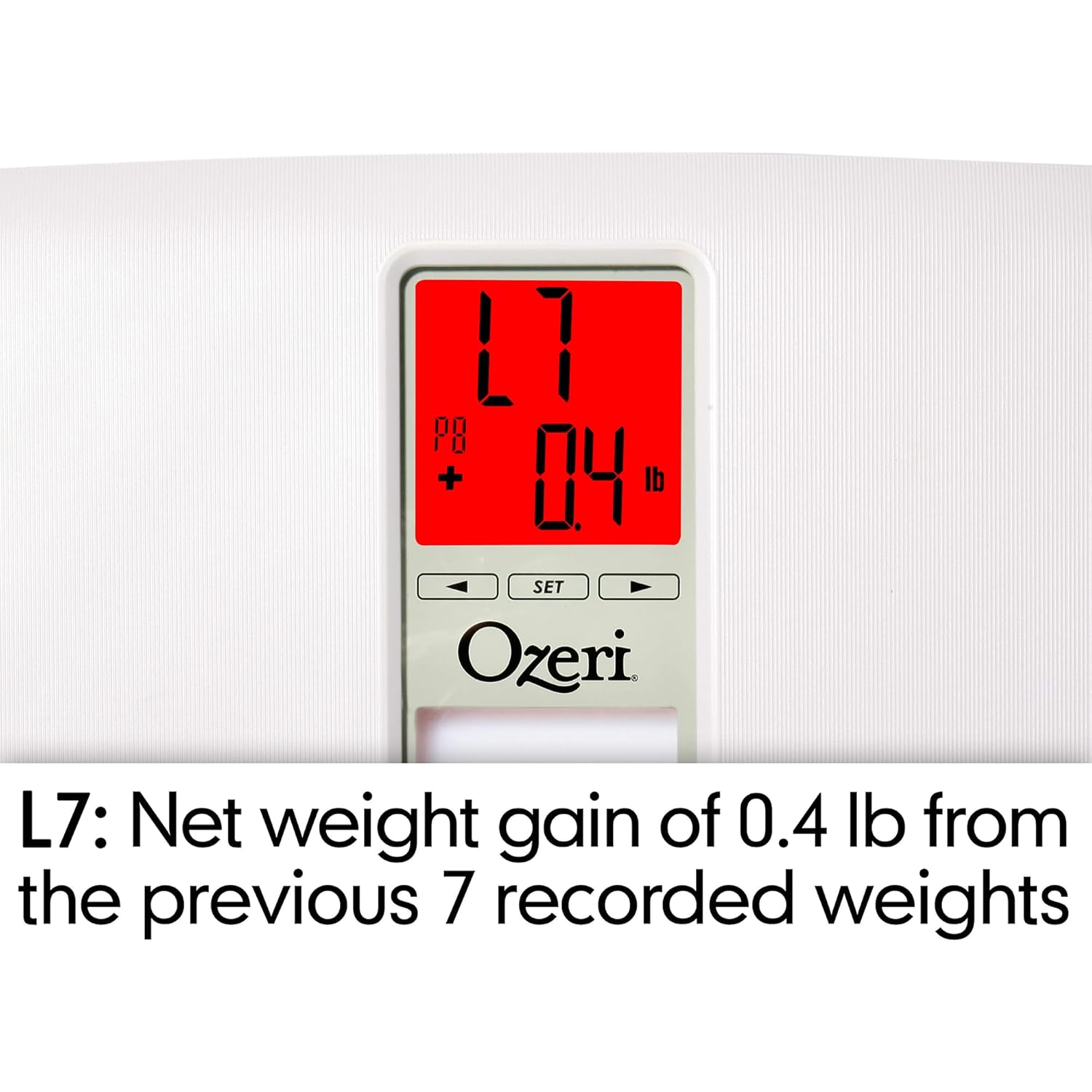
Image: Close-up of the display showing 'L7' in red, indicating a net weight gain from the average of the last 7 recorded weights.

Image: Close-up of the display showing 'L30' in green, indicating a net weight loss from the average of the last 30 recorded weights.
Konserwacja
Czyszczenie
- Przetrzyj powierzchnię wagi miękką,amp płótno.
- Do not use abrasive cleaners or chemical solvents, as these can damage the finish and electronic components.
- Przed przechowywaniem lub następnym użyciem należy upewnić się, że waga jest sucha.
Wymiana baterii
If the display becomes dim or shows a 'Lo' indicator, it is time to replace the batteries. Follow the battery installation steps in the 'Setup' section.
Składowanie
Przechowuj wagę w chłodnym, suchym miejscu, z dala od bezpośredniego światła słonecznego i ekstremalnych temperatur. Nie kładź ciężkich przedmiotów na wadze, gdy nie jest używana.
Rozwiązywanie problemów
| Problem | Możliwa przyczyna | Rozwiązanie |
|---|---|---|
| Waga nie włącza się. | Baterie są rozładowane lub nieprawidłowo zainstalowane. | Sprawdź biegunowość baterii lub wymień je na nowe baterie AA. |
| Niedokładne lub niespójne odczyty. | Scale is on an uneven surface; scale needs re-calibration; user is moving during measurement. | Place scale on a hard, flat surface. Step off and then back on to allow auto-calibration. Stand still during measurement. |
| Na wyświetlaczu pojawia się komunikat "Err" lub "O-Ld". | Waga przekracza maksymalną ładowność (440 funtów / 200 kg). | Zmniejsz wagę. |
| Scale shows 440 lbs (or max weight) for all users. | Internal error or severe calibration issue. | Remove batteries for 10 seconds, then reinsert. If problem persists, contact customer support. |
| Na wyświetlaczu pojawia się komunikat „Lo”. | Niski poziom naładowania baterii. | Wymień baterie. |
| Scale does not recognize user. | Użytkownik profile not set or significant weight change from last recorded weight. | Upewnij się, że Twój użytkownik jest profesjonalnyfile is set. If your weight has changed significantly, the scale may not recognize you immediately; it will assign the reading to the closest profile or a new one. |
Specyfikacje
- Model: ZB20-W
- Marka: Ozeri
- Nośność: 440 funta (200 kg)
- Dokładność odczytu: 0.1 funty (0.05 kg)
- Typ wyświetlacza: LCD with Color Alert Technology
- Tworzywo: ABS exterior with tempered glass interior
- Wymiary: 11.75 x 12.5 x 1 cala (29.8 x 31.75 x 2.54 cm)
- Waga przedmiotu: 3.75 funtów (1.7 kg)
- Źródło zasilania: 2 baterie AA (w zestawie)
- Cechy szczególne: Body Mass Index (BMI) measurement, Weight Change Detection (L1, L3, L7, L30), Auto-recognition for up to 8 users, Step-on technology, Auto-power off.
Gwarancja i wsparcie
Ozeri products are manufactured to high-quality standards. For specific warranty information regarding your Ozeri WeightMaster II scale, please refer to the warranty card included with your purchase or visit the official Ozeri webstrona.
If you encounter any issues or have questions not covered in this manual, please contact Ozeri customer support for assistance. Contact details can typically be found on the product packaging or the official Ozeri webstrona.