
SINGCALL SC-R10
SINGCALL Wireless Waiter Calling System User Manual
Model: SC-R10
1. Wprowadzenie
This manual provides comprehensive instructions for the installation, operation, and maintenance of your SINGCALL Wireless Waiter Calling System, Model SC-R10. This system is designed to enhance service efficiency in various environments such as restaurants, cafes, and hotels by providing a reliable and easy-to-use communication solution between customers or staff and service personnel.
The SC-R10 receiver displays call numbers from paired call buttons, allowing for quick response and improved customer satisfaction. Please read this manual thoroughly before using the product to ensure proper function and longevity.

Figure 1.1: SINGCALL SC-R10 Wireless Receiver
2. Informacje dotyczące bezpieczeństwa
Aby zapobiec uszkodzeniu produktu i zapewnić bezpieczeństwo użytkownika, należy przestrzegać następujących środków ostrożności:
- Nie wystawiaj urządzenia na działanie ekstremalnych temperatur, wilgoci ani bezpośredniego światła słonecznego.
- Unikaj upuszczania i narażania urządzenia na silne uderzenia.
- Trzymaj urządzenie z dala od wody i innych płynów.
- Nie próbuj samodzielnie demontować ani naprawiać urządzenia. Skontaktuj się z wykwalifikowanym personelem serwisowym.
- Use only the specified power adapter for the receiver.
- OSTRZEŻENIE: RYZYKO ZADŁAWIENIA - Small parts not for children under 3 years or any individuals who have a tendency to place inedible objects in their mouths.
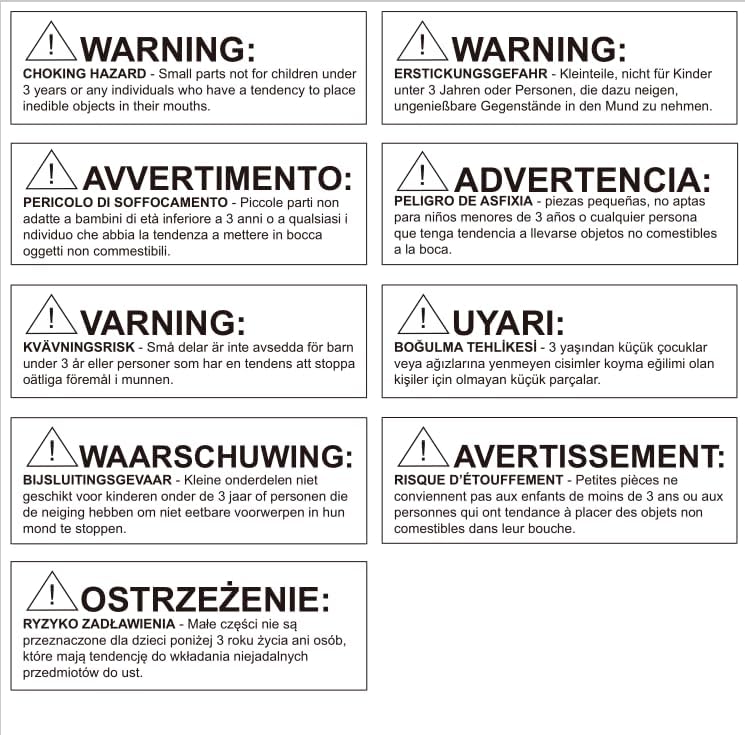
Figure 2.1: Multi-language Safety Warning
3. Koniec produktuview
3.1. składniki
The SINGCALL Wireless Waiter Calling System typically consists of the following main components:
- SC-R10 Receiver: The central unit that receives and displays call signals.
- Call Buttons (Sold Separately): Transmitters that send call signals to the receiver when pressed. These can be various types, such as table-mounted buttons or wrist pagers.
- Zasilacz: For powering the SC-R10 receiver.

Figure 3.1: System Components (Receiver, Call Buttons)
3.2. Główne cechy
- Registered numbers cannot be registered again, preventing duplicate entries for the same number.
- Capable of displaying 3 groups of double-digit numbers simultaneously.
- Multiple prompt modes: Dingdong, Alarming sound, and voice report.
- Supports up to 199 call buttons.
- English letter beginning display options: A, B, C, D, E, F, H, P, L, J.
4. Konfiguracja
4.1. Rozpakowywanie
- Ostrożnie wyjąć wszystkie elementy z opakowania.
- Sprawdź, czy wszystkie wymienione komponenty są obecne.
- Zachowaj opakowanie w celu przyszłego przechowywania lub transportu.
4.2. Powering On the Receiver
- Locate the power input port on the back or side of the SC-R10 receiver.
- Connect the provided power adapter to the receiver.
- Plug the power adapter into a standard electrical outlet. The receiver display should illuminate.

Figure 4.1: Receiver Back View z wejściem zasilania
4.3. Parowanie przycisków połączeń
To enable call buttons to communicate with the SC-R10 receiver, they must be paired. The specific pairing procedure may vary slightly depending on the call button model. Generally, the process involves:
- Enter the receiver into pairing mode (refer to the call button's specific manual for details on how to initiate pairing on the receiver side, usually involving a 'SET' or 'CODE' button).
- Press the call button you wish to pair.
- The receiver will display a confirmation or the newly registered number.
- Note: A registered number cannot be registered again, preventing duplicate assignments.

Rysunek 4.2: Strona odbiorcza View z przyciskami sterującymi
5. Instrukcja obsługi
5.1. Odbieranie połączeń
When a paired call button is pressed, the SC-R10 receiver will:
- Display the corresponding call number on its LED screen.
- Activate the selected prompt mode (Dingdong, Alarming sound, or voice report) to alert staff.
- The receiver can display up to 3 groups of double-digit numbers simultaneously.
5.2. Clearing Calls
To clear a displayed call number from the receiver, typically there is a 'CLEAR' or 'DELETE' button on the receiver. Pressing this button will remove the active call from the display. Consult the specific button layout on your receiver for exact button functions.
5.3. Dostosowywanie ustawień
The SC-R10 receiver allows for adjustment of various settings, including prompt modes and display options. Use the control buttons on the side or back of the receiver to navigate through the menu options. Refer to the specific button functions for changing settings such as:
- Prompt Mode: Switch between Dingdong, Alarming sound, or voice report.
- Opcje wyświetlania: Configure how numbers are displayed, including the use of English letter prefixes (A, B, C, D, E, F, H, P, L, J).

Figure 5.1: Receiver in a Restaurant Environment
6. Konserwacja
6.1. Czyszczenie
To maintain the appearance and functionality of your SC-R10 receiver:
- Wytrzyj obudowę miękką, suchą szmatką.
- W przypadku uporczywych zabrudzeń, delikatnieamppl szmatkę wodą lub łagodnym, nieściernym środkiem czyszczącym.
- Nie należy używać silnych środków chemicznych, rozpuszczalników ani ściernych środków czyszczących.
- Upewnij się, że do otworów urządzenia nie dostanie się żadna ciecz.
6.2. Przechowywanie
If the device will not be used for an extended period:
- Odłącz zasilacz.
- Store the receiver and call buttons in a cool, dry place, away from direct sunlight and extreme temperatures.
- Zaleca się przechowywanie urządzenia w oryginalnym opakowaniu, aby zabezpieczyć je przed kurzem i uszkodzeniami mechanicznymi.
7. Rozwiązywanie Problemów
If you encounter issues with your SINGCALL Wireless Waiter Calling System, refer to the table below for common problems and their solutions.
| Problem | Możliwa przyczyna | Rozwiązanie |
|---|---|---|
| Receiver display is off. | Brak problemów z zasilaniem lub zasilaczem. | Check if the power adapter is securely plugged into the receiver and the electrical outlet. Try a different outlet. |
| Call button press does not register on receiver. | Button not paired, out of range, or low battery (for button). | Ensure the call button is properly paired with the receiver. Move the call button closer to the receiver. Check and replace the battery in the call button if applicable. |
| Incorrect number displayed. | Call button incorrectly paired or interference. | Re-pair the call button to ensure correct number assignment. Check for strong interference sources nearby. |
| Sound prompt not working. | Volume too low or prompt mode disabled. | Adjust the volume using the receiver's controls. Verify that a prompt mode (Dingdong, Alarming sound, or voice report) is selected and enabled. |
| Receiver not responding to button presses. | Zawieszenie się systemu lub błąd wewnętrzny. | Disconnect the power adapter, wait 10 seconds, then reconnect it to restart the receiver. |
8. Specyfikacje
The following are the technical specifications for the SINGCALL SC-R10 Wireless Receiver:
| Atrybut | Wartość |
|---|---|
| Marka | ŚPIEWAJ |
| Numer modelu | SC-R10 |
| Waga przedmiotu | 1.1 funta (0.5 kilograma) |
| Wymiary produktu (dł. x szer. x wys.) | 7.87 x 5.12 x 1.18 cala |
| Typ materiału | Akrylonitryl-butadien-styren (ABS) |
| Call Button Capability | Up to 199 buttons |
| Typ wyświetlacza | LED, displays 3 groups of double-digit numbers simultaneously |
| Tryby monitowania | Dingdong, Alarming sound, Voice report |
| English Letter Beginning Display | A, B, C, D, E, F, H, P, L, J |
| Źródło zasilania | Elektryczny przewodowy |
| Producent | EASTWAY INTERNATIONAL (HK) LIMITED |
| Data pierwszej dostępności | 10 listopada 2014 r. |
Ask a question about this manual
Ask about setup, troubleshooting, compatibility, parts, safety, or missing instructions. Manuals+ will review the question and use this page’s manual context to help answer it.