
Wstęp
The Fellowes Saturn 125 Thermal Laminator is designed for efficient and reliable lamination of documents up to 12.5 inches wide. Featuring InstaHeat technology for rapid warm-up and a jam-free design, this machine is suitable for home, office, or classroom use. This manual provides essential information for safe operation, setup, maintenance, and troubleshooting.
Informacje dotyczące bezpieczeństwa
- Bezpieczeństwo elektryczne: Always plug the laminator into a grounded outlet. Do not operate with a damaged power cord or plug. Keep the power cord away from heated surfaces.
- Ostrzeżenie o wysokiej temperaturze: The laminator's rollers and surrounding areas become hot during operation. Avoid touching these surfaces to prevent burns. Allow the machine to cool completely before storing.
- Proper Pouch Use: Use only laminating pouches designed for thermal laminators. Do not attempt to laminate items thicker than the maximum recommended pouch thickness (5-mil).
- Wentylacja: Ensure adequate ventilation around the laminator during use. Do not block air vents.
- Dzieci i zwierzęta: Keep the laminator out of reach of children and pets. Adult supervision is required if children are operating the device.
- Kontakt z cieczą: Do not expose the laminator to water or other liquids. If liquid spills on the device, unplug it immediately and contact customer support.
Zawartość opakowania
Sprawdź, czy w opakowaniu znajdują się wszystkie elementy:
- Fellowes Saturn 3i 125 Laminator
- Pouch Starter Kit (quantity may vary)
- Instrukcja obsługi
Organizować coś
- Rozpakować: Ostrożnie wyjmij laminator i wszystkie akcesoria z opakowania.
- Umieszczenie: Place the laminator on a stable, flat surface with adequate space around it for proper ventilation and document feeding/exiting. Ensure it is away from heat sources and direct sunlight.
- Podłączenie zasilania: Podłącz przewód zasilający do standardowego gniazdka elektrycznego.
- Włączanie: Locate the power switch on the back of the unit and turn it to the 'ON' position. The laminator will begin its warm-up cycle.
- Rozgrzewka: The InstaHeat technology allows for a rapid warm-up time of approximately 60 seconds. The indicator light will change from red to green when the machine is ready for use.

Image: Fellowes Saturn 125 Thermal Laminator ready for use.

Image: The laminator features a quick 60-second warm-up time, indicated by a green light.
Instrukcja obsługi
- Wybierz grubość torebki: Choose the appropriate pouch thickness (3-mil, 4-mil, or 5-mil) using the control panel buttons. For self-adhesive pouches, select the 'COLD' setting (snowflake icon).
- Przygotuj dokument: Place your document neatly inside the laminating pouch, ensuring it is centered and there is a small border around the edges.
- Włóż woreczek: Feed the sealed edge of the pouch into the laminator's entry slot. The machine will automatically draw the pouch through.
- Proces laminowania: The Saturn 125 laminates at a speed of 19 inches per minute. Allow the machine to complete the process without pulling or pushing the pouch.
- Pobierz zalaminowany dokument: Once the pouch exits the rear of the machine, carefully remove it. The document will be warm; allow it to cool for a few moments before handling extensively.
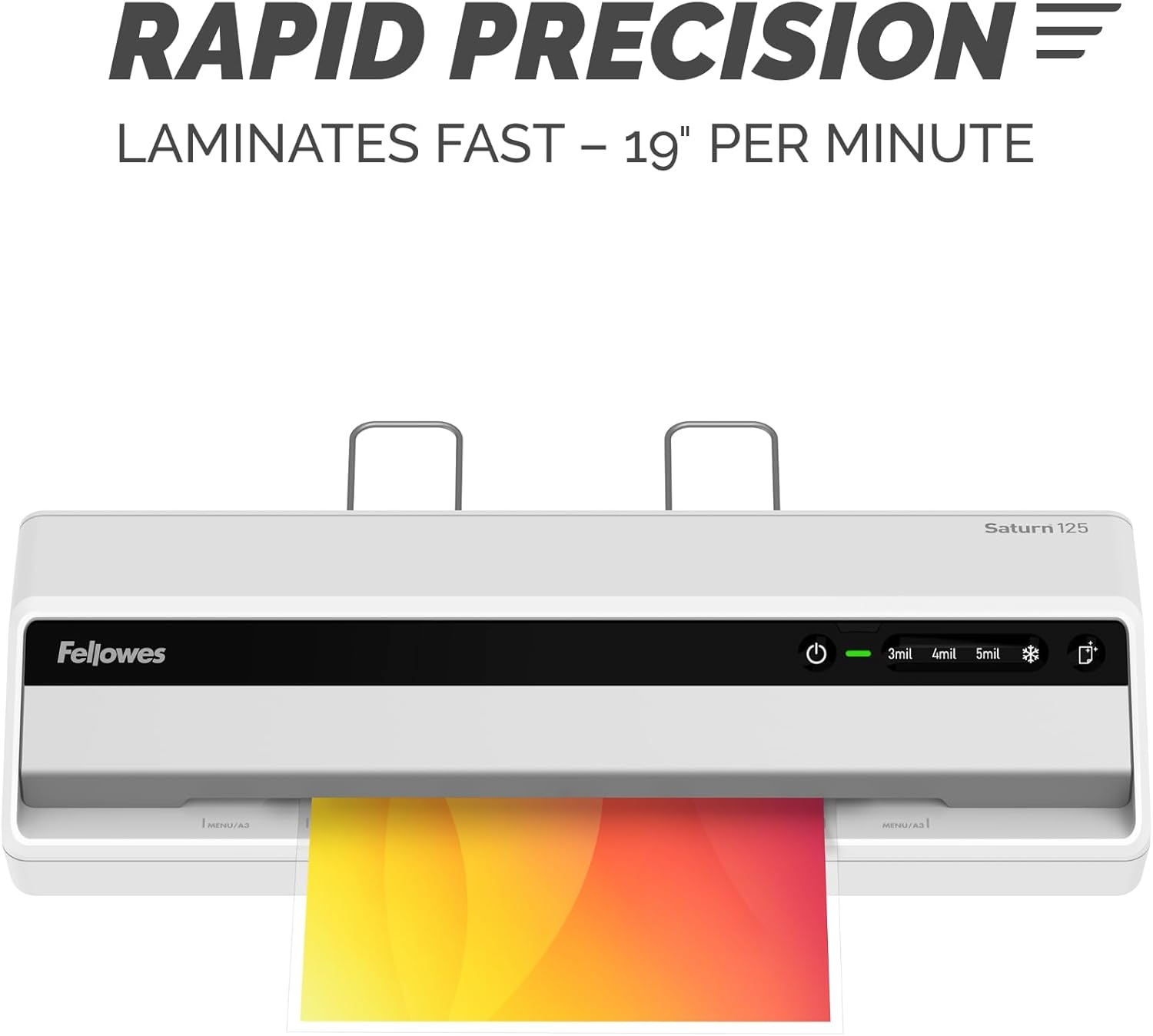
Image: The laminator processes documents quickly at 19 inches per minute.

Image: Choose from 3-mil, 4-mil, 5-mil, or cold settings for various pouch types.
Video: A quick demonstration of the Fellowes Saturn 3i 125 laminator in action, showing the ease of use and efficient lamination process.
Video: This video demonstrates how simple it is to laminate documents using the Fellowes Saturn 125, highlighting its user-friendly operation.
Konserwacja
- Czyszczenie: The laminator features a CleanAlert reminder system. When activated, run a cleaning sheet through the machine to remove adhesive residue and maintain optimal performance.
- Czyszczenie zewnętrzne: Przetrzyj zewnętrzną część laminatora miękką, suchą ściereczką. Nie używaj środków czyszczących ani rozpuszczalników o działaniu ściernym.

Image: The CleanAlert system provides reminders for cleaning to ensure longevity.
Rozwiązywanie problemów
- Document Jam: The Saturn 125 includes jam detection technology. If a jam occurs, use the quick release lever to free the pouch. Re-center or remove the pouch and attempt lamination again.
- Bubbles or Uneven Lamination: Ensure the correct pouch thickness setting is selected. For optimal results, use high-quality laminating pouches.
- Przegrzanie: The laminator is equipped with an automatic shut-off feature that activates after 30 minutes of non-use to prevent overheating and conserve energy. If the machine feels excessively hot, unplug it and allow it to cool.

Image: The jam release lever helps clear jammed pouches for continuous productivity.
Specyfikacje
| Funkcja | Szczegół |
|---|---|
| Marka | Fellowes |
| Numer modelu | 5736601 |
| Waga przedmiotu | 5.1 funta |
| Wymiary produktu | 5.75 x 20.94 x 4.13 cala |
| Typ materiału | Plastikowy |
| Max Document Width | 12.5 cali |
| Rozmiar arkusza | List |
| Czas rozgrzewki | 60 seconds (InstaHeat) |
| Prędkość laminowania | 19 cala na minutę |
| Pouch Thickness Settings | 3-mil, 4-mil, 5-mil, Cold |
| Automatyczne wyłączanie | Yes (after 30 minutes of non-use) |
Gwarancja i wsparcie
For warranty information and customer support, please refer to the official Fellowes webOdwiedź witrynę lub skontaktuj się z działem obsługi klienta. Zachowaj paragon jako dowód zakupu na wypadek ewentualnych roszczeń gwarancyjnych.
Producent: Fellowes