
Wstęp
This manual provides instructions for the Technaxx TX-28 Extra Bullet Camera, designed to expand your existing Technaxx TX-28 wireless security camera system. It features motion detection, PIR day and night vision, and a waterproof design for outdoor surveillance. This camera is an accessory to the main TX-28 system, which includes a 7-inch TFT LCD monitor and recorder.
Główne cechy
- PIR-Activated Sensors: Detects motion up to approximately 8m day and night. When suspicious objects are detected, the camera illuminates the area to deter intruders and records clear color videos, even at night.
- Rozszerzenie systemu: This extra camera is designed to expand your existing Technaxx TX-28 wireless CCTV system, which features an integrated recorder, receiver, and 7-inch TFT LCD monitor. The system supports up to 4 Technaxx cameras.
- HD Monitoring & Audio: Infrared LEDs provide up to 15m night vision. The IP65 waterproof housing allows for indoor and outdoor use. The system also supports remote audio monitoring and recording.
- System bezprzewodowy: The camera offers plug & play functionality. It automatically pairs with the main monitor, eliminating the need for cables between them, providing a stable and clear viewzdobywania doświadczenia.
- Wsparcie aplikacji mobilnych: View żyćtage on iPhone and Android devices. Connect to your camera system via your phone to monitor your property. Supports MicroSD cards up to 32GB for recording.
Zawartość opakowania
Przed przystąpieniem do instalacji należy upewnić się, że wszystkie elementy są obecne i w dobrym stanie.
- 1 x Technaxx Extra Bullet Camera for Easy Security Camera Kit TX-28
- 1 x zasilacz
- 3 x Śruby
- 3 x wtyczki ścienne
Organizować coś
1. Umiejscowienie kamery
Choose a suitable location for your extra bullet camera. The camera is designed for outdoor use with an IP65 rating, making it resistant to dust and water jets. Consider areas that provide optimal surveillance coverage and are within range of your existing Technaxx TX-28 monitor for wireless connection.

Image: The Technaxx TX-28 Extra Bullet Camera, showing its bullet-style design, antenna, and adjustable mounting stand. This camera is designed for versatile placement.
2. Montaż kamery
- Mark the desired drilling points on the wall using the camera's mounting base as a template.
- Drill holes at the marked positions. Insert the provided wall plugs into the holes.
- Przymocuj podstawę montażową kamery do ściany za pomocą dołączonych śrub.
- Dostosuj kąt kamery tak, aby objąć wybrany obszar nadzoru.
3. Podłączenie zasilania
Connect the included power adapter to the camera and then plug it into a suitable power outlet. Ensure the power cable is routed safely and securely to prevent damage or tripping hazards.
4. Pairing with the Main System
The Technaxx TX-28 extra camera is designed for automatic pairing with your existing TX-28 monitor. Once the camera is powered on, it should automatically connect to the main system. If automatic pairing does not occur, refer to your main TX-28 system's manual for manual pairing instructions, which typically involve a pairing button on both the camera and the monitor.
Obsługa aparatu
1. Na żywo View
Access the live feed from your camera via the main TX-28 monitor or through the dedicated mobile application on your smartphone (iPhone or Android). The mobile app allows remote viewi kontroli.
2. Detekcja ruchu i alerty
The camera features PIR-activated motion detection. When motion is detected, the system can trigger alerts on your mobile device and begin recording. The camera also illuminates the area with infrared LEDs for enhanced night vision recording.
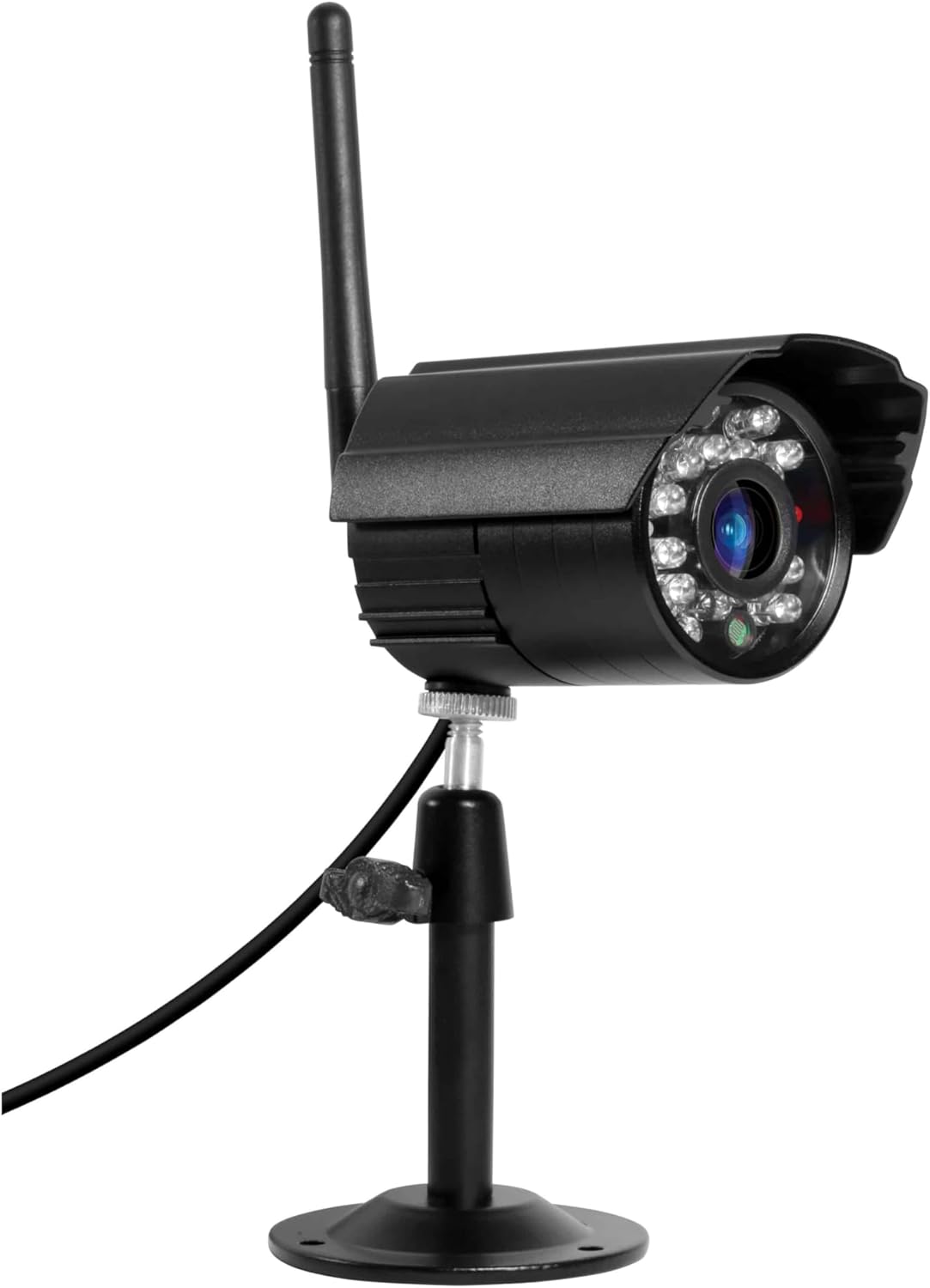
Obraz: szczegółowy view of the camera's front, highlighting the lens and the array of infrared LEDs for night vision capabilities.
3. Wizja nocna
The integrated infrared LEDs provide clear night vision up to 15 meters, allowing for continuous surveillance even in complete darkness. The camera is capable of recording color video at night when motion is detected and the area is illuminated.
4. Audio Monitoring and Recording
The camera supports audio capture, allowing you to listen to sounds from the monitored area and record audio along with video footage. This feature can be accessed through the main monitor or the mobile app.
5. Rejestrowanie i przechowywanie
Recordings are managed by the main TX-28 system. The system supports MicroSD cards up to 32GB for local storage of video and audio. Consult your main system's manual for detailed recording settings and playback options.
Konserwacja
1. Czyszczenie
Regularnie czyść obiektyw i obudowę aparatu miękką, miękką szmatką.amp szmatką. Unikaj stosowania silnych środków chemicznych lub materiałów ściernych, które mogłyby porysować soczewkę lub uszkodzićasing. Ensure the camera is powered off before cleaning.
2. Connection Check
Periodically check all cable connections (power) to ensure they are secure and free from damage. For wireless connections, ensure the camera is within the effective range of the main monitor.
3. Aktualizacje oprogramowania sprzętowego
Check the Technaxx website or your mobile app for any available firmware updates for your TX-28 system, including the camera. Keeping the firmware updated ensures optimal performance and security.
Rozwiązywanie problemów
No Image on Monitor/App
- Sprawdź moc: Ensure the camera is properly connected to its power adapter and the adapter is plugged into a working outlet.
- Sprawdź połączenie: Verify that the camera is within range of the main TX-28 monitor and that the wireless connection is stable. Try moving the camera closer to the monitor temporarily.
- Ponowne sparowanie kamery: If the camera was previously working, try re-pairing it with the main monitor according to the main system's instructions.
Słaba jakość obrazu
- Wyczyść obiektyw: Ensure the camera lens is clean and free from dirt, dust, or smudges.
- Sprawdź oświetlenie: Ensure there is adequate lighting in the monitored area, especially at night. The night vision range is up to 15m.
- Zakłócenia sygnału: Other wireless devices or thick walls might interfere with the signal. Try repositioning the camera or the main monitor.
Wykrywanie ruchu nie działa
- Sprawdź ustawienia: Verify that motion detection is enabled in the system settings (via monitor or app).
- Czułość PIR: Adjust the PIR sensor sensitivity. High sensitivity might trigger false alarms, while low sensitivity might miss events.
- Przeszkody: Upewnij się, że nie ma żadnych przeszkód fizycznych blokujących czujnik PIR. view.
Specyfikacje
| Funkcja | Specyfikacja |
|---|---|
| Marka | Technaxx |
| Nazwa modelu | TX-28 |
| Technologia łączności | Bezprzewodowy |
| Funkcja specjalna | Czujnik ruchu |
| Do użytku wewnątrz/na zewnątrz | Plenerowy |
| Kompatybilne urządzenia | Smartfon |
| Źródło zasilania | Zasilacz |
| Protokół połączenia | Wtyczka domowa |
| Typ kontrolera | Android |
| Typ montażu | Montaż ścienny |
| Kolor | Czarny |
| Współczynnik kształtu | Kula |
| Tworzywo | Metal |
| Poziom wodoodporności | Wodoodporny (IP65) |
| Tryb pracy | Tylko ruch |
| Źródło światła | Podczerwony |
| Rozdzielczość nagrywania wideo | 720p |
| Format nagrywania wideo | MPEG-4 |
| Zakres noktowizora | 200 Meters (IR LEDs provide up to 15m effective range) |
| Wizja nocna | Kolorowa wizja nocna |
| Tomtage | 5 wolty |
| Cotage | 5 watów |
| Czy potrzebne są baterie? | NIE |
| Typ fokusu | Ręczne ustawianie ostrości |
| Typ powiększenia | Zoom optyczny |
| Technologia czujnika fotograficznego | CMOS |
| Pozycja Wymiary (dł. x szer. x wys.) | Wymiary 9.5 x 6.8 x 5.7 cm |
| Waga przedmiotu | 300 gram |
| Kraj pochodzenia | Chiny |
Informacje o gwarancji
This Technaxx TX-28 Extra Bullet Camera comes with a 2-letnia gwarancja from the date of purchase. Please retain your proof of purchase for any warranty claims. The warranty covers manufacturing defects and malfunctions under normal use. It does not cover damage caused by misuse, accidents, unauthorized modifications, or improper installation.
Wsparcie
For further assistance, technical support, or to inquire about additional accessories, please contact Technaxx customer service or visit the official Technaxx website. You may also refer to the full instruction manual for your main Technaxx TX-28 security camera system for comprehensive details on system operation and advanced features.

Obraz: Profesjonalista z bokufile of the Technaxx TX-28 camera, showing its robust build and the wireless antenna for connectivity.